1OPERATION_.pdf - 第208页
4.6 Operation Mode INFO . FEEDER CARRIAGE PRIORITY MODE RETURN TO ORDER OF PRIORITY CARRIAGE . Operation • Select the data key @ . • Press one of the option keys ® and then the [ SET ] key © . 4 — 27 - 2 oooQ - nni ACP 0…
4.6
Operation
Mode
[
PRIORITY
MODE
]
“
PICK
-
UP
POSITION
”
or
“
PROGRAM
ORDER
”
can
be
set
in
the
data
box
as
a
startup
requirement
of
the
alternate
carriage
function
.
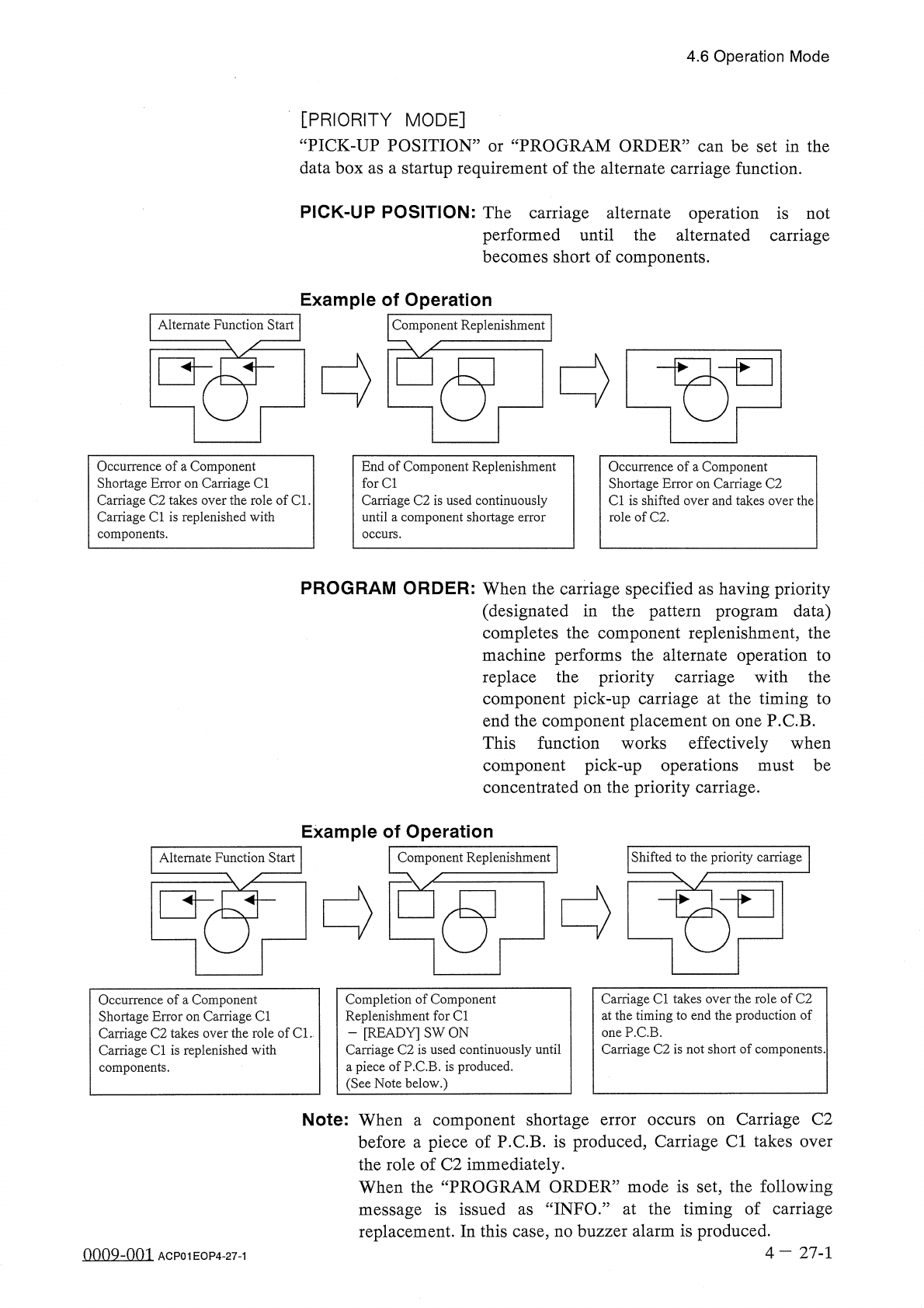
PICK
-
UP
POSITION
:
The
carriage
alternate
operation
is
not
performed
until
the
alternated
carriage
becomes
short
of
components
.
Example
of
Operation
Alternate
Function
Start
Component
Replenishment
Occurrence
of
a
Component
Shortage
Error
on
Carriage
Cl
Carriage
C
2
takes
over
the
role
of
Cl
.
Carriage
Cl
is
replenished
with
components
.
End
of
Component
Replenishment
for
Cl
Carriage
C
2
is
used
continuously
until
a
component
shortage
error
occurs
.
Occurrence
of
a
Component
Shortage
Error
on
Carriage
C
2
Cl
is
shifted
over
and
takes
over
the
role
of
C
2
.
PROGRAM
ORDER
:
When
the
carriage
specified
as
having
priority
(
designated
in
the
pattern
program
data
)
completes
the
component
replenishment
,
the
machine
performs
the
alternate
operation
to
replace
the
priority
carriage
with
the
component
pick
-
up
carriage
at
the
timing
to
end
the
component
placement
on
one
P
.
C
.
B
.
This
function
works
effectively
when
component
pick
-
up
operations
must
be
concentrated
on
the
priority
carriage
.
Example
of
Operation
Shifted
to
the
priority
carriage
Alternate
Function
Start
Component
Replenishment
Carriage
Cl
takes
over
the
role
of
C
2
at
the
timing
to
end
the
production
of
one
P
.
C
.
B
.
Carriage
C
2
is
not
short
of
components
.
Completion
of
Component
Replenishment
for
Cl
-
[
READY
]
SW
ON
Carriage
C
2
is
used
continuously
until
a
piece
of
P
.
C
.
B
.
is
produced
.
(
See
Note
below
.
)
Occurrence
of
a
Component
Shortage
Error
on
Carriage
Cl
Carriage
C
2
takes
over
the
role
of
Cl
.
Carriage
Cl
is
replenished
with
components
.
Carriage
C
2
over
Note
:
When
component
shortage
before
a
piece
of
P
.
C
.
B
.
is
produced
,
Carriage
Cl
takes
the
role
of
C
2
immediately
.
When
the
“
PROGRAM
ORDER
”
mode
is
set
,
the
following
message
is
issued
as
“
INFO
.
”
at
the
timing
of
carriage
replacement
.
In
this
case
,
no
buzzer
alarm
is
produced
.
error
occurs
on
a
4
-
27
-
1
0009
-
001
ACP
01
EOP
4
-
27
-
1
4.6
Operation
Mode
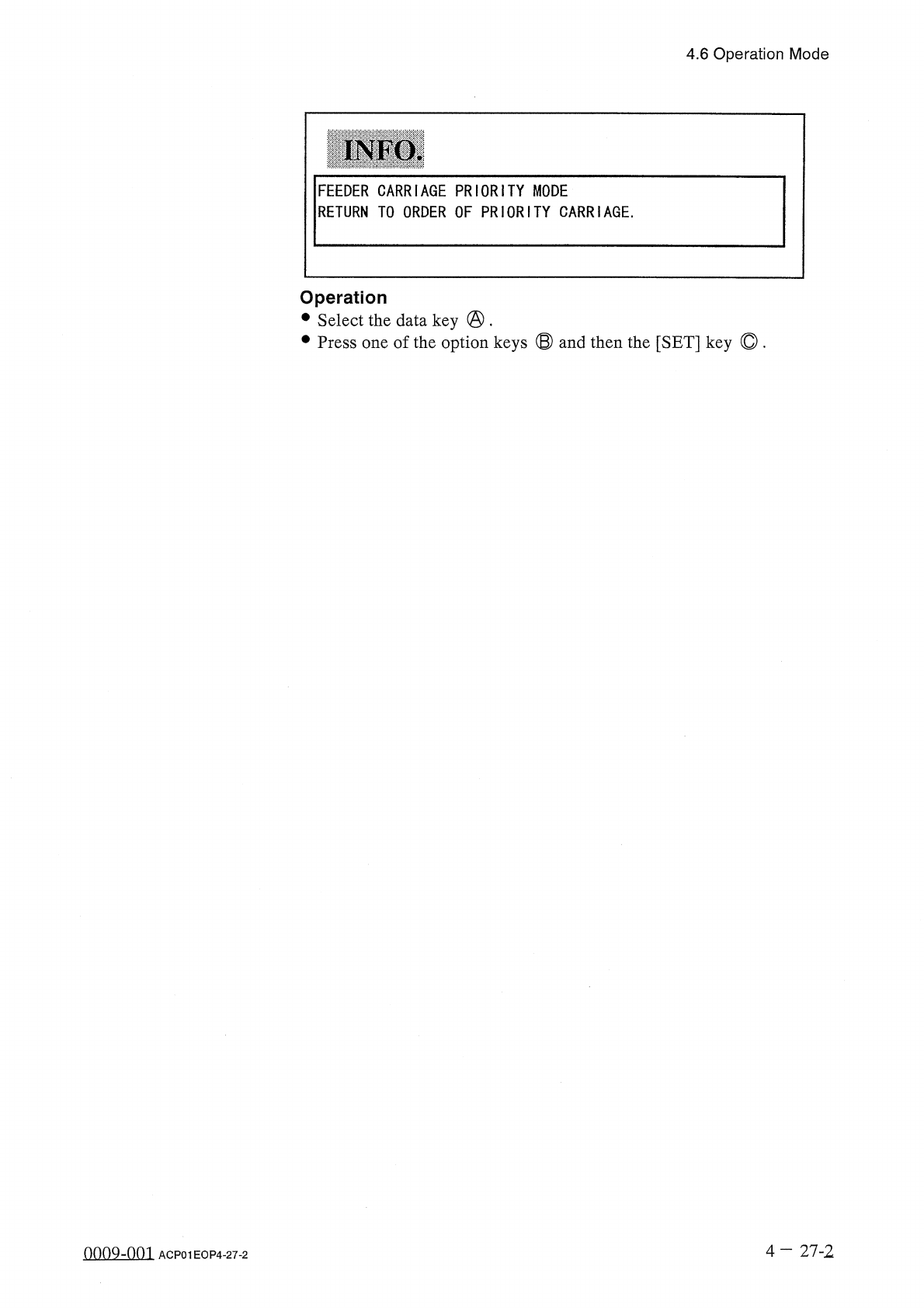
INFO
.
FEEDER
CARRIAGE
PRIORITY
MODE
RETURN
TO
ORDER
OF
PRIORITY
CARRIAGE
.
Operation
•
Select
the
data
key
@
.
•
Press
one
of
the
option
keys
®
and
then
the
[
SET
]
key
©
.
4
—
27
-
2
oooQ
-
nni
ACP
01
EOP
4
-
27
-
2
4.6
Operation
Mode
4.6
.
7
X
/
Y
TABLE
AXIS
MODE
“
STANDARD
”
or
“
HIGH
SPEED
”
can
be
set
in
the
“
MAXIMUM
SPEED
MODE
”
data
box
.
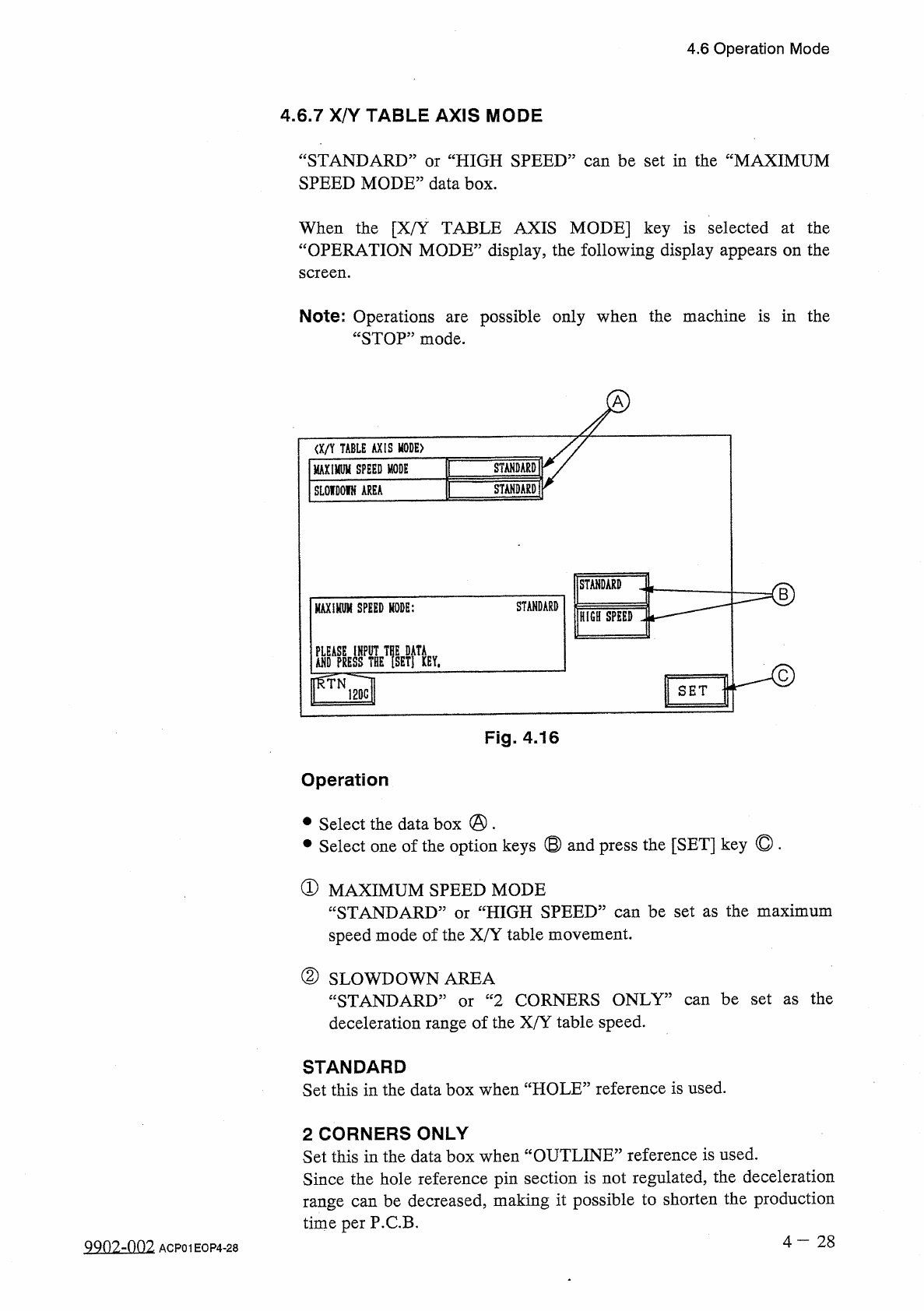
When
the
[
X
/
Y
TABLE
AXIS
MODE
]
key
is
selected
at
the
“
OPERATION
MODE
”
display
,
the
following
display
appears
on
the
screen
.
Note
:
Operations
“
STOP
”
mode
.
possible
only
when
the
machine
is
in
the
are
I
/
an
TABLE
AXIS
MODE
)
STANDARD
MAXIMUM
SPEED
MODE
STANDARD
SLOIDOIN
AREA
STANDARD
B
STANDARD
MAXIHUM
SPEED
MODE
:
HIGH
SPEED
DtCiCC
IHPIIT
Tnc
HiTi
H
沾
HIET
]
KEY
.
ffTN
12
Qc
|
SET
Fig
.
4.16
Operation
•
Select
the
data
box
@
.
•
Select
one
of
the
option
keys
®
and
press
the
[
SET
]
key
©
.
①
MAXIMUM
SPEED
MODE
“
STANDARD
:
speed
mode
of
the
X
/
Y
table
movement
.
HIGH
SPEED
”
can
be
set
as
the
maximum
or
②
SLOWDOWN
AREA
“
STANDARD
”
or
“
2
CORNERS
ONLY
”
can
be
set
as
the
deceleration
range
of
the
X
/
Y
table
speed
.
STANDARD
Set
this
in
the
data
box
when
“
HOLE
”
reference
is
used
.
2
CORNERS
ONLY
Set
this
in
the
data
box
when
“
OUTLINE
”
reference
is
used
.
Since
the
hole
reference
pin
section
is
not
regulated
,
the
deceleration
range
can
be
decreased
,
making
it
possible
to
shorten
the
production
time
per
P
.
C
.
B
.
4
—
2 8
9902
-
002
ACP
01
EOP
4
-
28