1OPERATION_.pdf - 第266页
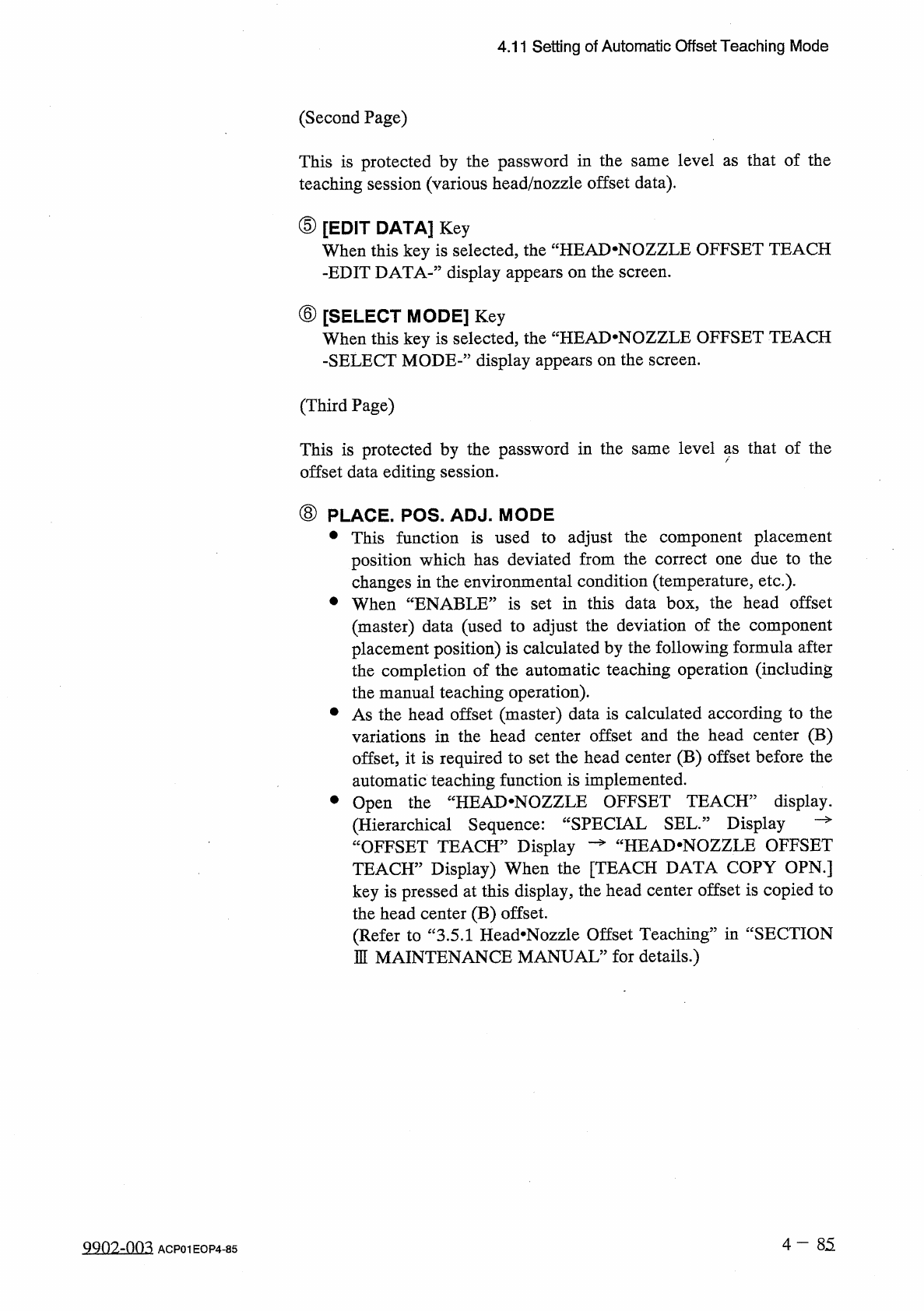
4.11 Setting of Automatic Offset Teaching Mode ( Second Page ) This is protected by the password in the same level as that of the teaching session ( various head / nozzle offset data ) . ⑤ [ EDIT DATA ] Key When this key…
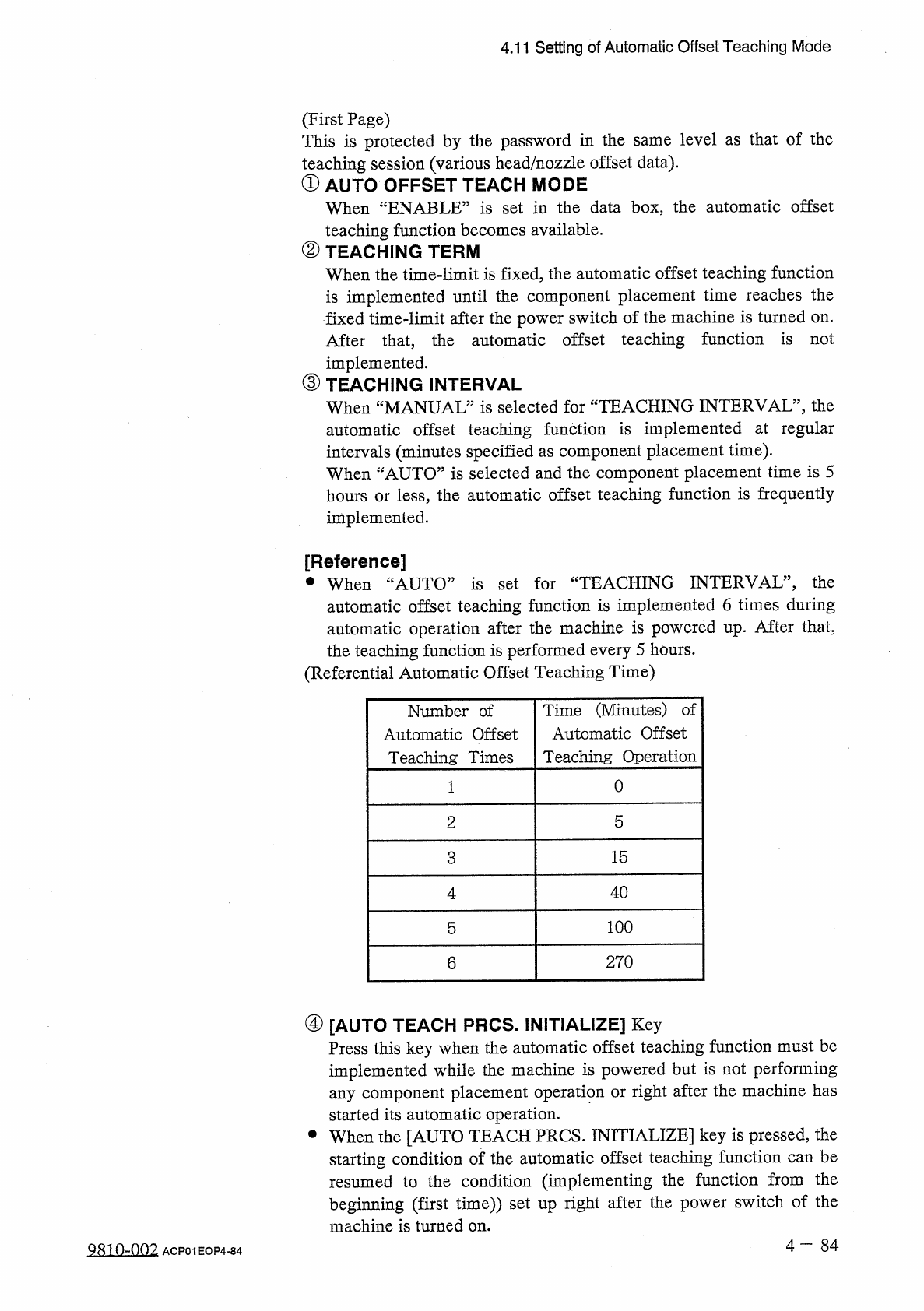
4.11
Setting
of
Automatic
Offset
Teaching
Mode
(
First
Page
)
This
is
protected
by
the
password
in
the
same
level
as
that
of
the
teaching
session
(
various
head
/
nozzle
offset
data
)
.
①
AUTO
OFFSET
TEACH
MODE
When
“
ENABLE
”
is
set
in
the
data
box
,
the
automatic
offset
teaching
function
becomes
available
.
②
TEACHING
TERM
When
the
time
-
limit
is
fixed
,
the
automatic
offset
teaching
function
is
implemented
until
the
component
placement
time
reaches
the
fixed
time
-
limit
after
the
power
switch
of
the
machine
is
turned
on
.
After
that
,
the
automatic
offset
teaching
function
is
not
implemented
.
③
TEACHING
INTERVAL
When
“
MANUAL
”
is
selected
for
“
TEACHING
INTERVAL
”
,
the
automatic
offset
teaching
function
is
implemented
at
regular
intervals
(
minutes
specified
as
component
placement
time
)
.
When
“
AUTO
”
is
selected
and
the
component
placement
time
is
5
hours
or
less
,
the
automatic
offset
teaching
function
is
frequently
implemented
.
[
Reference
]
•
When
“
AUTO
”
is
set
for
“
TEACHING
INTERVAL
”
,
the
automatic
offset
teaching
function
is
implemented
6
times
during
automatic
operation
after
the
machine
is
powered
up
.
After
that
,
the
teaching
function
is
performed
every
5
hours
.
(
Referential
Automatic
Offset
Teaching
Time
)
Time
(
Minutes
)
of
Automatic
Offset
Teaching
Operation
Number
of
Automatic
Offset
Teaching
Times
0
2
5
3
15
40
4
100
5
270
6
④
[
AUTO
TEACH
PRCS
.
INITIALIZE
]
Key
Press
this
key
when
the
automatic
offset
teaching
function
must
be
implemented
while
the
machine
is
powered
but
is
not
performing
any
component
placement
operation
or
right
after
the
machine
has
started
its
automatic
operation
.
•
When
the
[
AUTO
TEACH
PRCS
.
INITIALIZE
]
key
is
pressed
,
the
starting
condition
of
the
automatic
offset
teaching
function
can
be
resumed
to
the
condition
(
implementing
the
function
beginning
(
first
time
)
)
set
up
right
after
the
power
switch
of
the
machine
is
turned
on
.
from
the
Q
810
-
002
ACP
01
EOP
4
-
84
4.11
Setting
of
Automatic
Offset
Teaching
Mode
(
Second
Page
)
This
is
protected
by
the
password
in
the
same
level
as
that
of
the
teaching
session
(
various
head
/
nozzle
offset
data
)
.
⑤
[
EDIT
DATA
]
Key
When
this
key
is
selected
,
the
“
HEAD
.
NOZZLE
OFFSET
TEACH
-
EDIT
DATA
-
”
display
appears
on
the
screen
.
⑥
[
SELECT
MODE
]
Key
When
this
key
is
selected
,
the
-
SELECT
MODE
-
”
display
appears
on
the
screen
.
fHEAD
.
NOZZLE
OFFSET
TEACH
(
Third
Page
)
This
is
protected
by
the
password
in
the
same
level
as
that
of
the
offset
data
editing
session
.
⑧
PLACE
.
POS
.
ADJ
.
MODE
•
This
function
is
used
to
adjust
the
component
placement
position
which
has
deviated
from
the
correct
one
due
to
the
changes
in
the
environmental
condition
(
temperature
,
etc
.
)
.
•
When
“
ENABLE
”
is
set
in
this
data
box
,
the
head
offset
(
master
)
data
(
used
to
adjust
the
deviation
of
the
component
placement
position
)
is
calculated
by
the
following
formula
after
the
completion
of
the
automatic
teaching
operation
(
including
the
manual
teaching
operation
)
.
•
As
the
head
offset
(
master
)
data
is
calculated
according
to
the
variations
in
the
head
center
offset
and
the
head
center
(
B
)
offset
,
it
is
required
to
set
the
head
center
(
B
)
offset
before
the
automatic
teaching
function
is
implemented
.
•
Open
the
“
HEAJ
>
NOZZLE
OFFSET
TEACH
”
display
.
(
Hierarchical
Sequence
:
“
SPECIAL
SEL
”
Display
—
“
OFFSET
TEACH
”
Display
一
^
HEAD
-
NOZZLE
OFFSET
TEACH
”
Display
)
When
the
[
TEACH
DATA
COPY
OPN
.
]
key
is
pressed
at
this
display
,
the
head
center
offset
is
copied
to
the
head
center
(
B
)
offset
.
(
Refer
to
“
3.5
.
1
Head
*
Nozzle
Offset
Teaching
”
in
“
SECTION
1
MAINTENANCE
MANUAL
”
for
details
.
)
4
-
85
9902
-
003
ACP
01
EOP
4
-
85
4.11
Setting
of
Automatic
Offset
Teaching
Mode
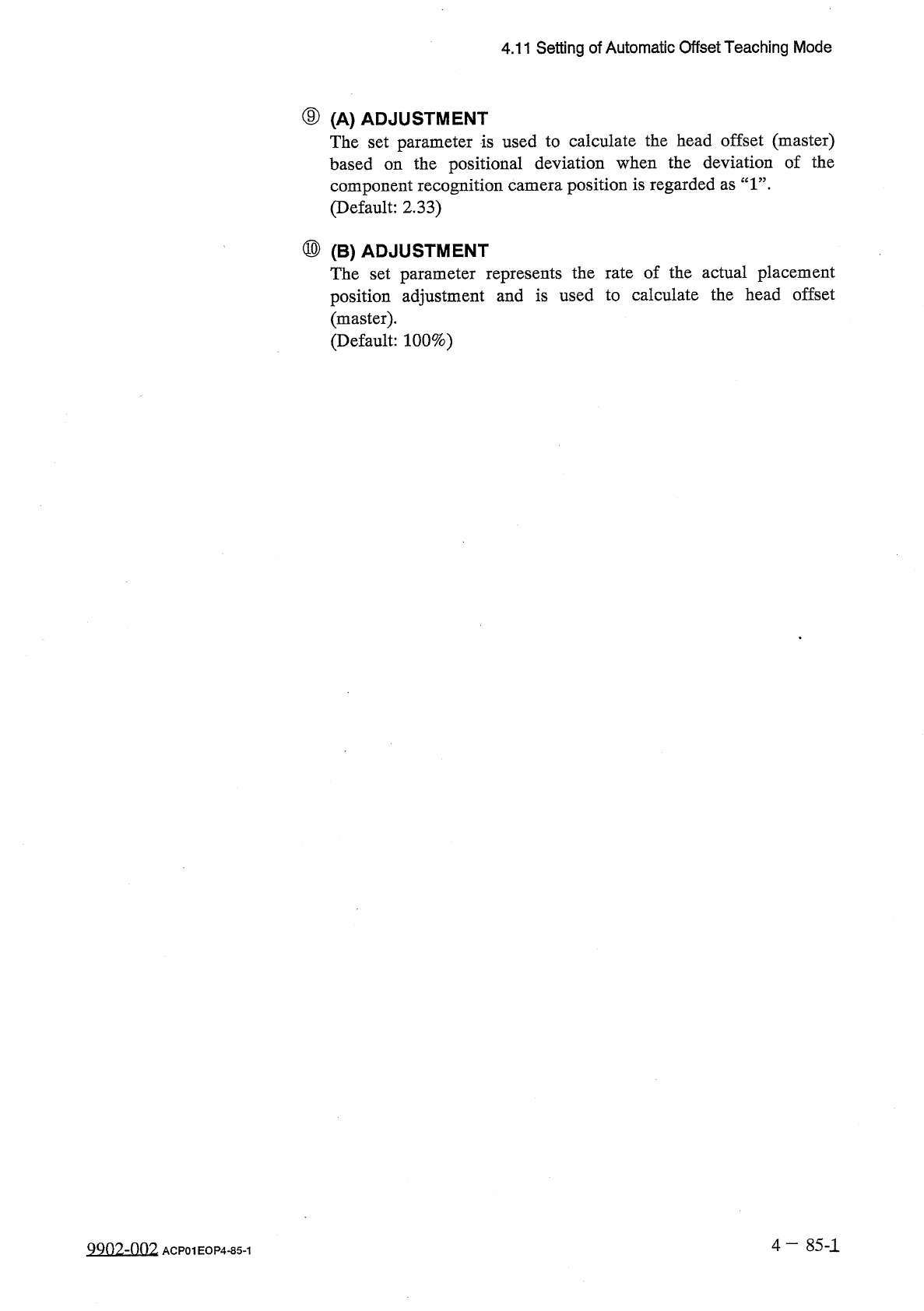
⑨
(
A
)
ADJUSTMENT
The
set
parameter
is
used
to
calculate
the
head
offset
(
master
)
based
on
the
positional
deviation
when
the
deviation
of
the
component
recognition
camera
position
is
regarded
as
“
1
”
.
(
Default
:
2.33
)
⑩
(
B
)
ADJUSTMENT
The
set
parameter
represents
the
rate
of
the
actual
placement
position
adjustment
and
is
used
to
calculate
the
head
offset
(
master
)
.
(
Default
:
100
%
)
4
—
85
-
1
QQ
02
-
002
ACP
01
EOP
4
-
85
-
1