1OPERATION_.pdf - 第268页
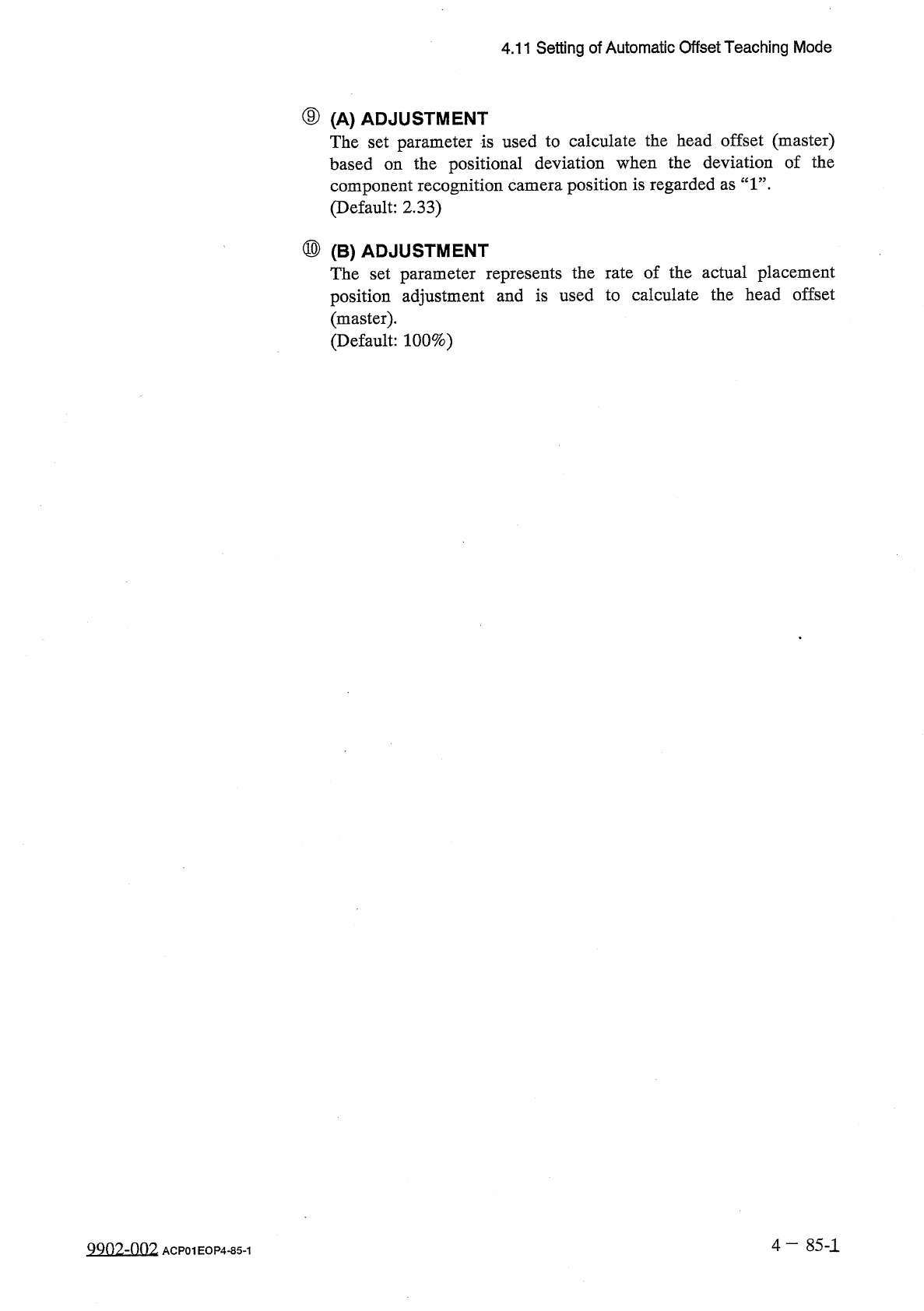
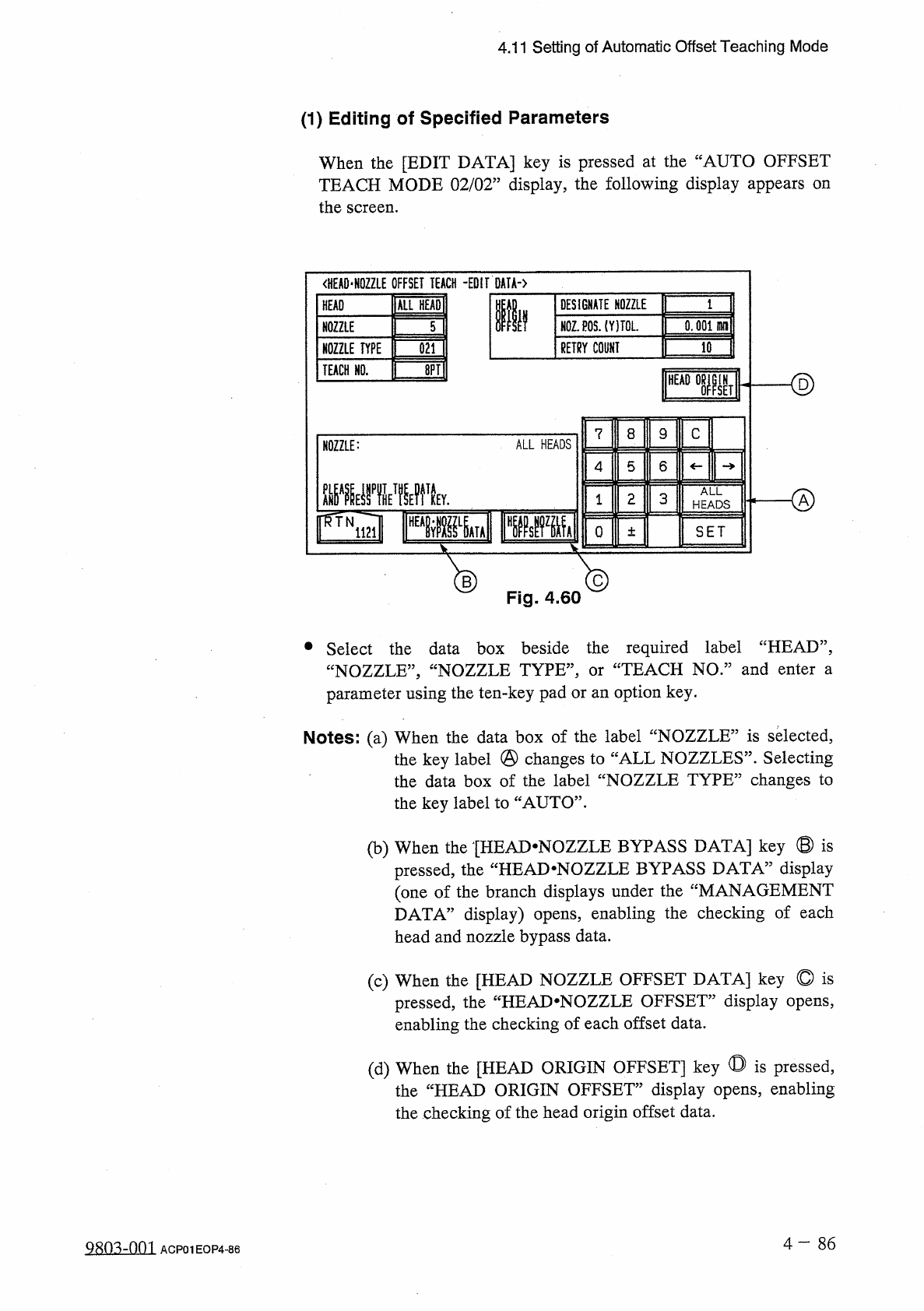
4.11 Setting of Automatic Offset Teaching Mode ( 1 ) Editing of Specified Parameters When the [ EDIT DATA ] key is pressed at the “ AUTO OFFSET TEACH MODE 02 / 02 ” display , the following display appears on the screen .…
4.11
Setting
of
Automatic
Offset
Teaching
Mode
⑨
(
A
)
ADJUSTMENT
The
set
parameter
is
used
to
calculate
the
head
offset
(
master
)
based
on
the
positional
deviation
when
the
deviation
of
the
component
recognition
camera
position
is
regarded
as
“
1
”
.
(
Default
:
2.33
)
⑩
(
B
)
ADJUSTMENT
The
set
parameter
represents
the
rate
of
the
actual
placement
position
adjustment
and
is
used
to
calculate
the
head
offset
(
master
)
.
(
Default
:
100
%
)
4
—
85
-
1
QQ
02
-
002
ACP
01
EOP
4
-
85
-
1
4.11
Setting
of
Automatic
Offset
Teaching
Mode
(
1
)
Editing
of
Specified
Parameters
When
the
[
EDIT
DATA
]
key
is
pressed
at
the
“
AUTO
OFFSET
TEACH
MODE
02
/
02
”
display
,
the
following
display
appears
on
the
screen
.
<
HEA
0
*
N
0
ZZLE
OFFSET
TEACH
-
EDIT
DATA
-
)
ALL
HEADI
DESIGNATE
NOZZLE
HEAD
Ilf
N
0
Z
.
P
0
S
.
(
YITOL
.
0.001
HH
1
NOZZLE
5
RETRY
COUNT
10
NOZZLE
TYPE
021
ID
TEACH
HO
.
<
§
)
HEAD
IN
SET
8
C
7
9
ALL
HEADS
NOZZLE
:
5
6
4
腿
yiwk
ALL
o
2
3
1
HEADS
o
SET
±
®
Fig
.
4.60
®
•
Select
the
data
box
beside
the
required
label
“
HEAD
”
,
“
NOZZLE
,
,
,
“
NOZZLE
TYPE
,
,
,
parameter
using
the
ten
-
key
pad
or
an
option
key
.
TEACH
NO
.
”
and
enter
a
or
Notes
:
(
a
)
When
the
data
box
of
the
label
“
NOZZLE
”
is
selected
,
the
key
label
@
changes
to
“
ALL
NOZZLES
”
.
Selecting
the
data
box
of
the
label
“
NOZZLE
TYPE
”
changes
to
the
key
label
to
“
AUTO
”
.
(
b
)
When
the
[
HEAD
-
NOZZLE
BYPASS
DATA
]
key
©
is
display
the
“
HEAD
-
NOZZLE
BYPASS
DATA
5
pressed
,
(
one
of
the
branch
displays
under
the
“
MANAGEMENT
DATA
”
display
)
opens
,
enabling
the
checking
of
each
head
and
nozzle
bypass
data
.
(
c
)
When
the
[
HEAD
NOZZLE
OFFSET
DATA
]
key
©
is
pressed
,
the
“
HEAJ
>
NOZZLE
OFFSET
”
display
opens
,
enabling
the
checking
of
each
offset
data
.
(
d
)
When
the
[
HEAD
ORIGIN
OFFSET
]
key
◎
is
pressed
,
the
“
HEAD
ORIGIN
OFFSET
”
display
opens
,
enabling
the
checking
of
the
head
origin
offset
data
.
4
—
8 6
Q
80
^
-
nm
ACP
01
EOP
4
-
86
4.11
Setting
of
Automatic
Offset
Teaching
Mode
(
2
)
Selection
of
Teaching
Mode
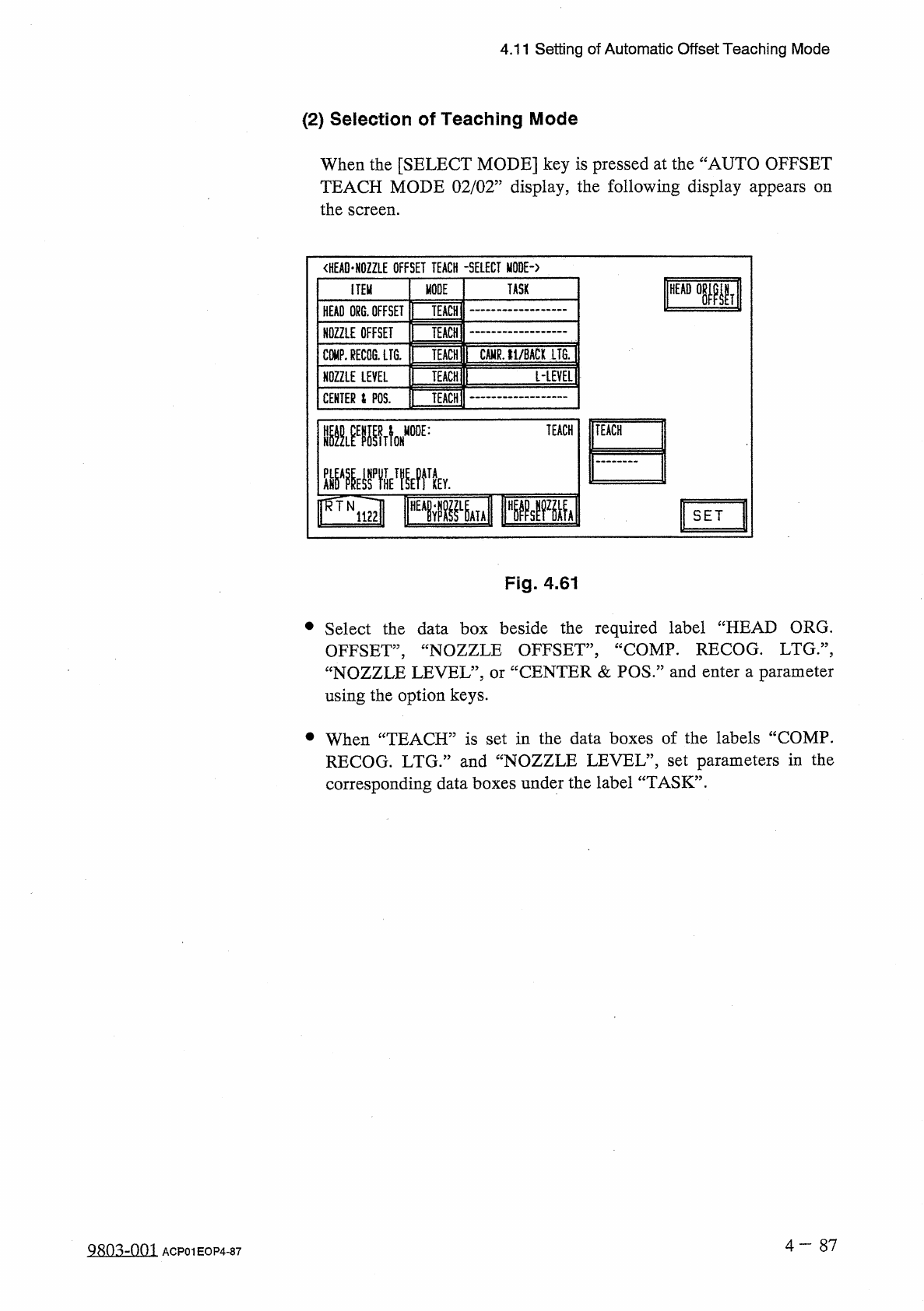
When
the
[
SELECT
MODE
]
key
is
pressed
at
the
“
AUTO
OFFSET
TEACH
MODE
02
/
02
”
display
,
the
following
display
appears
the
screen
.
on
<
HEAD
-
HOZZLE
OFFSET
TEACH
-
SELECT
MODE
-
〉
MODE
TASK
ITEM
TEACH
:
HEAD
ORG
.
OFFSET
TEACH
NOZZLE
OFFSET
CAMR
.
11
/
BACK
LTG
.
COMP
.
RECOG
.
LFG
.
TEACH
[
-
LEVEL
1
TEACH
NOZZLE
LEVEL
TEACH
CENTER
i
POS
.
TEACH
mmA
MODE
:
IFWiml
FPPM
r
^
TN
SET
Fig
.
4.61
•
Select
the
data
box
beside
the
required
label
“
HEAD
ORG
.
OFFSET
,
,
,
“
NOZZLE
OFFSET
”
,
“
COMP
.
RECOG
.
LTG
:
\
“
NOZZLE
LEVEL
”
,
or
“
CENTER
&
POS
”
and
enter
a
parameter
using
the
option
keys
.
•
When
“
TEACH
”
is
set
in
the
data
boxes
of
the
labels
“
COMP
.
RECOG
.
LTG
.
”
and
“
NOZZLE
LEVEL
”
,
set
parameters
in
the
corresponding
data
boxes
under
the
label
“
TASK
”
.
4
-
87
ACP
01
EOP
4
-
87