1OPERATION_.pdf - 第7页
Page Safety Requirements 2 1 . Pre - Installation Checks 2 . Safety Precautions 2.1 Basic Precautions … 2.2 Precationary Items on Feeder Carriage Section 4 2.2 . 1 General Precautions ( Feeder Carriage Section ) 2.2 . 2 …
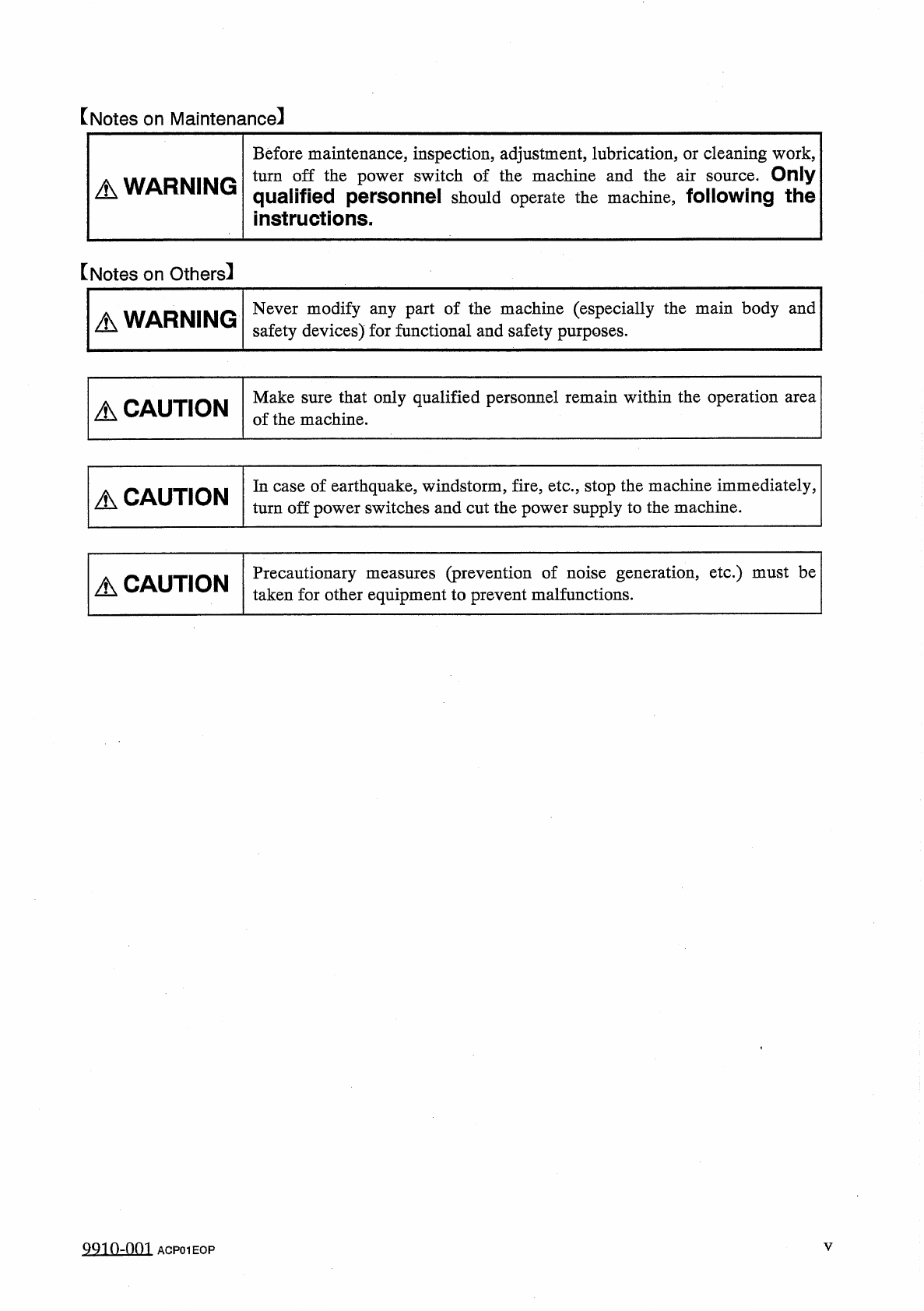
[
Notes
on
Maintenance
]
Before
maintenance
,
inspection
,
adjustment
,
lubrication
,
or
cleaning
work
,
turn
off
the
power
switch
of
the
machine
and
the
air
qualified
personnel
should
operate
the
machine
,
following
the
instructions
.
Only
source
.
A
WARNING
【
Notes
on
Others
】
Never
modify
any
part
of
the
machine
(
especially
the
main
body
and
safety
devices
)
for
functional
and
safety
purposes
.
A
WARNING
Make
sure
that
only
qualified
personnel
remain
within
the
operation
area
of
the
machine
.
A
CAUTION
In
case
of
earthquake
,
windstorm
,
fire
,
etc
.
,
stop
the
machine
immediately
,
turn
off
power
switches
and
cut
the
power
supply
to
the
machine
.
A
CAUTION
(
prevention
of
noise
generation
,
etc
.
)
must
be
Precautionary
taken
for
other
equipment
to
prevent
malfunctions
.
measures
A
CAUTION
QQ
10
-
001
ACP
01
EOP
V
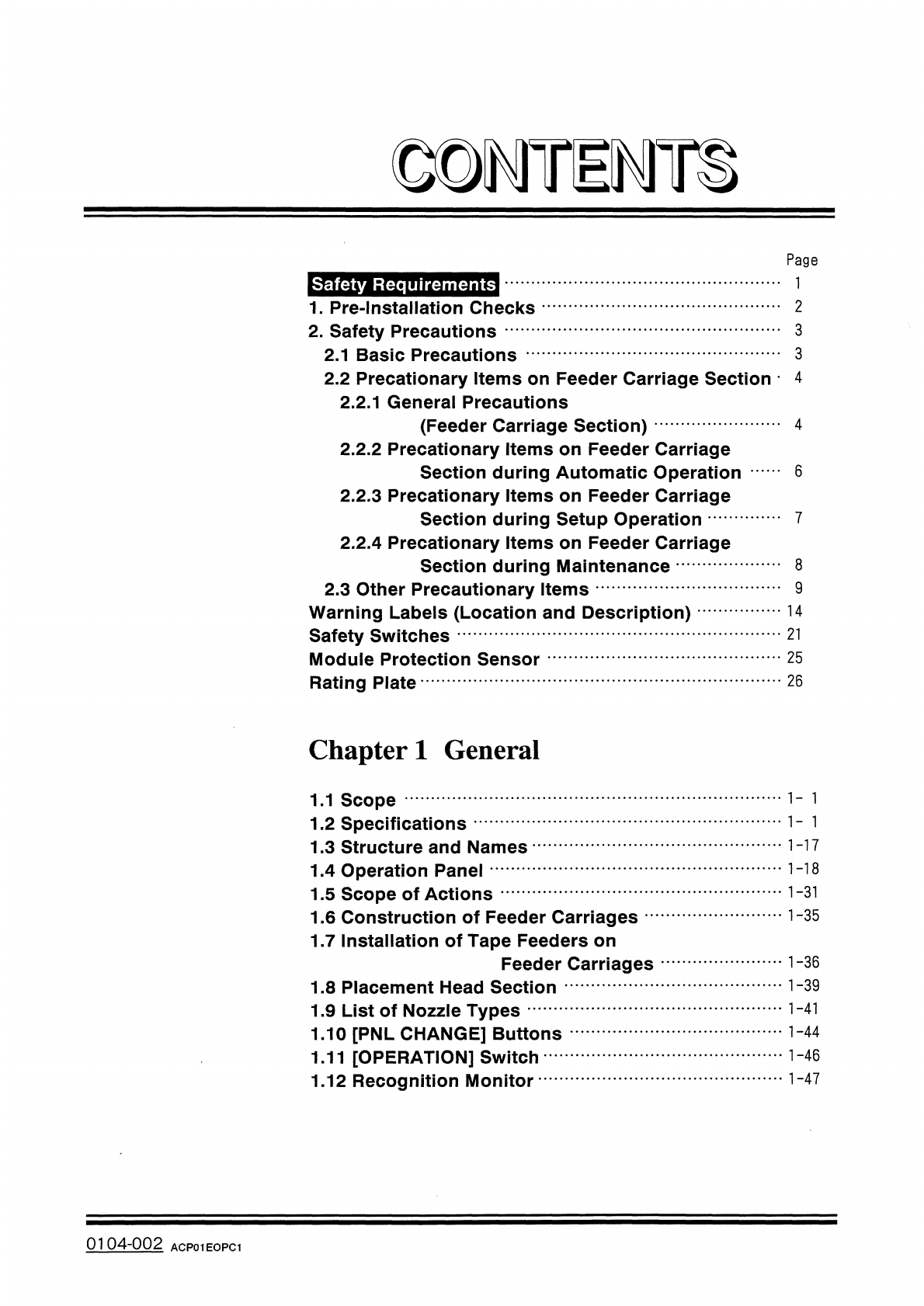
Page
Safety
Requirements
2
1
.
Pre
-
Installation
Checks
2
.
Safety
Precautions
2.1
Basic
Precautions
…
2.2
Precationary
Items
on
Feeder
Carriage
Section
4
2.2
.
1
General
Precautions
(
Feeder
Carriage
Section
)
2.2
.
2
Precationary
Items
on
Feeder
Carriage
Section
during
Automatic
Operation
2.2
.
3
Precationary
Items
on
Feeder
Carriage
Section
during
Setup
Operation
2.2
.
4
Precationary
Items
on
Feeder
Carriage
Section
during
Maintenance
2.3
Other
Precautionary
Items
Warning
Labels
(
Location
and
Description
)
Safety
Switches
Module
Protection
Sensor
Rating
Plate
3
3
4
6
8
9
14
21
25
26
Chapter
1
General
1.1
Scope
1.2
Specifications
1.3
Structure
and
Names
1
-
17
1
-
18
1.4
Operation
Panel
1.5
Scope
of
Actions
1.6
Construction
of
Feeder
Carriages
1.7
Installation
of
Tape
Feeders
on
Feeder
Carriages
1
-
31
1
-
35
1
-
39
1.8
Placement
Head
Section
1
-
41
1.9
List
of
Nozzle
Types
1.10
[
PNL
CHANGE
]
Buttons
1.11
[
OPERATION
]
Switch
1.12
Recognition
Monitor
•
•
…
1
-
44
0104
-
002
ACP
01
EOPC
1
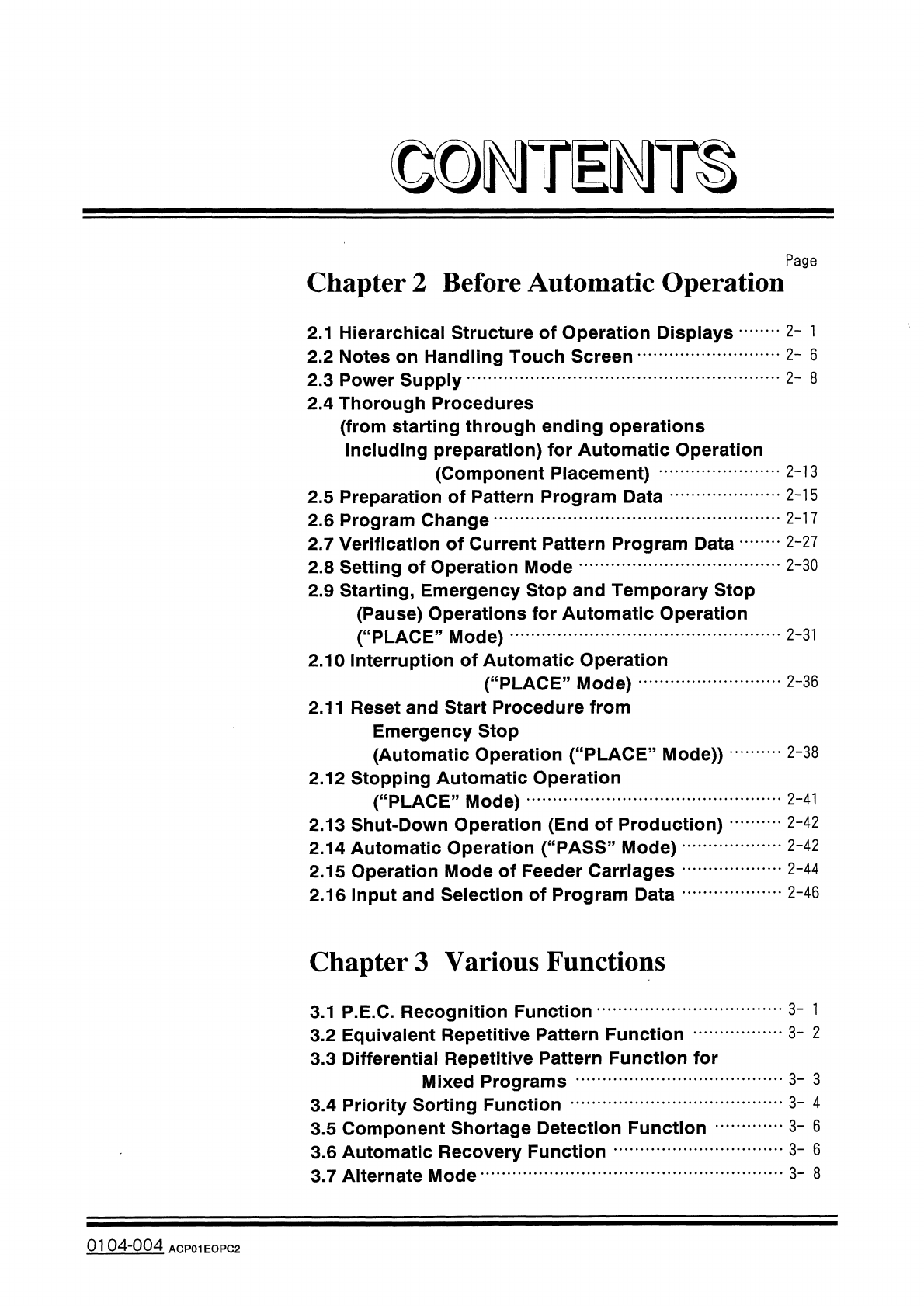
©
D
^
Ti
^
m
Page
Chapter
2
Before
Automatic
Operation
2
-
1
2.1
Hierarchical
Structure
of
Operation
Displays
2.2
Notes
on
Handling
Touch
Screen
2.3
Power
Supply
2.4
Thorough
Procedures
(
from
starting
through
ending
operations
including
preparation
)
for
Automatic
Operation
(
Component
Placement
)
2.5
Preparation
of
Pattern
Program
Data
2.6
Program
Change
2.7
Verification
of
Current
Pattern
Program
Data
•
•
…
2.8
Setting
of
Operation
Mode
2.9
Starting
,
Emergency
Stop
and
Temporary
Stop
(
Pause
)
Operations
for
Automatic
Operation
(
“
PLACE
”
Mode
)
2.10
Interruption
of
Automatic
Operation
(
“
PLACE
”
Mode
)
2.11
Reset
and
Start
Procedure
from
Emergency
Stop
(
Automatic
Operation
(
“
PLACE
”
Mode
)
)
2.12
Stopping
Automatic
Operation
(
“
PLACE
”
Mode
)
2.13
Shut
-
Down
Operation
(
End
of
Production
)
2.14
Automatic
Operation
(
“
PASS
”
Mode
)
2.15
Operation
Mode
of
Feeder
Carriages
2.16
Input
and
Selection
of
Program
Data
2
-
6
2
-
8
2
-
13
2
-
15
2
-
17
2
-
27
2
-
30
2
-
31
2
-
36
2
-
38
2
-
41
2
-
42
2
-
42
2
-
44
2
-
46
Chapter
3
Various
Functions
3
-
1
3.1
P
.
E
.
C
,
Recognition
Function
3.2
Equivalent
Repetitive
Pattern
Function
3.3
Differential
Repetitive
Pattern
Function
for
Mixed
Programs
3.4
Priority
Sorting
Function
3.5
Component
Shortage
Detection
Function
3.6
Automatic
Recovery
Function
3.7
Alternate
Mode
3
-
2
3
-
3
3
-
4
3
-
6
3
-
6
3
-
8
0104
-
004
ACP
01
EOPC
2