3MAINTENANCE__O.pdf - 第107页
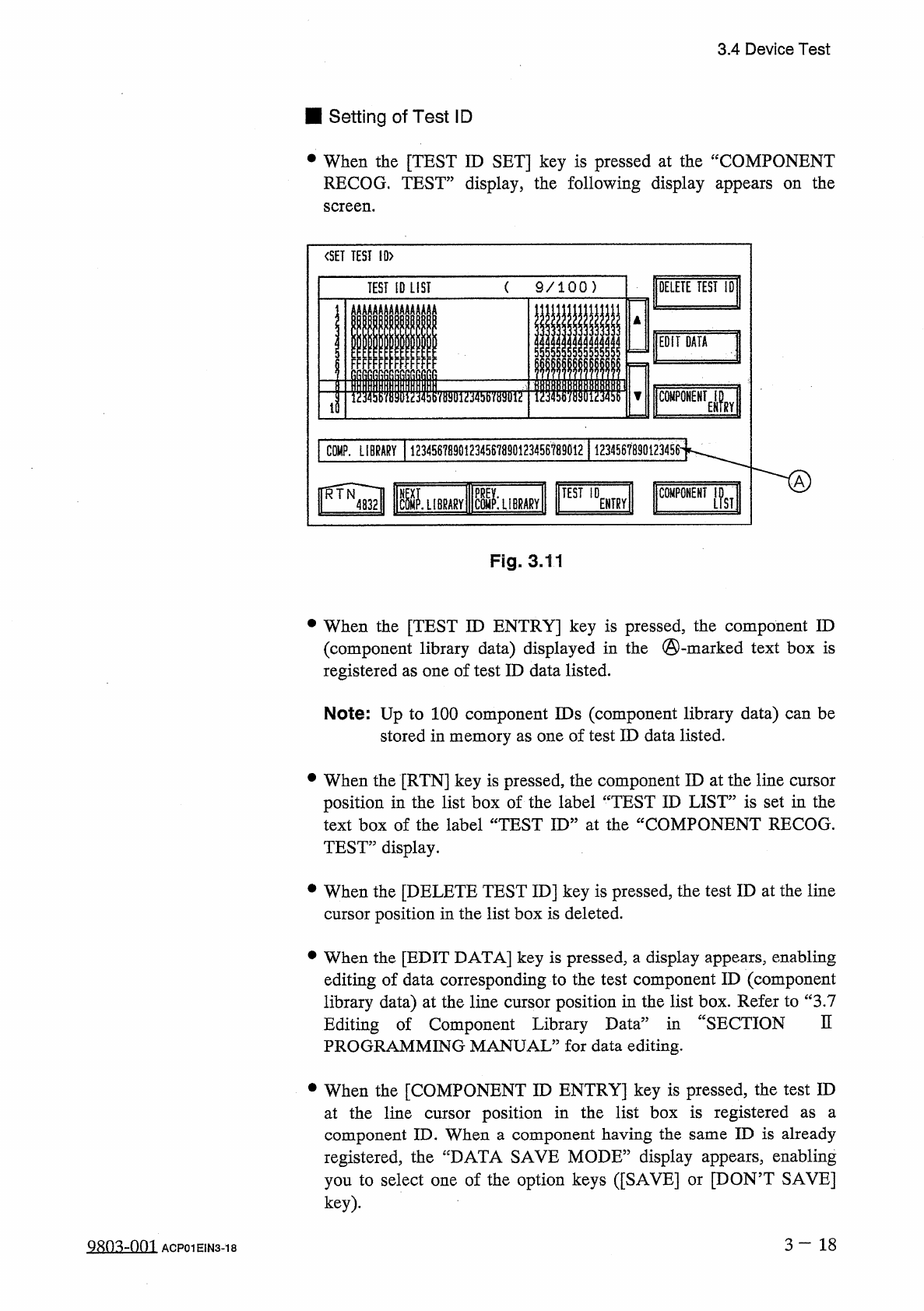
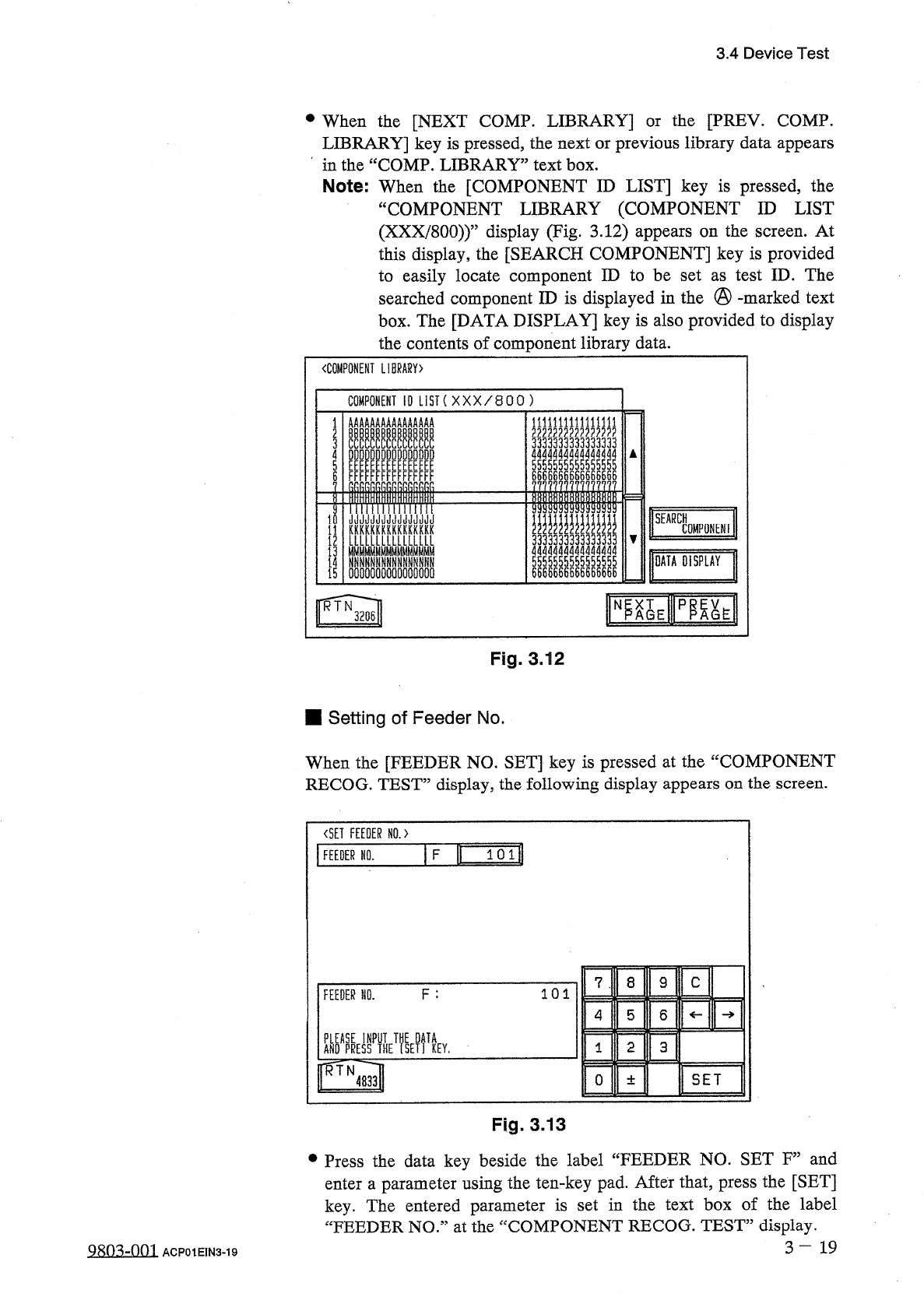
3.4 Device Test ■ Setting of Test ID • When the [ TEST ID SET ] key is pressed at the “ COMPONENT RECOG . TEST ” display , the following display appears on the screen . < SET TEST ! 0 > ( 9 / 1 0 0 ) DELETE TEST ID…
3.4
Device
Test
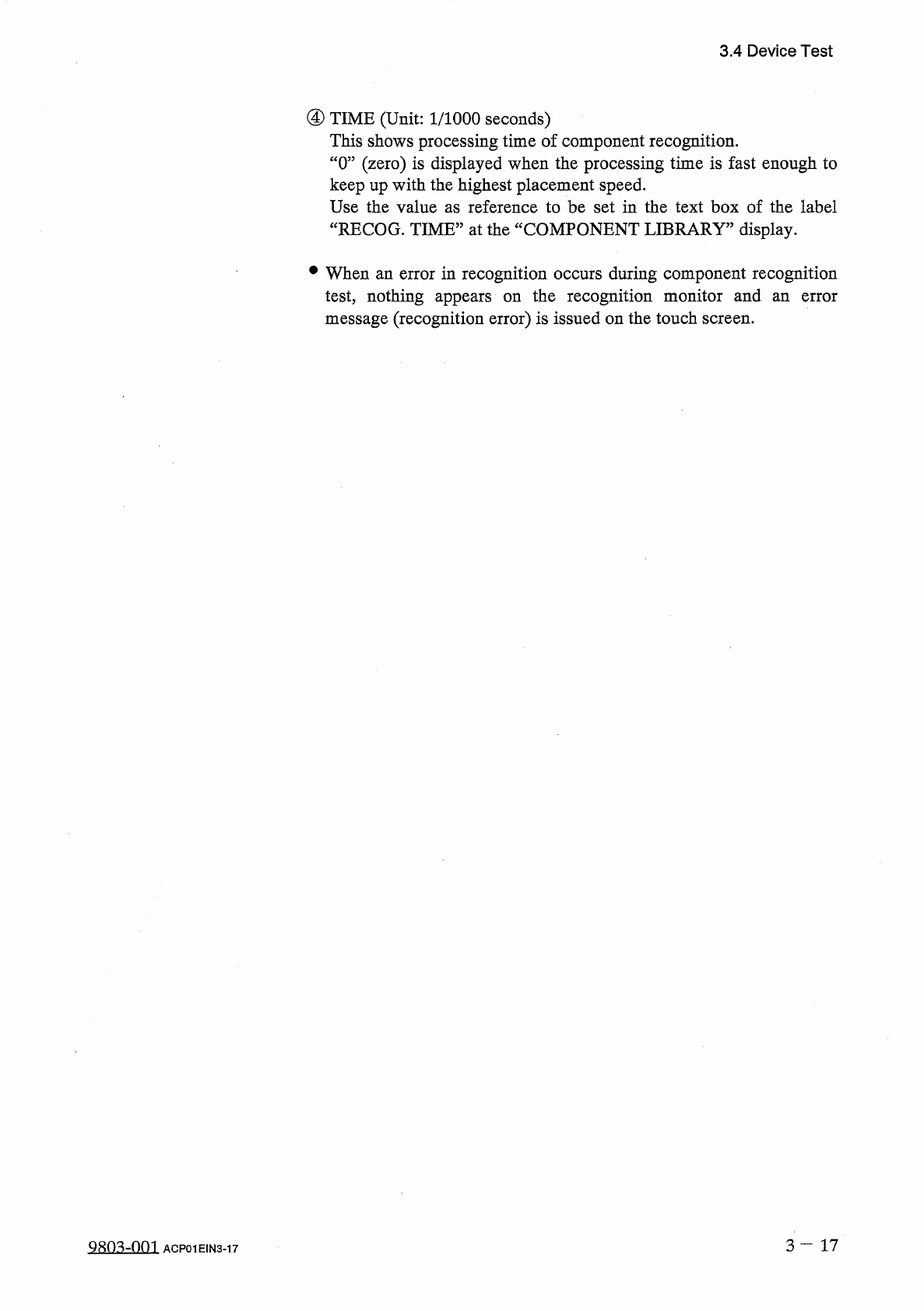
④
TIME
(
Unit
:
1
/
1000
seconds
)
This
shows
processing
time
of
component
recognition
.
“
0
”
(
zero
)
is
displayed
when
the
processing
time
is
fast
enough
to
keep
up
with
the
highest
placement
speed
.
Use
the
value
as
reference
to
be
set
in
the
text
box
of
the
label
“
RECOG
.
TIME
”
at
the
“
COMPONENT
LIBRARY
”
display
.
•
When
an
error
in
recognition
occurs
during
component
recognition
test
,
nothing
appears
on
the
recognition
monitor
and
an
error
message
(
recognition
error
)
is
issued
on
the
touch
screen
.
3
一
17
9803
-
001
ACP
01
EIN
3
-
17
3.4
Device
Test
■
Setting
of
Test
ID
•
When
the
[
TEST
ID
SET
]
key
is
pressed
at
the
“
COMPONENT
RECOG
.
TEST
”
display
,
the
following
display
appears
on
the
screen
.
<
SET
TEST
!
0
>
(
9
/
1 0 0
)
DELETE
TEST
ID
TEST
ID
LIST
EFTIATA
)
5
!
!
5
*
i
;
FFFI
llilil
T
COMPONENT
^
>
7
MT
2135
B
7
S
3
inT
tQ
|
COMP
.
LIBRARY
(
12345678901
^
4587890123456789012
M
COMPONENT
I
.
LIBRARY
S
:
LIBRARY
TEST
ID
ENTRY
Fig
.
3
,
11
•
When
the
[
TEST
ID
ENTRY
]
key
is
pressed
,
the
component
ID
(
component
library
data
)
displayed
in
the
©
-
marked
text
box
is
registered
as
one
of
test
ID
data
listed
.
Note
:
Up
to
100
component
IDs
(
component
library
data
)
can
be
stored
in
memory
as
one
of
test
ID
data
listed
.
•
When
the
[
RTN
]
key
is
pressed
,
the
component
ID
at
the
line
cursor
position
in
the
list
box
of
the
label
“
TEST
ID
LIST
”
is
set
in
the
text
box
of
the
label
“
TEST
ID
”
at
the
“
COMPONENT
RECOG
.
TEST
”
display
.
•
When
the
[
DELETE
TEST
ID
]
key
is
pressed
,
the
test
ID
at
the
line
cursor
position
in
the
list
box
is
deleted
.
•
When
the
[
EDIT
DATA
]
key
is
pressed
,
a
display
appears
,
enabling
editing
of
data
corresponding
to
the
test
component
ID
(
component
library
data
)
at
the
line
cursor
position
in
the
list
box
.
Refer
to
“
3.7
Editing
of
Component
Library
Data
”
in
“
SECTION
PROGRAMMING
MANUAL
”
for
data
editing
.
n
•
When
the
[
COMPONENT
ID
ENTRY
]
key
is
pressed
,
the
test
ID
at
the
line
cursor
position
in
the
list
box
is
registered
component
ID
.
When
a
component
having
the
same
ID
is
already
registered
,
the
“
DATA
SAVE
MODE
”
display
appears
,
enabling
you
to
select
one
of
the
option
keys
(
[
SAVE
]
or
[
DON
’
T
SAVE
]
key
)
.
as
a
3
一
18
ACP
01
EIN
3
-
18
i
2
SEARCH
uuuuJuuujJilJiluJJ
KKKKKKKKKKKKKKKK
LLLLILLLLLLLLLLL
關
M
_
_
M
酬
MM
腳丽
_
醒酬
OOOOOOOOOOOOOOOQ
COMPONENT
11
12
13
14
15
llli
5555555555555555
▲
6666666666666666
iiiiimiimiii
3333333333333333
▼
4444444444444444
5555555555555555
6666666666666666
3.4
Device
Test
•
When
the
[
NEXT
COMP
.
LIBRARY
]
LIBRARY
]
key
is
pressed
,
the
next
or
previous
library
data
appears
in
the
“
COMP
.
LIBRARY
”
text
box
.
Note
:
When
the
[
COMPONENT
ID
LIST
]
key
is
pressed
,
the
“
COMPONENT
LIBRARY
(
COMPONENT
ID
LIST
(
XXX
/
800
)
)
”
display
(
Fig
.
3.12
)
appears
on
the
screen
.
At
this
display
,
the
[
SEARCH
COMPONENT
]
key
is
provided
to
easily
locate
component
ID
to
be
set
as
test
ID
.
The
searched
component
ID
is
displayed
in
the
@
-
marked
text
box
.
The
[
DATA
DISPLAY
]
key
is
also
provided
to
display
the
contents
of
component
library
data
.
the
[
PREY
.
COMP
.
or
〈
COMPONENT
LIBRARY
)
COMPONENT
10
LIST
(
XXX
/
800
)
臨
E
PP
^
E
N
RTN
3206
Fig
.
3.12
■
Setting
of
Feeder
No
.
When
the
[
FEEDER
NO
.
SET
]
key
is
pressed
at
the
“
COMPONENT
RECOG
.
TEST
”
display
,
the
following
display
appears
on
the
screen
.
〈
SET
FEEDER
N
0
.
>
F
B
101
FEEDER
NO
.
8
9
C
7
F
:
101
FEEDER
NO
.
4
5
6
關喘
EmkT
?
yp
2
3
1
KEY
.
rrfN
SET
0
4833
±
Fig
.
3
,
13
•
Press
the
data
key
beside
the
label
“
FEEDER
NO
.
SET
F
”
and
enter
a
parameter
using
the
ten
-
key
pad
.
After
that
,
press
the
[
SET
]
key
.
The
entered
parameter
is
set
in
the
text
box
of
the
label
“
FEEDER
NO
”
at
the
“
COMPONENT
RECOG
.
TEST
”
display
.
3
-
19
ACP
01
EIN
3
-
19
DATA
DISPLAY
AAB
8
CCDDEEFFRR
II
AKRUrunurr
-
c
ABCDEFnn
ABCDCLFPn
ABn
-
r
-
rrpn
ABC
nucLFnh
»
HnDnlunuF
-
rrrth
ADUCnwpuF
ABCDEF
AOCDEFnh
ABC
nwsLLFAh
1
i
2
T
04
PD
67
^