3MAINTENANCE__O.pdf - 第116页
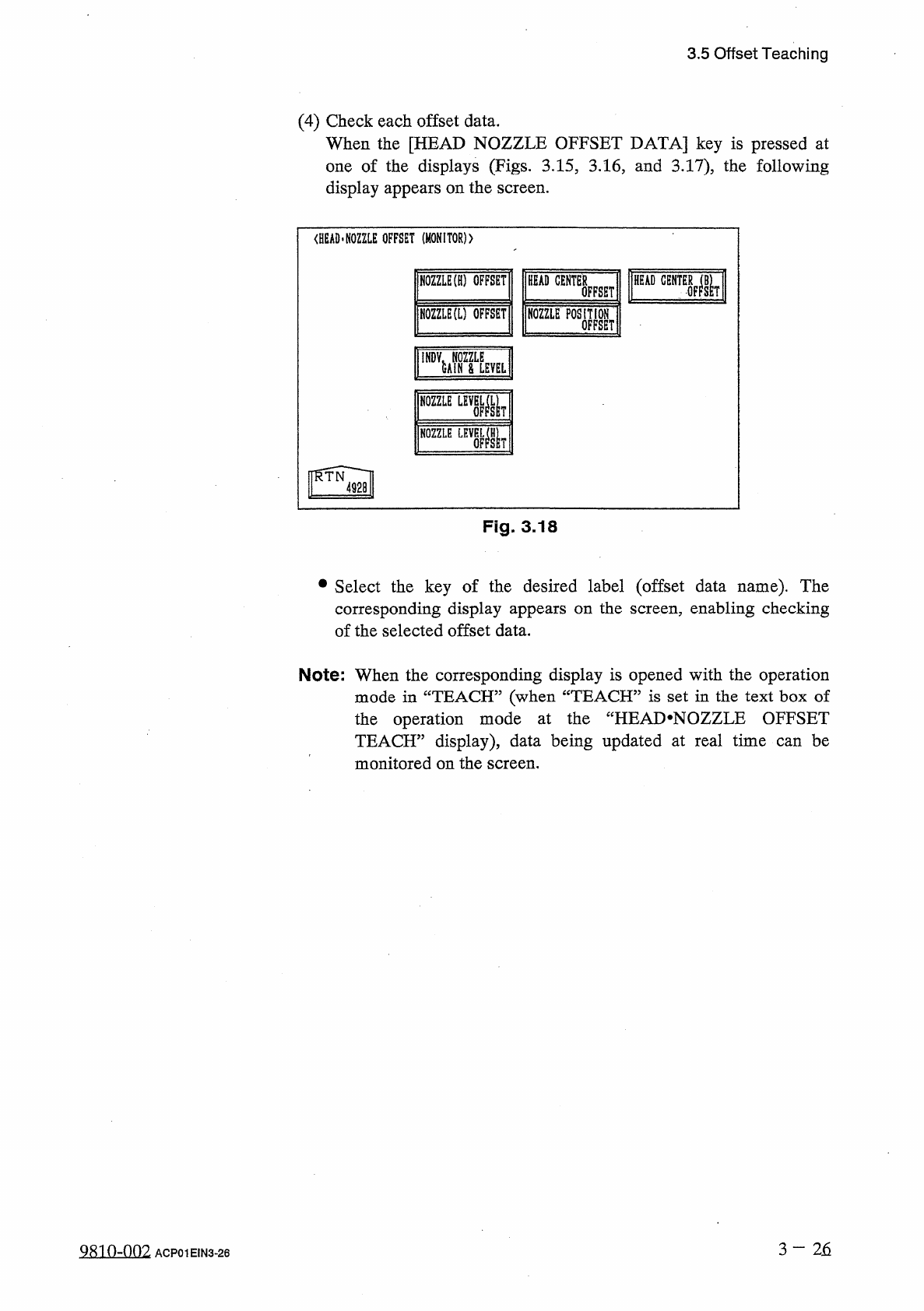
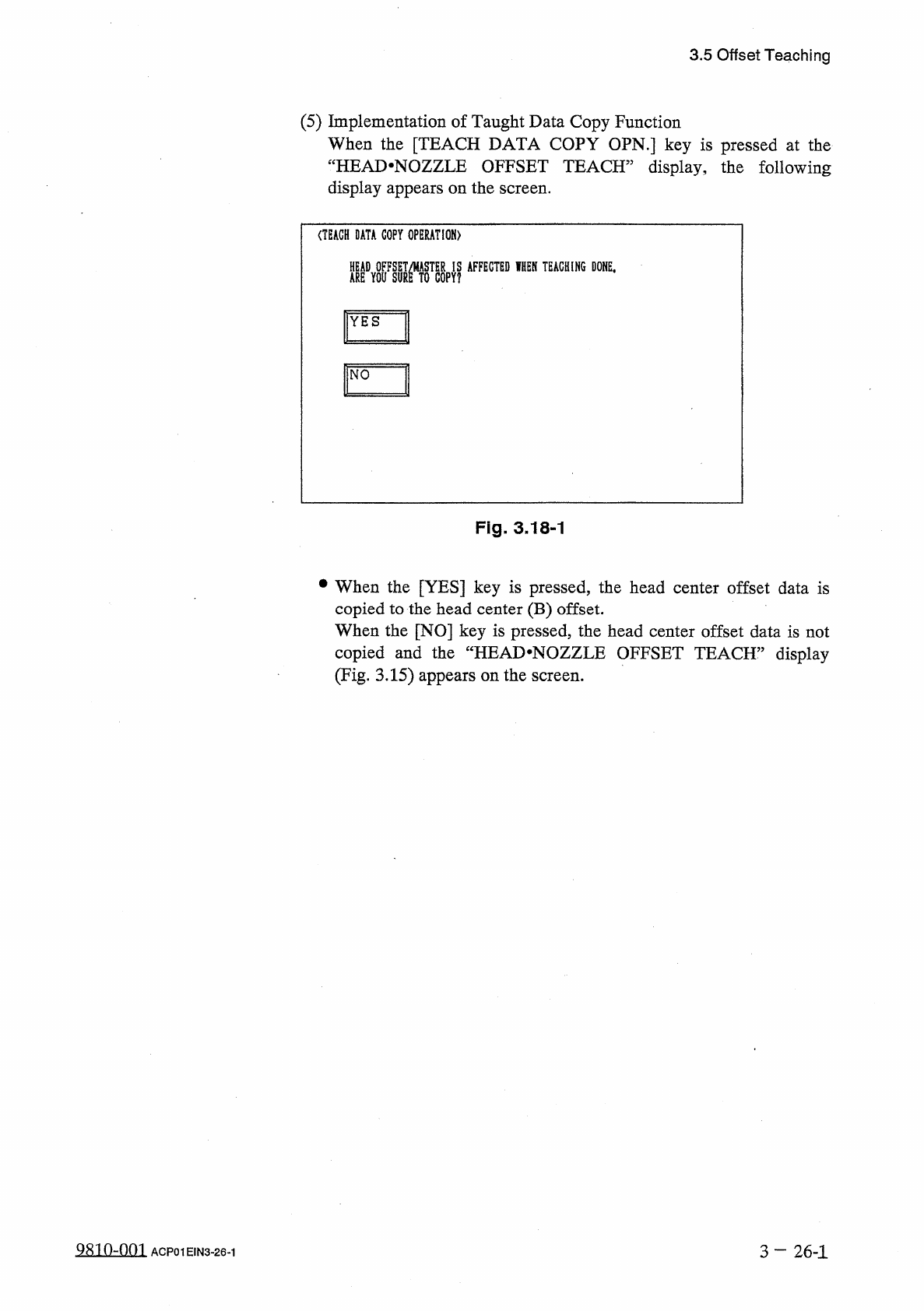
3.5 Offset Teaching ( 5 ) Implementation of Taught Data Copy Function When the [ TEACH DATA COPY OPN . ] key is pressed at the " HEAD - NOZZLE OFFSET TEACH ” display , the following display appears on the screen . (…
3.5
Offset
Teaching
(
4
)
Check
each
offset
data
.
When
the
[
HEAD
NOZZLE
OFFSET
DATA
]
key
is
pressed
at
one
of
the
displays
(
Figs
.
3.15
,
3.16
,
and
3.17
)
,
the
following
display
appears
on
the
screen
.
<
HEAD
.
NOZZLE
OFFSET
(
MONITOR
)
)
HEAD
CENTER
NOZZLE
(
H
)
OFFSET
HEAD
OFFSET
NOZZLE
(
L
)
OFFSET
瞧
EP
0
SM
NOZZLE
LEV
關
!
了
NOZZLE
Fig
.
3.18
•
Select
the
key
of
the
desired
label
(
offset
data
name
)
.
The
corresponding
display
appears
on
the
screen
,
enabling
checking
of
the
selected
offset
data
.
Note
:
When
the
corresponding
display
is
opened
with
the
operation
mode
in
“
TEACH
”
(
when
“
TEACH
”
is
set
in
the
text
box
of
the
operation
mode
at
the
“
HEAI
>
NOZZLE
OFFSET
TEACH
”
display
)
,
data
being
updated
at
real
time
can
be
monitored
on
the
screen
.
3
—
2
石
9810
-
002
ACP
01
EIN
3
-
26
3.5
Offset
Teaching
(
5
)
Implementation
of
Taught
Data
Copy
Function
When
the
[
TEACH
DATA
COPY
OPN
.
]
key
is
pressed
at
the
"
HEAD
-
NOZZLE
OFFSET
TEACH
”
display
,
the
following
display
appears
on
the
screen
.
(
TEACH
DATA
COPY
OPERATION
)
M
1
WW
麵
,
腿 麵
YES
Fig
.
3.18
-
1
•
When
the
[
YES
]
key
is
pressed
,
the
head
center
offset
data
is
copied
to
the
head
center
(
B
)
offset
.
When
the
[
NO
]
key
is
pressed
,
the
head
center
offset
data
is
not
copied
and
the
“
HEAD
.
NOZZLE
OFFSET
TEACH
”
display
(
Fig
.
3.15
)
appears
on
the
screen
.
98
in
-
nm
3
—
26
-
1
ACP
01
EIN
3
-
26
-
1
3.5
Offset
Teaching
S
IEYEI
>
L
1
GHTIH
6
.
〈
INDIVIDUAL
NOZZLE
GAIN
01
/
08
BACK
NOZZLE
GAIN
LEVEL
GAIN
LEVEL
GAIN
LEVEL
£
A
1
N
LEVEL
III
礙
III
礙
<
N
0
ZZIE
OFFSET
LOV
MAGNIFICATION
)
01
/
03
NOZZLE
X
(
Hffl
)
Y
m
)
NOZZLE
X
[
ml
.
Y
t
HOZZLE
x
(
nun
)
Y
(
HU
)
(
NOZZLE
OFFSET
HIGH
MAGNIFICATION
)
fli
/
03
NQZZIE
X
(
卿
)
Y
[
咖
1
X
M
Y
(
iB
)
Y
(
咖
}
NOZZLE
HOZZLE
X
(
RID
)
QQQ
QO
aqi
t
0.99
*
5
n
ill
t
ti
:
v
-
Fig
.
3.20
ml
nA
15
:
§
99
iS
:
9
»
QQQ
II
:
1
19
!
\
U
«
:
!
!
n
.
\
m
十
i
tS
:
3
i
9
J
Fig
.
3.19
-
2
Fig
.
3.19
-
1
<
H
0
ZZLE
LEYEL
(
H
)
OFFSET
〉
01
/
02
L
W
NOL
L
(
咖
)
胍
•
l
(
咖
)
NOZ
.
L
(
II
)
NQZ
.
Fig
.
3.21
-
2
MI
tm
i
:
\
IHS
i
:
\
m
<
N
0
ZZL
£
LEYEL
(
L
)
OFFSET
)
01
/
02
AL
(
iB
)
△
L
(
咖
}
H
02
.
NOZ
.
ALW
KOZ
.
△
U
咖
)
.
NOZ
.
mi
i
-
nii
mi
<
N
0
ZZLE
LEVEL
(
L
)
OFFSET
)
01
/
02
L
(
inn
)
L
M
NOZ
.
HOZ
.
MOL
L
W
l
M
)
NOZ
.
t
•
t
.
n
\
-
m
•
i
i
m
十
i
i
il
if
3
-
5
iOi
-
5
19
7
-
5
i
:
n
i
0
:
9
i
51
«
:
53
Fig
.
3.21
-
1
MASTER
手
0
,
99
SCREENS
Fig
.
3.21
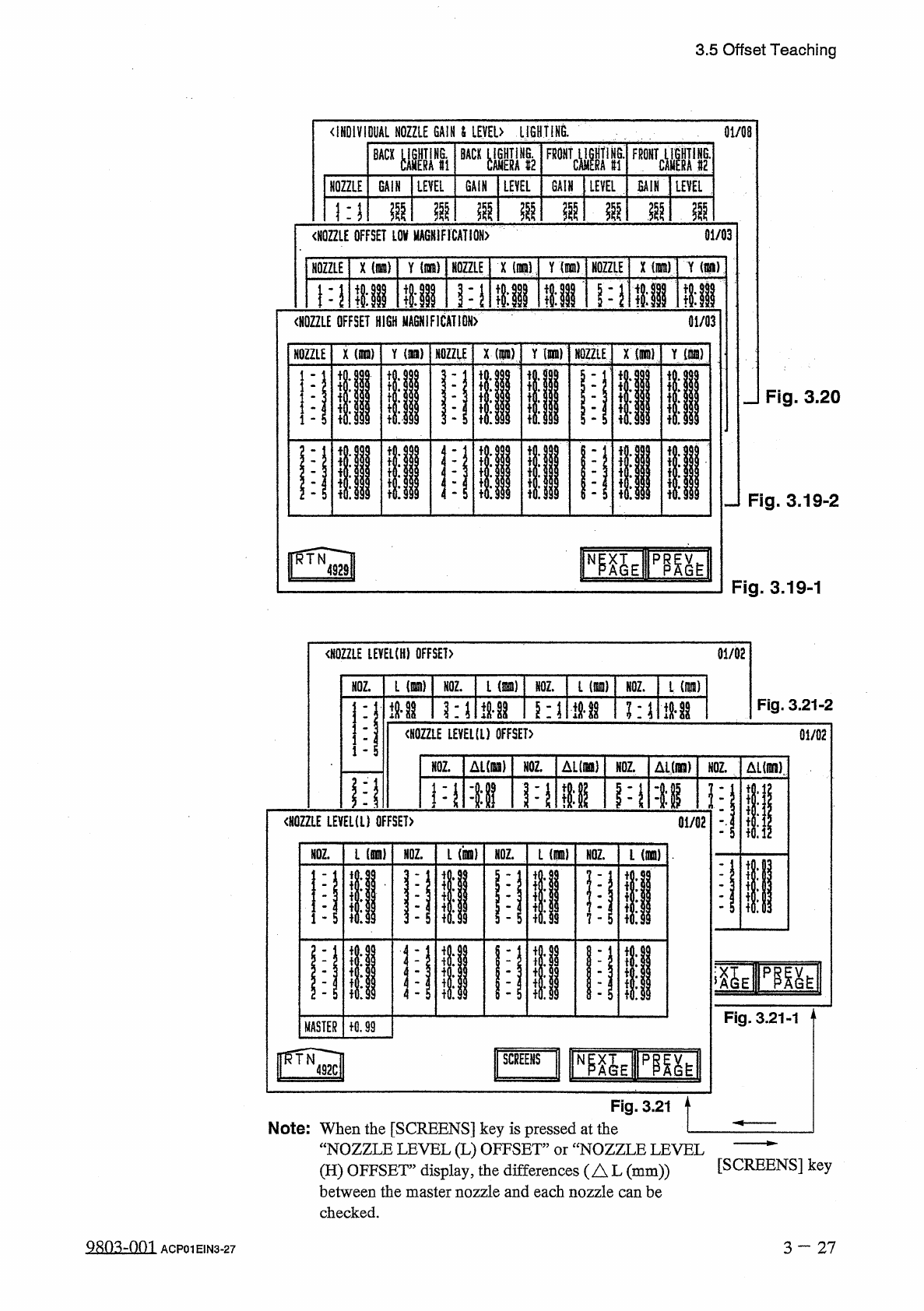
Note
:
When
the
[
SCREENS
]
key
is
pressed
at
the
—
“
NOZZLE
LEVEL
(
L
)
OFFSET
”
or
“
NOZZLE
LEVEL
(
H
)
OFFSET
’
display
,
the
differences
(
AL
(
mm
))
between
the
master
nozzle
and
each
nozzle
can
be
checked
.
[
SCREENS
]
key
QRn
^
-
nm
3
一
27
ACP
01
EIN
3
-
27