205020 OTS Standalone Manual.pdf - 第35页
PROGRAMMI NG MACHINE SE TUP Chapter Issue 3 Aug 14 Over the Top Snuggers (OTS ) Manual 2.3 means that the snugger does not move.
PROGRAMMING
MACHINE SETUP
2.2 Over the Top Snuggers (OTS) Manual Chapter Issue 3 Aug 14
Clamp Type Auto
Detection
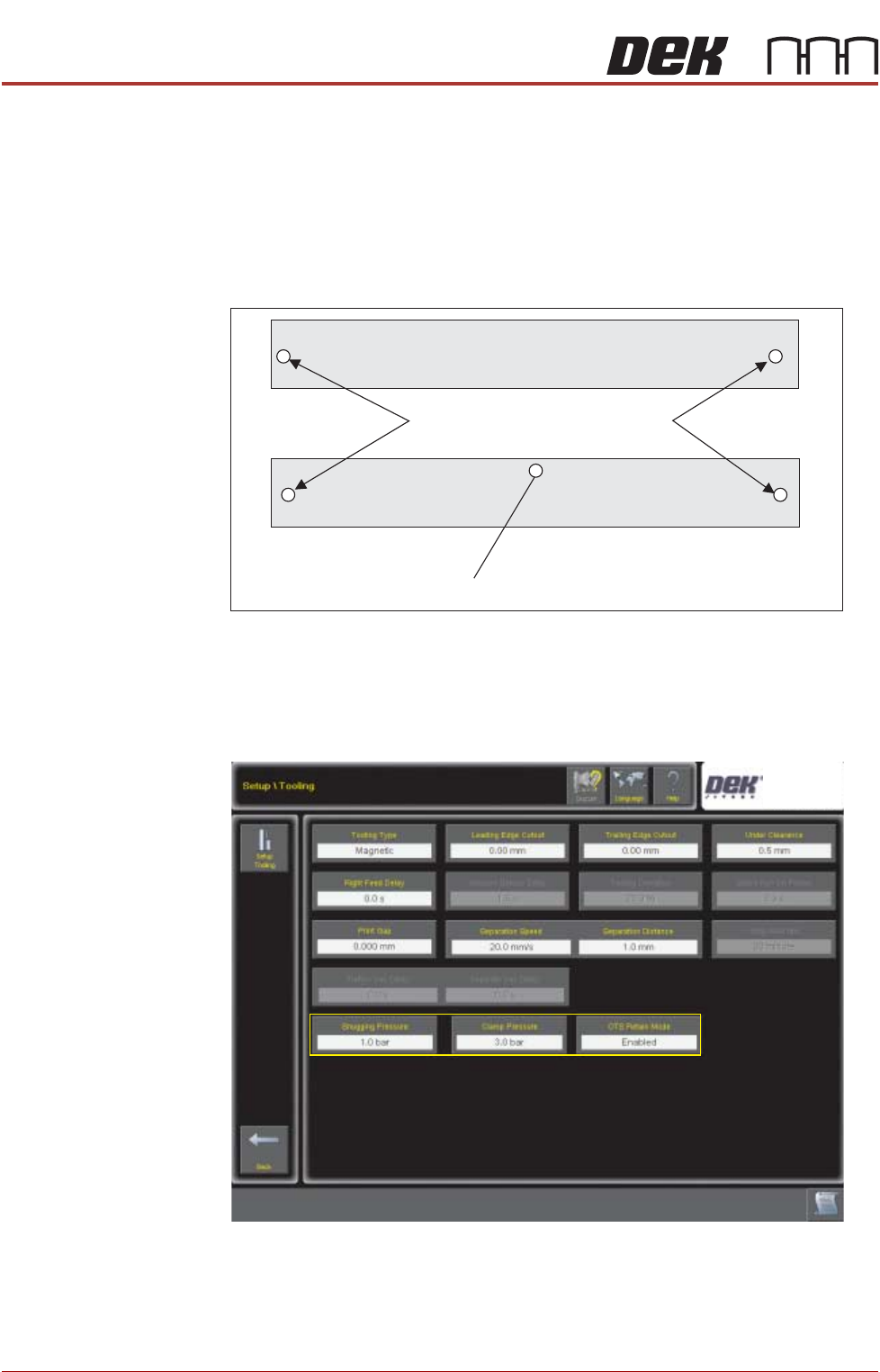
During machine initialisation or after exiting diagnostics, the camera moves to
the clamp identification location and determines the clamp type. A clamp
identification mark is used; the identities are as follows:
• OTS = 1.25mm diameter circle
• OTT = 2.0mm diameter circle
• Normal Clamps = No Mark
The table shows the possible combinations of Clamp Type parameter and the
detected clamp hardware.
Process Parameters Three process parameters are located in Setup\Tooling.
Select each in-turn to adjust the parameter.
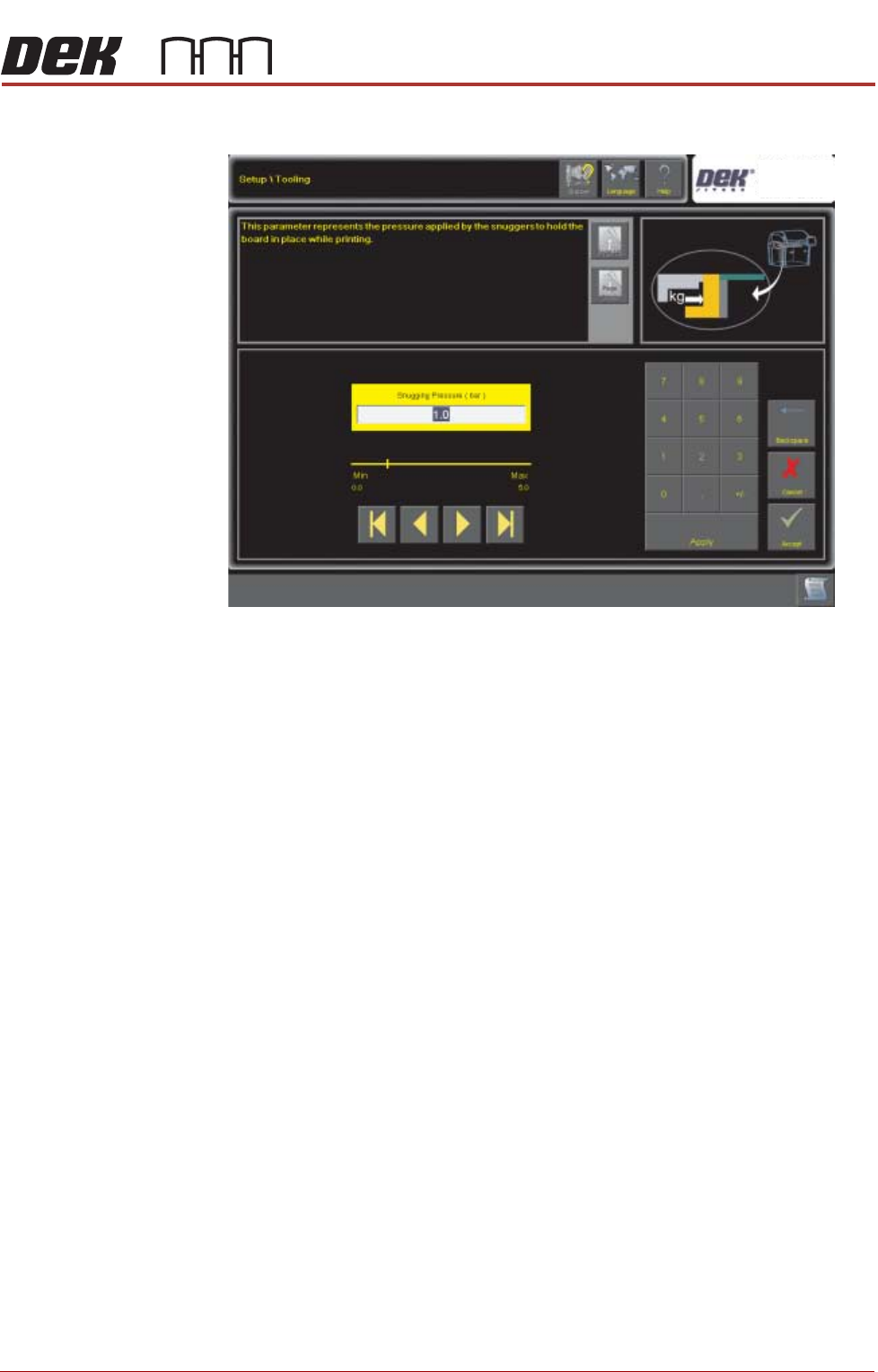
Snugger Pressure When the board is fed into the machine and the snugger operates, the board is
retained. A minimum of 0 and maximum of 5 bar can be set. Zero pressure
Camera Reference Dot
Clamp Identification Mark Locations
PROGRAMMING
MACHINE SETUP
Chapter Issue 3 Aug 14 Over the Top Snuggers (OTS) Manual 2.3
means that the snugger does not move.
PROGRAMMING
MACHINE SETUP
2.4 Over the Top Snuggers (OTS) Manual Chapter Issue 3 Aug 14
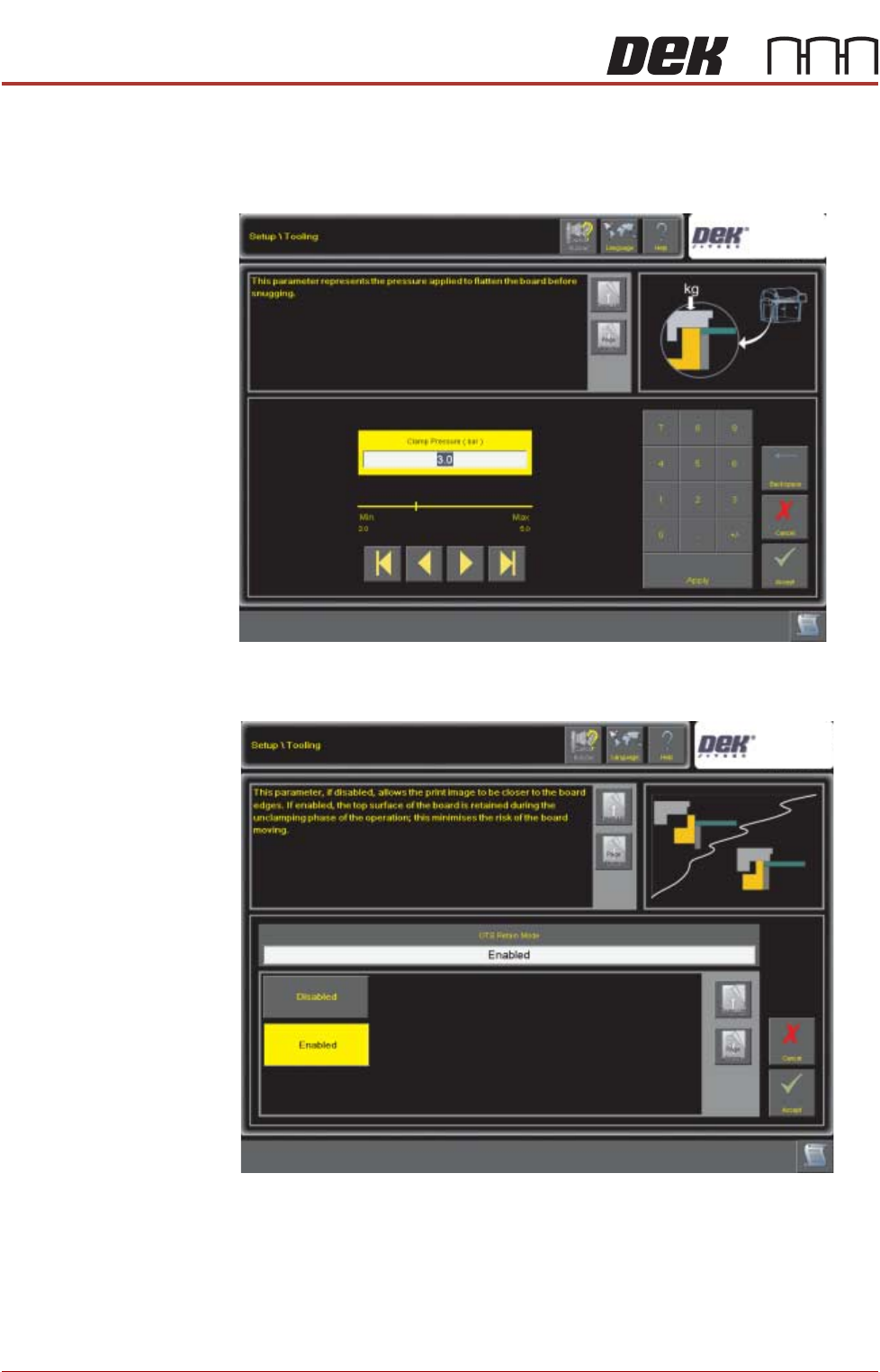
Clamp Pressure The over the top clamp is placed over the board and pressure is applied so that
when the board is fed into the machine and the snugger operates, the top of the
board is held level with the snugger. A minimum of 2 and maximum of 5 bar can
be set. Two bar of pressure is required to overcome the balance valve.
OTS Retain Mode Over top clamp retain mode can be enabled or disabled; disabled is the default
option (see OTS Sequence for details.)