KE2040 Instruction Manual_ver1.30.pdf - 第379页
5 − 37 ⑭ NumLn (number of lines) , Diamet er/Level, and V ariant/ Level NumLn Set the num ber of li nes on which balls are locat ed with being viewed from t he outside of a peripheral patt ern. Diamet er/Level This item …
5 − 36
4) Deleting
4-1 Deleting a registered ball pattern
This section describes how to delete a registered ball pattern.
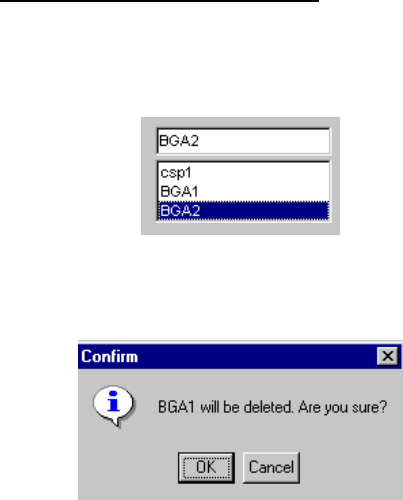
- Select the name of a ball pattern that you want to delete from the list
box.
- When you click the <Delete> button, the following screen appears.
♦ - When you click the <OK> button, the selected ball pattern is
deleted from the list box.
- When you click the <Cancel> button, the machine cancels
deleting of the selected ball pattern.
5 − 37
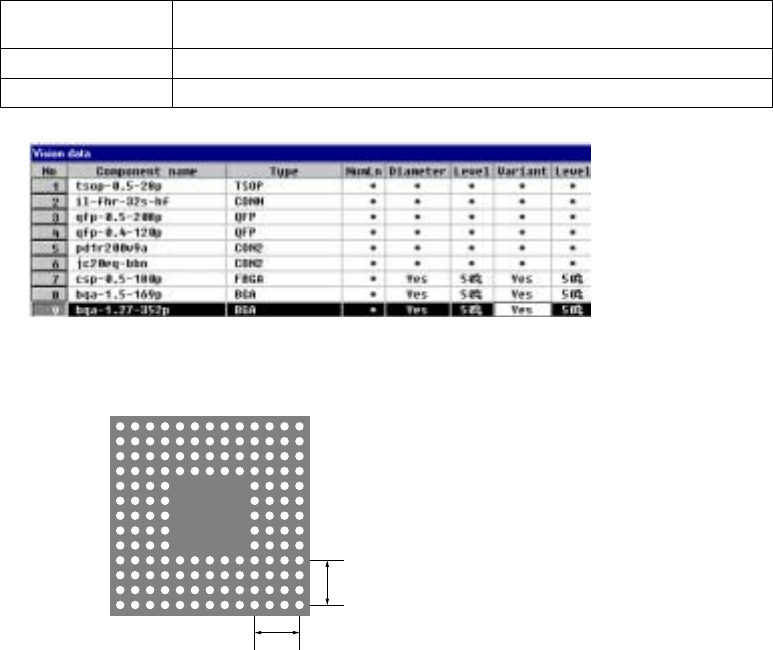
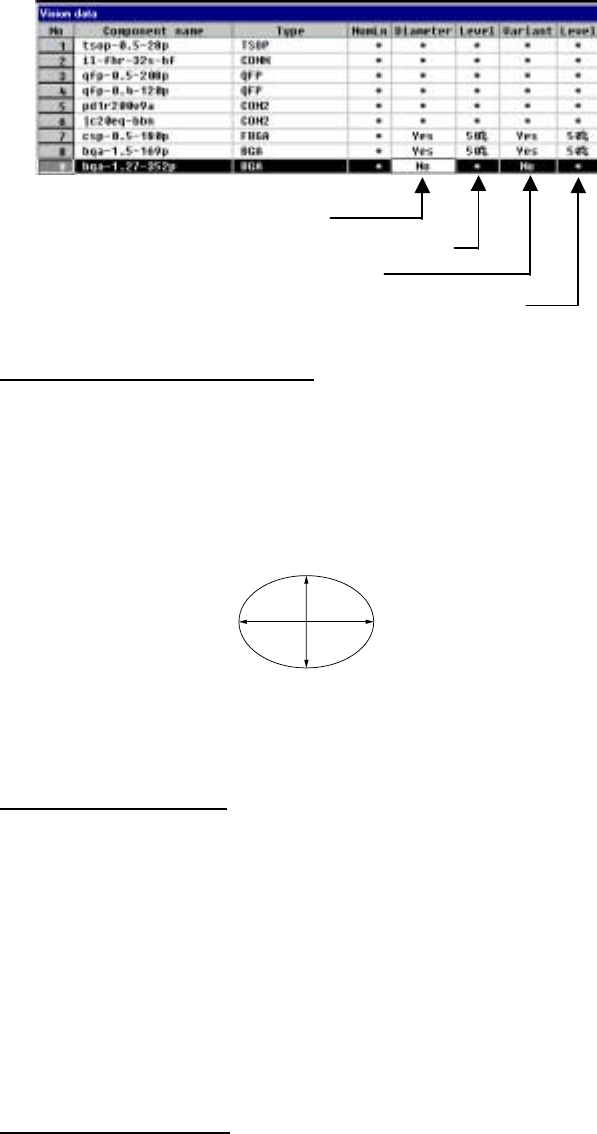
⑭ NumLn (number of lines), Diameter/Level, and Variant/Level
NumLn Set the number of lines on which balls are located with being viewed from the
outside of a peripheral pattern.
Diameter/Level This item is not available when you select “All land” at the “Contrast” setting item.
Variant/Level This item is not available when you select “All land” at the “Contrast” setting item.
1) Setting the number of lines on which balls are located for a peripheral
pattern
4
4
In this example, the
number of lines where
balls are located is “4”.
5 − 38
2) Settings for checking a ball
Set each ball shape check operation.
- Specify whether to check the diameter.
- Enter the level for checking the diameter (default: 50 %).
- Specify whether to check deformation of a ball.
- Enter the level for checking deformation of a ball (default: 50 %).
▼ Inspecting the diameter of a ball
The length and width of a ball is measured by the ball diameter inspection
function. If either of these measurements is not within the setting range, the
recognition error is supposed to occur. The diameter of a ball is inspected
based on the entered value, so enter the correct diameter of a ball. We
recommend that you specify 40 % or higher as the inspection level.
H
V
・ The entered value for the ball diameter is supposed to be R. If either of 1 -
(H/R) or 1 - (V/R) is greater or smaller than the set value (%), the ball
diameter is regarded as "illegal".
▼ Inspecting the variation
This means the ball area inspection. The area of a ball is converted into binary
data, then its bright pixels are counted. The threshold of the binary data is
optimized for each ball. If the number of pixels counted is smaller or larger
than the value set for the ball area which is calculated from the entered
diameter value, the recognition error occurs. The ball area which is calculated
from the entered diameter value is converted into the number of pixels, then
inspected. Enter the correct ball diameter value in the same manner as that
for the ball diameter inspection. This function performs the stricter inspection
than the ball diameter inspection, so we recommend that you specify 45 % or
higher as the inspection level.
▼ Inspecting lack of a ball
If you specify “Inspect of diameter” or “Inspect of variation”, the system checks
whether any ball is omitted or not. This inspection is based on the average
value of each ball brightness and the total of each ball brightness to decide if a
ball should be omitted or not. A ball which is darker than other balls is handled
as nonexisting.