MPM UP3000中文操作手册 - 第29页
The object should be centered. Press EXIT when DONE. (按 EXIT 完成) 按 EXIT 之後,出現下列視窗: Board Target 1 (PC 板上第一個 Mark 點) Adjusting : Position (調整搜尋範圍框大小、尺寸) X: 2.0258mm (搜尋範圍框 X 方向) Y: 2.0258mm (搜尋範圍框 Y 方向) 29
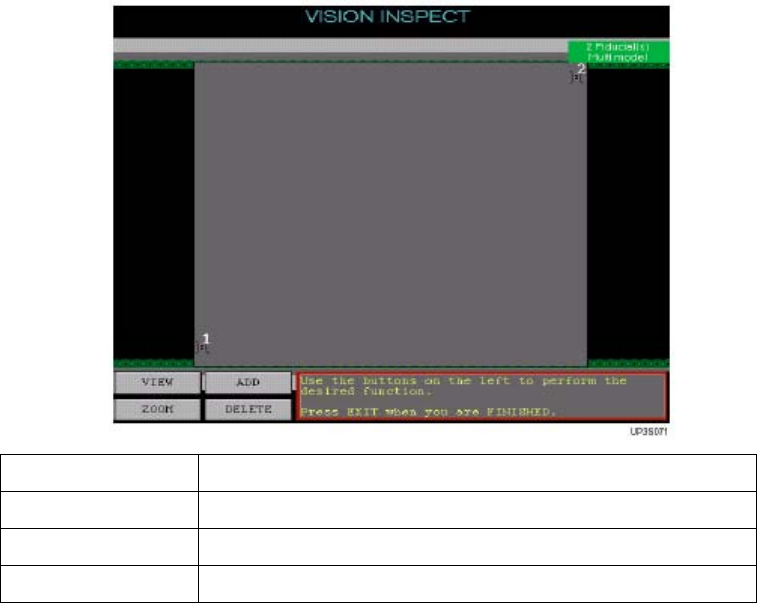
3. Vision Inspect:製作2D檢查時,PC板Mark點
從Teach下拉選單中,選Vision Inspect 後出現下列訊息:
Please Place Board On (請將板子放入軌道上,按NEXT繼續下一
Tracks and Then Press NEXT 動作。按EXIT離開製作程式)
Press EXIT to Quit.
按 NEXT 之後,出現下列訊息視窗畫面
Use the buttons on the left to perform the (使用螢幕左下方按鈕來製作程式,按EXIT
desired function. 結束程式製作)
Press EXIT when you are FINISHED.
ADD 增加一個 PC 板 Mark 點
DELETE 刪除一個 PC 板點
VIEW 察看 PC 板 Mark 點
ZOOM 將點選到位置放大與縮小
按ADD之後,出現下列訊息視窗:
Move the trackball pointer to the Area(移動軌跡球,按 SELECT 點選到 PC
Where the device is to be added and 板上任何標示點大約位置)
Press SELECT
按 SELECT 之後,出現下列訊息視窗畫面
Jog to BOARD TARGET. (移動軌跡球到PC板上Mark點)
28
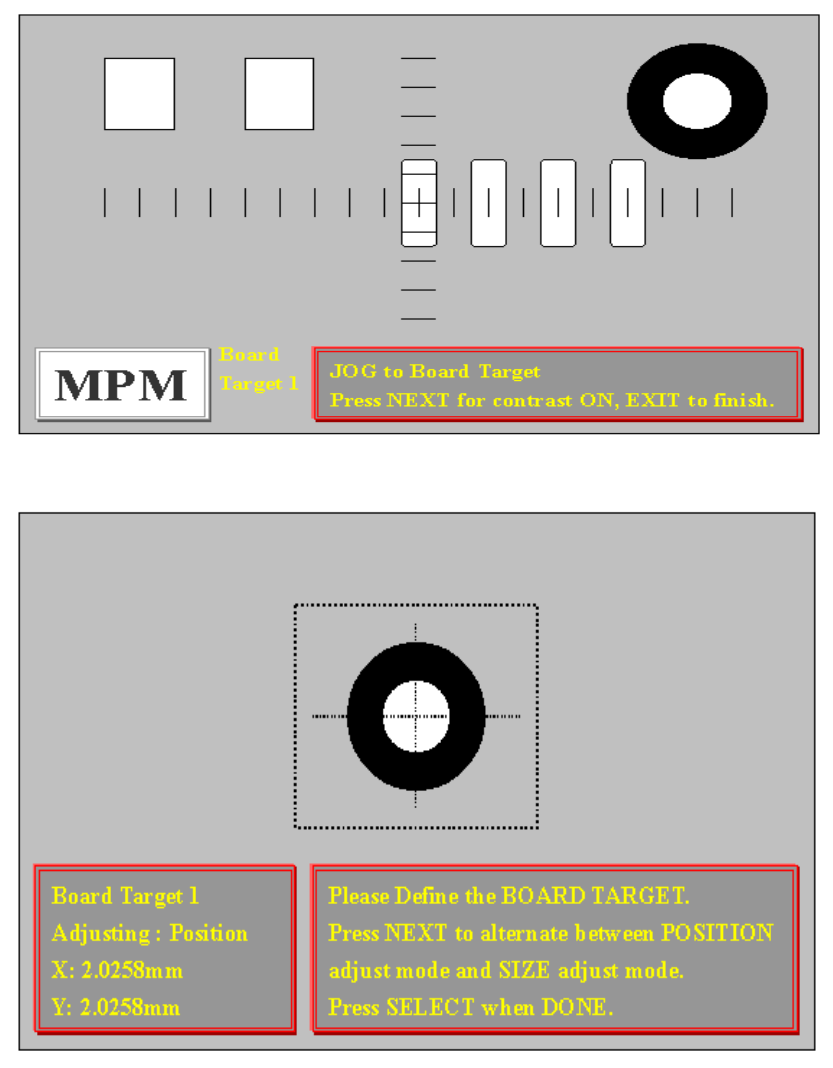
The object should be centered.
Press EXIT when DONE. (按EXIT完成)
按 EXIT 之後,出現下列視窗:
Board Target 1(PC 板上第一個 Mark 點)
Adjusting : Position(調整搜尋範圍框大小、尺寸)
X: 2.0258mm(搜尋範圍框 X 方向)
Y: 2.0258mm(搜尋範圍框 Y 方向)
29
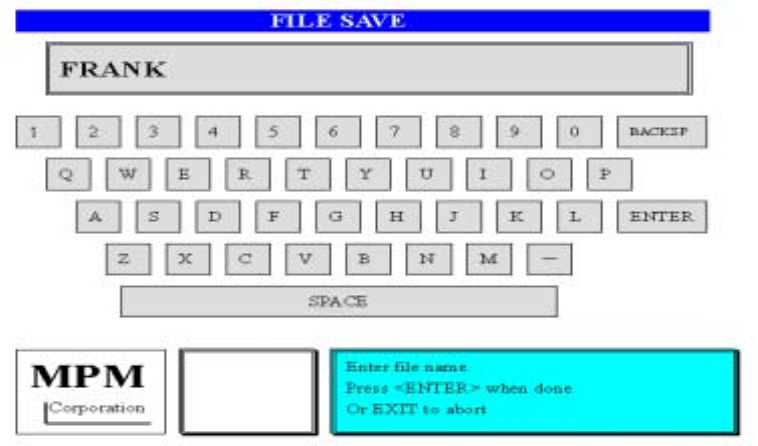
Please Define the BOARD TARGET. (請定義基板上 Mark 點收尋範圍的位置與尺寸)
Press NEXT to alternate between POSITION(按 NEXT 變換搜尋範圍框位置、尺
adjust mode and SIZE adjust mode. 寸並調整)
Press SELECT when DONE. (按 SELECT 完成)
按 SELECT 完成後,會出現做第二個 Mark 點的訊息,製作方式如第一個 Mark 點
CAUTION, Teach Device Vision is almost (警告!程式製作完成,影像系統會移動
complete, the camera is now going to 依照程式確認Mark點)
move around the board. Stay Clear. (按NEXT後動作)
Press NEXT to Continue.
按 NEXT 之後,出現下列訊息
VISION INSPECT is now complete. (程式製作完成)
NEXT for Save Operations. (按NEXT後存檔,進入小鍵盤輸入名稱後存檔)
EXIT to Quit. (按EXIT後離開)
按 NEXT 之後,出現存入檔案鍵盤畫面
4. Device Layout:製作2D檢查時,所要檢查零件
從Teach下拉選單中,選Device Layout 後出現下列訊息及視窗:
Use the buttons on the left to perform the(使用左邊功能鍵來完成程式製作)
desired function.
Press EXIT when you are FINISHED. (按EXIT結束程式製作)
30