00198371-01_UM_SWS-EN.pdf - 第100页
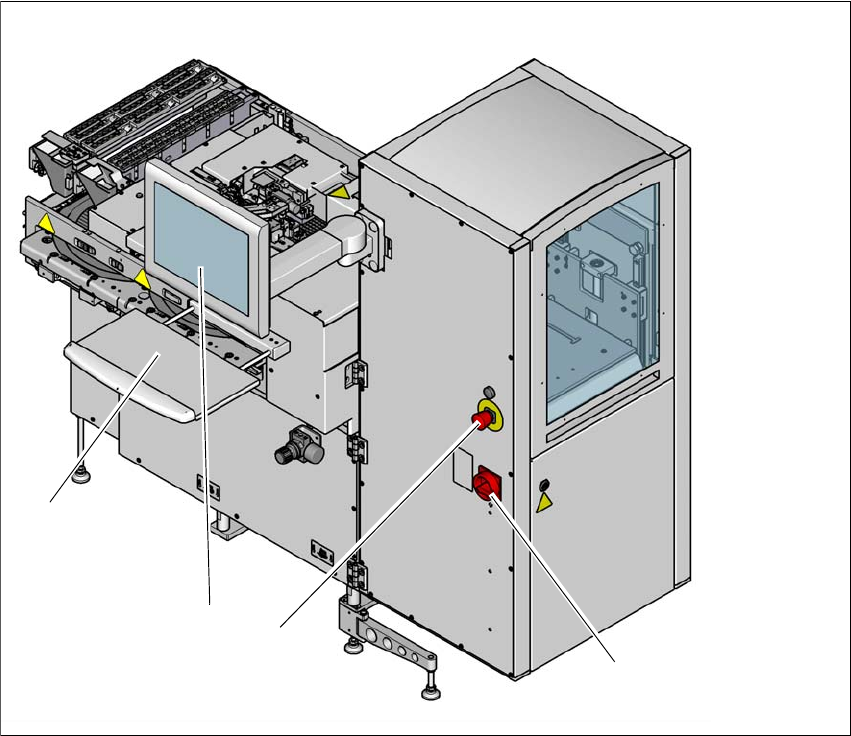
5 SWS tasks User manual SIPLACE Wafer System (SWS) 5.9 Controls and displays Edition 04/2018 100 5.9 Controls and displays 5.9.1 Overview 5 Fig. 5.9 - 1 Controls and displays (1) Main switch (3) LCD touchscreen (2) EMERG…
User manual SIPLACE Wafer System (SWS) 5 SWS tasks
Edition 04/2018 5.8 Changing the Setup on the SWS
99
5.8 Changing the Setup on the SWS
Check whether the orientation of the wafer locking bar matches the relevant wafer size (see
fig. 3.4.4.1
, page 81).
5
Check that the magazine is occupied correctly.
Adjust the support plate for the wafer magazine and insert the new magazine.
Check the needle configuration of the ejection system (see section 5.3, page 93).
Check whether the flip unit has been fitted with the required tools and nozzles (see section
5.4, page 97).
Load or compile the required product (see software guide).
PLEASE NOTE
Configuring the SWS
When putting the SWS into operation, it is configured with the required wafer size and
thickness of the wafer frame.
Adapting the SWS to other sizes and thicknesses is described in the service manual.
5 SWS tasks User manual SIPLACE Wafer System (SWS)
5.9 Controls and displays Edition 04/2018
100
5.9 Controls and displays
5.9.1 Overview
5
Fig. 5.9 - 1 Controls and displays
(1) Main switch (3) LCD touchscreen
(2) EMERGENCY STOP button (4) Keyboard
(1)
(2)
(3)
(4)
User manual SIPLACE Wafer System (SWS) 5 SWS tasks
Edition 04/2018 5.9 Controls and displays
101
5.9.2 Description
All the controls can be reached by a 1.40 m tall person.
Main switch
The main switch is used for switching the power supply to the SWS on and off.
5
EMERGENCY STOP button
The EMERGENCY STOP button latches in the ON position when pressed. The power supply will
be interrupted. Turn the button to release it.
LCD touchscreen
Each SWS features a flat screen monitor with LCD technology and touchscreen function for op-
eration of the SWS software.
Keyboard
The keyboard is located beneath the monitor.
5
USB connection
5
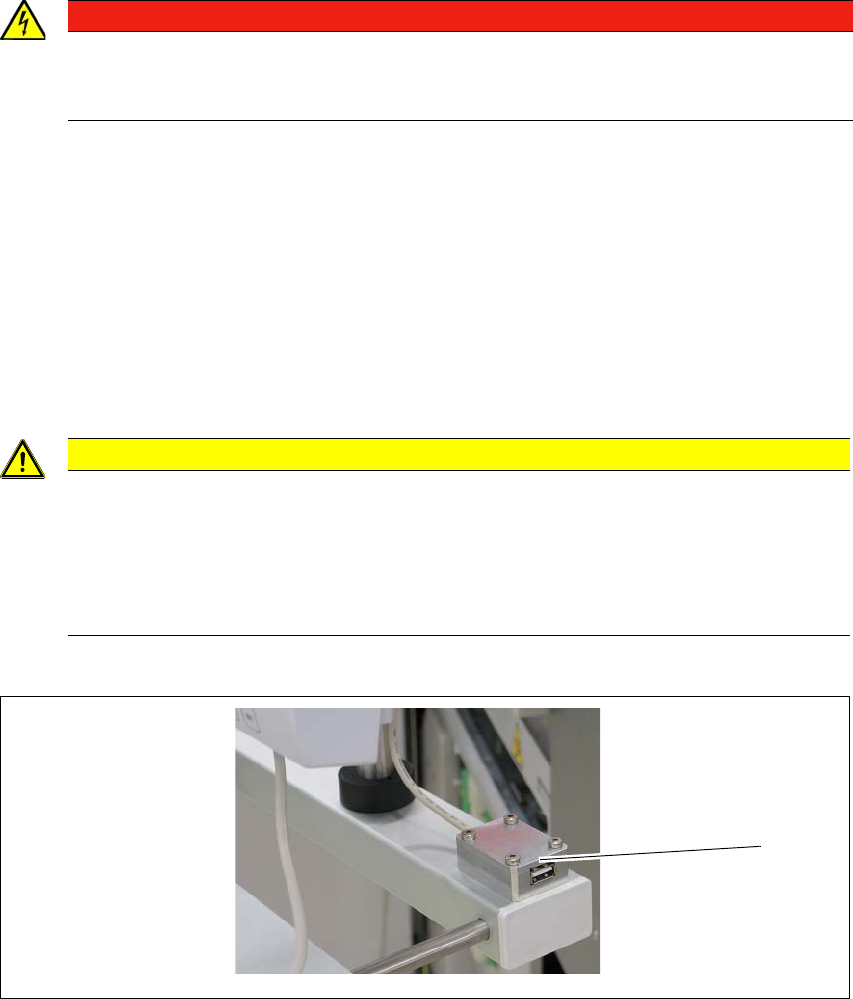
Fig. 5.9 - 2 USB connection
There is a USB connection next to the LCD screen (1).
DANGER
Lethal voltages!
Some parts inside the SWS carry potentially lethal voltages - even when switched off at
the main power switch.
CAUTION
Risk of collision on the monitor with keyboard
When working on the SWS, there is risk that you could collide with the monitor and key-
board.
Turn the monitor and keyboard away to the side.
Make sure that you are not under the monitor and keyboard with your head.
(1)