00198371-01_UM_SWS-EN.pdf - 第50页
2 Operational safety User manual SIPLACE Wafer System (SWS) 2.6 Safety features Edition 04/2018 50 2.6 Safety features 2.6.1 Sliding door The inside of the SIPLACE W afer Sy stem is covered by a sliding door . The slidin…
User manual SIPLACE Wafer System (SWS) 2 Operational safety
Edition 04/2018 2.5 Safety Instructions for Operating the SWS
49
2.5.3 Safety instructions for closing the SWS sliding door
2
– The sliding door of the SWS can be opened during operation to replace the wafer magazine
- the SWS will continue production. Opening the sliding door of the SWS only disables the
magazine lift.
2.5.4 Safety instructions for the Linear Dipping Unit (LDU X)
2
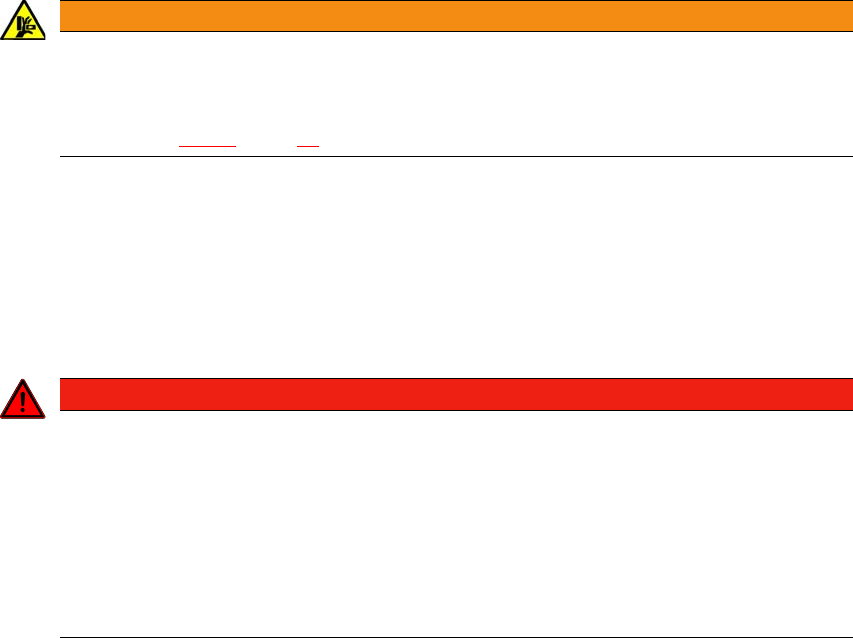
WARNING
DANGER OF CRUSHING!
Risk of trapping and crushing hands when closing the sliding door of the SWS.
Always hold the grab recess provided when opening or closing the SWS sliding door.
See fig. 2.6 - 1
, page 50 )
DANGER
Hazardous substances (flux)!
The LDU X flux is hazardous for health!
Make sure that you observe the safety data sheet provided with the flux (Material
Safety Datasheet - MSDS)
Make sure that you fulfill all measures specified therein.
When filling and cleaning the LDU X, plus when disposing of the flux, wear the pre-
scribed protective clothing (e.g. breathing protection, gloves, goggles).
2 Operational safety User manual SIPLACE Wafer System (SWS)
2.6 Safety features Edition 04/2018
50
2.6 Safety features
2.6.1 Sliding door
The inside of the SIPLACE Wafer System is covered by a sliding door. The sliding door and covers
serve as protective devices which prevent unauthorized access to the inside of the SIPLACE Wa-
fer System.
2
2
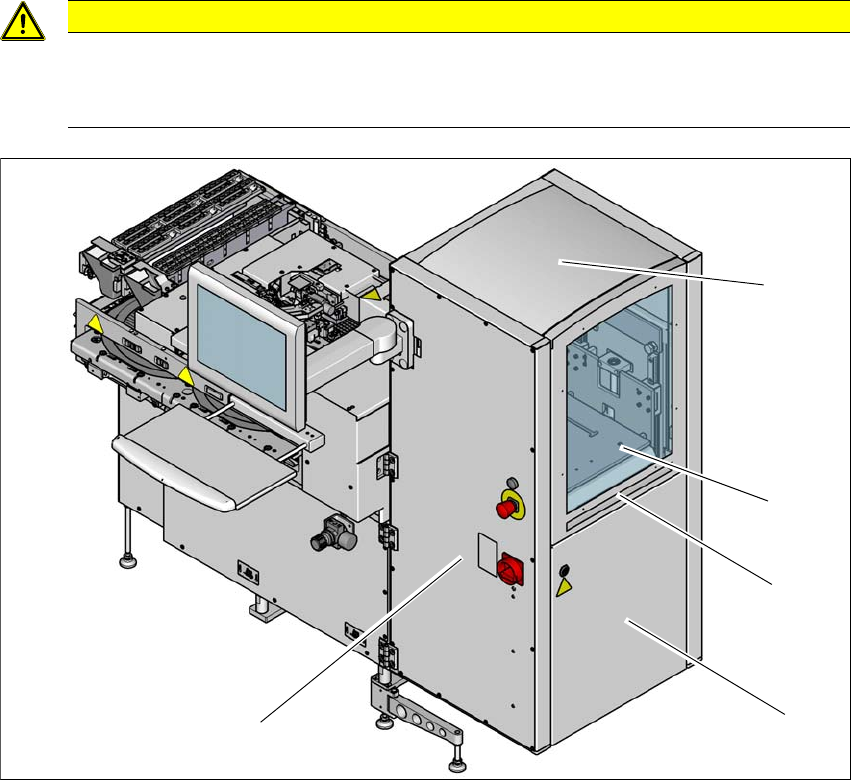
Fig. 2.6 - 1 Sliding door and covers
(1) SWS magazine lift
(2) SWS sliding door
(3) Grab recess for opening the SWS
(4) Door with safety switch
The SWS magazine lift is covered by a sliding door (item 1).
CAUTION
Risk of damage!
The sliding door and covers could be damaged if too much force is exerted.
Do not access or climb onto the SIPLACE Wafer System.
(2)
(3)
(4)
(1)
(4)
User manual SIPLACE Wafer System (SWS) 2 Operational safety
Edition 04/2018 2.6 Safety features
51
Function
If the SWS sliding door is opened upwards, the power supply for the SWS lift and the gripper will
be interrupted. A message is issued on the screen, notifying you that the sliding door has been
opened.
2.6.2 EMERGENCY STOP button and main switch
2
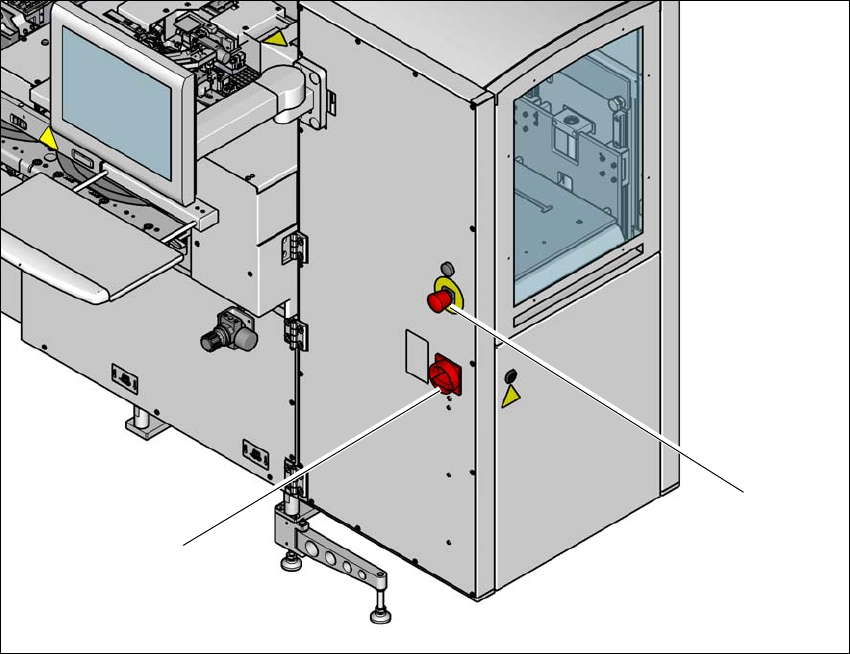
Fig. 2.6 - 2 Position of EMERGENCY STOP button and main switch on the SWS
(1) EMERGENCY STOP button
(2) Main switch
(1)
(2)