00198371-01_UM_SWS-EN.pdf - 第92页
5 SWS tasks User manual SIPLACE Wafer System (SWS) 5.2 Inserting the magazi ne into the magazine lift Edition 04/2018 92 5.2 Inserting the magazine into the magazine lif t Move the magazine lift into the magazine cha n…

User manual SIPLACE Wafer System (SWS) 5 SWS tasks
Edition 04/2018 5.1 Filling the magazine
91
5 SWS tasks
This chapter contains a number of subjects that are intended to help you during your daily work
on a SIPLACE line. For example, you are provided with preventative measures that you can take
to minimize the down time on the machine to obtain the highest possible level of efficiency for the
SIPLACE line during production.
5
5.1 Filling the magazine
Refill the magazine with the wafer frames so that the centering notches of the wafers frames
point to the opening of the magazine.
5
PLEASE NOTE
Correct usage with qualified personnel
Incorrect usage poses a risk to life and limb and a risk of damage to equipment.
Only appropriately qualified personnel may put the machine into operation, operate
it or perform work to the SIPLACE Wafer System. You will find further information
about this in section 1.1.5
, page 14.
Evidence of these qualifications must be obtained in training or instructions of per-
sonnel. These instructions must be given by personnel trained and authorized by SI-
PLACE. For an overview of the training courses, refer to section 1.3
, page 29.
PLEASE NOTE
When using frame adapters for 5, 4 or 7 inch wafers, make sure that you only use
every second slot.
5 SWS tasks User manual SIPLACE Wafer System (SWS)
5.2 Inserting the magazine into the magazine lift Edition 04/2018
92
5.2 Inserting the magazine into the magazine lift
Move the magazine lift into the magazine change position so that the magazine lift is level
with the height of the change position.
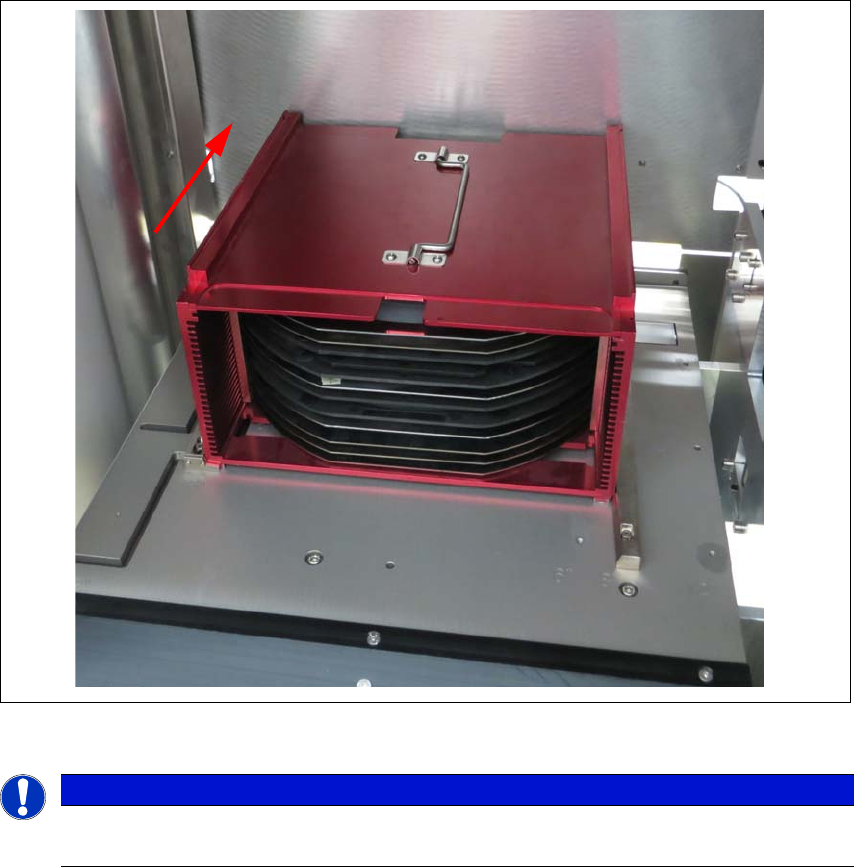
Open the SWS sliding door of the magazine lift and place the magazine onto the plate. The
centering notches of the wafers must face into the machine. Make sure that the magazine
latches properly.
Fig. 5.2 - 1 Inserting the magazine
5
5.2.1 Swiveling the magazine up and closing it
In order to undertake service work on components which can not be accessed from above, you
will need to create access to the inside of the SWS from the front. See the SWS service manual
for details.
PLEASE NOTE
When inserting the wafer frame, the recesses in the wafer frame must point in the feed-
in direction.
User manual SIPLACE Wafer System (SWS) 5 SWS tasks
Edition 04/2018 5.3 Setting up the needle configuration for the ejector system
93
5.3 Setting up the needle configuration for the ejector
system
In the SWS GUI, switch over to the Manual operations -> Wafer handling view and click on
the Go to change position button.
The wafer table is removed.
In the SWS GUI, switch over to the Manual operations -> Die handling view and select the
Ejection unit tab.
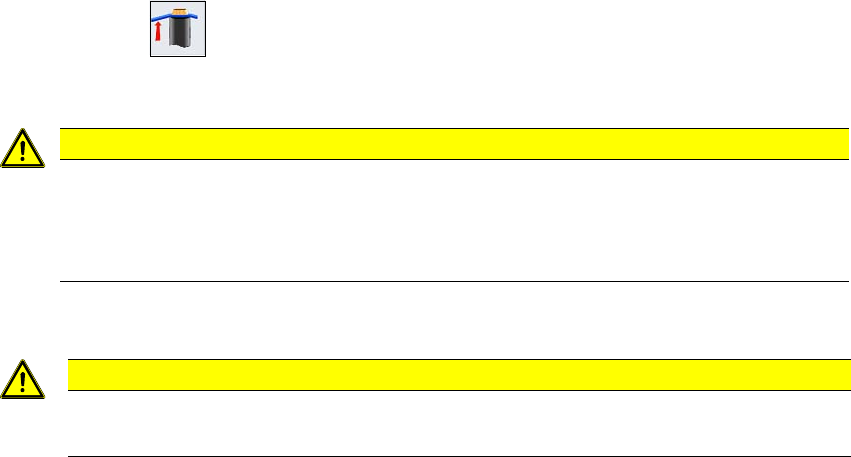
Click on the button.
The die ejector is moved upwards, so that it can be accessed.
5
Open the side sliding cover on the SIPLACE CA4 V2.
5
CAUTION
Risk of damage!
When moving the wafter table manually, the ejector system which was moved upwards
could collide with the wafer table and be damaged.
Do not push the wafer table manually.
CAUTION
Risk of injury from sharp needles
There is a risk of injury from the sharp needles on the ejector system.