OPERATING MANAUAL(FOR ENGINEERS) - 第102页
Page 5-6 Board Recognition T eaching NOTICE When using CAD data, do not carry out data modification. It worsens mounting accuracy . 10 . Press UNLOCK and Recog test . • Check that the recognition is properly carried out.…
Page 5-5
TEACHING
5
Board Recognition Teaching
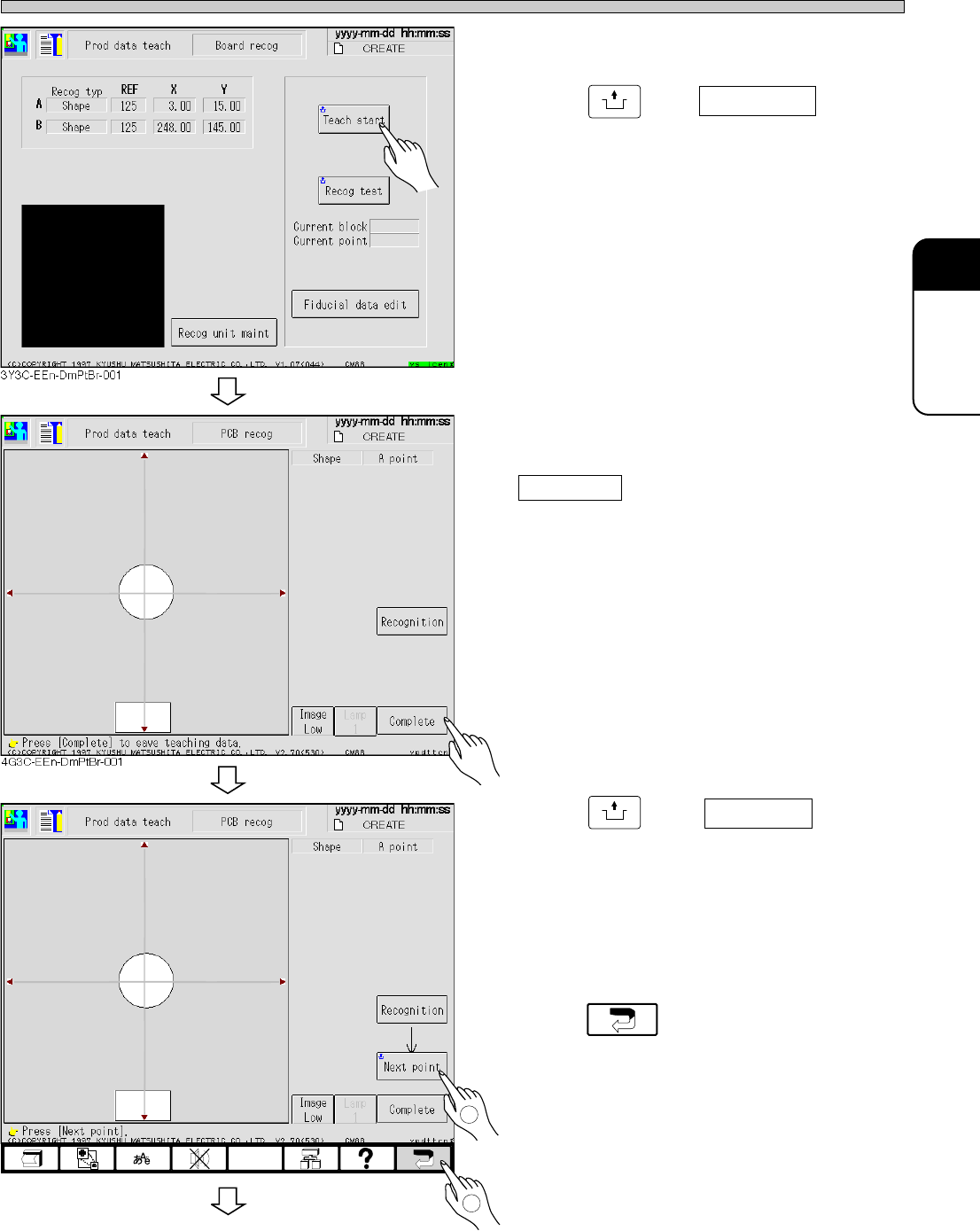
5. Set the board to front conveyor.
6. Press
UNLOCK
and Teach start .
• Board is carried in.
7. Board is automatically recognized.
If recognition result is A : 100, press
Complete .
• Data is automatically saved.
8. Press
UNLOCK
and Next point .
• Move to the next board recognition mark and
recognition is automatically carried out.
9. Repeat the procedures 7 to 8, and
after board recognition teaching,
press .
3Y3C-E-EMD05-A01-01
To the next page
1
4G3C-EEn-DmPtBr-002
2
3Y3C-086P
3Y3C-086P
Page 5-6
Board Recognition Teaching
NOTICE
When using CAD data, do not carry out data modification. It worsens mounting
accuracy.
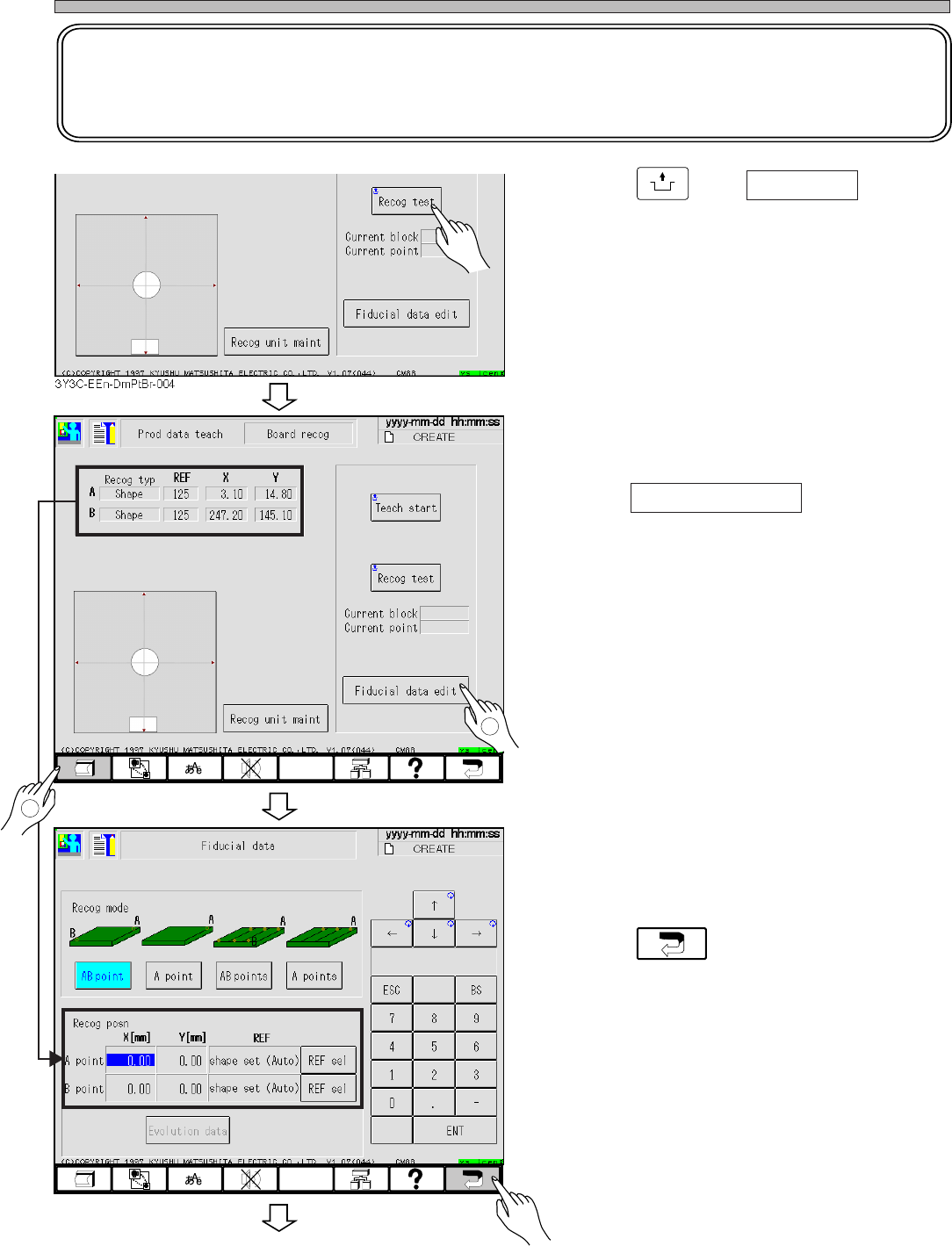
10. Press
UNLOCK
and Recog test .
• Check that the recognition is properly carried
out.
11. Print the recognition result.
12. Press Fiducial data edit .
• Board recognition data screen appears.
13. Enter the recognition result printed at
procedure 11.
14. Press .
3Y3C-E-EMD05-A01-00
To the next page
3Y3C-EEn-DmPtBr-004
3Y3C-EEn-DmFd-001
2
1
3Y3C-086P
3Y3C-086P
Page 5-7
TEACHING
5
Board Recognition Teaching
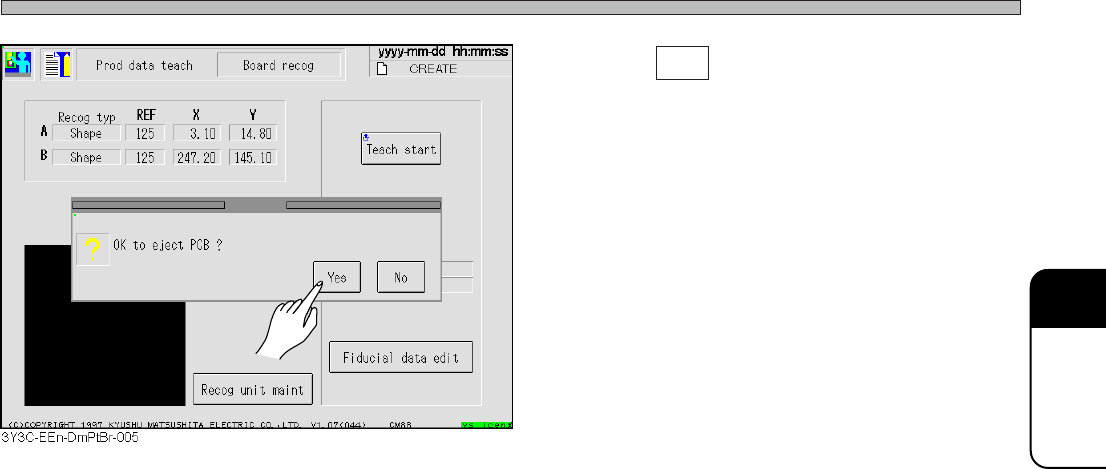
15. Press Yes .
• Board is carried out and teaching is finished.
• Production data teaching screen reappears.
3Y3C-E-EMD05-A01-00