OPERATING MANAUAL(FOR ENGINEERS) - 第103页
Page 5-7 TEACHING 5 Board Recognition T eaching 15 . Press Ye s . • Board is carried out and teaching is finished. • Production data teaching screen reappears. 3Y3C-E-EMD05-A01-00
Page 5-6
Board Recognition Teaching
NOTICE
When using CAD data, do not carry out data modification. It worsens mounting
accuracy.
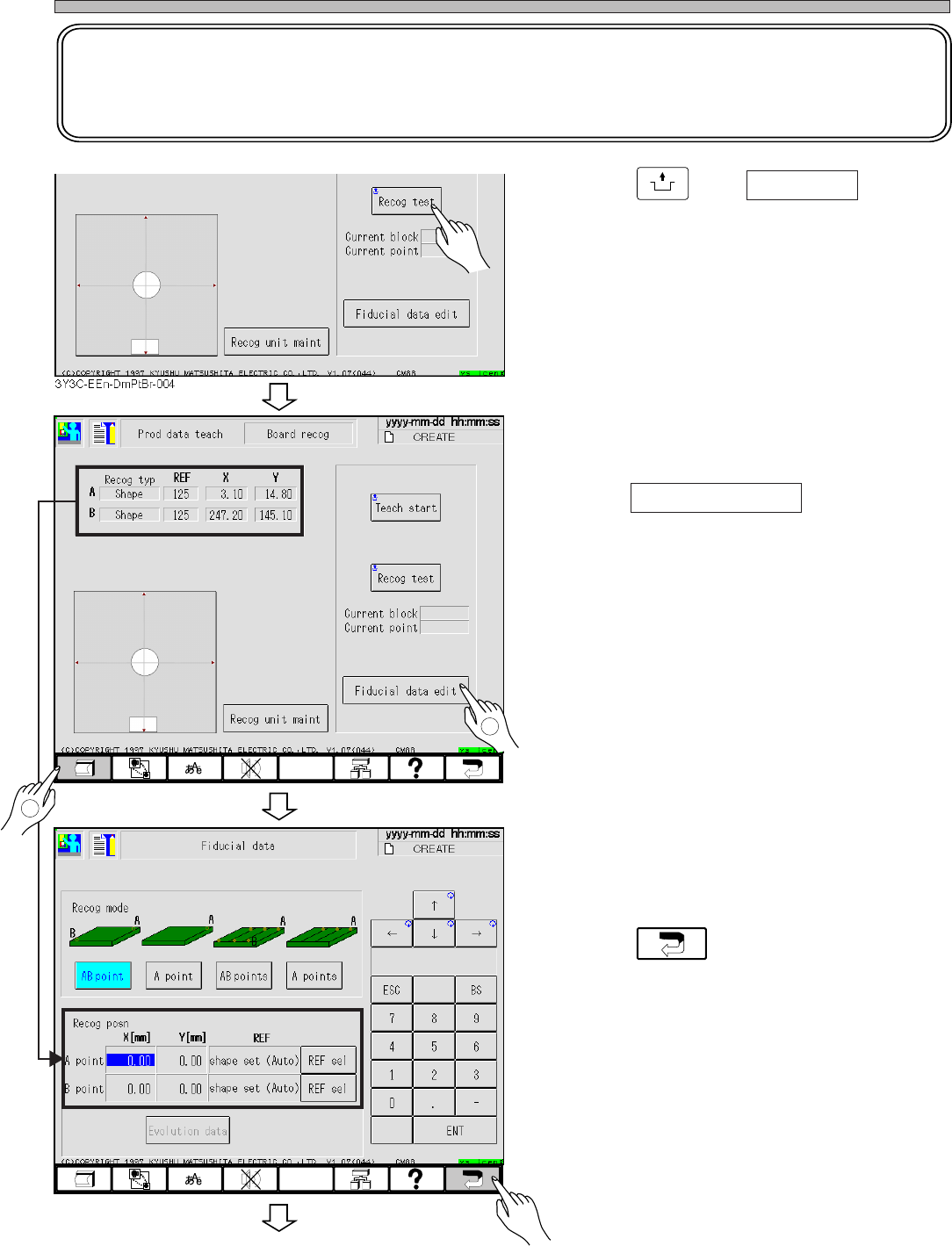
10. Press
UNLOCK
and Recog test .
• Check that the recognition is properly carried
out.
11. Print the recognition result.
12. Press Fiducial data edit .
• Board recognition data screen appears.
13. Enter the recognition result printed at
procedure 11.
14. Press .
3Y3C-E-EMD05-A01-00
To the next page
3Y3C-EEn-DmPtBr-004
3Y3C-EEn-DmFd-001
2
1
3Y3C-086P
3Y3C-086P
Page 5-7
TEACHING
5
Board Recognition Teaching
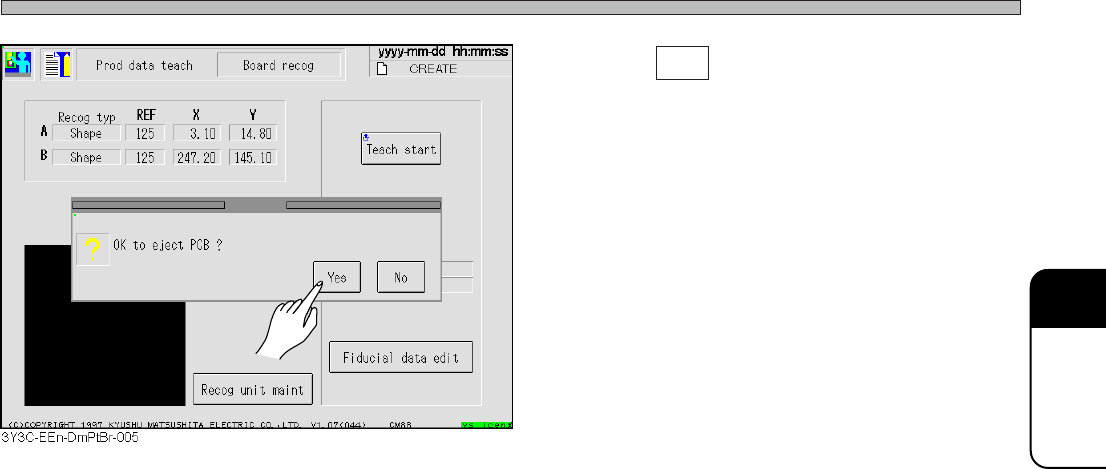
15. Press Yes .
• Board is carried out and teaching is finished.
• Production data teaching screen reappears.
3Y3C-E-EMD05-A01-00
Page 5-8
5-3 Teaching the Bad Mark Recognition
5-3-1 Bad Mark Recognition
For a bad point on the board, this equipment has a function not to mount only that bad block. The
bad block mark is the identification to see it. Also, a bad board mark indicates that the bad block
mark is on a board or not is. Bad block mark is called only for the board with bad board mark.
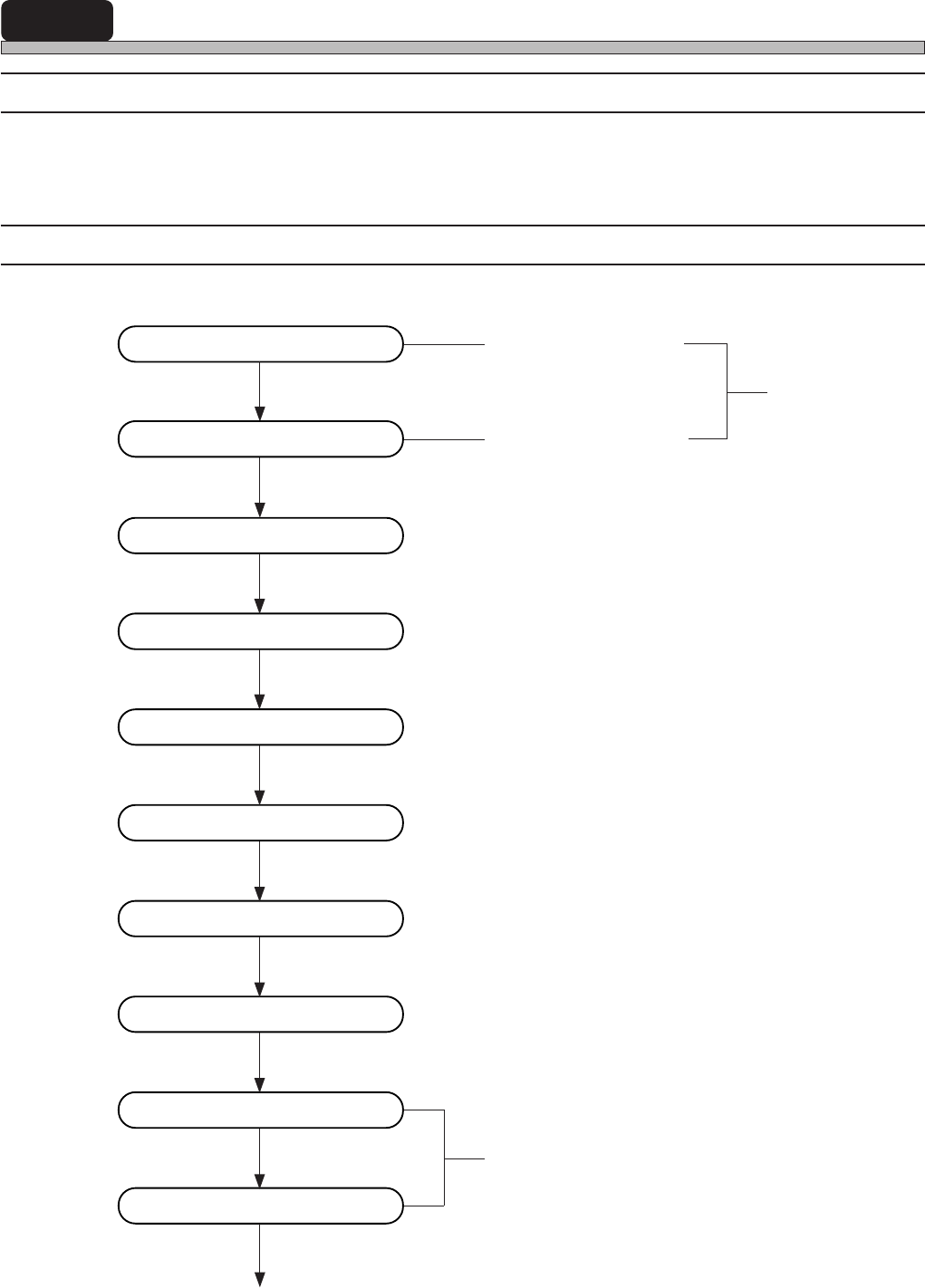
5-3-2 Flow Chart of Teaching the Bad Mark Recognition
Enter bad board mark
position (coordinate)
PT100
Enter board data
Enter block attribute data
Bad block mark position
Start teaching
Select recognition mark
Set lamp value
Recognition
Save data
Recognition test
Print teaching coordinate
In using CAD data, this operation is unnecessary
Correct board recognition data
End teaching
3Y3C-E-EMD05-A01-00