OPERATING MANAUAL(FOR ENGINEERS) - 第106页
Page 5-10 T eaching Bad Mark Recognition 4 . Press PCB data edit . 5 . Check that the coordinates of bad board mark position is proper value, and correct if necessary . 6 . Press . • The screen for procedure 4 appears. 7…
Page 5-9
TEACHING
5
Teaching Bad Mark Recognition
5-3-3 Creating Procedure
When bad block is found among production boards during process, you can stop mounting on that
block, by marking the bad block mark.
NOTICE
When using board recognition, carry out board recognition teaching at first.
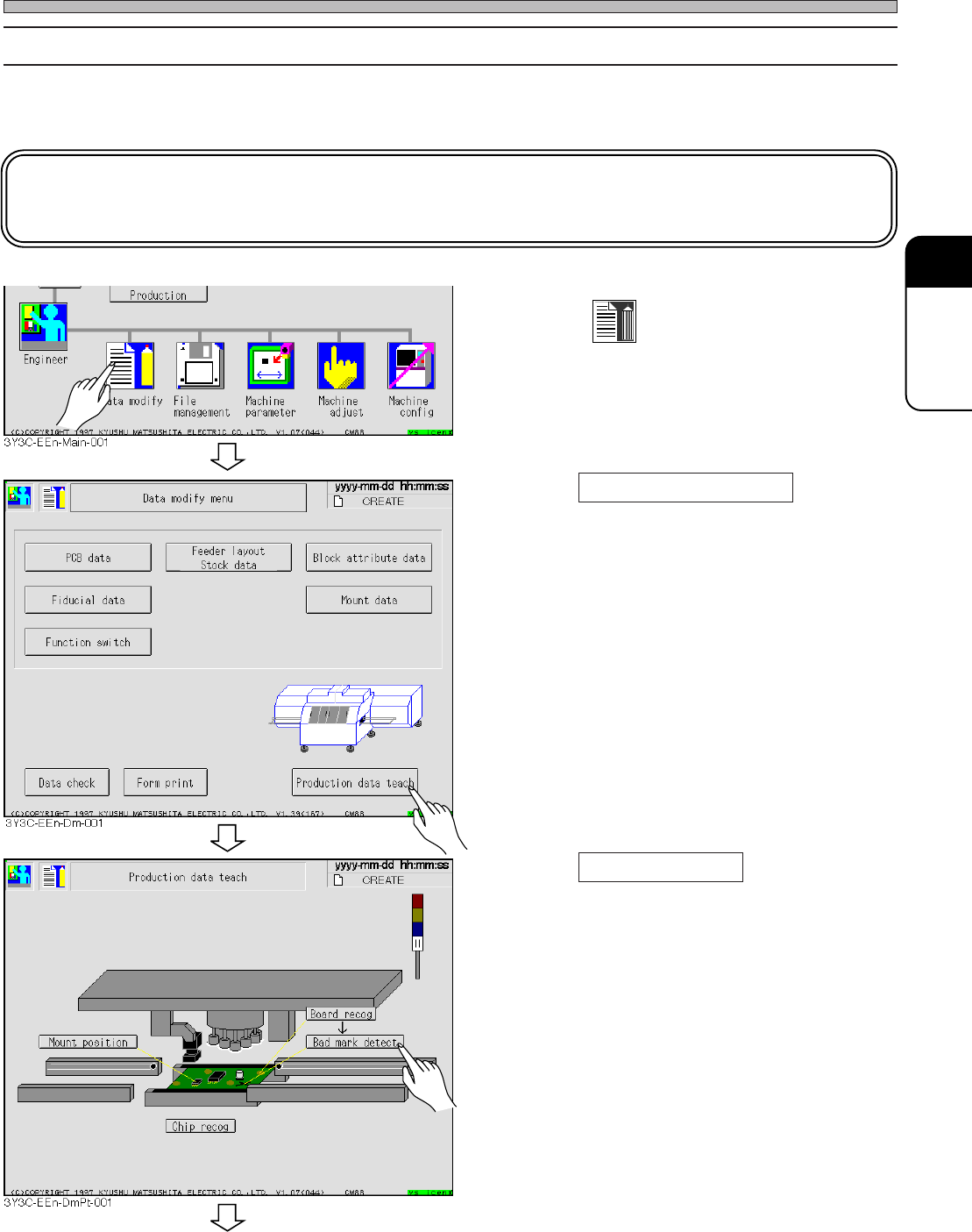
1. Press
Data modify
.
• Data modification menu screen appears.
2. Press Production data teach .
• Production data teaching screen appears.
3. Press Bad mark detect .
• Bad mark recognition screen appears.
3Y3C-E-EMD05-A01-00
To the next page
Page 5-10
Teaching Bad Mark Recognition
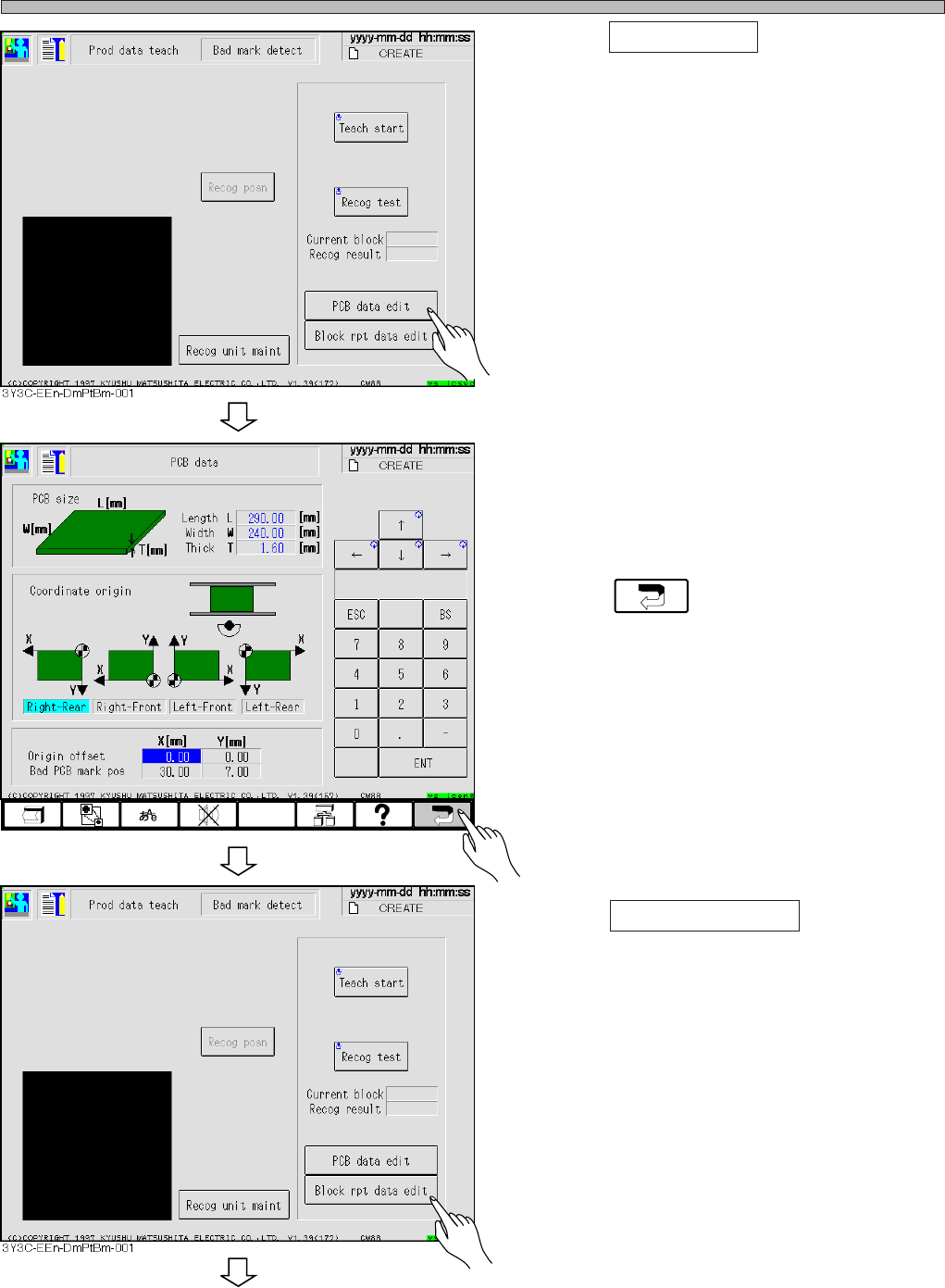
4. Press PCB data edit .
5. Check that the coordinates of bad
board mark position is proper value,
and correct if necessary.
6. Press .
• The screen for procedure 4 appears.
7. Press Block rpt data edit .
• Block attribute data screen appears.
3Y3C-E-EMD05-A01-00
3Y3C-EEn-DmPd-002
To the next page
Page 5-11
TEACHING
5
Teaching Bad Mark Recognition
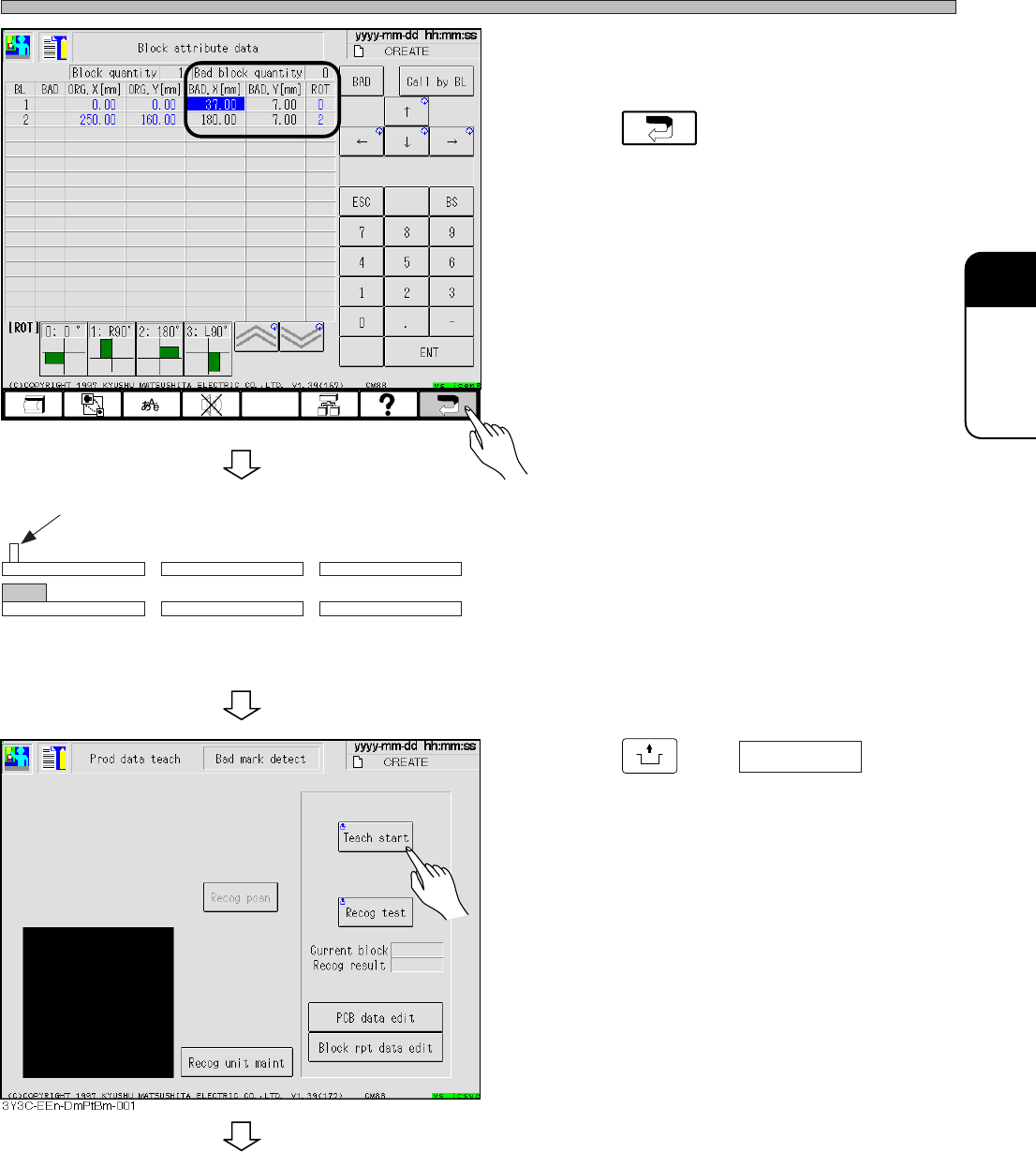
• Check that the coordinates of bad block boards
are proper, and correct if necessary.
8. Press .
• The screen for procedure 4. reappears.
9. Set the board to the board carrying in
detection PH of front conveyor.
10. Press
UNLOCK
and Teach start .
• The board is carried in to X-Y table and moved
to the bad mark position.
∗ When using board recognition, move to the
bad board mark position after board recogni-
tion.
3Y3C-E-EMD05-A01-00
Board carrying in detection PH (sensor on)
Front conveyor X-Y table
Rear conveyor
To the next page
3Y3C-EEn-DmBa-002