OPERATING MANAUAL(FOR ENGINEERS) - 第108页
Page 5-12 T eaching Bad Mark Recognition 11 . Adjust brightness to get bad mark, increasing and decreasing the lamp value of lamps 1 and 2. • Lamp value 1 (around mark) .................. ring light (standard is 30 to 50…
Page 5-11
TEACHING
5
Teaching Bad Mark Recognition
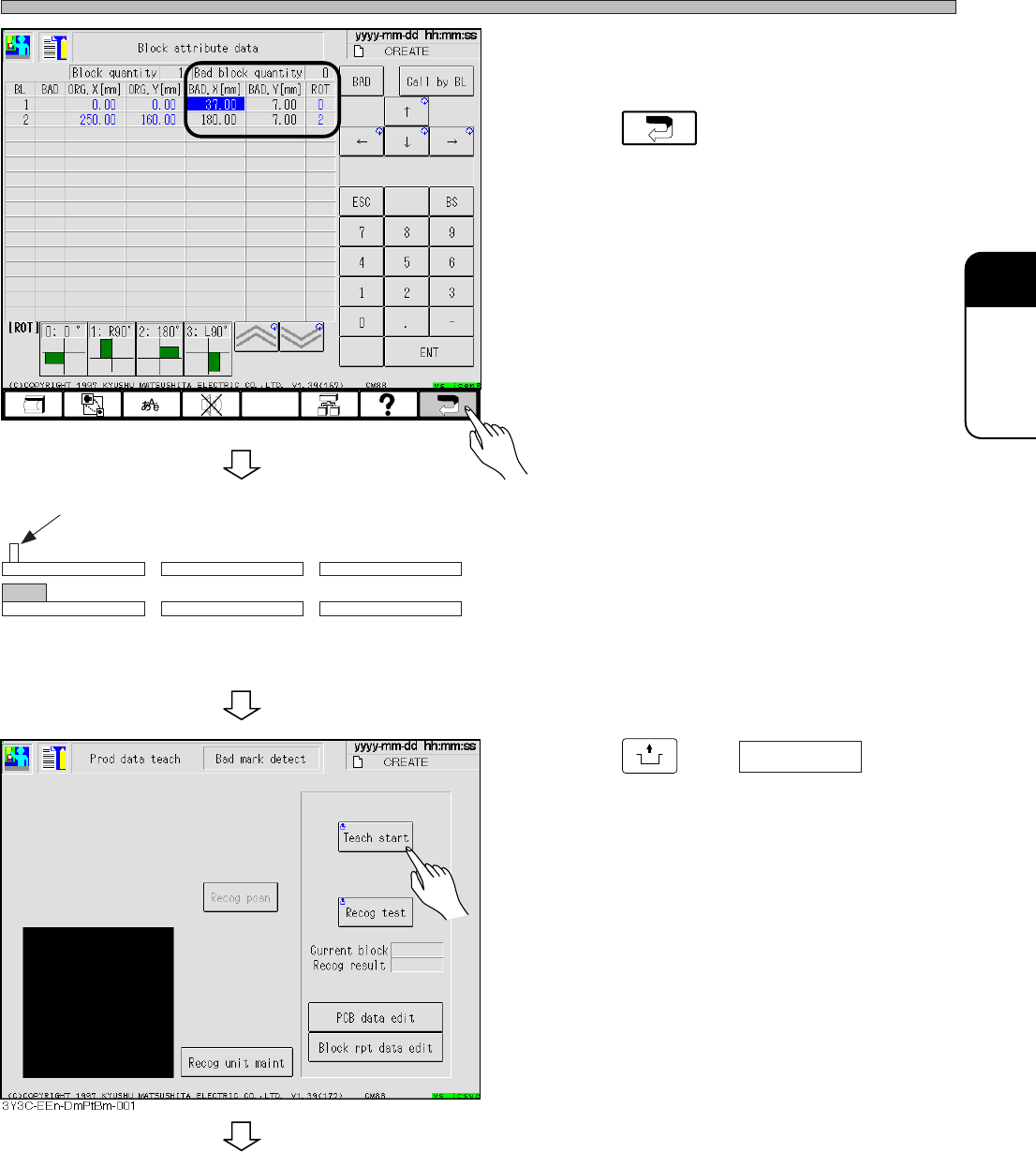
• Check that the coordinates of bad block boards
are proper, and correct if necessary.
8. Press .
• The screen for procedure 4. reappears.
9. Set the board to the board carrying in
detection PH of front conveyor.
10. Press
UNLOCK
and Teach start .
• The board is carried in to X-Y table and moved
to the bad mark position.
∗ When using board recognition, move to the
bad board mark position after board recogni-
tion.
3Y3C-E-EMD05-A01-00
Board carrying in detection PH (sensor on)
Front conveyor X-Y table
Rear conveyor
To the next page
3Y3C-EEn-DmBa-002
Page 5-12
Teaching Bad Mark Recognition
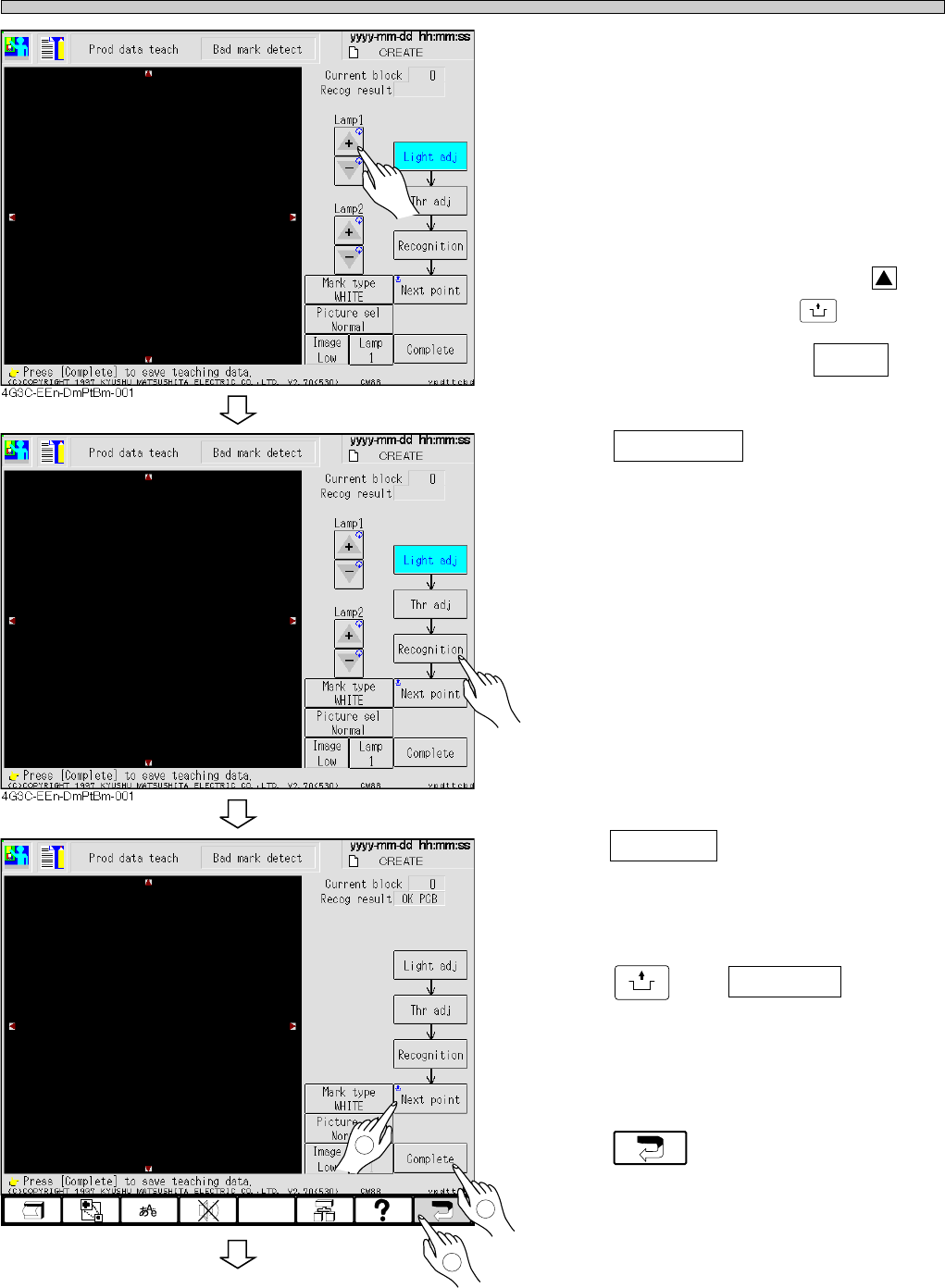
11. Adjust brightness to get bad mark,
increasing and decreasing the lamp
value of lamps 1 and 2.
• Lamp value 1 (around mark)
..................ring light (standard is 30 to 50)
• Lamp value 2 (center of mark)
..................spot light
∗ When bad mark is not near the center of
recognition screen, press red triangle, to
move to the center, pressing
UNLOCK
.
∗ The figure shows an example to use white as a
bad mark. To use black, press to
change the mark type to black.
12. Press Recognition .
• Recognition is started.
∗ Check that “NG block” appears for the recogni-
tion result.
∗ The rate of black in the area of
φ
0.25 at the
center of screen is measured in recognition.
For white mark type, the recognition result of
bad mark is A : 1.
For black mark type, the recognition result of
bad mark is A : 99.
13. Press Complete .
• Data is automatically saved.
14. Press
UNLOCK
and Next point .
• Move to the next bad mark position.
15. Repeat the procedures 11 to 13, and
press after teaching.
3Y3C-E-EMD05-A01-01
4G3C-EEn-DmPtBm-002
To the next page
1
2
3
Mark type
WHITE
Page 5-13
TEACHING
5
Teaching Bad Mark Recognition
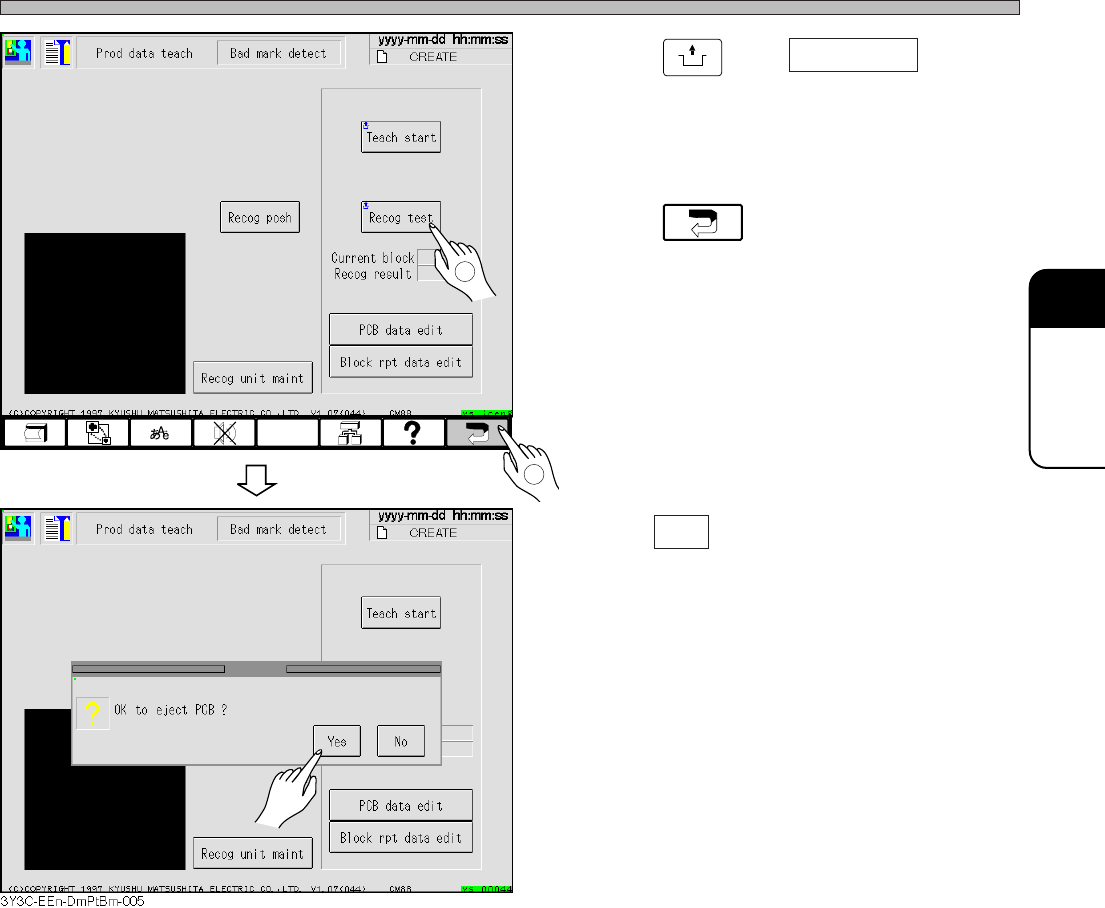
16. Press
UNLOCK
and Recog test .
• Check that the recognition is properly carried
out.
17. Press .
18. Press Yes .
• The board is carried out and teaching is
finished.
• Production data teaching screen reappears.
3Y3C-E-EMD05-A01-00
1
2
3Y3C-EEn-DmPtBm-004