OPERATING MANAUAL(FOR ENGINEERS) - 第116页
Page 5-20 T eaching the Chip Recognition 4 . Press Chip select . • Chip selecting screen appears. 5 . Select chip to recognize. ∗ Display the chip to teach on the screen with or Call by Adrs and select it. 6 . Press and …
Page 5-19
TEACHING
5
Teaching the Chip Recognition
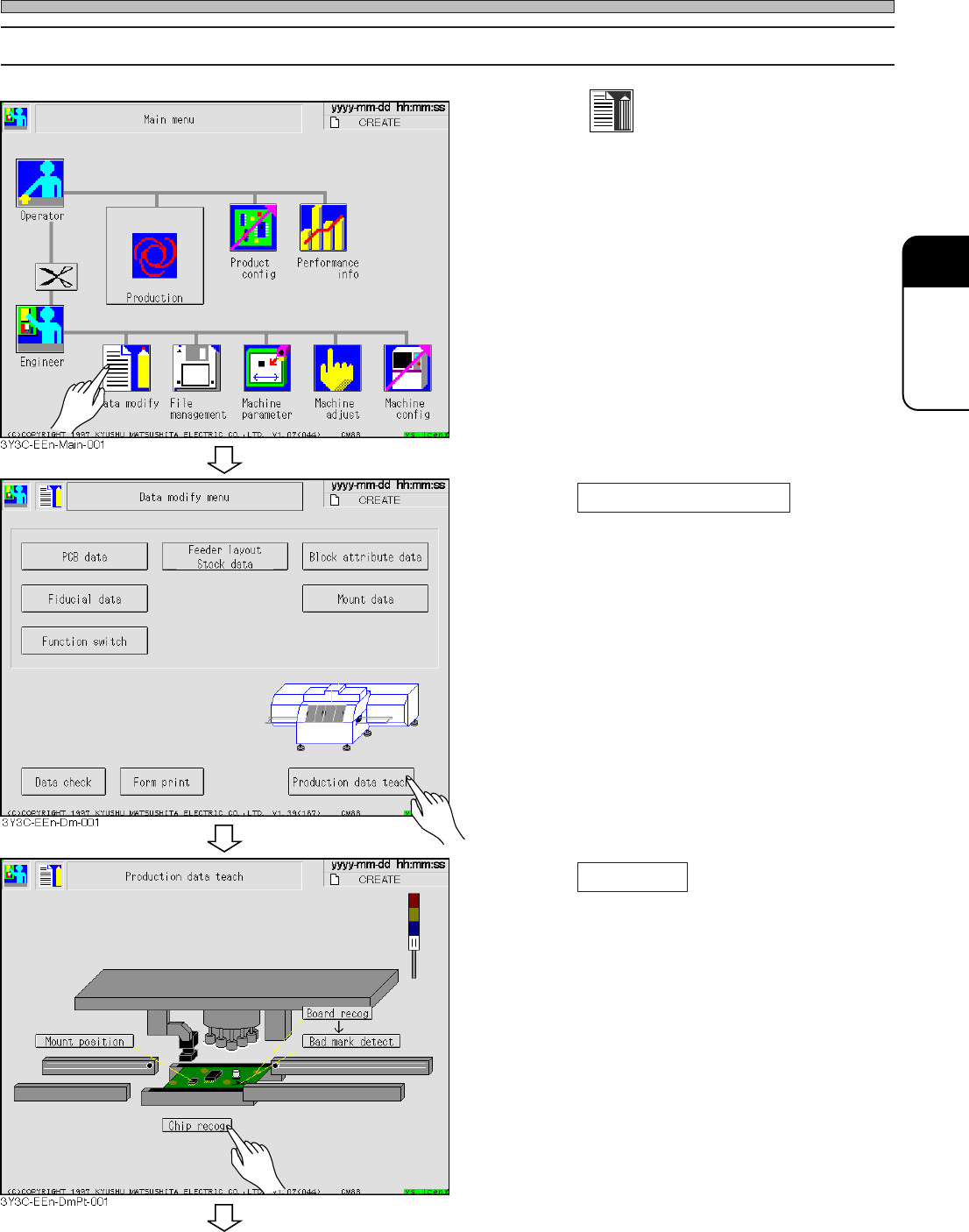
5-4-4 Procedure of Block Matching Recognition
1
. Press
Data modify
.
• Data modification menu screen appears.
2. Press Production data teach .
• Production data teaching screen appears.
∗ Returning to origin is carried out, if not com-
pleted.
3. Press Chip recog .
• Chip recognition screen appears.
3Y3C-E-EMD05-A01-00
To the next page
Page 5-20
Teaching the Chip Recognition
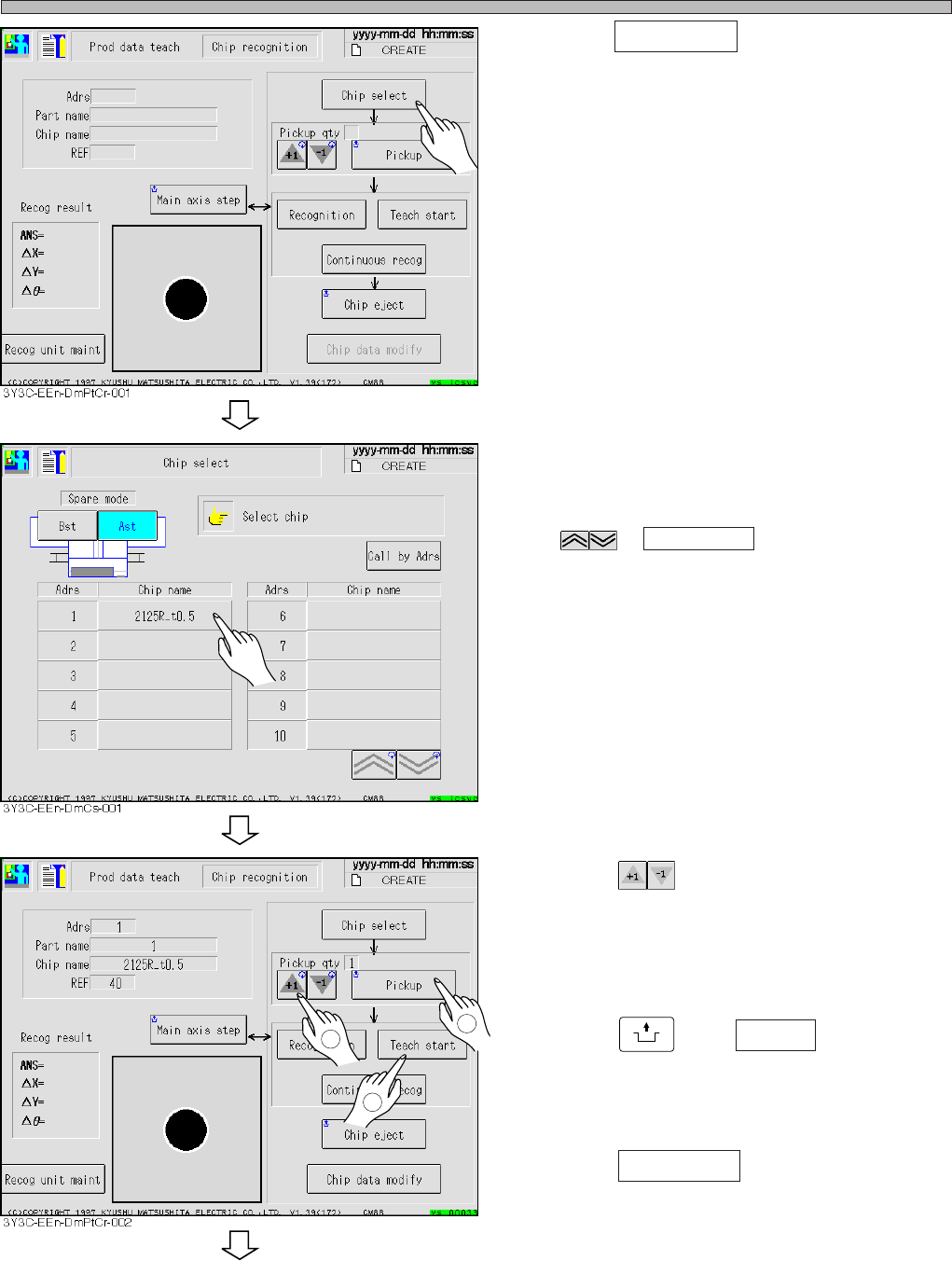
4. Press Chip select .
• Chip selecting screen appears.
5. Select chip to recognize.
∗ Display the chip to teach on the screen with
or Call by Adrs and select it.
6. Press and decide the number
of chip to carry out recognition test.
• Maximum 3 of normal chips and maximum 1 of
plural feeding chip are set as the pickup.
7. Press
UNLOCK
and Pickup .
• Chip is picked up and moves to the chip
recognition position.
8. Press Teach start .
• The recognition screen is largely displayed,
and teaching starts.
3Y3C-E-EMD05-A01-00
To the next page
1
2
3
Pickup qty
Page 5-21
TEACHING
5
Teaching the Chip Recognition
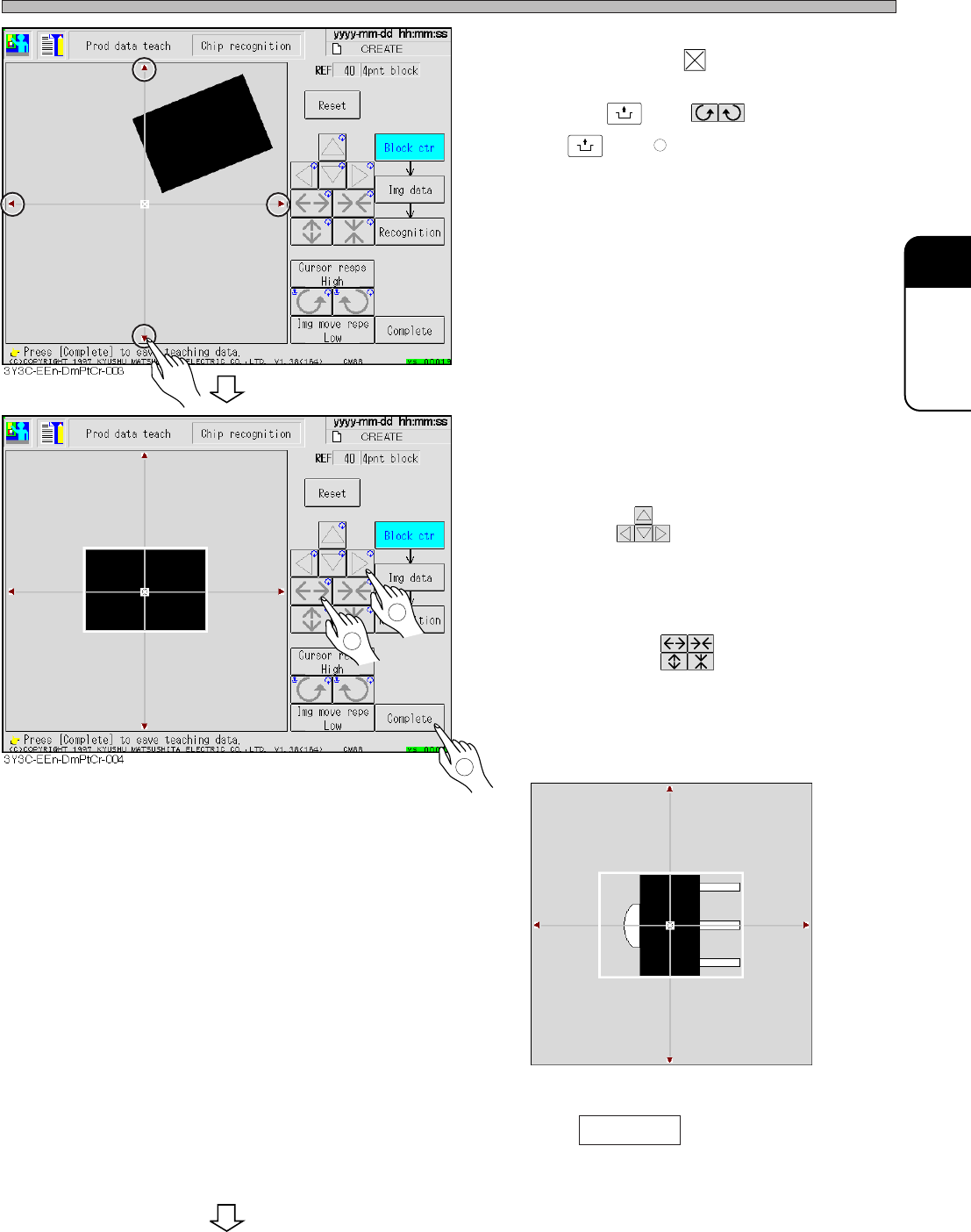
9. Overlap the pickup position of chip to
the block center .
• Pressing
UNLOCK
and corrects angle,
and
UNLOCK
and moves the chip.
∗ When the center of part does not correspond to
the pickup position, set so that the pickup
position overlaps to the center of block.
10. Correct the chip angle picked up, and
move it to the center of recognition
screen.
• Move with .
11. Put the outline of chip in a block.
• Set the size with .
∗ For the chip with pin, set the position to include
the outline from center (pickup) position to pin.
(E.g. : figure below)
12. Press Complete .
• Teaching for each block starts.
3Y3C-E-EMD05-A01-00
1
2
3
3Y3C-014P
To the next page