OPERATING MANAUAL(FOR ENGINEERS) - 第133页
Page 6-7 FILE OPERA TION 6 File Operation of Floppy Disk • The message “Loading data...” appears. • After loading, the screen on the left appears. 3Y3C-E-EMD06-A01-00
Page 6-6
File Operation of Floppy Disk
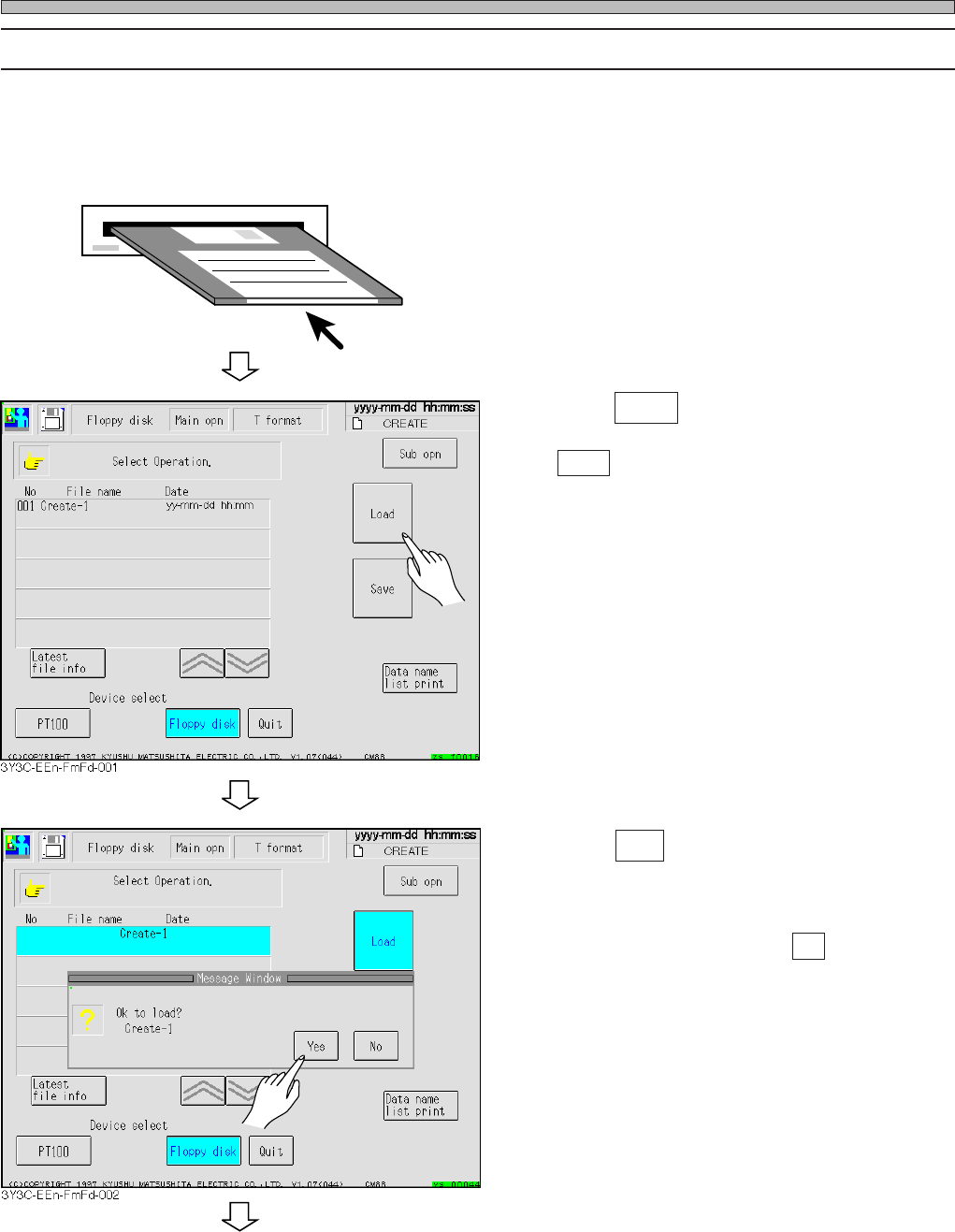
6-2-1 Loading Data
The production data of floppy disk is loaded to the memory of machine.
∗ Data memorized in the machine is deleted. Load data after saving.
1. Insert the floppy disk to load.
2. Press Load .
• Load is highlighted.
3. Press Yes .
• Data is loaded.
∗ To stop loading data, press No .
3Y3C-E-EMD06-A01-00
To the next page
Page 6-7
FILE OPERATION
6
File Operation of Floppy Disk
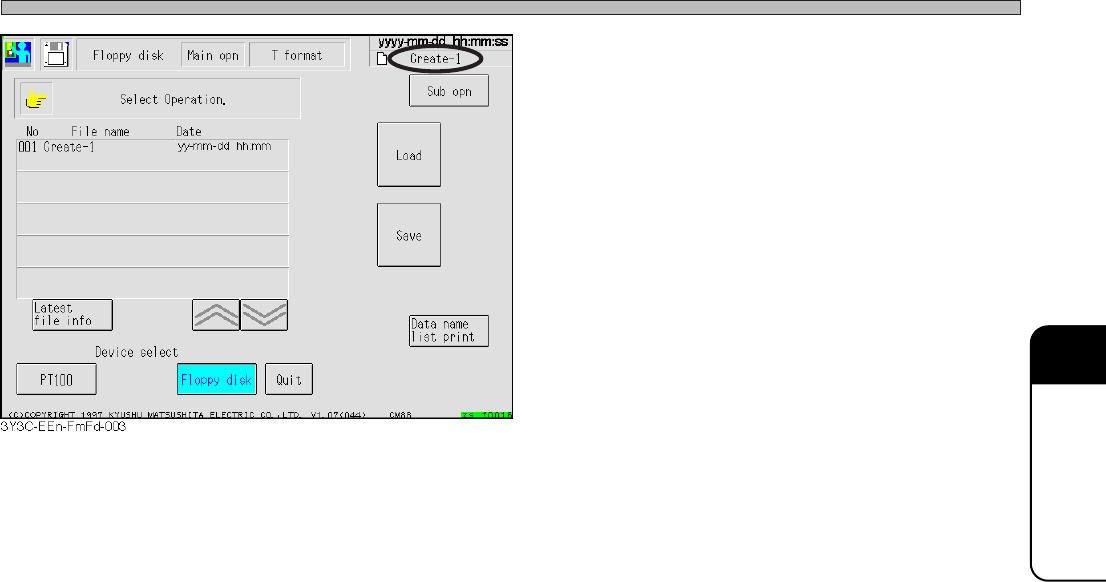
• The message “Loading data...” appears.
• After loading, the screen on the left appears.
3Y3C-E-EMD06-A01-00
Page 6-8
File Operation of Floppy Disk
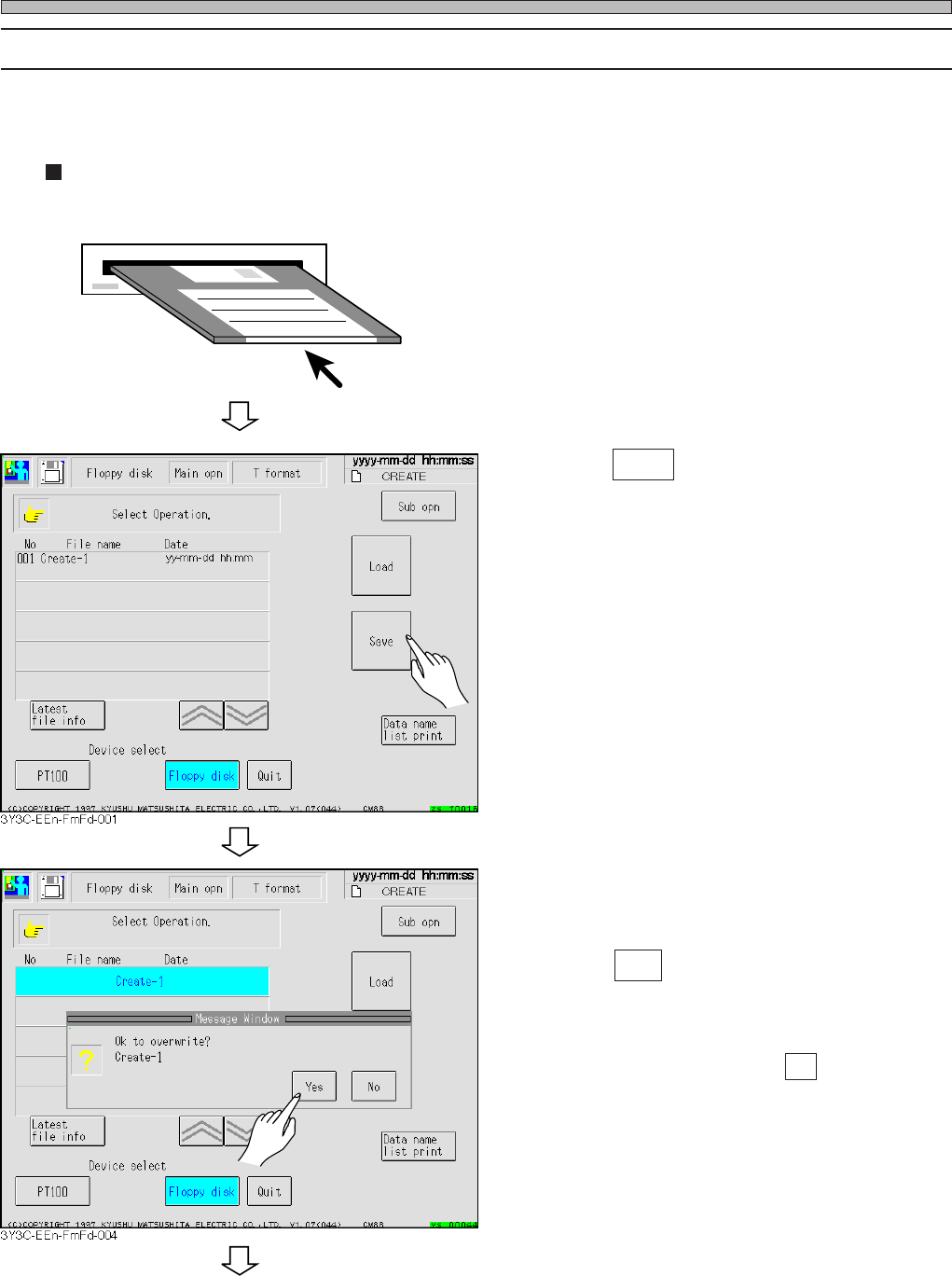
6-2-2 Saving Data
In using the floppy disk which is not initialized, make sure of initialization.
∗ A piece of data per 1 floppy disk can be saved.
Overwriting data on old file
1. Insert floppy disk into disk drive.
2. Press Save .
• Selected data name is highlighted, and mes-
sage appears.
3. Press Yes .
• Data is loaded.
∗ To quit loading data, press No .
3Y3C-E-EMD06-A01-00
To the next page