OPERATING MANAUAL(FOR ENGINEERS) - 第135页
Page 6-9 FILE OPERA TION 6 File Operation of Floppy Disk • The message “Saving” appears. • After saving, the screen on the left appears. NOTICE When data is overwritten, it is saved as data name selected at procedure 3. …
Page 6-8
File Operation of Floppy Disk
6-2-2 Saving Data
In using the floppy disk which is not initialized, make sure of initialization.
∗ A piece of data per 1 floppy disk can be saved.
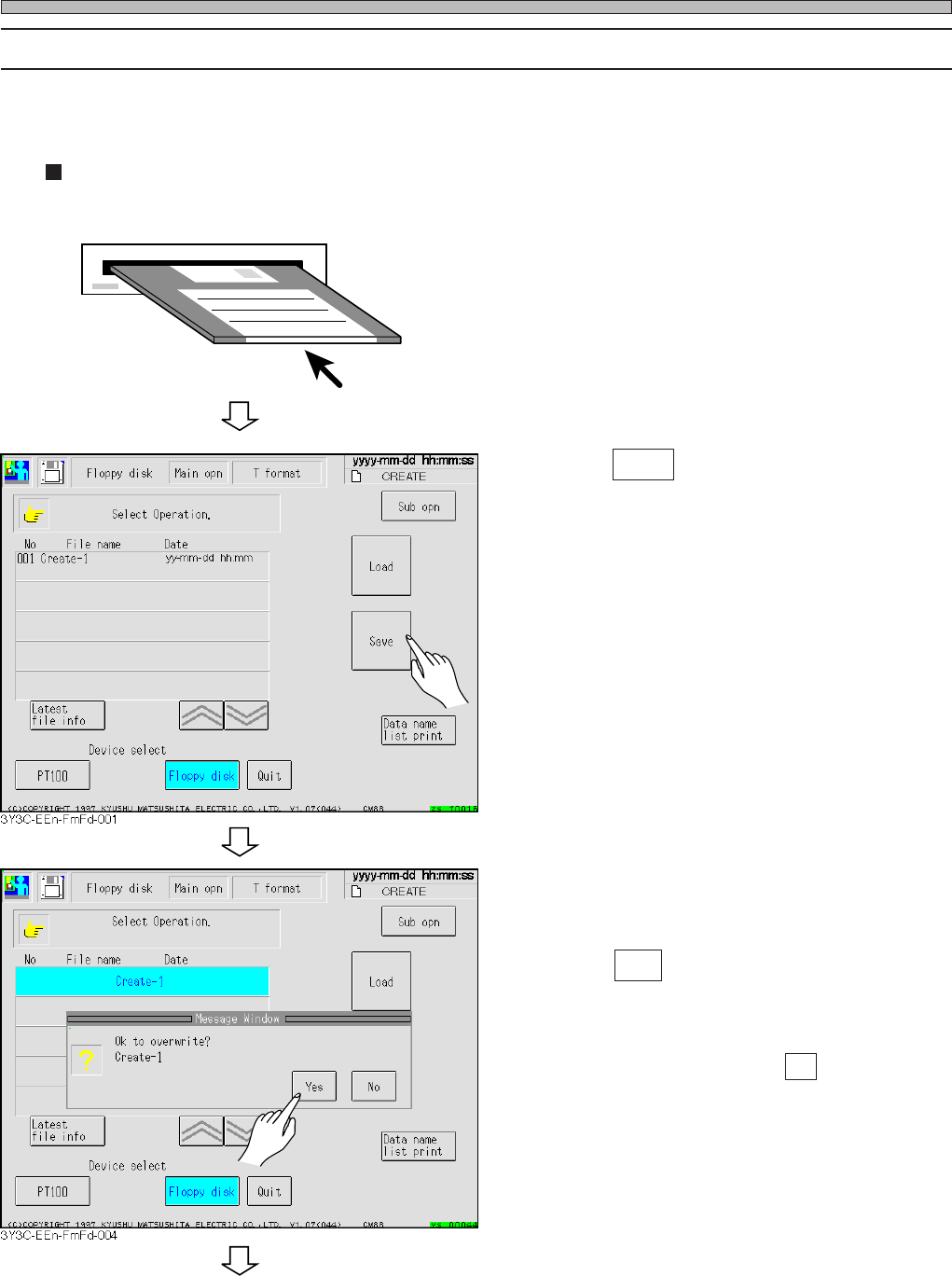
Overwriting data on old file
1. Insert floppy disk into disk drive.
2. Press Save .
• Selected data name is highlighted, and mes-
sage appears.
3. Press Yes .
• Data is loaded.
∗ To quit loading data, press No .
3Y3C-E-EMD06-A01-00
To the next page
Page 6-9
FILE OPERATION
6
File Operation of Floppy Disk
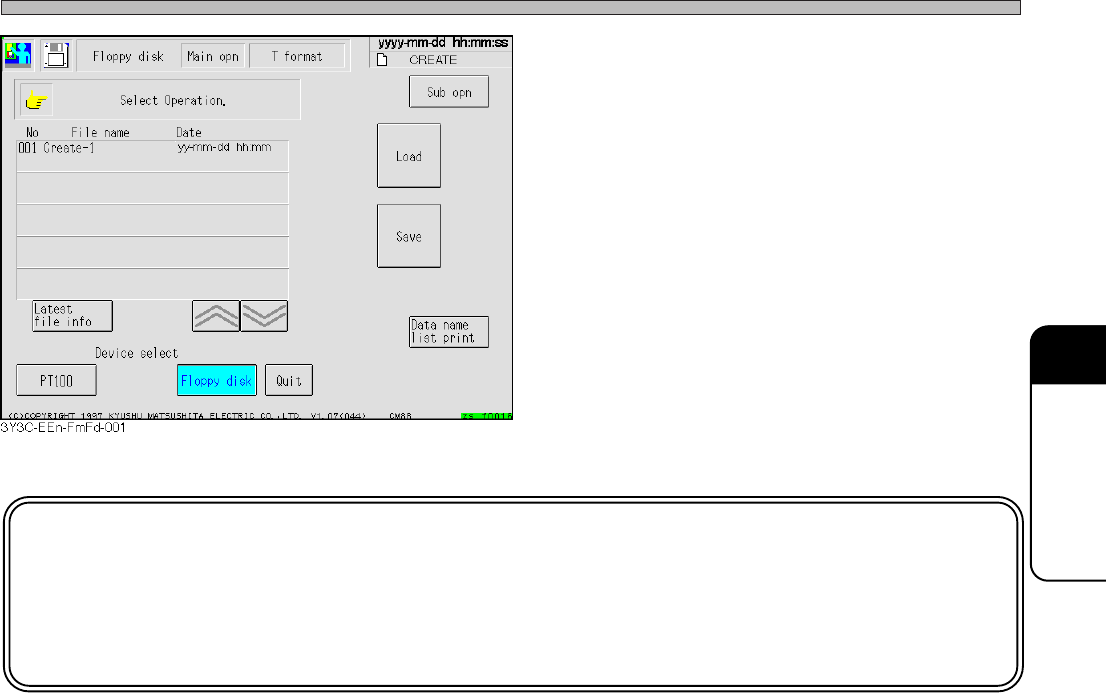
• The message “Saving” appears.
• After saving, the screen on the left appears.
NOTICE
When data is overwritten, it is saved as data name selected at procedure 3.
E.g.) Overwriting the data named “CREATE” to the data named “Create-1”
makes the data name after saving “Create-1.”
3Y3C-E-EMD06-A01-00
Page 6-10
File Operation of Floppy Disk
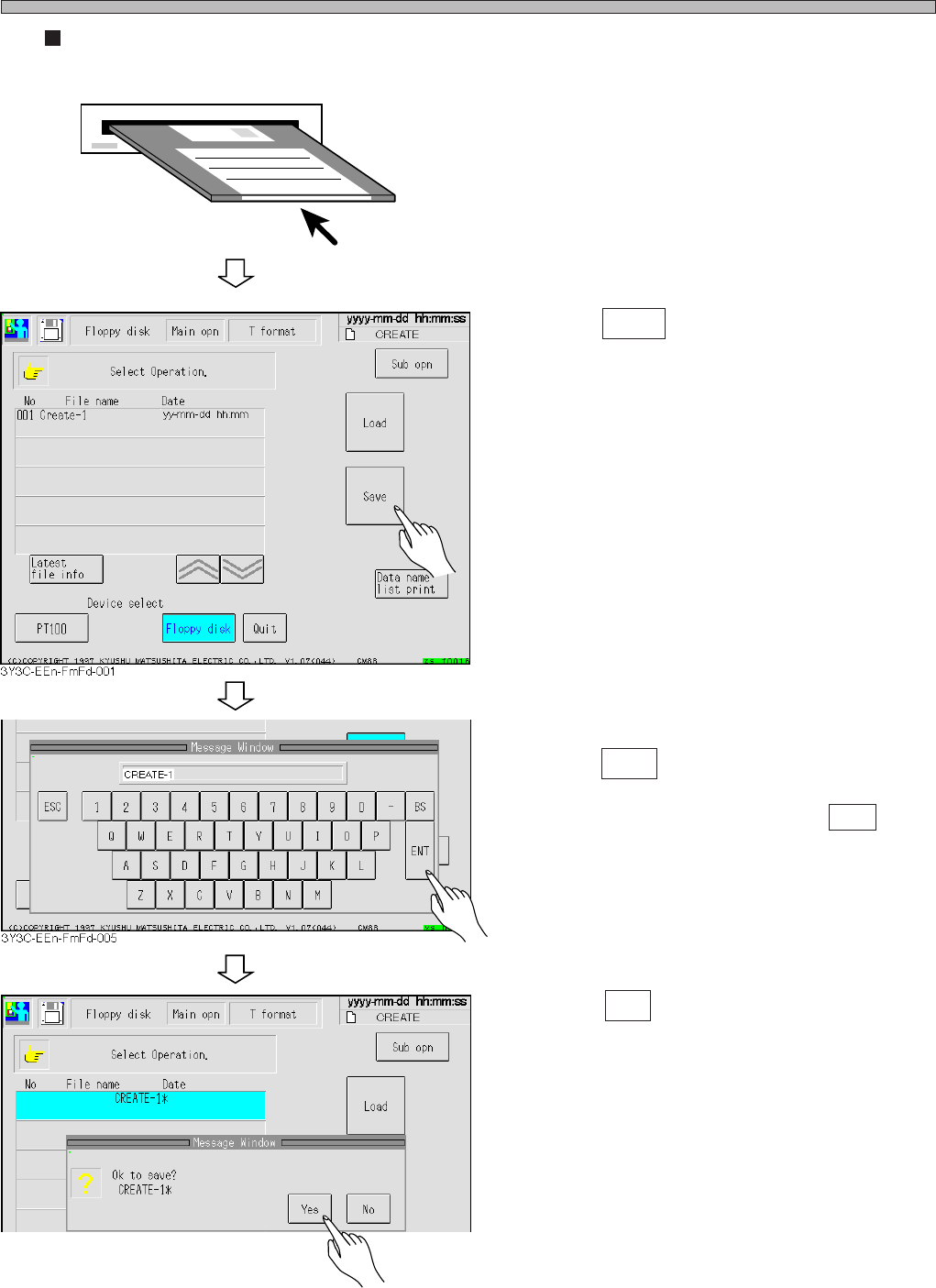
Creating and saving new file
1. Insert the initialized (without any data)
floppy disk.
2. Press Save .
3. After entering data name,
press ENT .
∗ To quit entering data name, press ESC .
4. Press Yes .
• The message “Saving” appears, and data is
saved.
3Y3C-E-EMD06-A01-00
3Y3C-EEn-FmFd-006