OPERATING MANAUAL(FOR ENGINEERS) - 第137页
Page 6-11 FILE OPERA TION 6 File Operation of Floppy Disk 6-2-3 Loading and Saving the Machine Parameter This section describes loading and saving the machine parameter . a) Loading Machine parameter of floppy disk is lo…
Page 6-10
File Operation of Floppy Disk
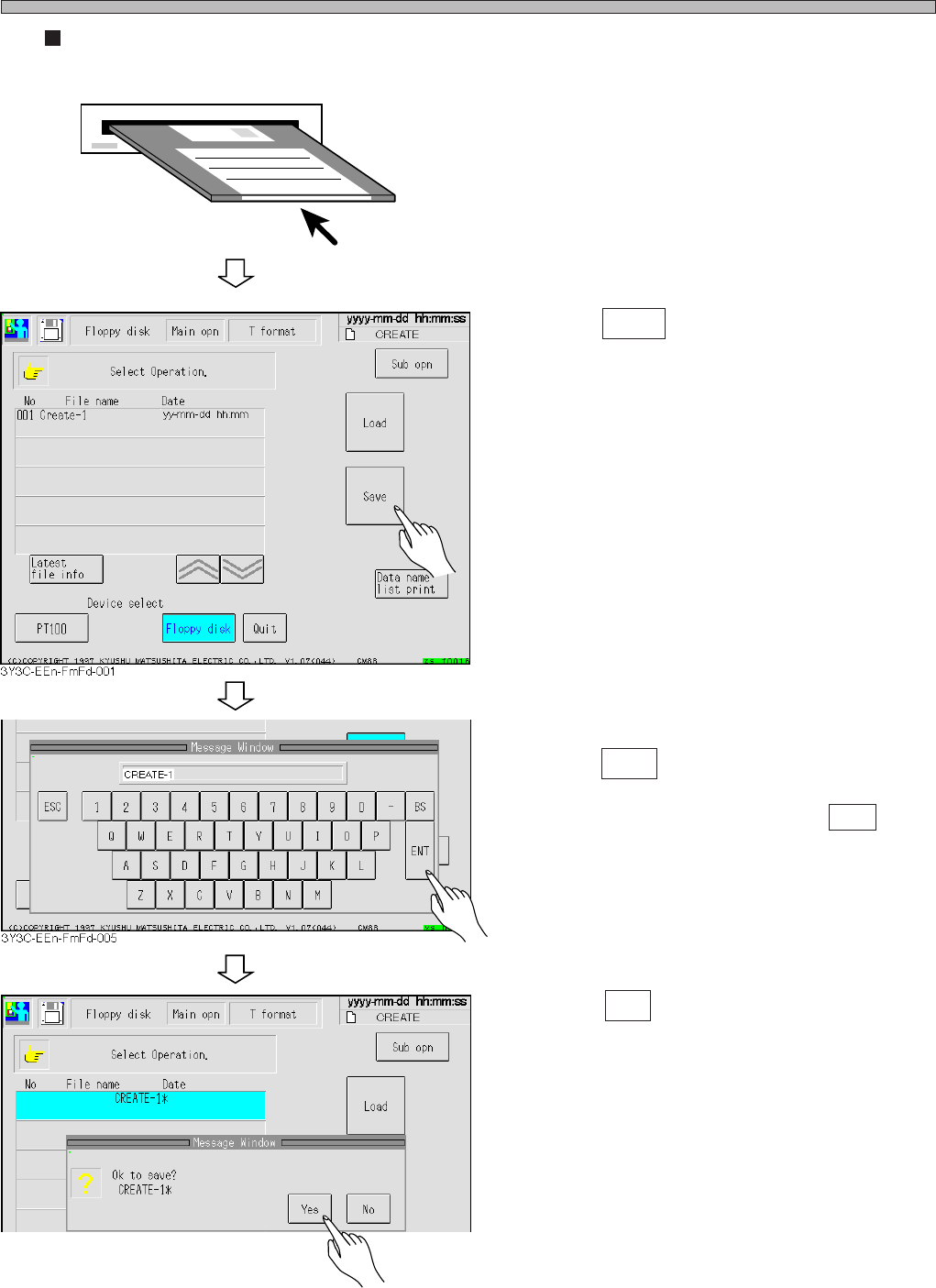
Creating and saving new file
1. Insert the initialized (without any data)
floppy disk.
2. Press Save .
3. After entering data name,
press ENT .
∗ To quit entering data name, press ESC .
4. Press Yes .
• The message “Saving” appears, and data is
saved.
3Y3C-E-EMD06-A01-00
3Y3C-EEn-FmFd-006
Page 6-11
FILE OPERATION
6
File Operation of Floppy Disk
6-2-3 Loading and Saving the Machine Parameter
This section describes loading and saving the machine parameter.
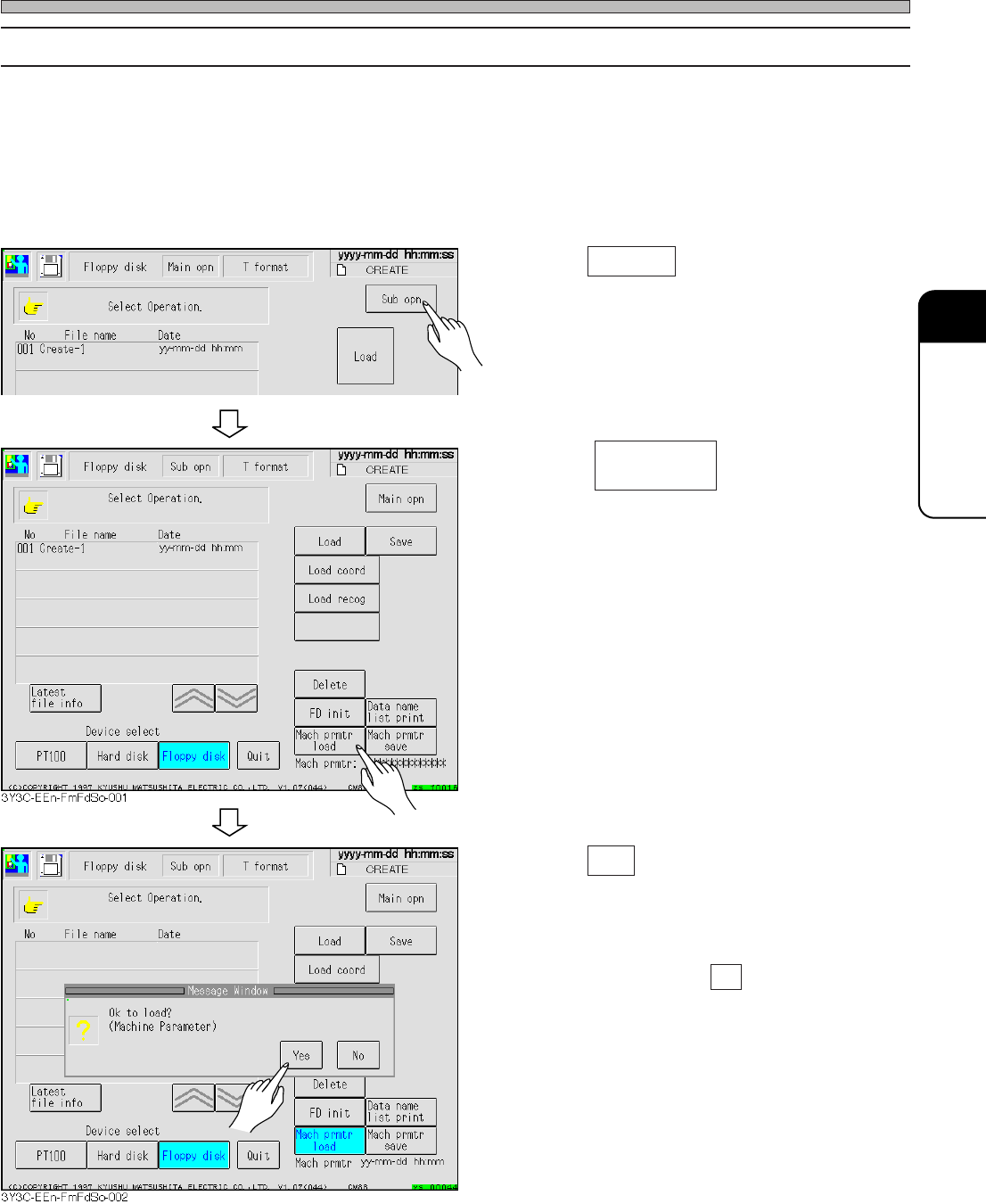
a) Loading
Machine parameter of floppy disk is loaded to the memory of machine.
1. Press Sub opn .
• Menu screen for sub operation appears.
2. Press .
3. Press Yes .
• The message “Loading data name...” appears
and machine parameter is loaded.
∗ To quit loading, press No .
Mach prmtr
load
3Y3C-E-EMD06-A01-00
3Y3C-EEn-FmFd-001
Page 6-12
File Operation of Floppy Disk
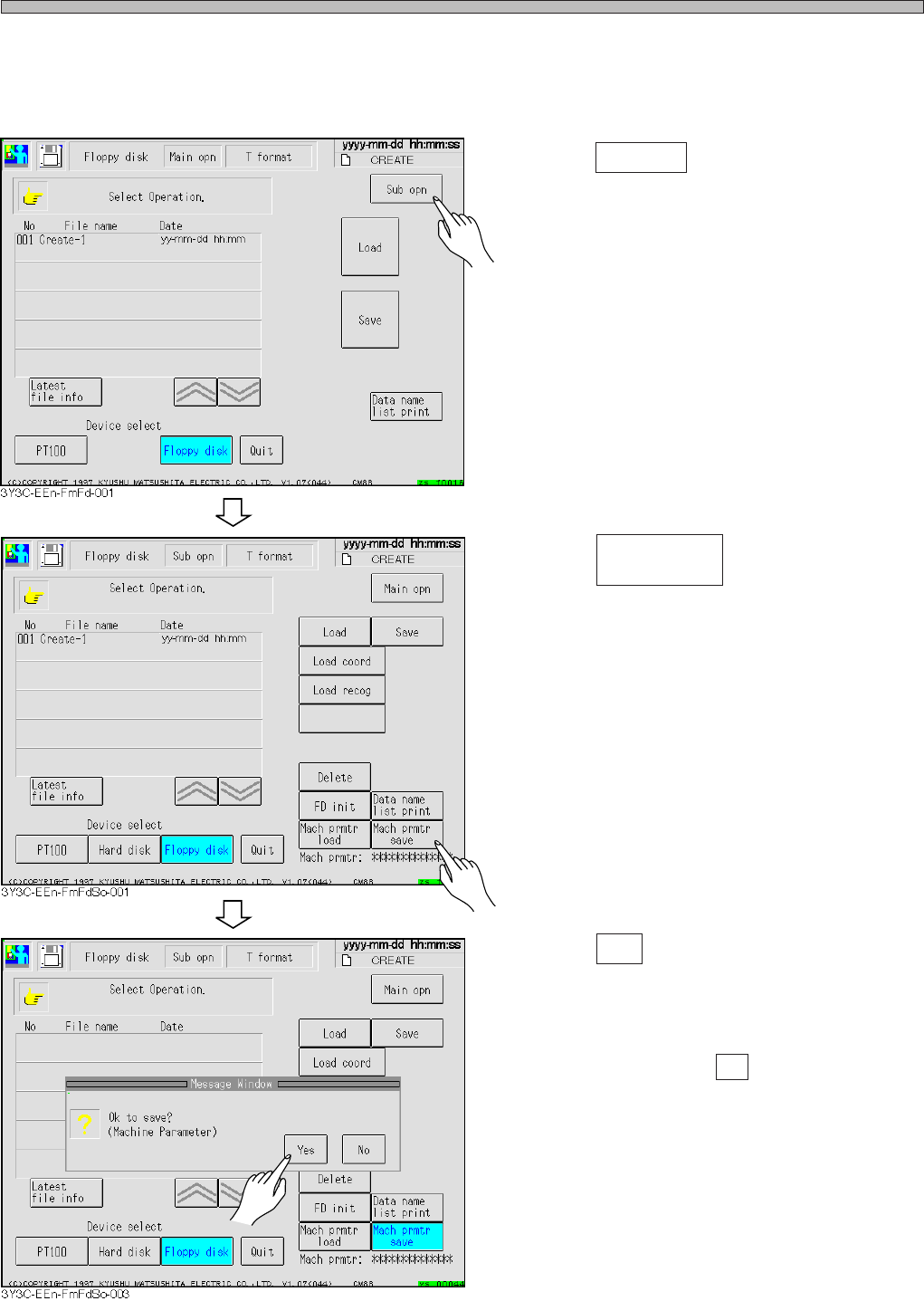
b) Saving
Machine parameter in the memory of machine is saved to floppy disk.
1. Press Sub opn .
• Sub operation menu screen appears.
2. Press .
3. Press Yes .
• The message “Saving” appears and machine
parameter is saved.
∗ To quit saving, press No .
Mach prmtr
save
3Y3C-E-EMD06-A01-00