OPERATING MANAUAL(FOR ENGINEERS) - 第146页
Page 7-2 3Y3C-E-EMD07-A01-00 7-1 Conveyor Width Adjustment The width of all conveyors is automatically set to the width of set board size. ∗ Check no board on conveyor before carrying out. 1 . Enter board width. • Enter …
Page 7-1
3Y3C-E-EMD07-A01-00
Chapter 7
MACHINE ADJUSTMENT
MACHINE ADJUSTMENT
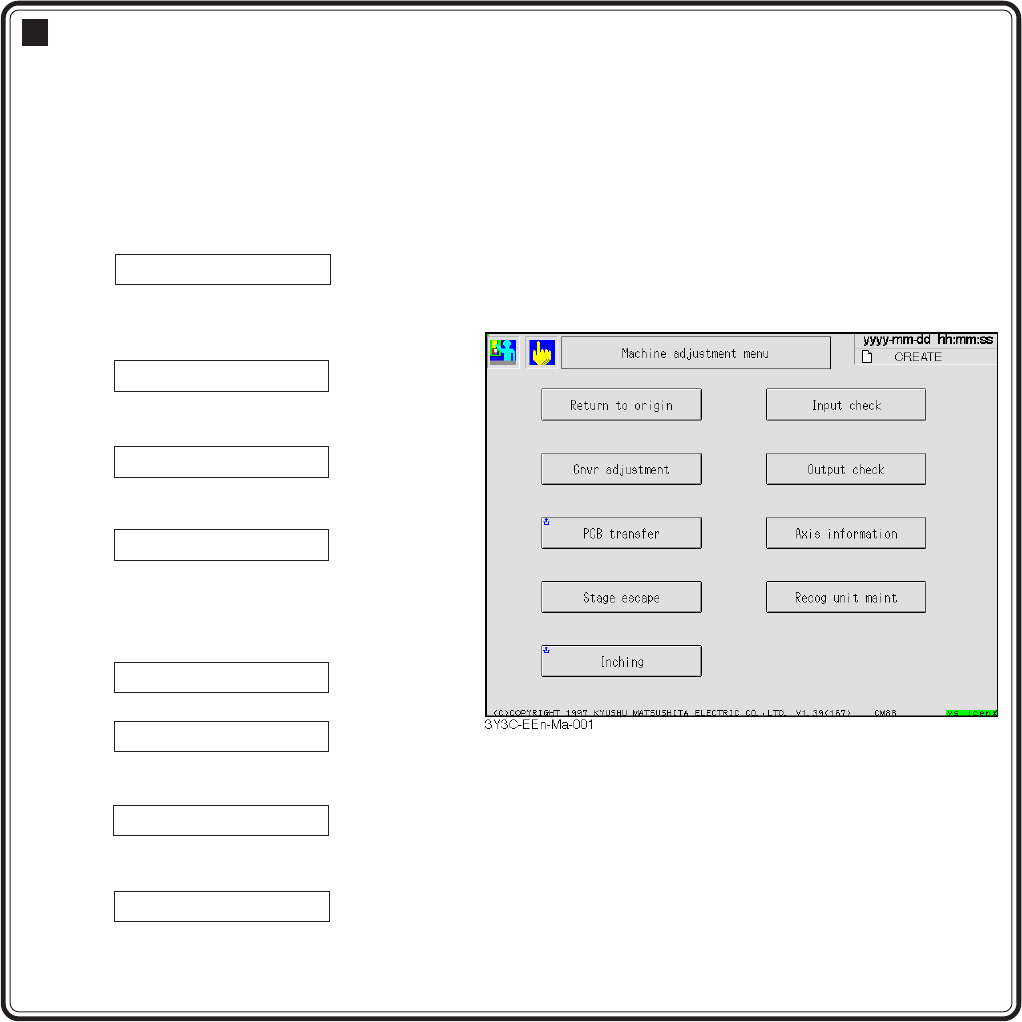
Machine adjustment
Each movement of machine is adjusted.
Adjustment items requiring a return to origin before moving are arranged on the left of
screen and items not requiring it on the right.
In adjusting items on the left, “Return to origin” is automatically carried out if neces-
sary.
<Returning to origin is required>
7-1 Cnvr adjustment
Width of all conveyors is automatically
adjusted to the board size of production
data.
7-2 PCB transfer
Transferring between each conveyor of
board is checked.
7-3 Stage escape
A and B stages are retracted to each
edge.
7-4 Inching
Each axis movement is separately
adjusted.
<Returning to origin is not required>
7-5 Input check
Check each output I/O.
7-6 Output check
Output test for each output I/O is carried
out.
7-7 Axis information
Current position or status of each axis are
checked.
7-8 Recog unit maint
All recognition process is checked.
Page 7-2
3Y3C-E-EMD07-A01-00
7-1 Conveyor Width Adjustment
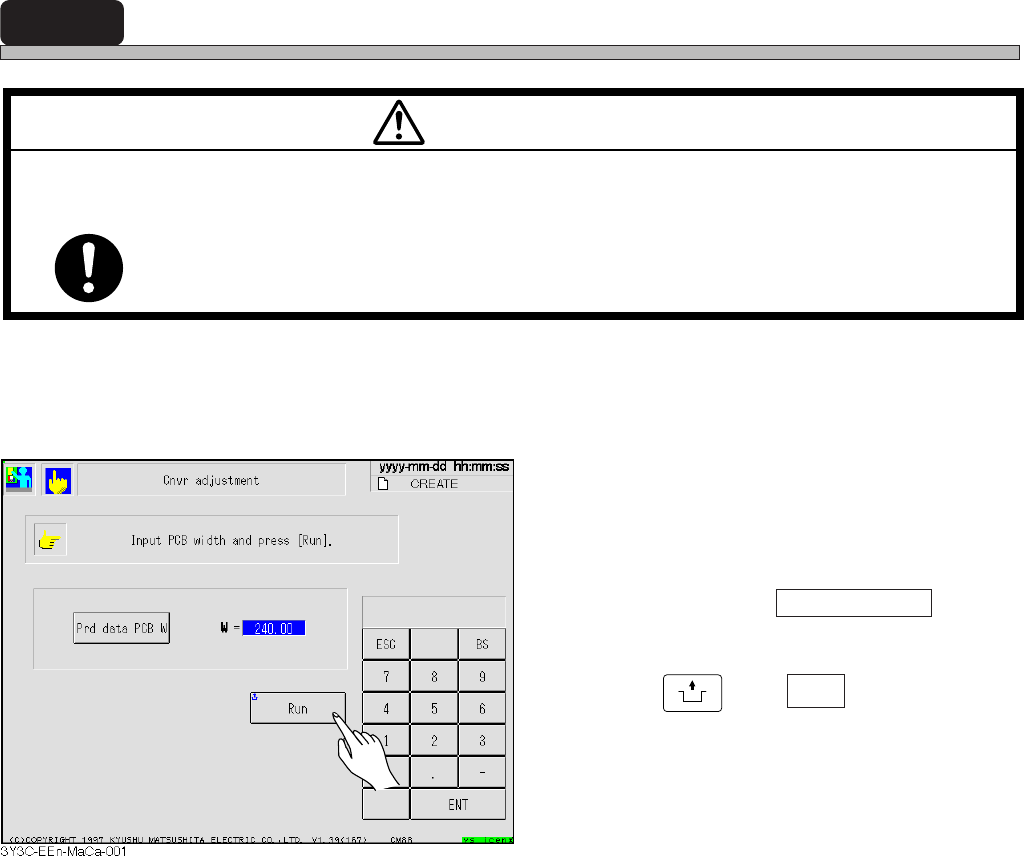
The width of all conveyors is automatically set to the width of set board size.
∗ Check no board on conveyor before carrying out.
1. Enter board width.
• Enter numerals through numerical keys.
• When current board width of production data
can be used, press Prd data PCB W .
2. Press
UNLOCK
and Run .
M35E
TURN OFF THE SERVO SWITCH BEFORE PLACING A BOARD ON OR
REMOVING IT FROM THE CONVEYOR.
You will have serious injury if the machine is actuated.
WARNING
Page 7-3
MACHINE
ADJUSTMENT
7
7-2 PCB Transfer
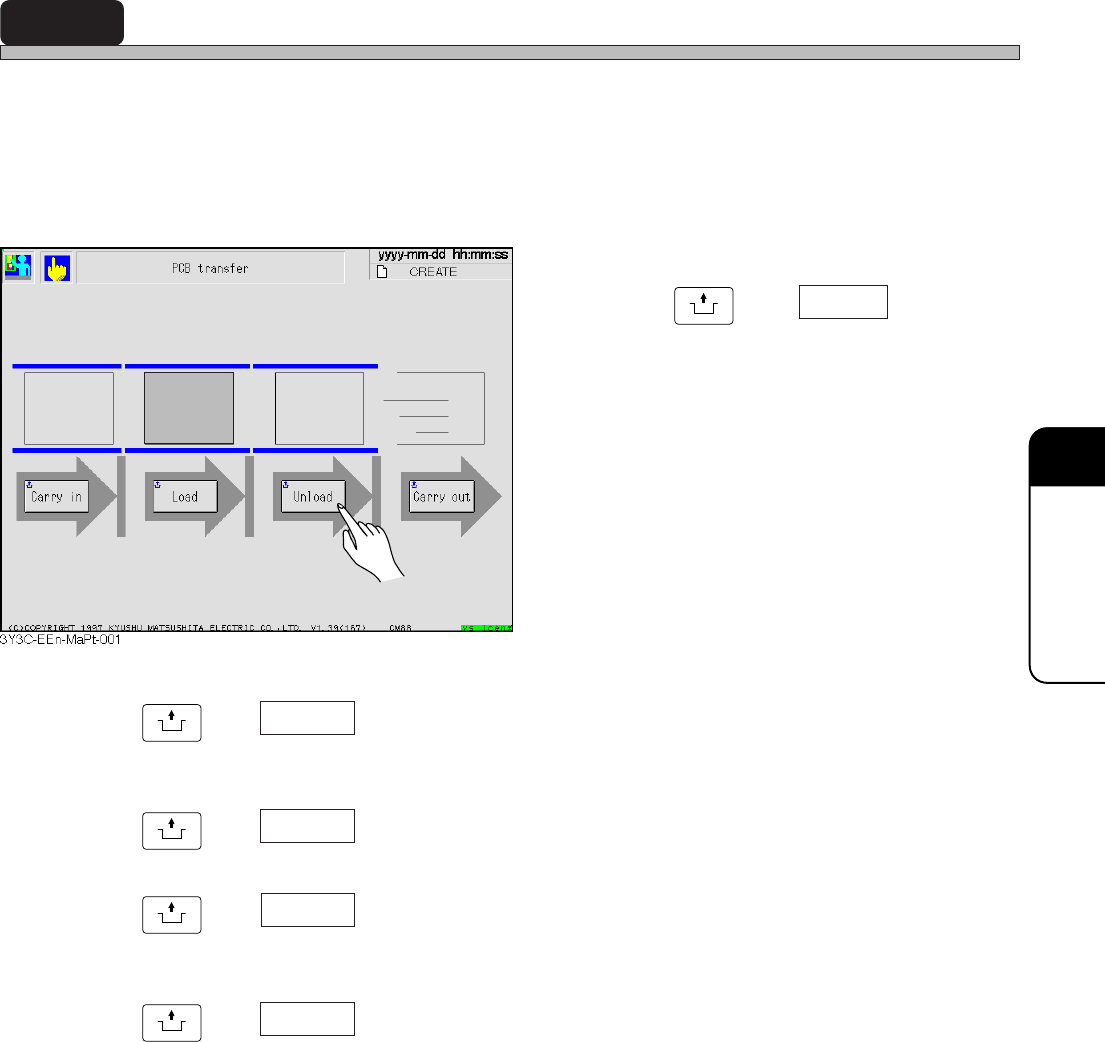
Transferring of board between each conveyor is checked and board can be moved to an optional
position. Machine checks that the board is on conveyor. If it is, the board on that conveyor on the
screen is displayed in green. Pressing the button for the position to transfer starts transferring.
During transferring, the board at the transferring end position blinks. After transferring, the board at
the transferring start position goes out, and lights at the end position.
E.g.) When board is on board holder,
Press
UNLOCK
and Unload .
• Board is transferred from the board holder to
the rear conveyor.
UNLOCK
and Carry in
Demanding signal is given to pre-process, and board is transferred from
pre-process to front conveyor.
UNLOCK
and Load
Board is transferred from front conveyor to board holder (middle conveyor).
UNLOCK
and Unload
Board is transferred from front conveyor or board holder (middle conveyor)
to rear conveyor.
UNLOCK
and Carry out
Board is transferred to post-process.
3Y3C-E-EMD07-A01-00