OPERATING MANAUAL(FOR ENGINEERS) - 第148页
Page 7-4 3Y3C-E-EMD07-A01-00 7-3 Stage Escape This is the function to move A and B stages to each end (origin position) of a feeder drive axis. Use this for the maintenance at the rear side of machine. 1. Press UNLOCK an…
Page 7-3
MACHINE
ADJUSTMENT
7
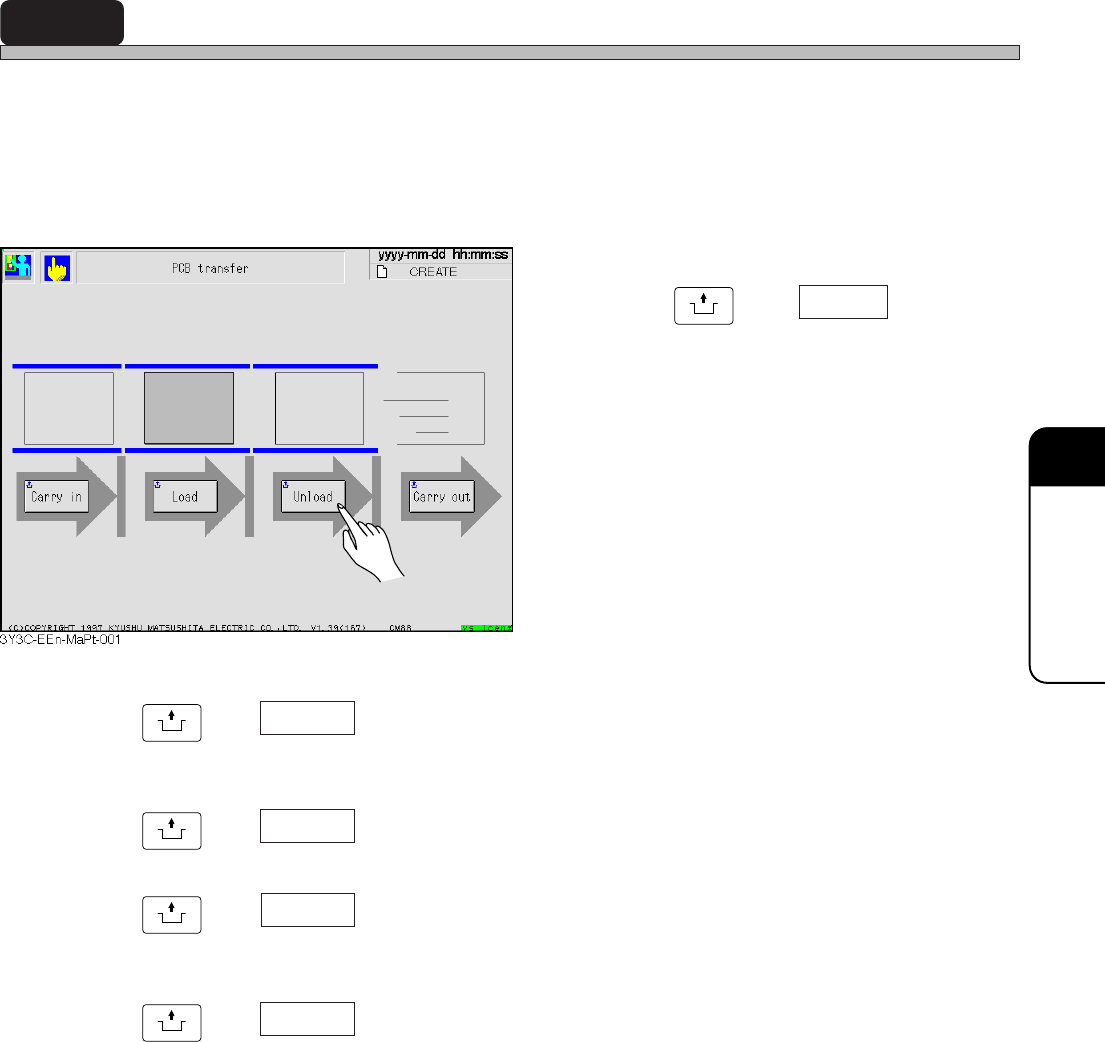
7-2 PCB Transfer
Transferring of board between each conveyor is checked and board can be moved to an optional
position. Machine checks that the board is on conveyor. If it is, the board on that conveyor on the
screen is displayed in green. Pressing the button for the position to transfer starts transferring.
During transferring, the board at the transferring end position blinks. After transferring, the board at
the transferring start position goes out, and lights at the end position.
E.g.) When board is on board holder,
Press
UNLOCK
and Unload .
• Board is transferred from the board holder to
the rear conveyor.
UNLOCK
and Carry in
Demanding signal is given to pre-process, and board is transferred from
pre-process to front conveyor.
UNLOCK
and Load
Board is transferred from front conveyor to board holder (middle conveyor).
UNLOCK
and Unload
Board is transferred from front conveyor or board holder (middle conveyor)
to rear conveyor.
UNLOCK
and Carry out
Board is transferred to post-process.
3Y3C-E-EMD07-A01-00
Page 7-4
3Y3C-E-EMD07-A01-00
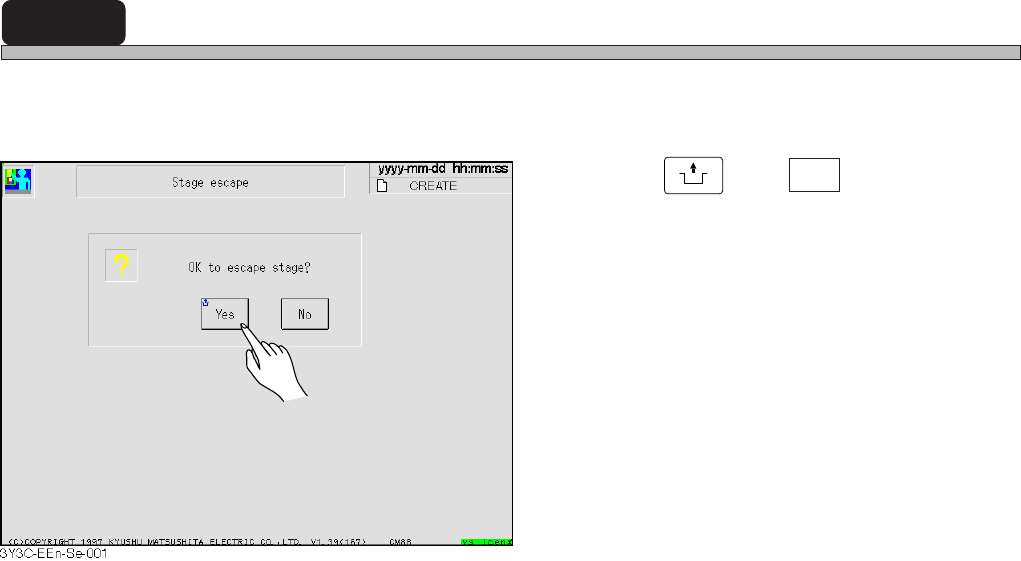
7-3 Stage Escape
This is the function to move A and B stages to each end (origin position) of a feeder drive axis.
Use this for the maintenance at the rear side of machine.
1. Press
UNLOCK
and Yes .
• Stage is retracted.
Page 7-5
MACHINE
ADJUSTMENT
7
3Y3C-E-EMD07-A01-01
In selecting head
In selecting nozzle
Move unit
Tremor
Move unit
Standard
3Y3C-052E
Head
90.00[˚ ]
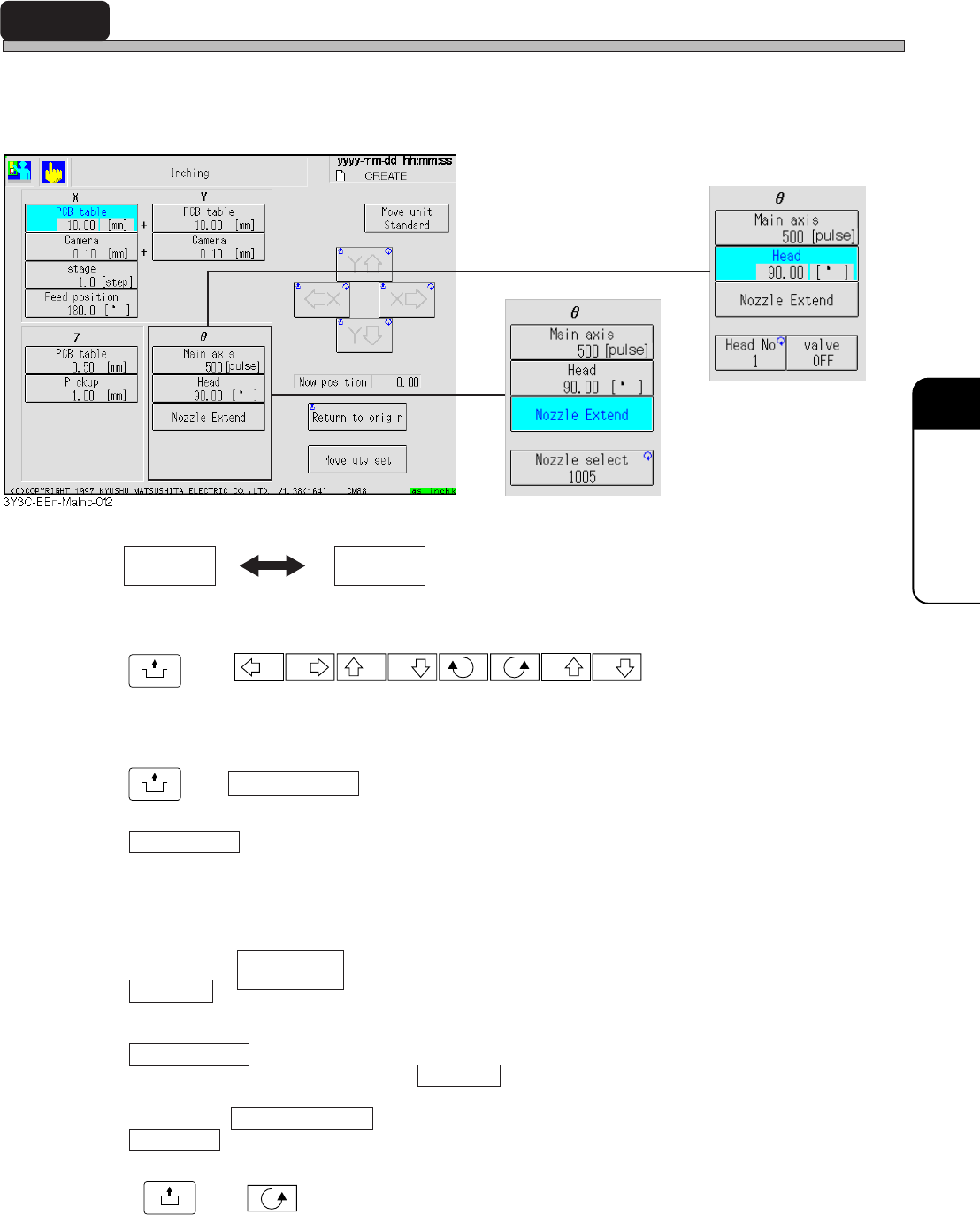
7-4 Inching
Only selected axis can be moved alone, and the movement can be checked and adjusted.
Each axis can be moved to the set direction by set distance. Every selection of axis displays the
arrow button corresponding to the moving direction of selected axis.
Moving unit of axis has Standard and Tremor. Every press of this button exchanges the displays
in turn. Moving rate of each axis is displayed at the lower part of button for each axis.
UNLOCK
and
X X Y Y Z Z
Selected axis is moved to the arrow mark direction by displayed moving rate.
Current position
Current position of selected axis is displayed.
UNLOCK
and Return to origin
Selected axis is returned to origin.
Move qty set
Pressing this button displays numerical keys.
When moving the selected axis by moving rate other than “Standard” or “Tremor,” moving rate
can be set optionally by using this key.
In selecting
Head No.
Pressing this button repeatedly enables to set the head No. to work. At first, the head No. of chip
pickup position station is set.
Vacuum valve
Vacuum valve of head selected by Head No. is turned on and off.
In selecting Nozzle extension
Nozzle sel
Pressing this button repeatedly enables to specify the kind of nozzle. After selecting, pressing
UNLOCK
and makes the main axis (main axis) move by step, and “Nozzle extension” is
carried out for all the nozzle selected by all heads.