OPERATING MANAUAL(FOR ENGINEERS) - 第158页
Page 8-4 8-3 Bad Head Each head is checked and bad head is set and reset. For the bad head automatically occurred during producing, that [No.] button is colored correspond- ing to the factor of trouble. • The bad head do…
Page 8-3
MACHINE SETTING
8
8-2 Pickup Position Learning
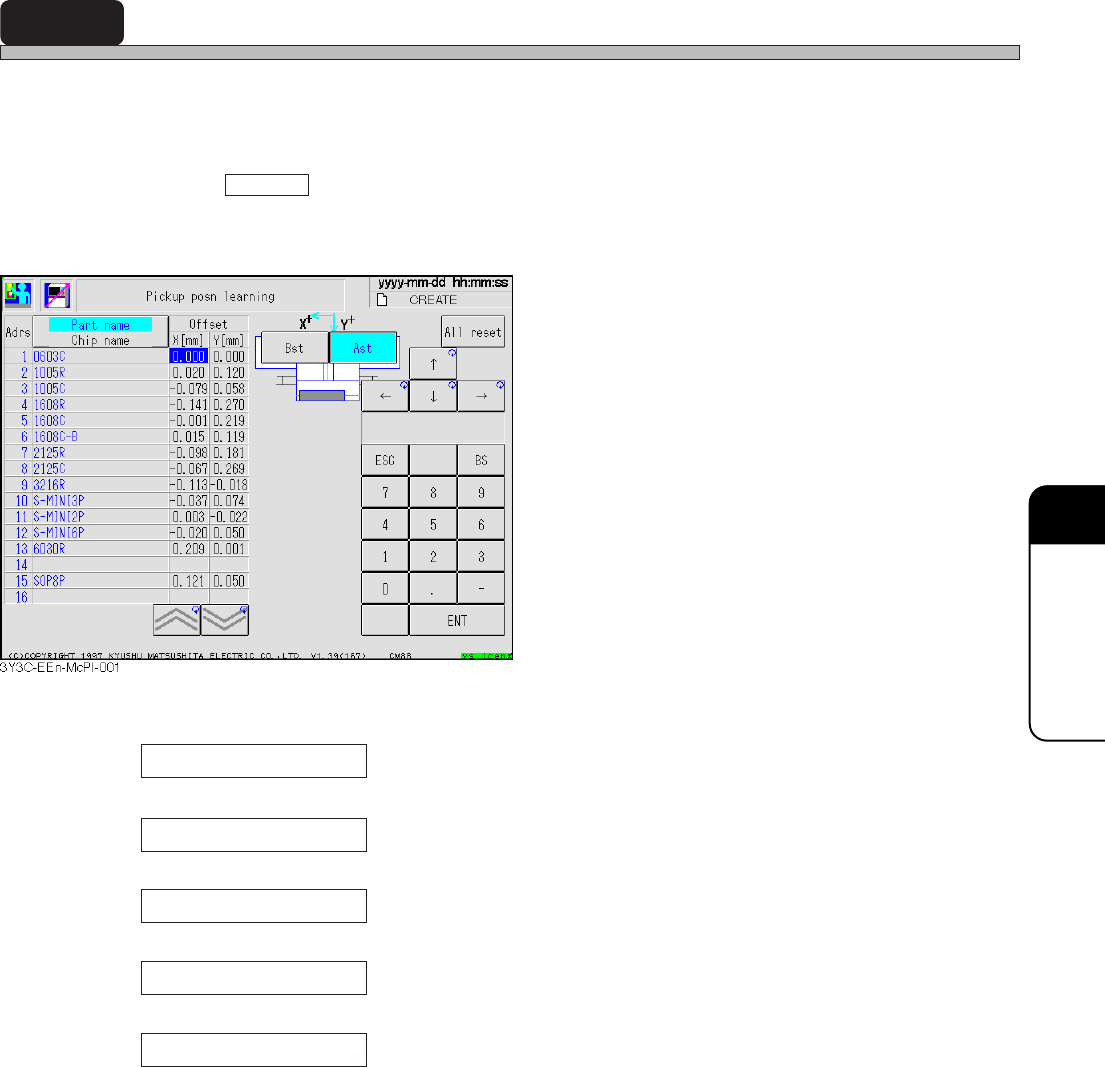
Corrected value by pickup position learning in producing can be checked for each feeder.
For learning data, 10 % of recognition result is added to the current learning value, during produc-
ing.
Learning value for X direction changes within the range of - 0.7 mm to + 0.7 mm.
Pressing All reset or loading production data resets pickup position learning data of all feeder
addresses to 0.0. In the joint or exchange mode, the learning value of A and B stages is exchanged
and displayed.
Chip name
“Chip name” for each tape feeder is displayed.
Part name
“Part name” for each tape feeder is displayed.
A st
Learning data of A stage is displayed.
B st
Learning data of B stage is displayed.
All reset
Pickup position data of all feeder address gets to 0.0.
3Y3C-E-EMD08-A01-00
Page 8-4
8-3 Bad Head
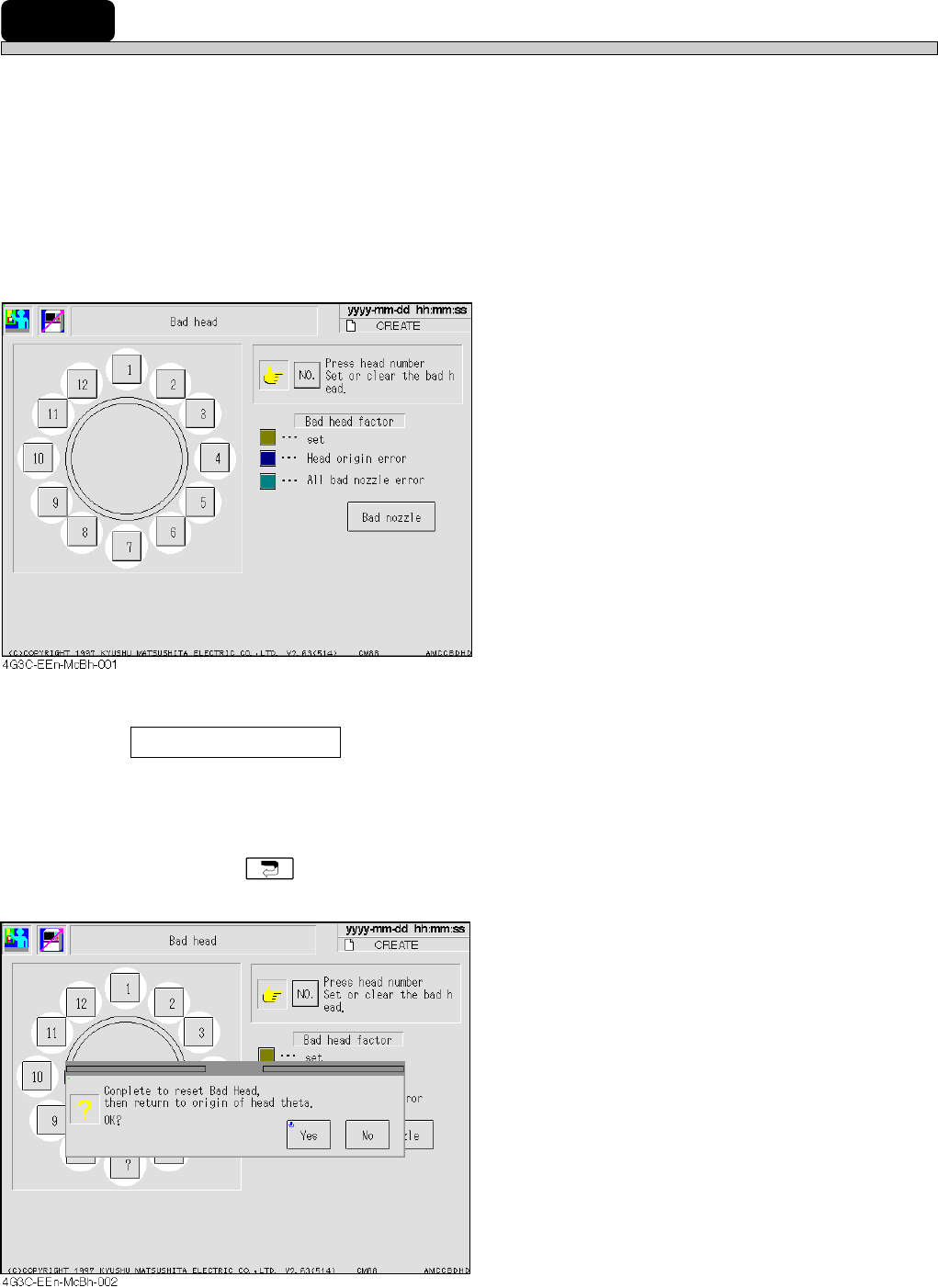
Each head is checked and bad head is set and reset.
For the bad head automatically occurred during producing, that [No.] button is colored correspond-
ing to the factor of trouble.
• The bad head does not produce. In canceling the head after checking, press the [No.] button of
the head for canceling. The color of the button turns to the normal one (weak gray).
• Canceling the bad head of all bad nozzle error makes all nozzles of that head normal.
• To set the normal head to bad one, press the [No.] button of the head to be set bad. The button
turns out to be the set color of the bad head (yellow).
• The bad head is not set nor canceled during the automatic operation.
Bad nozzle
Each nozzle state for each head is checked.
∗ Canceling the bad head to which returning to origin has not been carried out displays the mes-
sage, when is pressed.
3Y3C-E-EMD08-A01-01
Page 8-5
MACHINE SETTING
8
Bad Head
8-3-1 Bad Nozzle
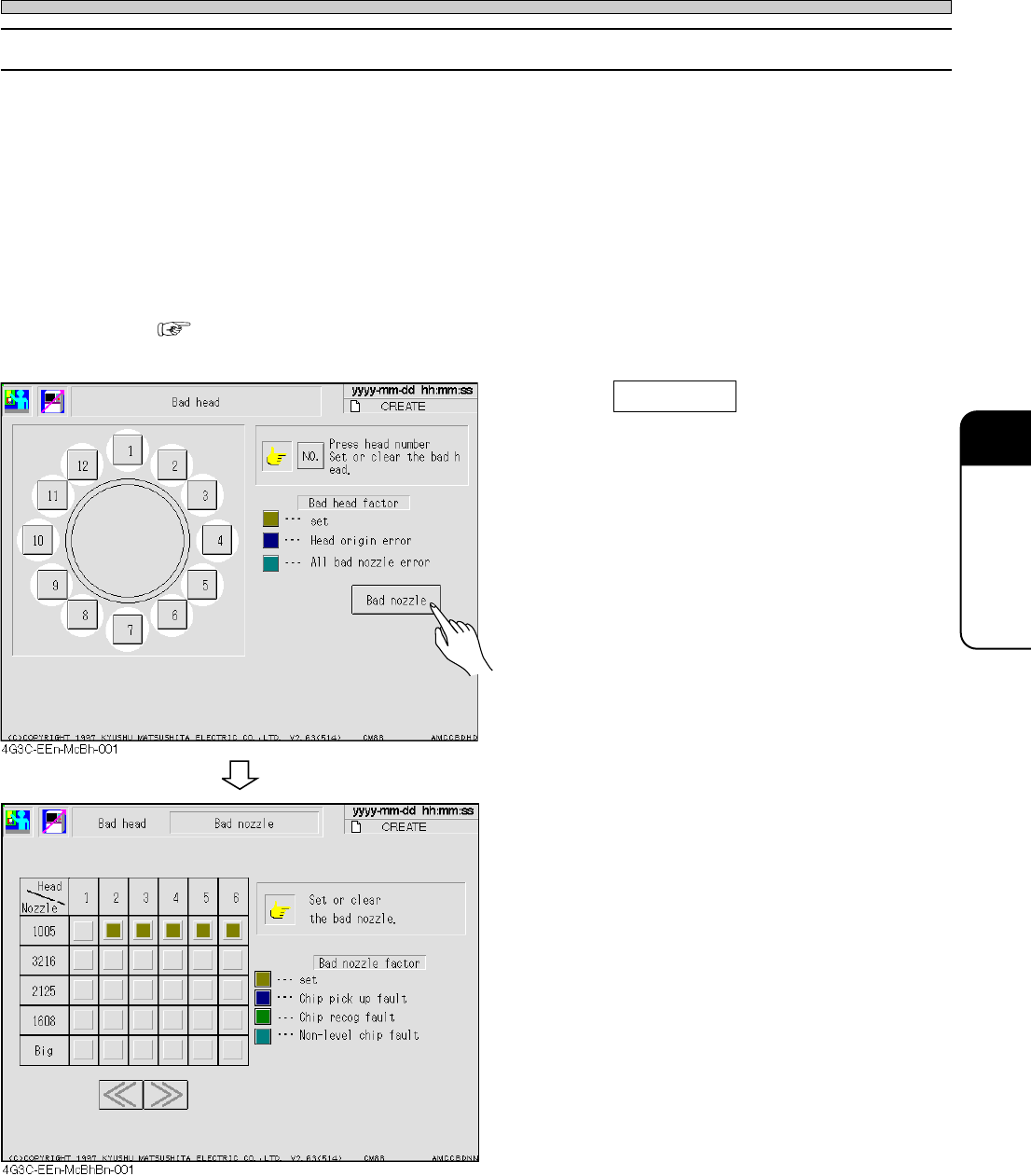
The nozzle for each head is checked, and the bad nozzle is set and reset.
For the bad nozzle automatically occurred during production, the button for nozzle is colored
corresponding to the factor of trouble.
• The bad nozzle does not produce. In canceling after checking, press the button for nozzle to
cancel. The color of the button turns to be the normal one (weak gray).
• When setting the normal one to the bad nozzle, press the button of the nozzle to be set bad. The
button turns out the specified bad nozzle color (yellow).
• The bad nozzle can not be set nor canceled, during the automatic operation.
• The condition of the automatic bad nozzle setting is carried out on the judgment value screen of
the machine parameter.
( MAINTENANCE MANUAL)
1. Press Bad nozzle .
• Bad nozzle setting screen appears.
3Y3C-E-EMD08-A01-01