OPERATING MANAUAL(FOR ENGINEERS) - 第161页
Page 8-7 MACHINE SETTING 8 8-6 Setting the Operator Customization 8-6-1 Setting the Function of Operator Customization Setting the operator customization makes it available to use each function of data modification, file…
Page 8-6
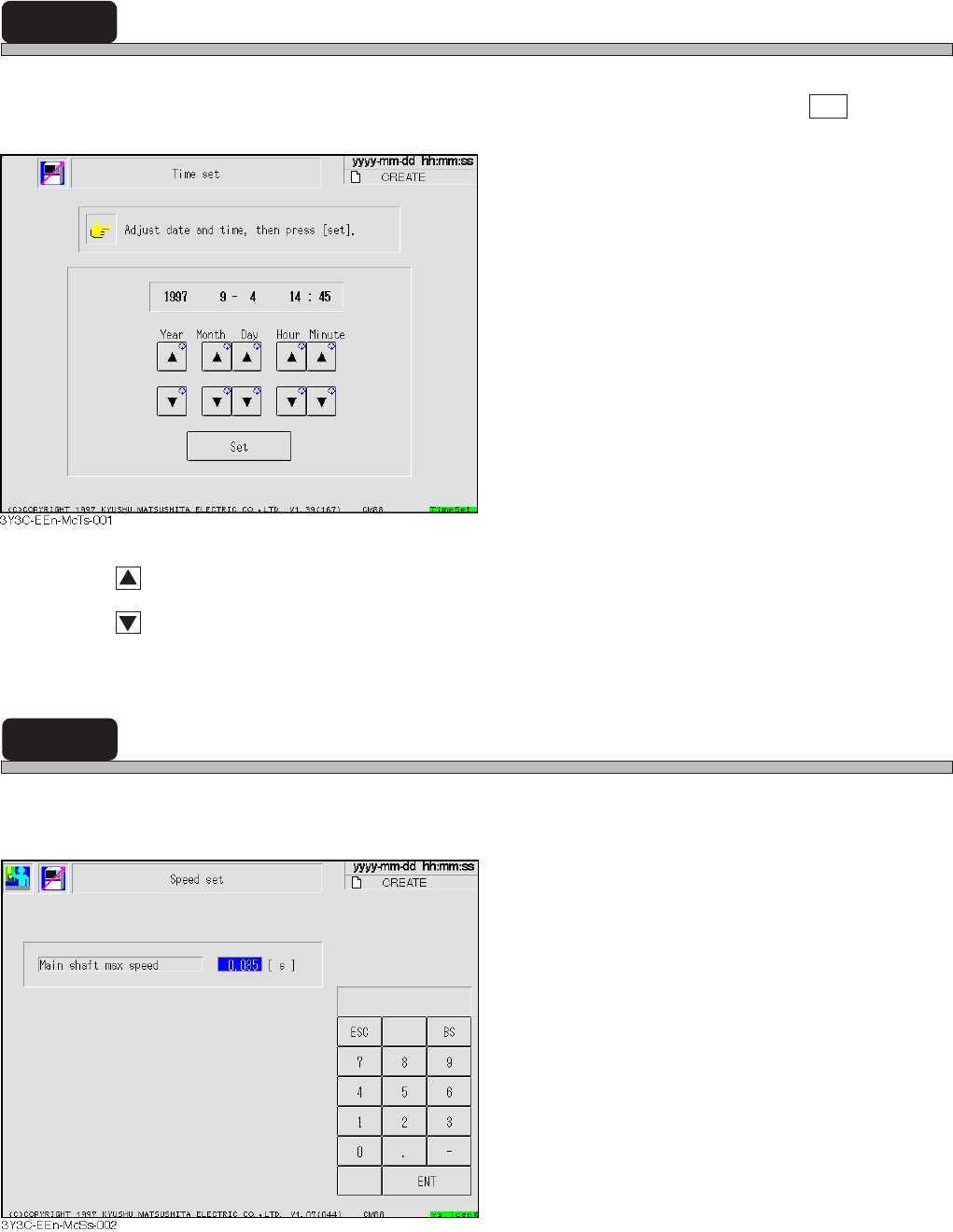
8-4 Time Setting
The screen for time setting for machine appears.
Change the numerals for year, month, day, time and minute to change, and press Set .
: Set the time forward
: Turn back the time
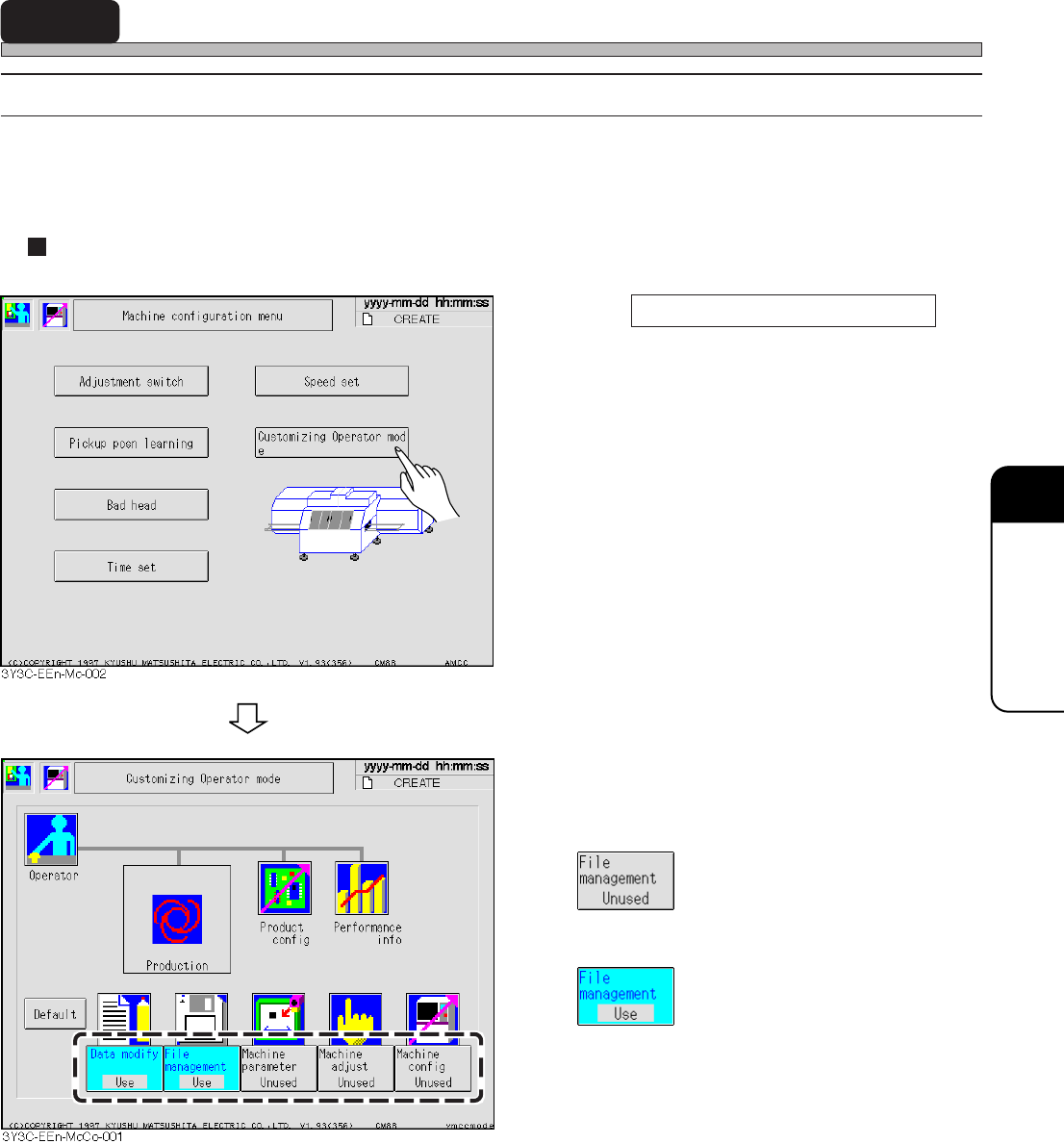
8-5 Speed Setting
The maximum speed in producing can be temporally changed for adjustment.
Restarting the machine returns the speed to the normal one, 0.085.
3Y3C-E-EMD08-A01-01
Page 8-7
MACHINE SETTING
8
8-6 Setting the Operator Customization
8-6-1 Setting the Function of Operator Customization
Setting the operator customization makes it available to use each function of data modification, file
operation, machine parameter, machine adjustment, and machine configuration in the operator
mode, which were available only in the engineer mode.
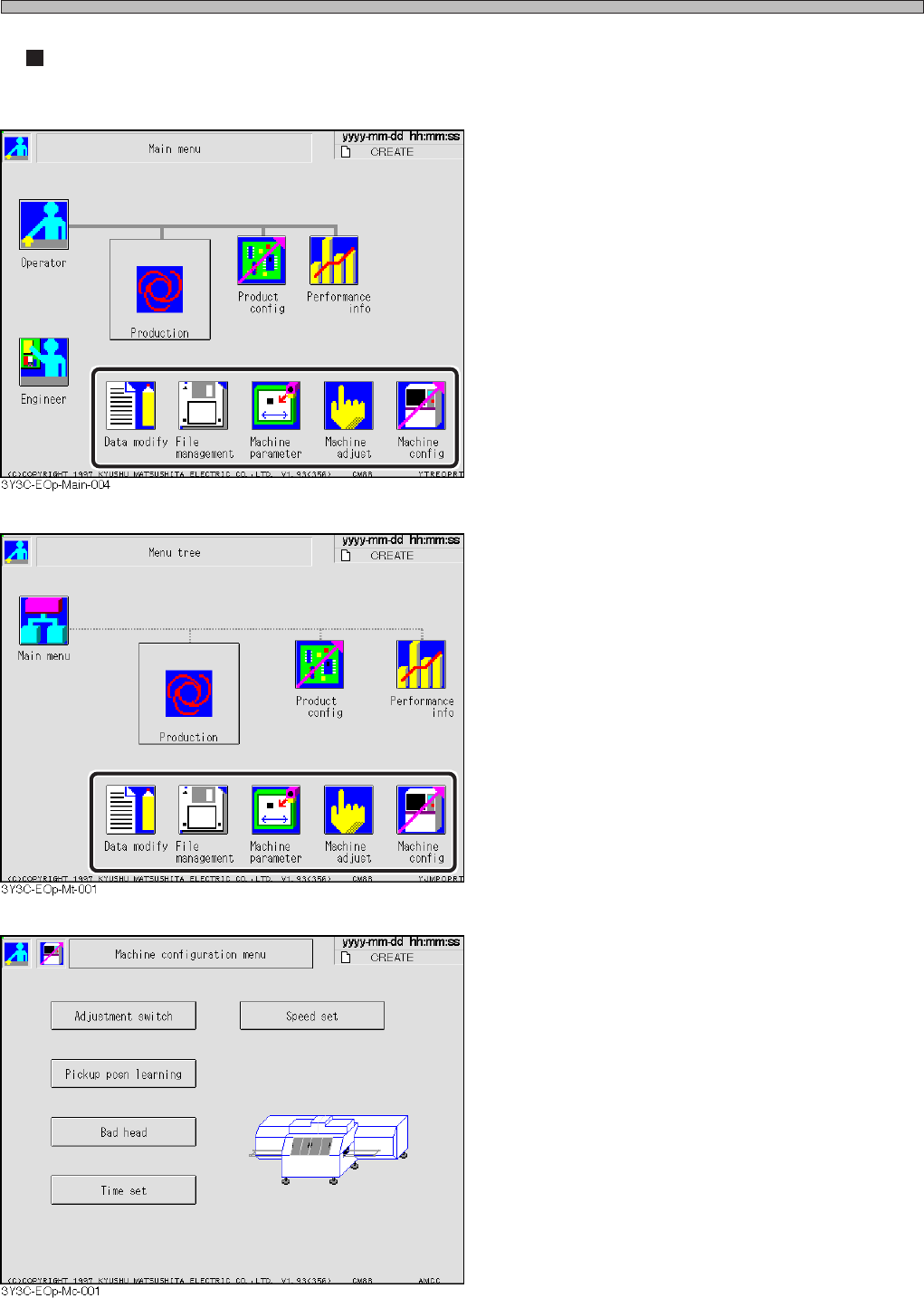
In engineer mode
1. Press Customizing Operator mode .
• The operator customization setting screen
appears.
2. Set the function to be used in the
operator mode.
• sets “Unused.”
This cannot be used in the operator mode.
• sets “Use.”
This can be used in the operator mode.
• When the default value is selected, all func-
tions are set to “Unused.”
3Y3C-E-EMD08-A01-00
Page 8-8
Setting the Operator Customization
In operator mode
<Main menu screen>
• On the main menu screen, the switches set as
“Use” in the operator customization setting are
displayed.
∗ This screen shows the one set so that all
functions are available.
<Menu tree screen>
• On the menu tree screen, the switches set as
“Use” in the operator customization setting are
displayed.
∗ This screen shows the one set so that all
functions are available.
<Machine setting screen>
• When the machine setting is selected in the
operator mode, the button for the operator
customization setting does not appears.
∗ The operator customization setting is available
only in the engineer mode.
3Y3C-E-EMD08-A01-00