OPERATING MANAUAL(FOR ENGINEERS) - 第163页
Page 8-9 MACHINE SETTING 8 Setting the Operator Customization 8-6-2 Immediate Stop Screen in the Customization Setting (In Operator Mode) This section describes the data modification, machine configuration, and the immed…
Page 8-8
Setting the Operator Customization
In operator mode
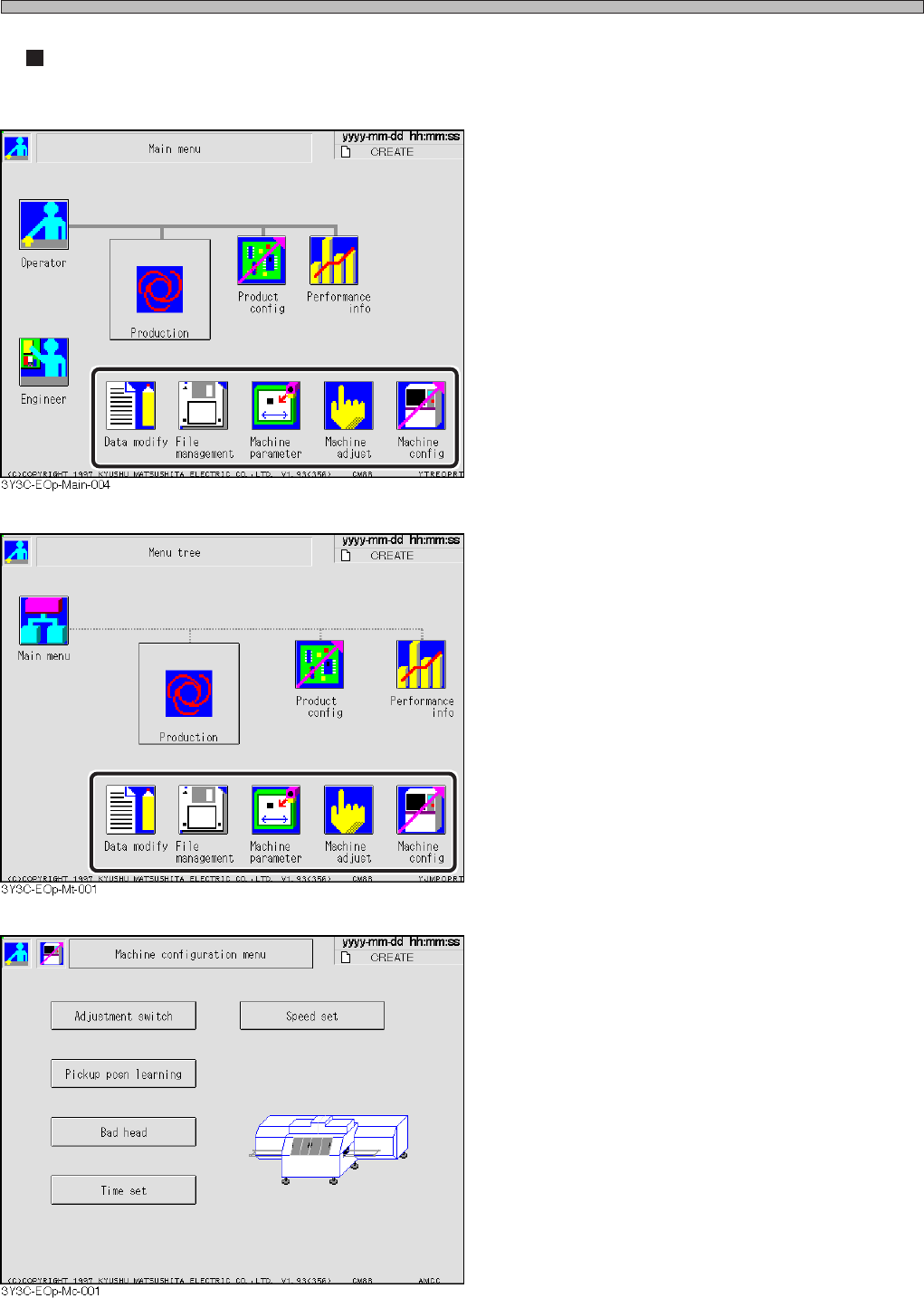
<Main menu screen>
• On the main menu screen, the switches set as
“Use” in the operator customization setting are
displayed.
∗ This screen shows the one set so that all
functions are available.
<Menu tree screen>
• On the menu tree screen, the switches set as
“Use” in the operator customization setting are
displayed.
∗ This screen shows the one set so that all
functions are available.
<Machine setting screen>
• When the machine setting is selected in the
operator mode, the button for the operator
customization setting does not appears.
∗ The operator customization setting is available
only in the engineer mode.
3Y3C-E-EMD08-A01-00
Page 8-9
MACHINE SETTING
8
Setting the Operator Customization
8-6-2 Immediate Stop Screen in the Customization Setting (In
Operator Mode)
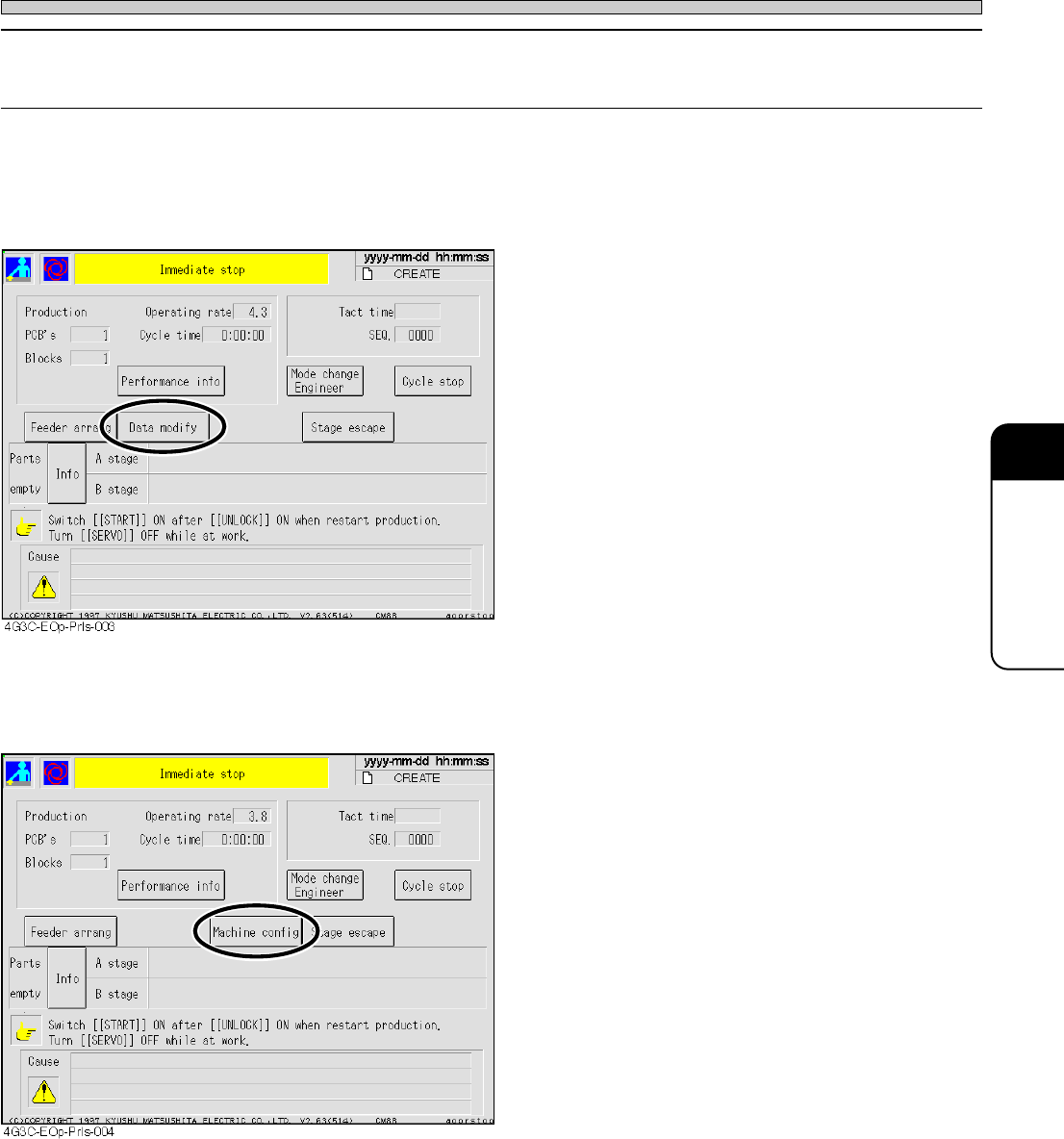
This section describes the data modification, machine configuration, and the immediate stop
screen when they are set to “Use,” in setting the operator customization.
1) Immediate stop screen when the data modification is selected
• When it is the immediate stop screen in the
operator mode, the item of data modification
appears.
∗ The switch displayed on the immediate stop
screen is effective only in data modification and
machine configuration.
2) Immediate stop screen when the machine configuration is selected
• When it is the immediate stop screen in the
operator mode, the item of machine configura-
tion appears.
∗ The switch displayed on the immediate stop
screen is effective only in data modification and
machine configuration.
3Y3C-E-EMD08-A01-01
Page 8-10
3Y3C-E-EMD08-A01-01
Setting the operator customization
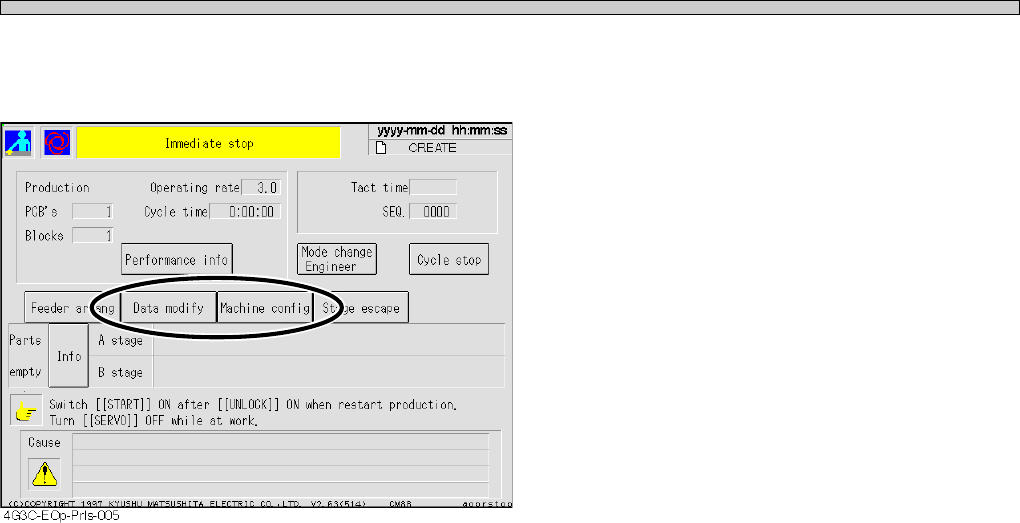
3) Immediate stop screen when the data modification and the machine configuration
are selected
• When it is the immediate stop screen in the
operator mode, the item of data modification
and machine configuration appears.
∗ The switch displayed on the immediate stop
screen is effective only in data modification and
machine configuration.