OPERATING MANAUAL(FOR ENGINEERS) - 第29页
Page 29 3Y3C-E-EMD00-A04-00 HANDLING FLOPPY DISK Data and program for this machine, basically managed by PT100, are saved to and loaded from a floppy disk. This section describes the protection and han- dling of such flo…
Page 28
3Y3C-E-EMD00-A04-00
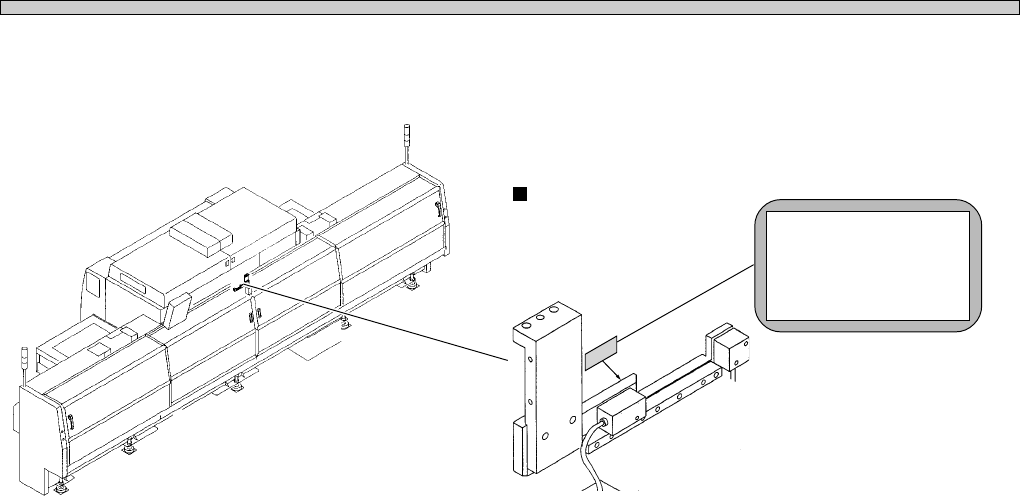
IDENTITY PLATE AND CAUTION LABEL
B.M/C Height sensor
01DNC0AA
∗1
CLASS1 LED
MANUFACTURER : HOKUYO
WAVE LENGTH : 800nm
POWER : 0.5mW
TYPE: VBA-P111R/D111R
4W3C-AN00
Page 29
3Y3C-E-EMD00-A04-00
HANDLING FLOPPY DISK
Data and program for this machine, basically managed by PT100, are saved to
and loaded from a floppy disk. This section describes the protection and han-
dling of such floppy disks.
NOTICE
Only 3.5-inch 2DD floppy disks can be used for this machine. 2HD disks cannot be
used.
1 Backing up the Data and Program
A floppy disk is a compact and light weighted data storage medium convenient for storage and
transport, but data may be erased or may not be loaded by improper handling.
Make sure to back-up the program and data on a disk to protect against the loss of data. To back-
up the program and data, make another copy disk of the same contents.
∗ See the disk copy in the section of file operation for how to back up.
2 Write Protection
The stored data may be mechanically protected from accidental erasure or rewriting.
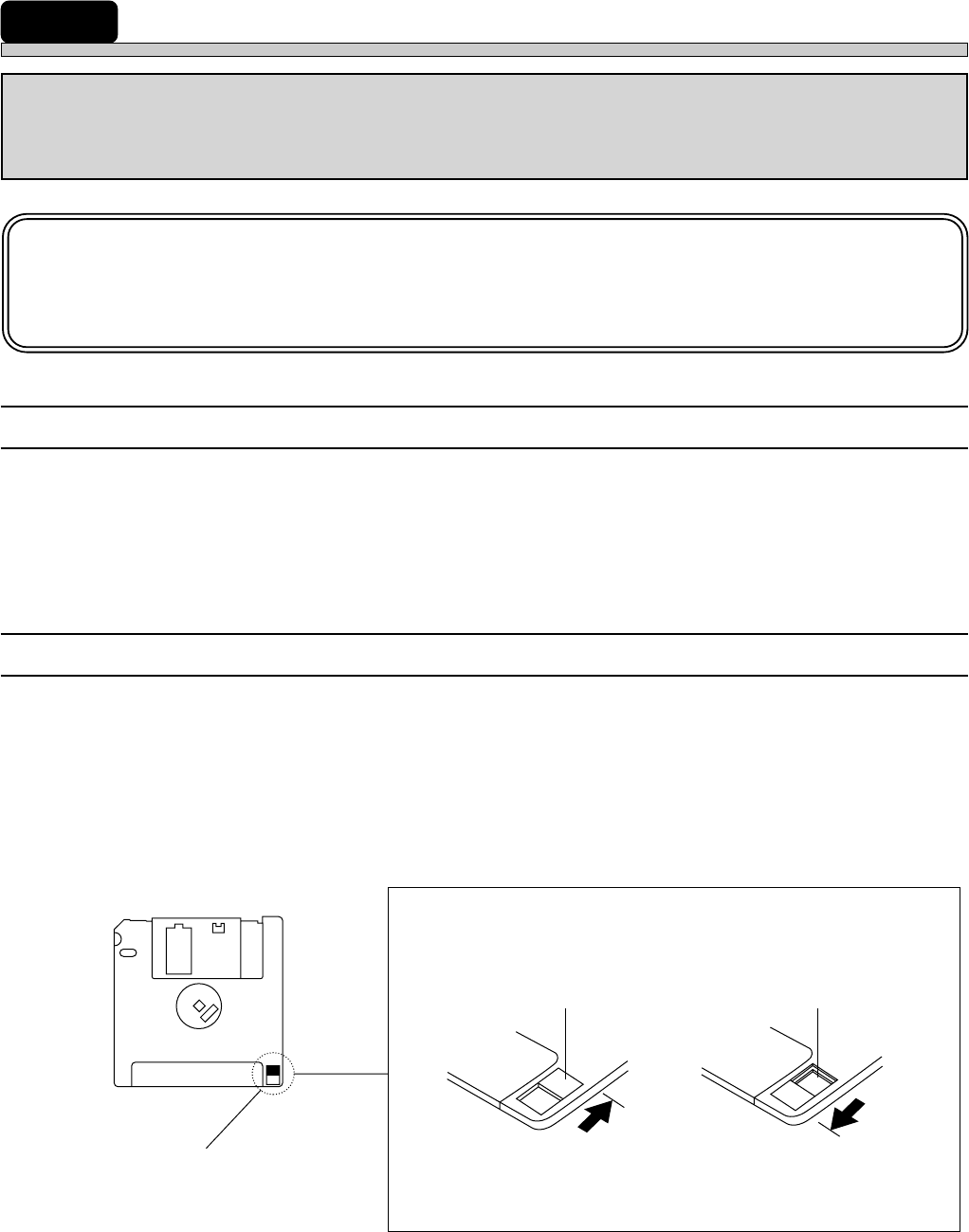
• Write protection may be set or disabled by sliding the write protect tab located at the lower part of
the floppy disk with a ball pen tip, etc.
Slide the tab with a ball point
pen tip or something similar.
The hole is open.
The hole is closed.
“Protected” position
Inhibits deleting or
saving
“Delete” position
Permits deleting
or saving
Write protect tab
Reverse side
Page 30
3Y3C-E-EMD00-A04-00
3 Precautions for Handling Disks
M37E
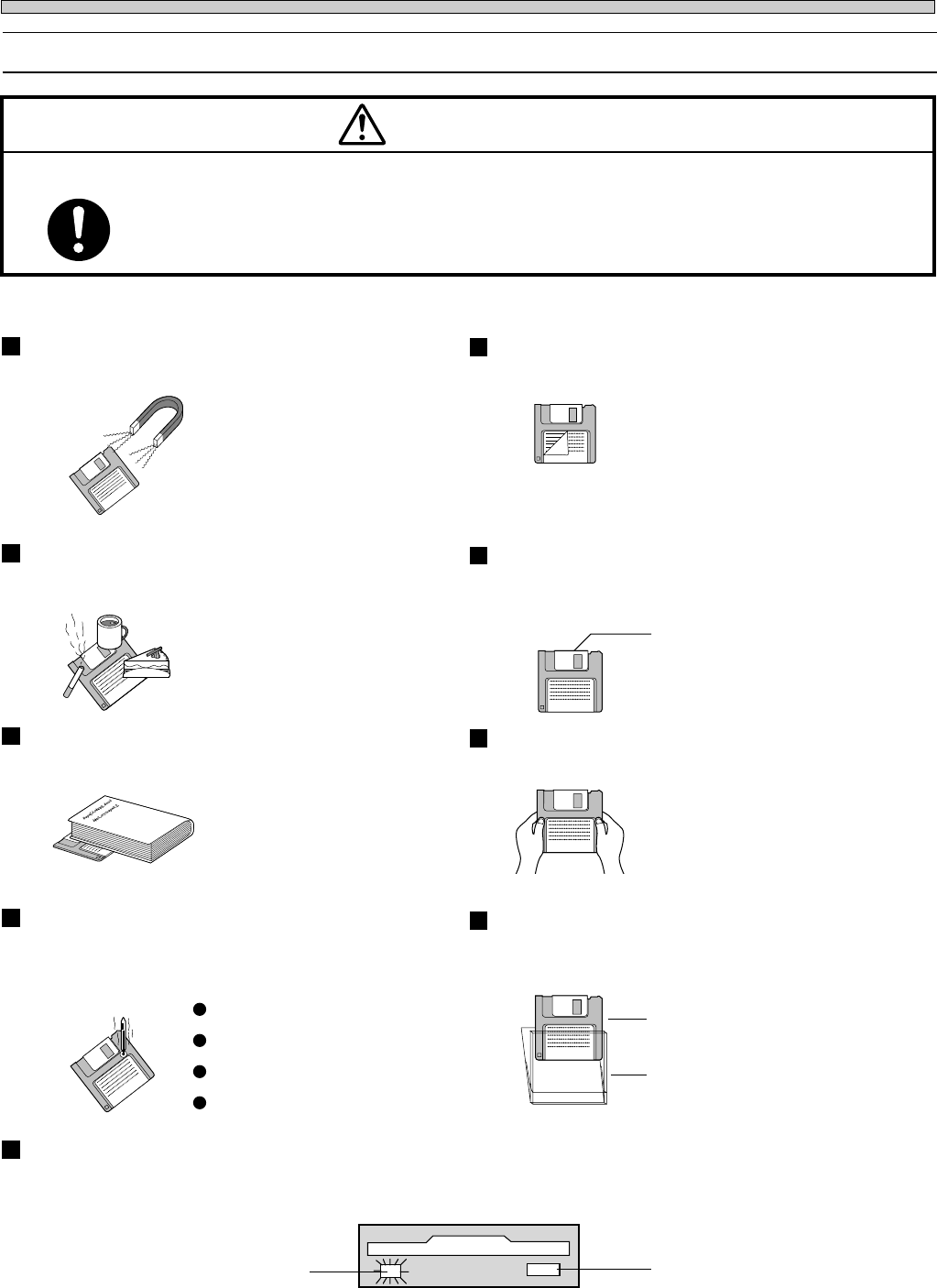
OBSERVE THE FOLLOWING ITEMS WHEN HANDLING FLOPPY DISKS.
Floppy disks and the data in them can be destroyed.
CAUTION
Eject button
Do not press this button
while the access indicator
lamp is lit.
Access indicator lamp
Do not eject the disk or turn off the power supply while the disk drive access indicator
lamp is lit.
Direct sunshine
Dust
Case
Disk
High or low temperature
The disk should be put in the case pro-
vided for storage or transportation.
A disk should not be stored or left in
areas exposed to the following
conditions:
Do not apply excessive force to the disk.Do not place heavy objects on the disk.
Automatic shutter
The automatic shutter should not be
opened. Do not touch the magnetic circu-
lar disk inside.
Refrain from smoking, drinking and
eating close to the disk.
Any loose labels should be re-
placed with new ones.
Do not place the disk in the
vicinity of a motor, CRT, or
anything that may generate a
magnetic field.
Do not attach a new label over an old one.Do not bring a magnet close to the
disk.
High humidity
HANDLING FLOPPY DISK