OPERATING MANAUAL(FOR ENGINEERS) - 第62页
Page 2-6 2-2 Functions during Stopping Production For carrying out a single stop during production, use this. (The single stop is to stop temporarily production during certain sequential operation.) 1 . Press STOP on the…
Page 2-5
BASIC OPERATION
2
Functions of the Engineer Mode
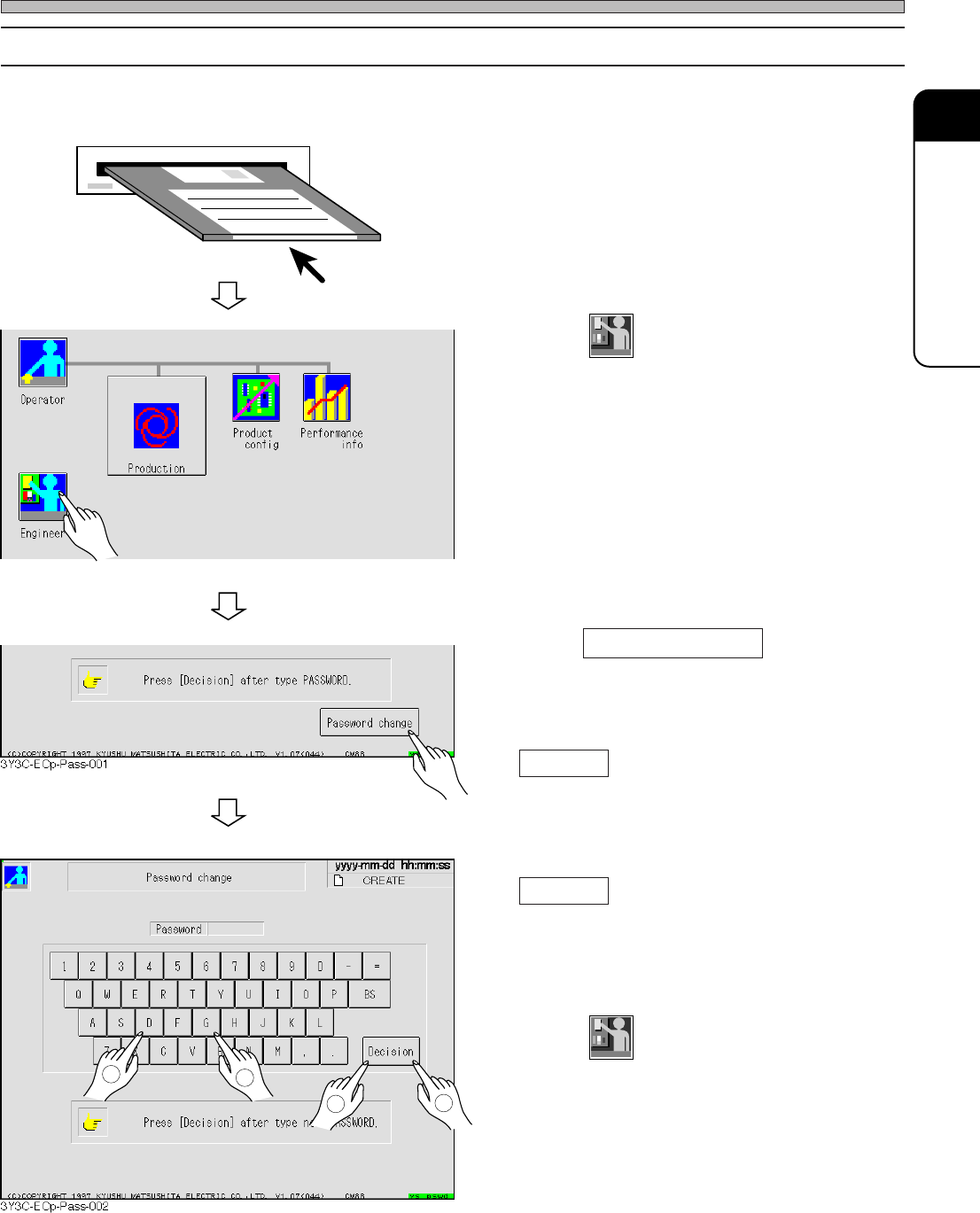
2-1-4 Changing the Password
∗ Key floppy disk for changing the password is needed to change (set) the password.
1. Set the key floppy disk for changing
the password into the disk drive.
2. Press
Engineer
in the main menu for
operator mode.
3. Press Password change .
4. Enter a new password and press
Decision .
5. Reenter a new password and press
Decision .
• When reentered password corresponds to the
former one, the password is changed and main
menu for operator mode reappears.
6. Press
Engineer
and check that engineer
mode starts with the new password.
∗ If it does not, repeat the operation from proce-
dure 3.
7. Take out the key floppy for changing
password from floppy disk drive.
2
1
3
4
3Y3C-EOp-Main-001
3Y3C-E-EMD02-A01-00
Page 2-6
2-2 Functions during Stopping Production
For carrying out a single stop during production, use this.
(The single stop is to stop temporarily production during certain sequential operation.)
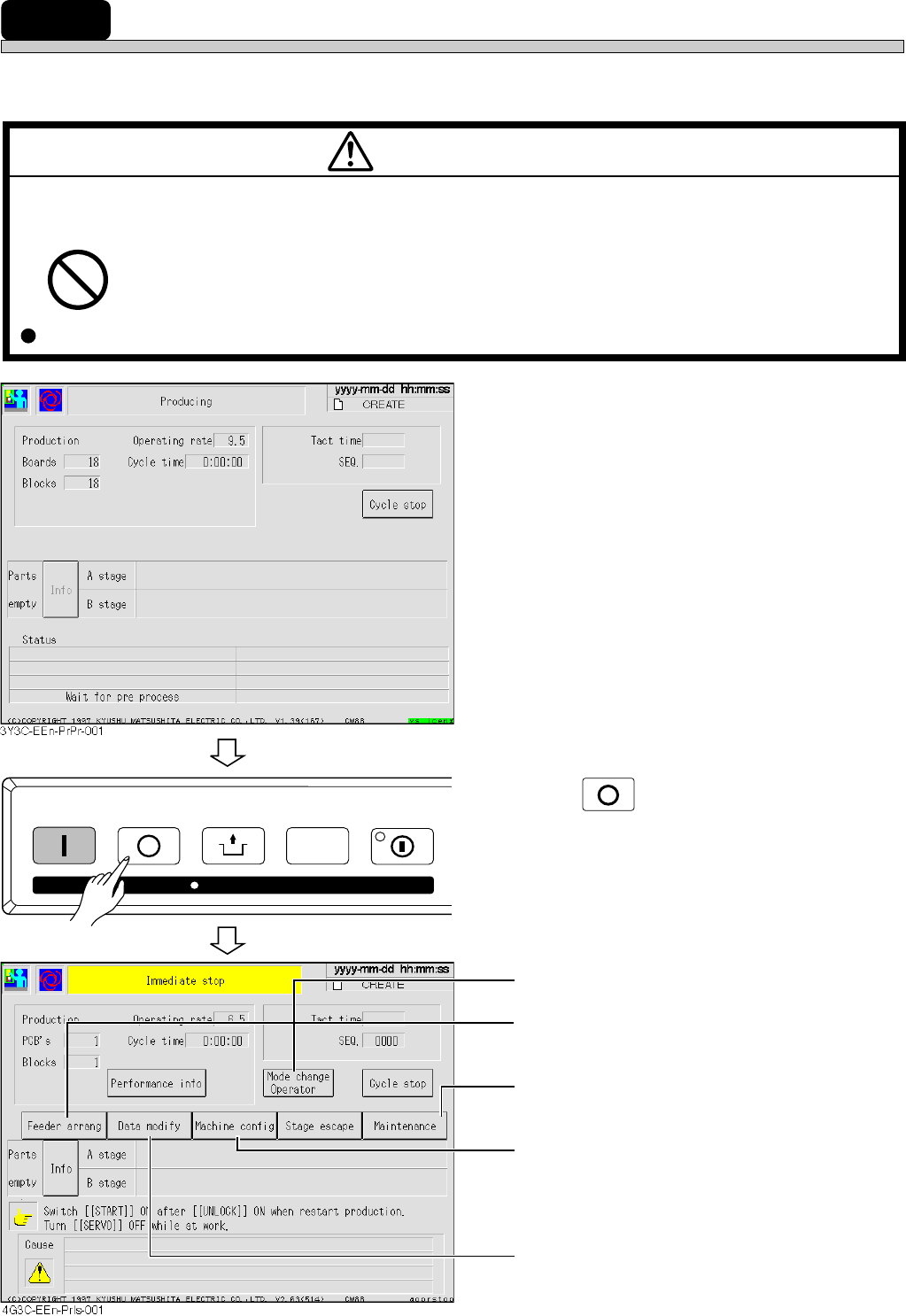
1. Press
STOP
on the operation panel for
immediate stop.
• Operator mode appears.
• You can confirm what parts are on which
feeder address.
• Maintenance during automatic operation is
carried out.
• Machine state independent of production data
is set.
Refer to “Chapter 8 Machine Setting” for
details.
• Data in need for correction after teaching and
coordinate data can be corrected.
Refer to “Chapter 4 Data Modification” for
details.
M34EB
WARNING
DO NOT PLACE YOUR HANDS OR BODY INSIDE ACTIVE PART OF THE MA-
CHINE WHEN IT IS IN A SINGLE STOP OR CYCLE STOP CONDITION.
The machine has been stopped only temporarily. You may be injured if the sensors are
actuated and the machine moves unexpectedly.
Turn OFF the servo switch before placing your hands or body inside the active part.
STOP
UNLOCK
STEP SELECT
START
KEY LOCK
KEY LOCK
3Y3C-E-EMD02-A01-01
Page 2-7
BASIC OPERATION
2
Functions during Stopping Production
2-2-1 Maintenance
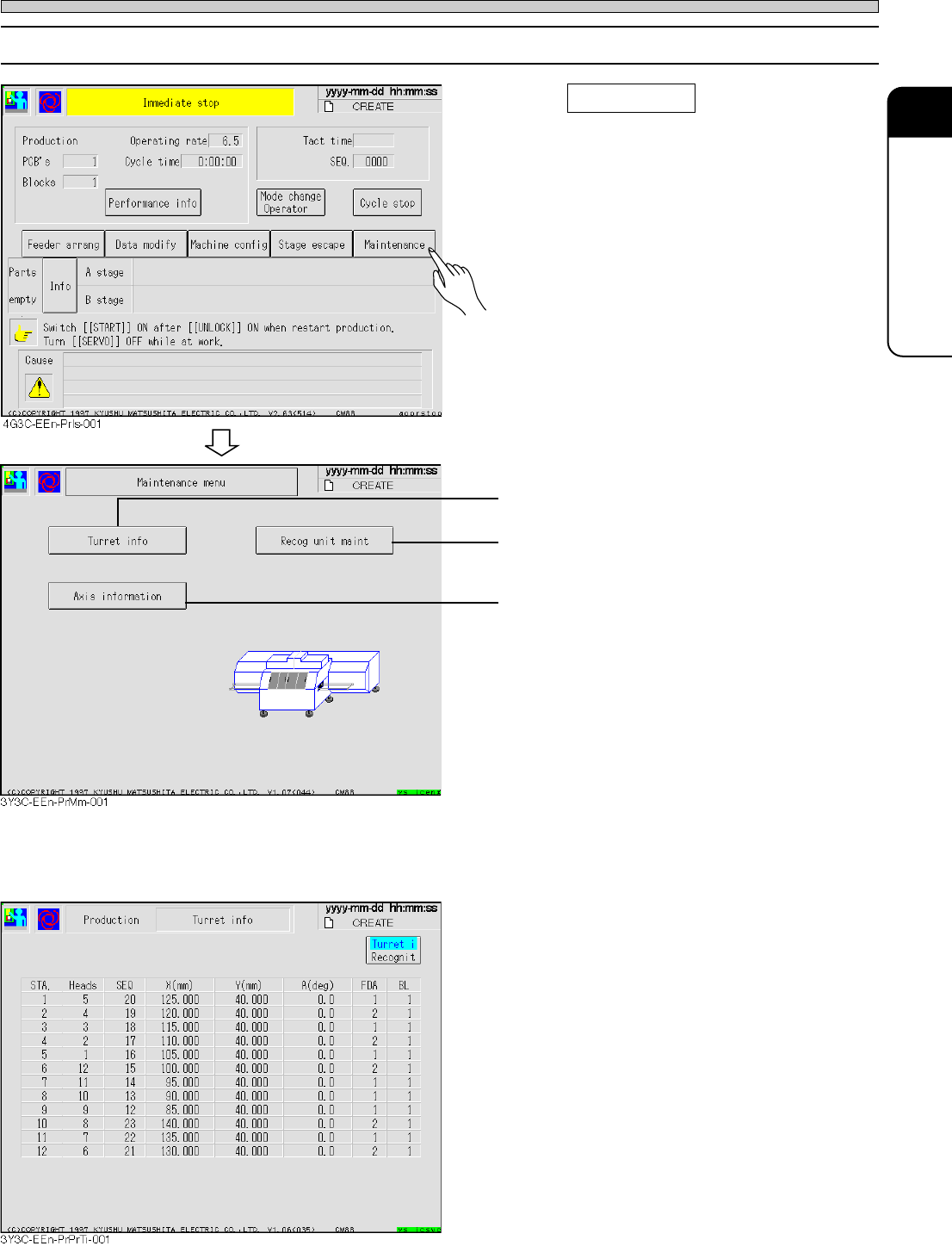
1. Press Maintenance .
• Maintenance during the automatic operation is
carried out.
• Information held in each head can be checked.
• All recognition processes can be checked.
See “7-8 Recognition Unit Maintenance.”
• Current position and status of all axes con-
trolled by machine can be checked.
See “7-7 Axis Information”
a) Turret information
The information in each head can be checked.
[Turret information]
• Considering STA No. = 1 as the pickup
position, data information of each head is
displayed to the rotating direction.
Head = Head No.
SEQ = SEQ No.
X, Y, and A = Coordinate and angle of mount
data
FDA = Feeder address
BL = Block No.
∗ For the head without data, items after SEQ is
not displayed.
3Y3C-E-EMD02-A01-01