OPERATING MANAUAL(FOR ENGINEERS) - 第65页
Page 3-1 3Y3C-E-EMD03-A01-01 Chapter 3 CHANGING PRODUCTION CHANGING PRODUCTION BOARD BOARD Changing production board For mounting the parts on different board from the former , it is necessary to adjust units or supply p…
Page 2-8
Functions during Stopping Production
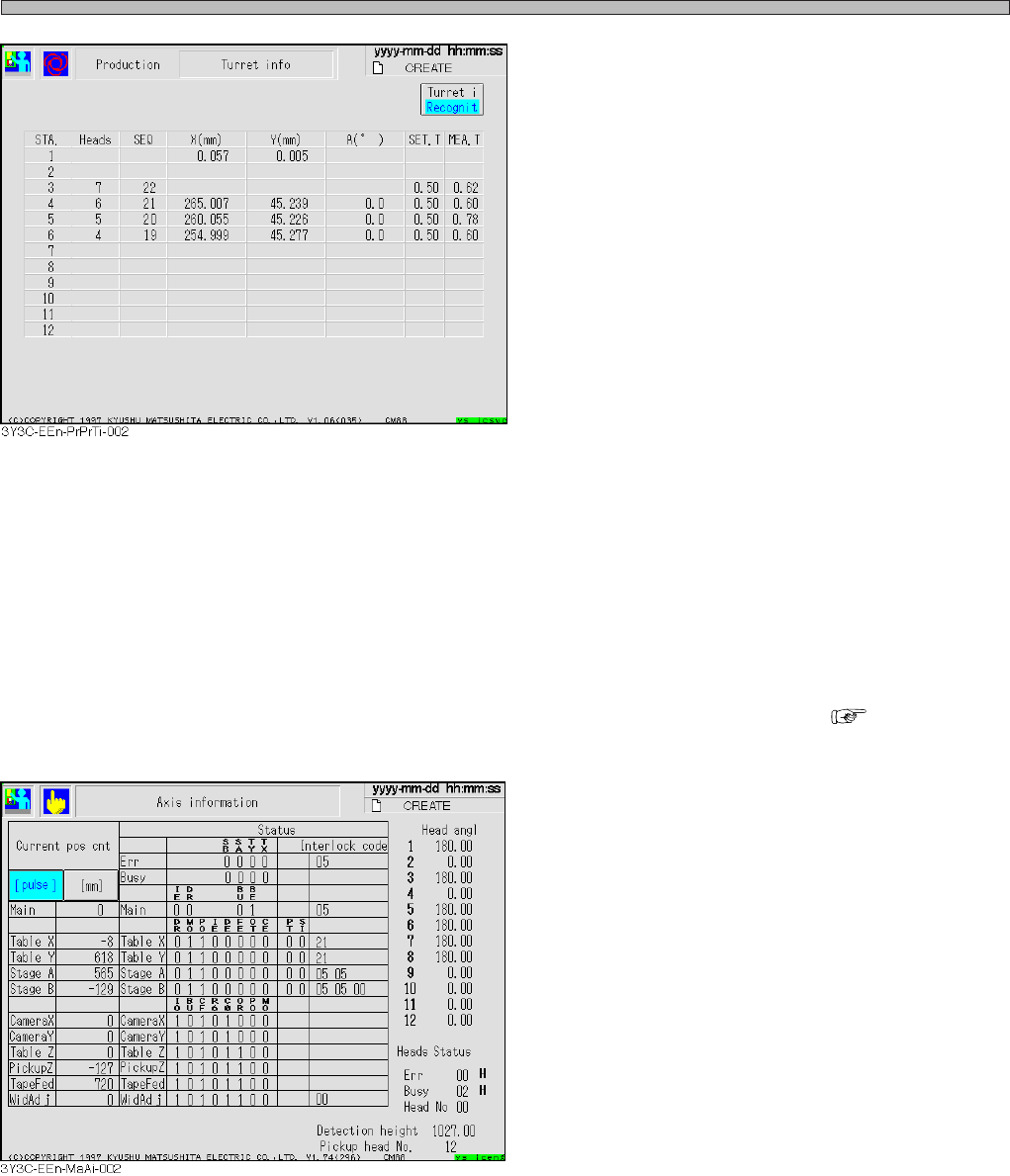
[Recognition]
• Considering STA No. = 1 a pickup position, the
recognition information of head from STA No. 3
to 6 is displayed to the rotating direction.
STA. = 1 ............. Corrected positional value is
displayed to X and Y.
X,Y and A ............Coordinates and angle after
correcting recognition.
(from STA No 4 to 6)
SEA. T ................ Setting value of chip thick
ness
(First measured value after
parts supply)
MEA. T ............... Measured value of chip
thickness
∗ For the head without data, items after SEQ is
not displayed.
For the head of pickup fault, items after X is not
displayed.
When chip feeding is turned off by function
switch, items after SET. T is not displayed.
b) Axis information
Present position and status of all axes controlled by machine can be checked ( “7-7 Axis
information”).
[Items]
• Current pos cnt
Current position of each axis is displayed in
mm and pulse.
• Status
Status address of each axis, error and busy
are displayed in bit or hexadecimally.
• Head angle
Current angle of each head is displayed.
• Head status
Status address of head is displayed in hexa-
decimal. (Only the head No. is described in
decimal.)
• Detection height
Present non-shield height of height dispensing
sensor is displayed in mm or pulse.
• Pickup head No.
Head No. on current pickup section is indi-
cated.
3Y3C-E-EMD02-A01-02
Page 3-1
3Y3C-E-EMD03-A01-01
Chapter 3
CHANGING PRODUCTION
CHANGING PRODUCTION
BOARD
BOARD
Changing production board
For mounting the parts on different board from the former, it is necessary to adjust
units or supply production materials according to the board.
This section describes the operation for changing the production board, considering
that the data of it is on the PT100.
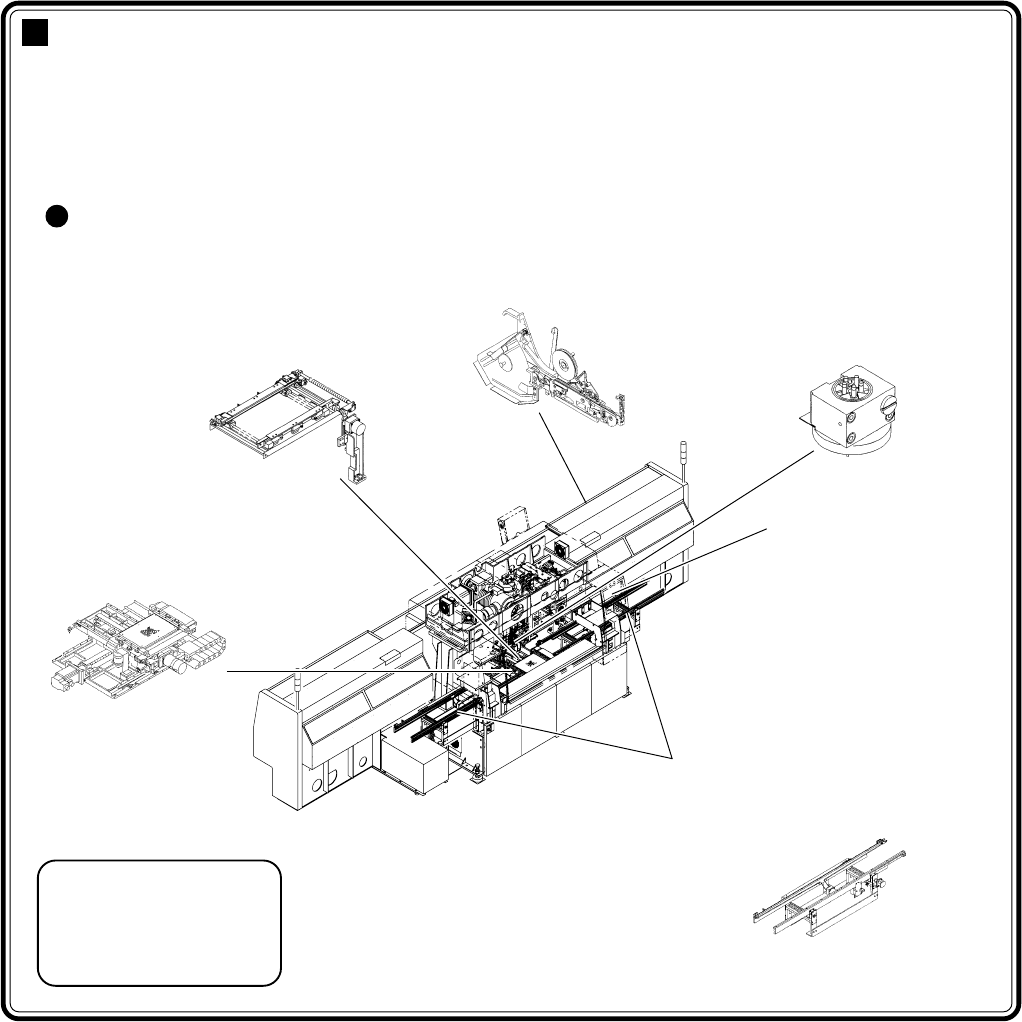
Machine adjustment points due to the change of production board
Board holder
Transferring rail width
adjustment (automatic)
Setting tape feeder
Transfer head
Nozzle change
(change if necessary)
Board X-Y table
Operating part
Holder pin position adjustment
(manual)
Production data change
(manual)
Front (rear) transferring conveyor
Transferring rail width adjustment
(automatic)
Pin positioning unit
(option)
Pin position adjustment
(manual)
4G3C-AE01
07JHC2AA
15ULC0AA
TAPE-002
1231C1AA
11DGC2AA
Page 3-2
3Y3C-E-EMD03-A01-00
3-1 Changing Production Data
This section describes changing data, giving an example of loading data from PT100. To load data
from PT100, two ways are available: “a) to transfer from PT100 to this machine” and “b) loading by
file operation.”
• When loading data in floppy disk, see “Chapter 6 File Operation.”
∗ Loading new data for use deletes the old one. To keep old data, save it.
NOTICE
In using chip which is not registered to the standard chip data library, it is
necessary to carry out chip recognition teaching by this machine.
Refer to “Chapter 5 Teaching” for teaching board recognition and chip
recognition.
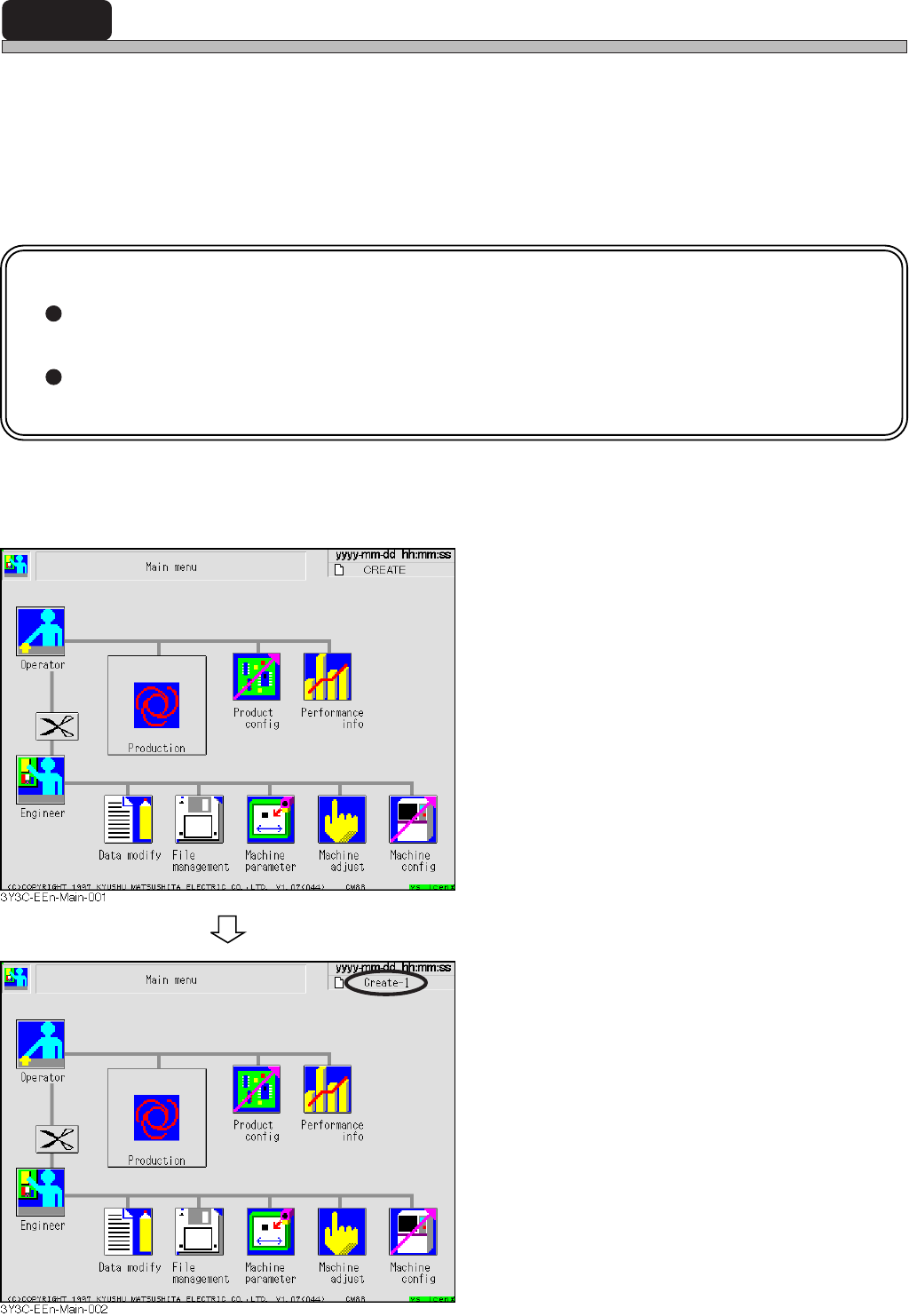
a) Transferring from PT100 to this machine
1. Display the main menu screen, and
send data of production board to be
changed from PT100.
∗ Refer to “PROGRAMMING MANUAL” for
sending data from PT100.
• Sending data from PT100 changes the data
name on the right of screen to the sent one.