OPERATING MANAUAL(FOR ENGINEERS) - 第67页
Page 3-3 CHANGING PRODUCTION BOARD 3 Changing Production Data b) Loading by file operation 1 . Press File managment . • File operation screen appears. 2 . Press PT100 . • Change the object device to PT100. ∗ T o display …
Page 3-2
3Y3C-E-EMD03-A01-00
3-1 Changing Production Data
This section describes changing data, giving an example of loading data from PT100. To load data
from PT100, two ways are available: “a) to transfer from PT100 to this machine” and “b) loading by
file operation.”
• When loading data in floppy disk, see “Chapter 6 File Operation.”
∗ Loading new data for use deletes the old one. To keep old data, save it.
NOTICE
In using chip which is not registered to the standard chip data library, it is
necessary to carry out chip recognition teaching by this machine.
Refer to “Chapter 5 Teaching” for teaching board recognition and chip
recognition.
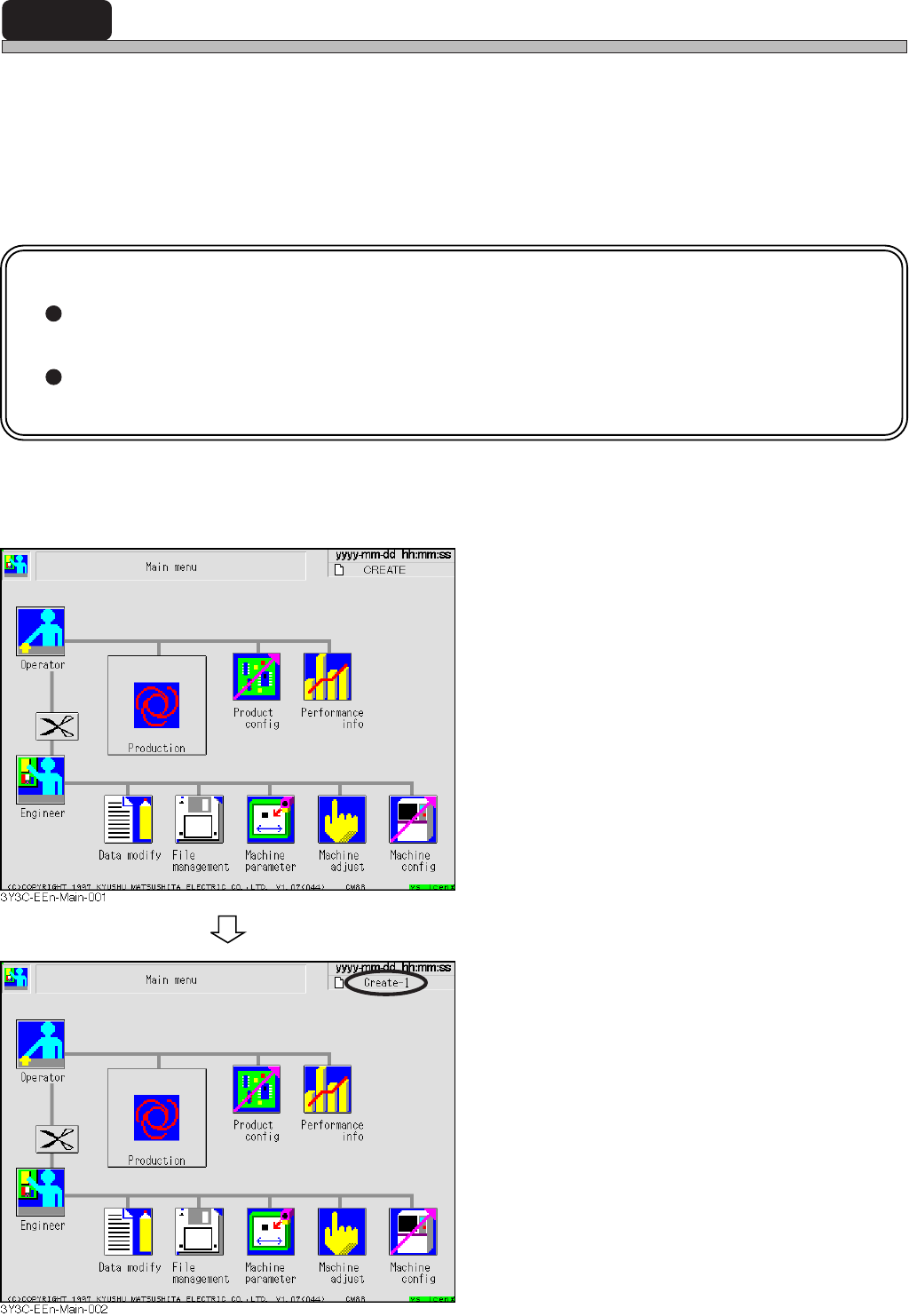
a) Transferring from PT100 to this machine
1. Display the main menu screen, and
send data of production board to be
changed from PT100.
∗ Refer to “PROGRAMMING MANUAL” for
sending data from PT100.
• Sending data from PT100 changes the data
name on the right of screen to the sent one.
Page 3-3
CHANGING
PRODUCTION BOARD
3
Changing Production Data
b) Loading by file operation
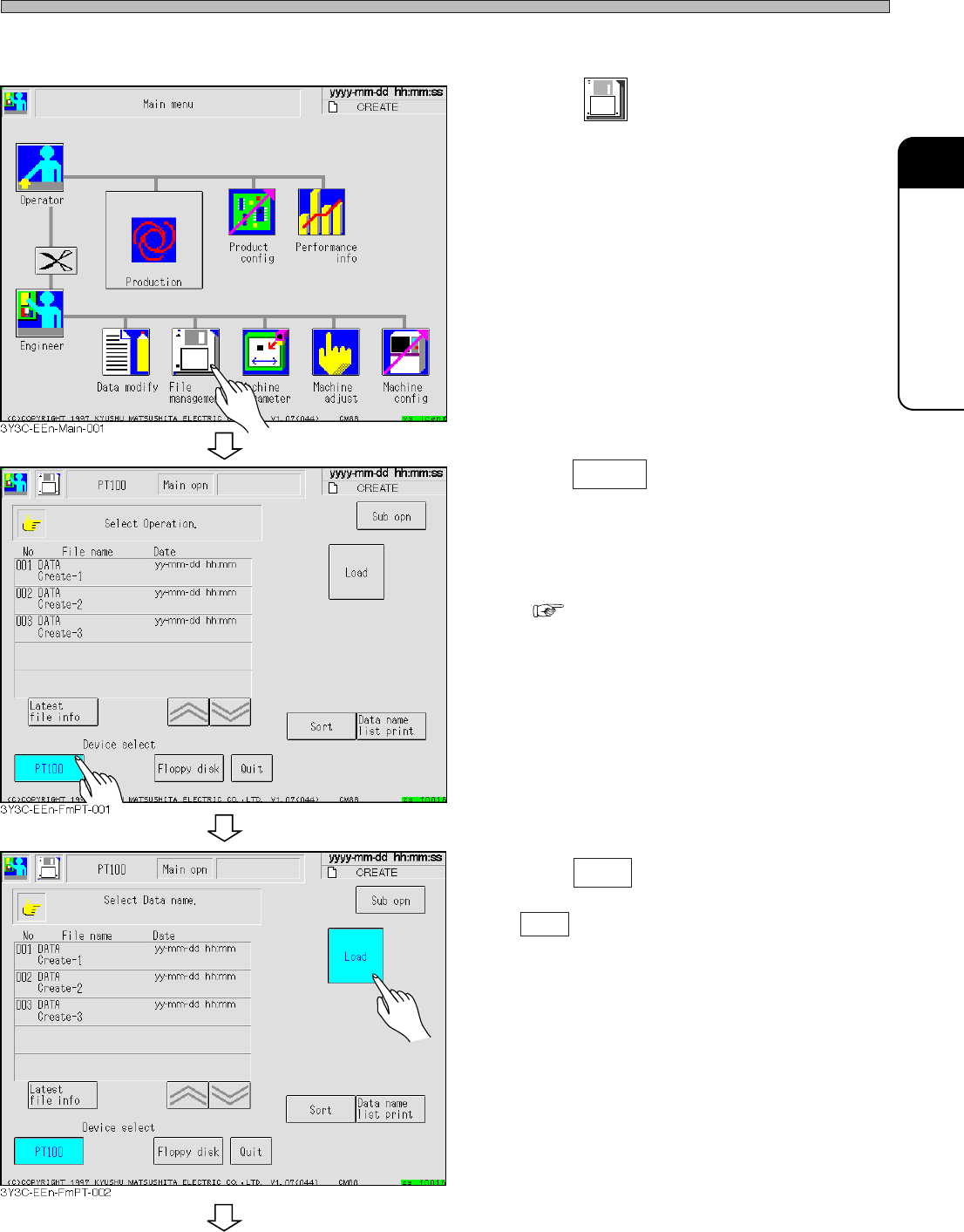
1. Press
File
managment
.
• File operation screen appears.
2. Press PT100 .
• Change the object device to PT100.
∗ To display the data of PT100 by this machine, it
is necessary to register the list on PT100 .
( PROGRAMMING MANUAL)
3. Press Load .
• Load is highlighted.
To the next page
3Y3C-E-EMD03-A01-00
Page 3-4
Changing Production Data
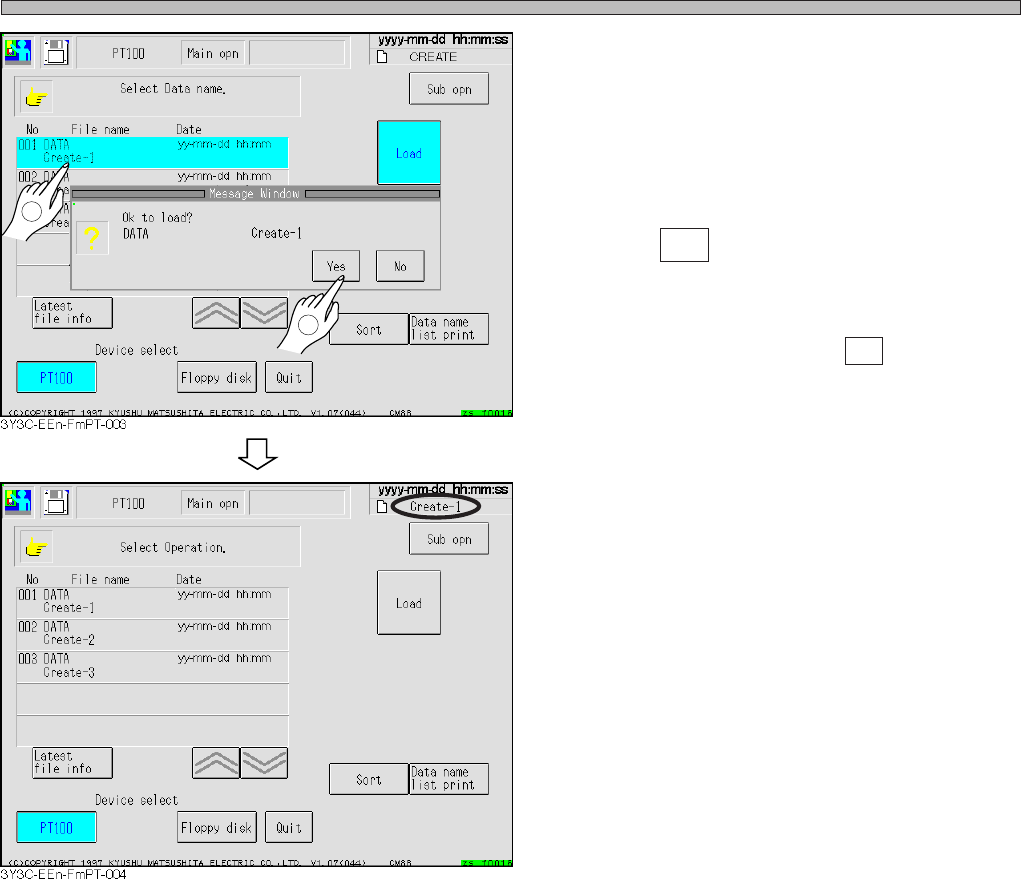
5. Select data name to load.
• Selected data name is highlighted.
6. Press Yes .
• Loading data is started.
∗ To stop loading data, press No .
• The message “Loading data name...” appears.
• After loading, data name at the upper right of
screen changes to that loaded.
3Y3C-E-EMD03-A01-00
1
2