OPERATING MANAUAL(FOR ENGINEERS) - 第77页
Page 3-13 CHANGING PRODUCTION BOARD 3 3-7 Checking the Mounting by Conditional Mounting Mounting by conditional mounting before starting production is checked in the following proce- dures. 1 . Press Production . • After…
Page 3-12
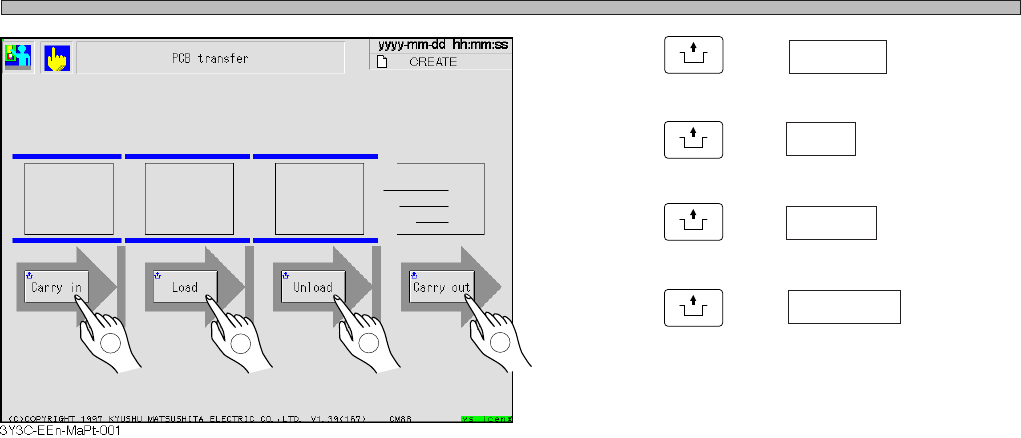
PCB Transfer Test
4. Press
UNLOCK
and Carry in .
5. Press
UNLOCK
and Load .
6. Press
UNLOCK
and Unload .
7. Press
UNLOCK
and Carry out .
• During transferring, board at the transfer end
position lights as Carry in → Load → Unload →
Carry out, and after transferring the board at
the transfer start position goes out and lights at
the end position.
∗ Repeating the same operation two times
makes a board transferring error.
Press the emergency stop button to remove
the board.
3Y3C-E-EMD03-A02-00
1
2
3
4
Page 3-13
CHANGING
PRODUCTION BOARD
3
3-7 Checking the Mounting by Conditional Mounting
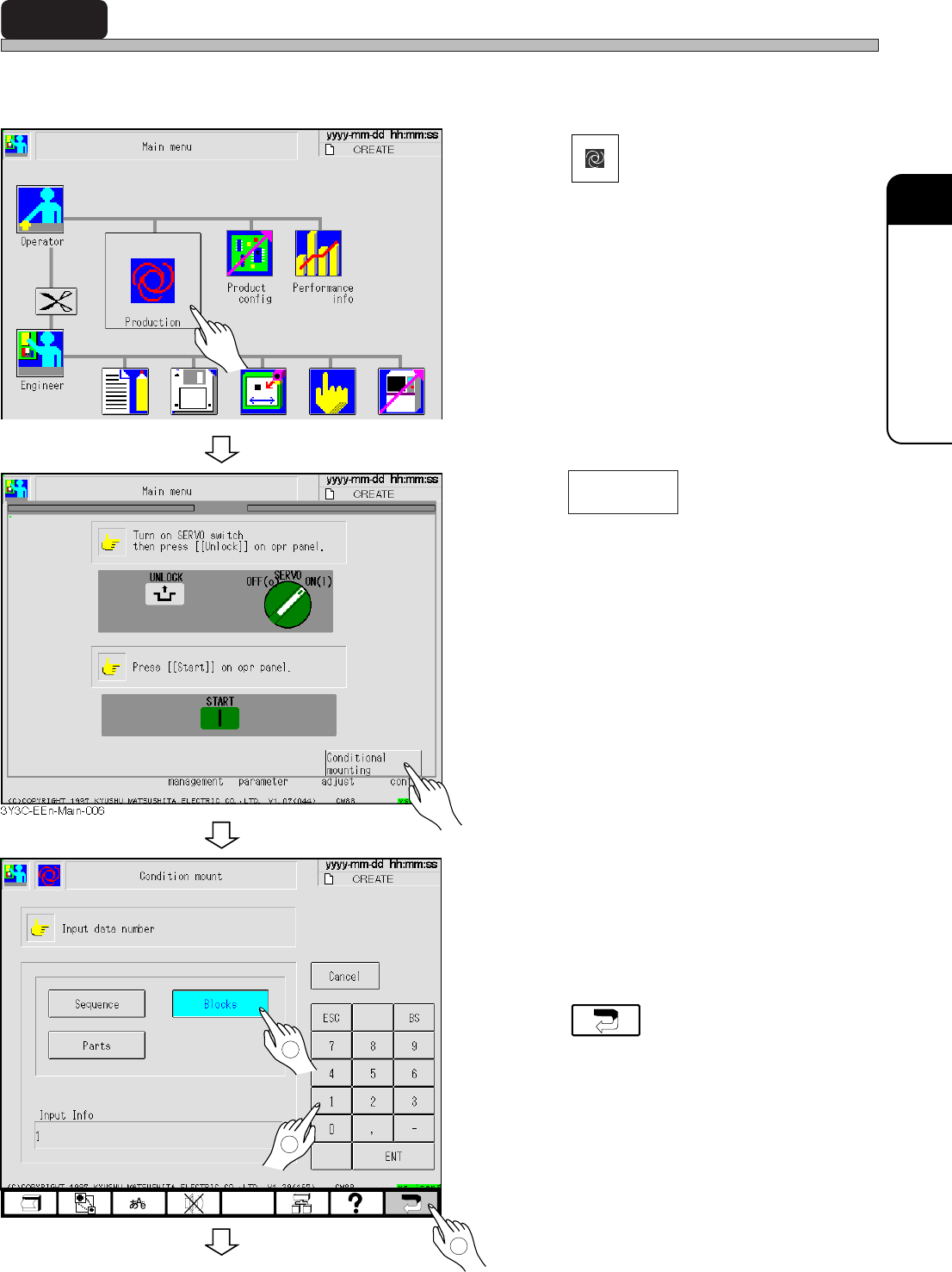
Mounting by conditional mounting before starting production is checked in the following proce-
dures.
1. Press
Production
.
• After mounting a board, the screen for cycle
stop appears and the machine stops.
2. Press .
3. Select the condition.
Enter the No. of selected conditional
data.
4. Press .
∗ For improper mounting state, see “5-5 Teach-
ing the Mount Position.”
To the next page
3Y3C-E-EMD03-A02-00
3Y3C-EEn-PrCm-001
3Y3C-EEn-Main-001
1
2
3
Conditional
mounting
Page 3-14
Checking the Mounting by Conditional Mounting
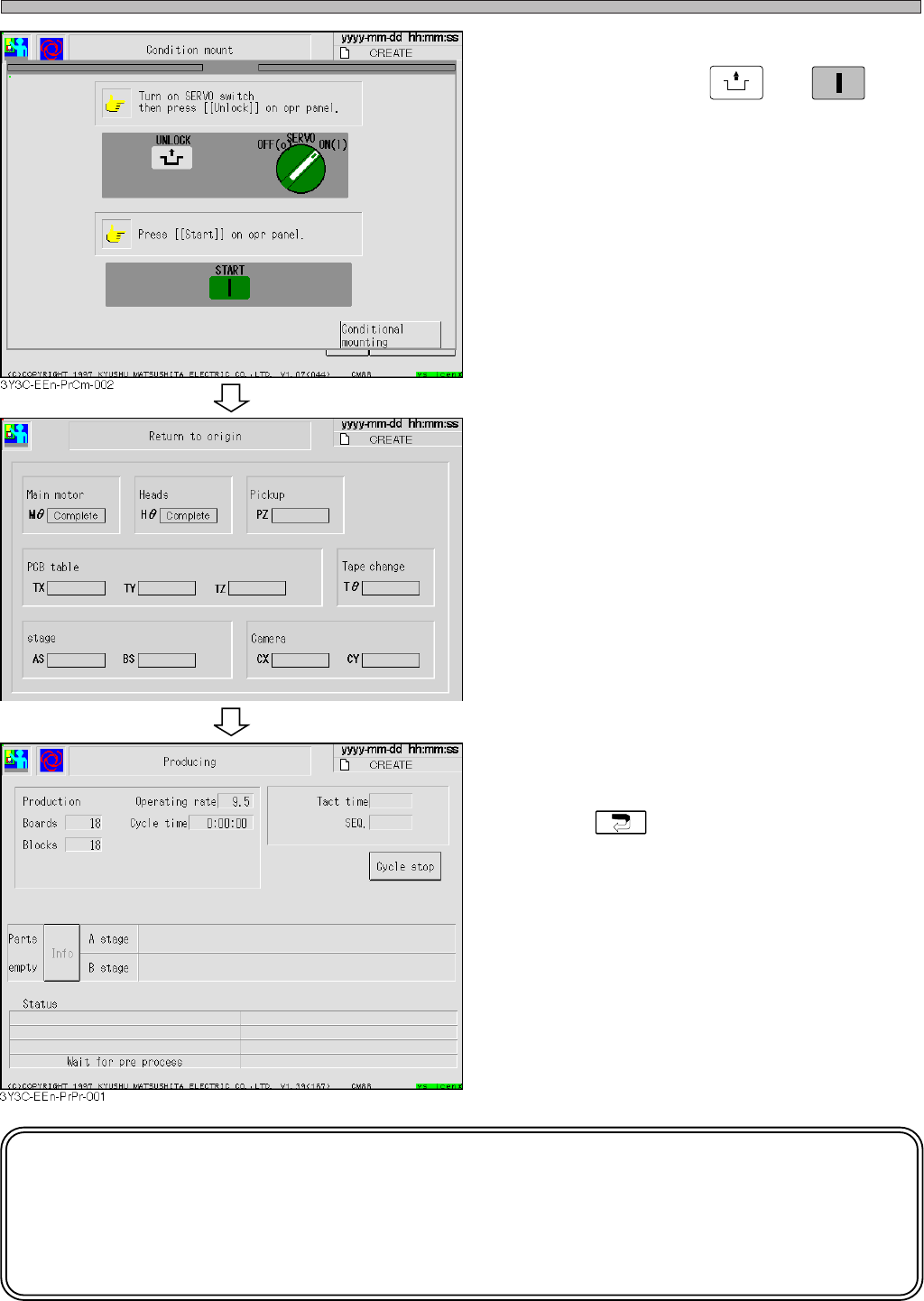
5. After checking that servo switch is
turned on, press
UNLOCK
→
START
.
• All axes return to origin.
• “Complete” is displayed to the axis
returned to origin.
• When the conditional mounting is over, the
cycle stop screen appears.
• Press to return to the main menu.
NOTICE
When mounting position deviates on the same pattern of production board in
succession, carry out mount coordinate teaching.
See “5-5 Teaching the Mount Position” for details.
3Y3C-E-EMD03-A02-00
3Y3C-EEn-Ro-001