OPERATING MANAUAL(FOR ENGINEERS) - 第78页
Page 3-14 Checking the Mounting by Conditional Mounting 5 . After checking that servo switch is turned on, press UNLOCK → START . • All axes return to origin. • “Complete” is displayed to the axis returned to origin. • W…
Page 3-13
CHANGING
PRODUCTION BOARD
3
3-7 Checking the Mounting by Conditional Mounting
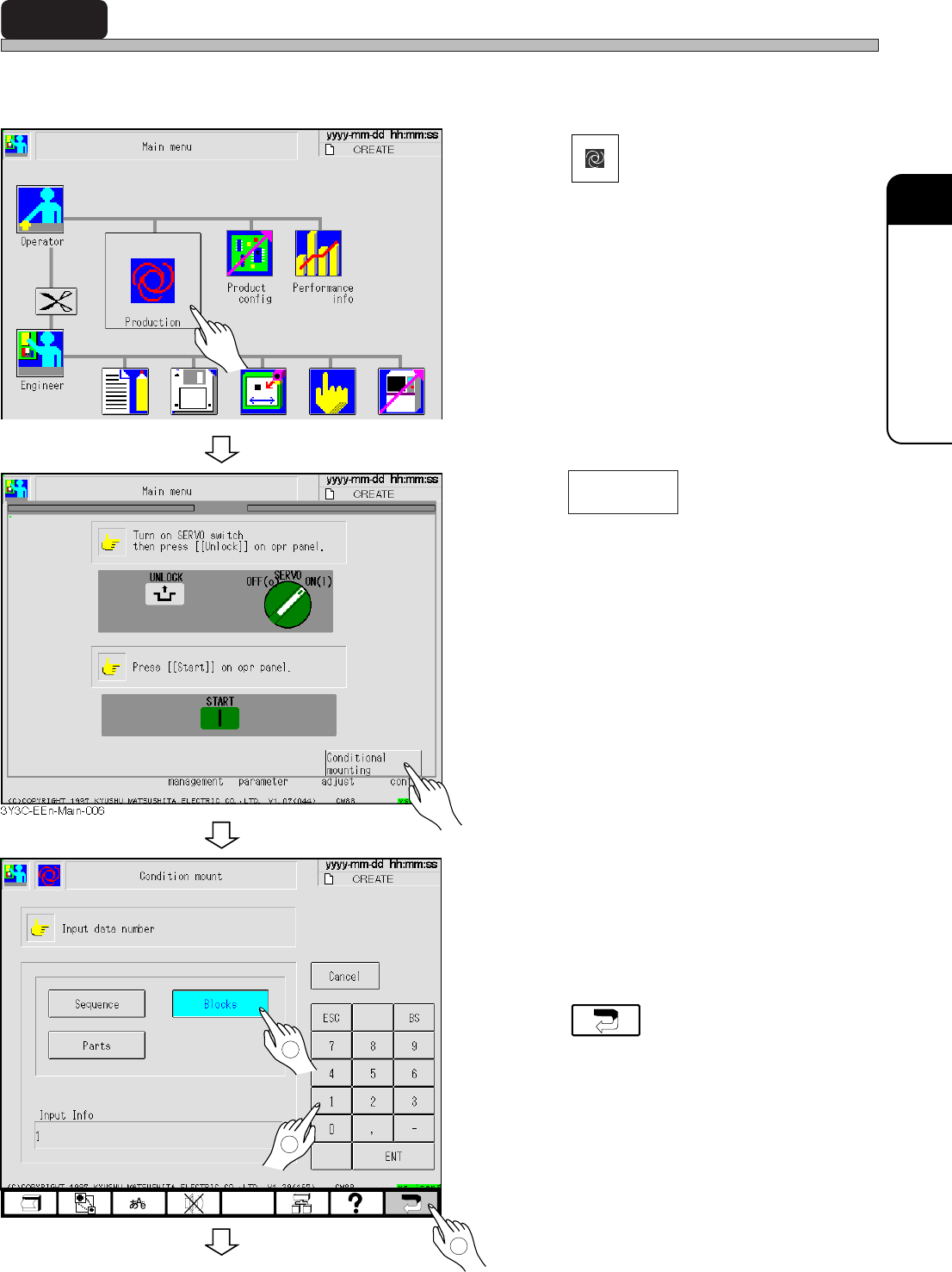
Mounting by conditional mounting before starting production is checked in the following proce-
dures.
1. Press
Production
.
• After mounting a board, the screen for cycle
stop appears and the machine stops.
2. Press .
3. Select the condition.
Enter the No. of selected conditional
data.
4. Press .
∗ For improper mounting state, see “5-5 Teach-
ing the Mount Position.”
To the next page
3Y3C-E-EMD03-A02-00
3Y3C-EEn-PrCm-001
3Y3C-EEn-Main-001
1
2
3
Conditional
mounting
Page 3-14
Checking the Mounting by Conditional Mounting
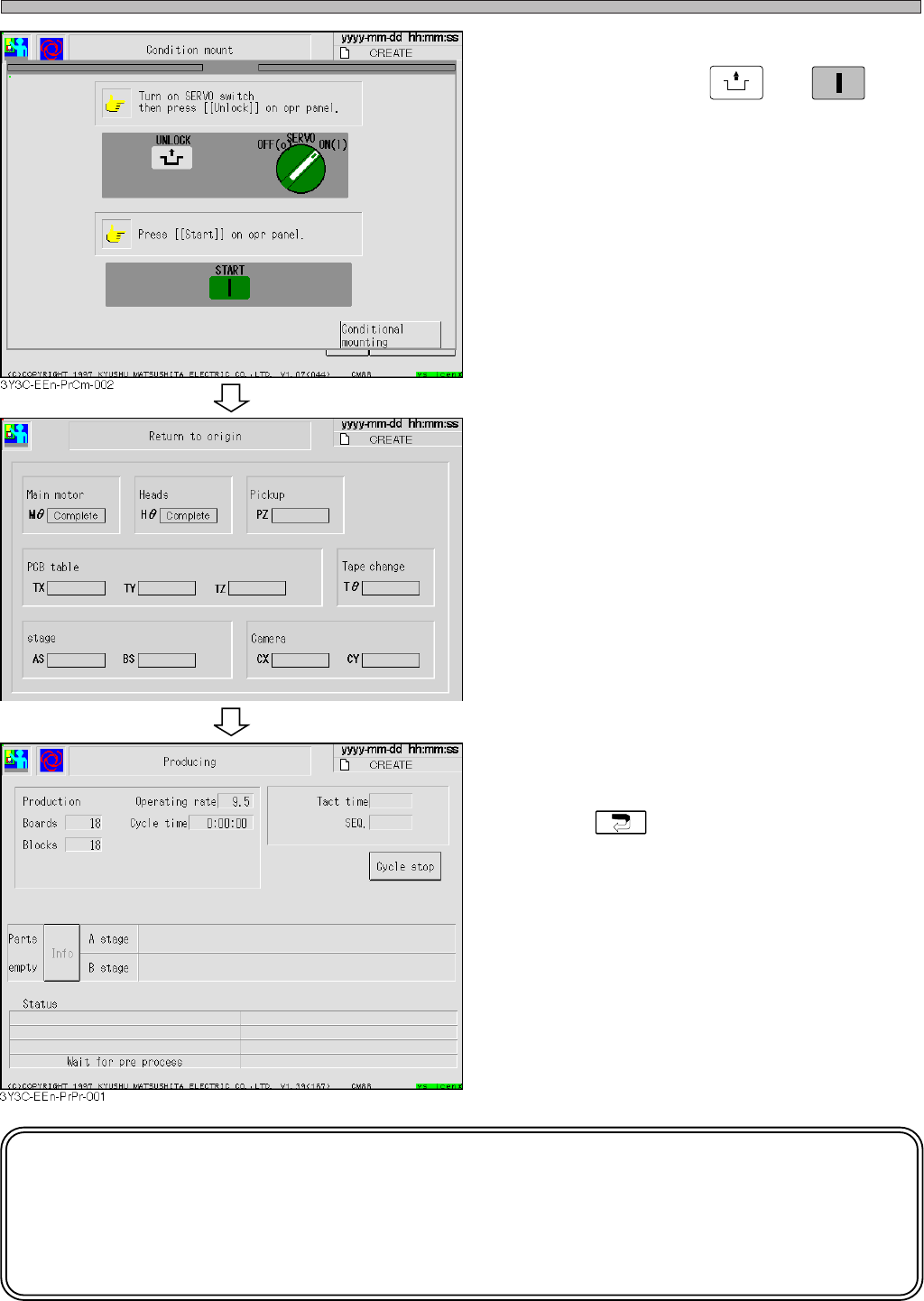
5. After checking that servo switch is
turned on, press
UNLOCK
→
START
.
• All axes return to origin.
• “Complete” is displayed to the axis
returned to origin.
• When the conditional mounting is over, the
cycle stop screen appears.
• Press to return to the main menu.
NOTICE
When mounting position deviates on the same pattern of production board in
succession, carry out mount coordinate teaching.
See “5-5 Teaching the Mount Position” for details.
3Y3C-E-EMD03-A02-00
3Y3C-EEn-Ro-001
Page 4-1
3Y3C-E-EMD04-A01-01
Chapter 4
DATA MODIFICATION
DATA MODIFICATION
Data modification
Basically, data in need of correction after teaching and coordinate data can be cor-
rected in CM88C, and this data is displayed in black characters.
Data only for checking is displayed in blue, and it must be corrected by PT100.
Data indicator for correctable data can be the switch to move cursor to data by touch-
ing it.
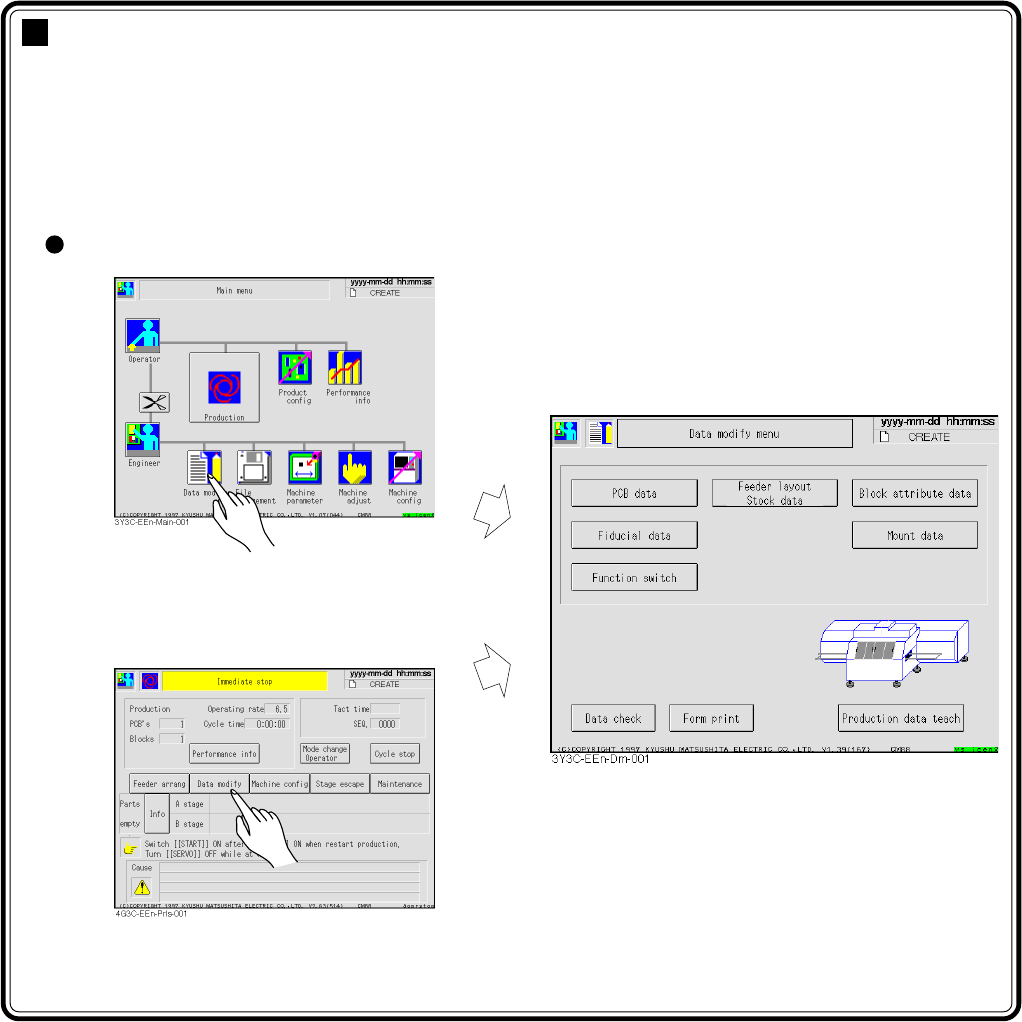
Entering data modification
∗ It can be started from the screen
stopping the production.