OPERATING MANAUAL(FOR ENGINEERS) - 第85页
Page 4-7 DA T A MODIFICA TION 4 4-4 Feeder Layout / Stock Data Feeder layout and stock data are indicated together , and feeder state arranged on the stage is checked. The chip data for use is also checked and corrected.…
Page 4-6
Fiducial Data
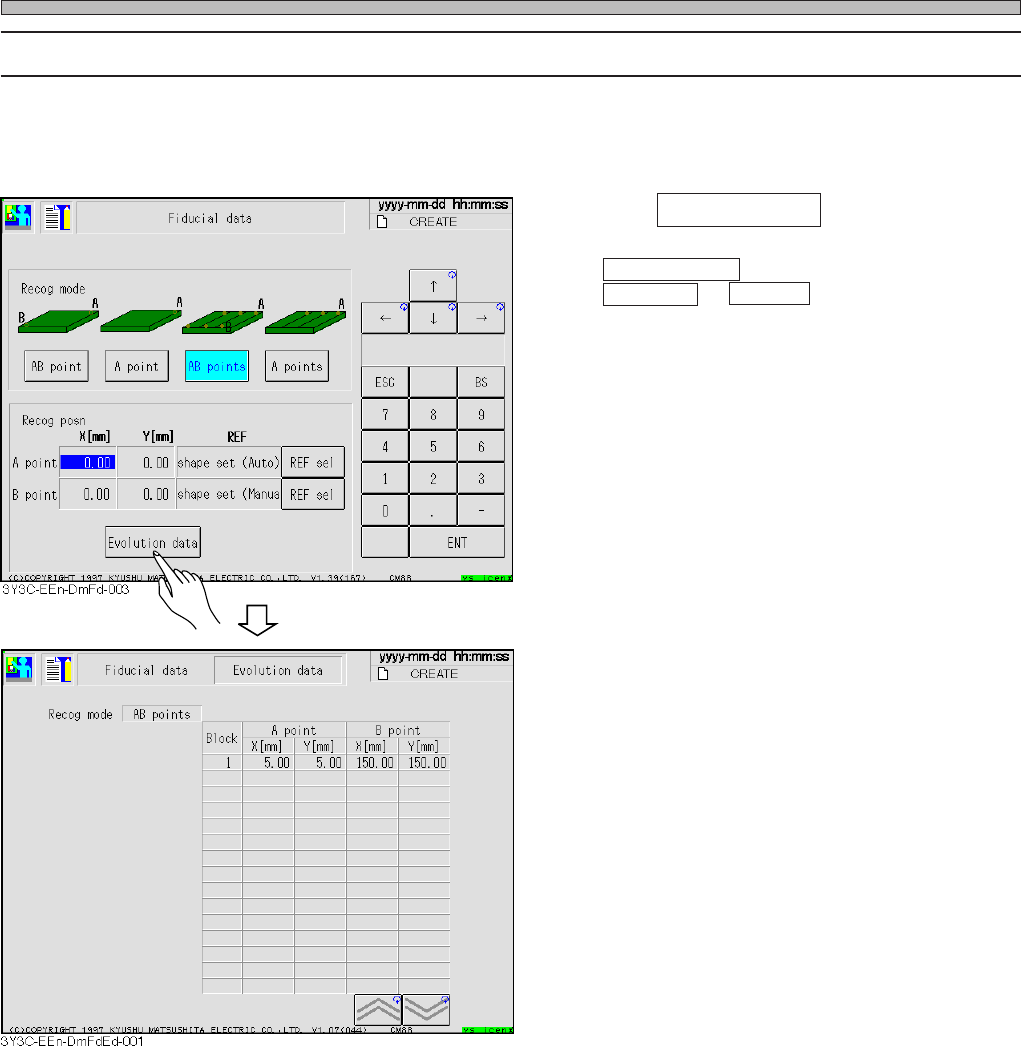
4-3-2 Evolution Data
For block recognition, all recognition coordinates extended from recognition position coordinates of
board recognition data and each block origin coordinate of block attribute data can be checked.
1. Press Evolution data .
∗ Evolution data is indicated only when
AB points or A points of recognition mode is
selected.
3Y3C-E-EMD04-A01-00
Page 4-7
DATA MODIFICATION
4
4-4 Feeder Layout / Stock Data
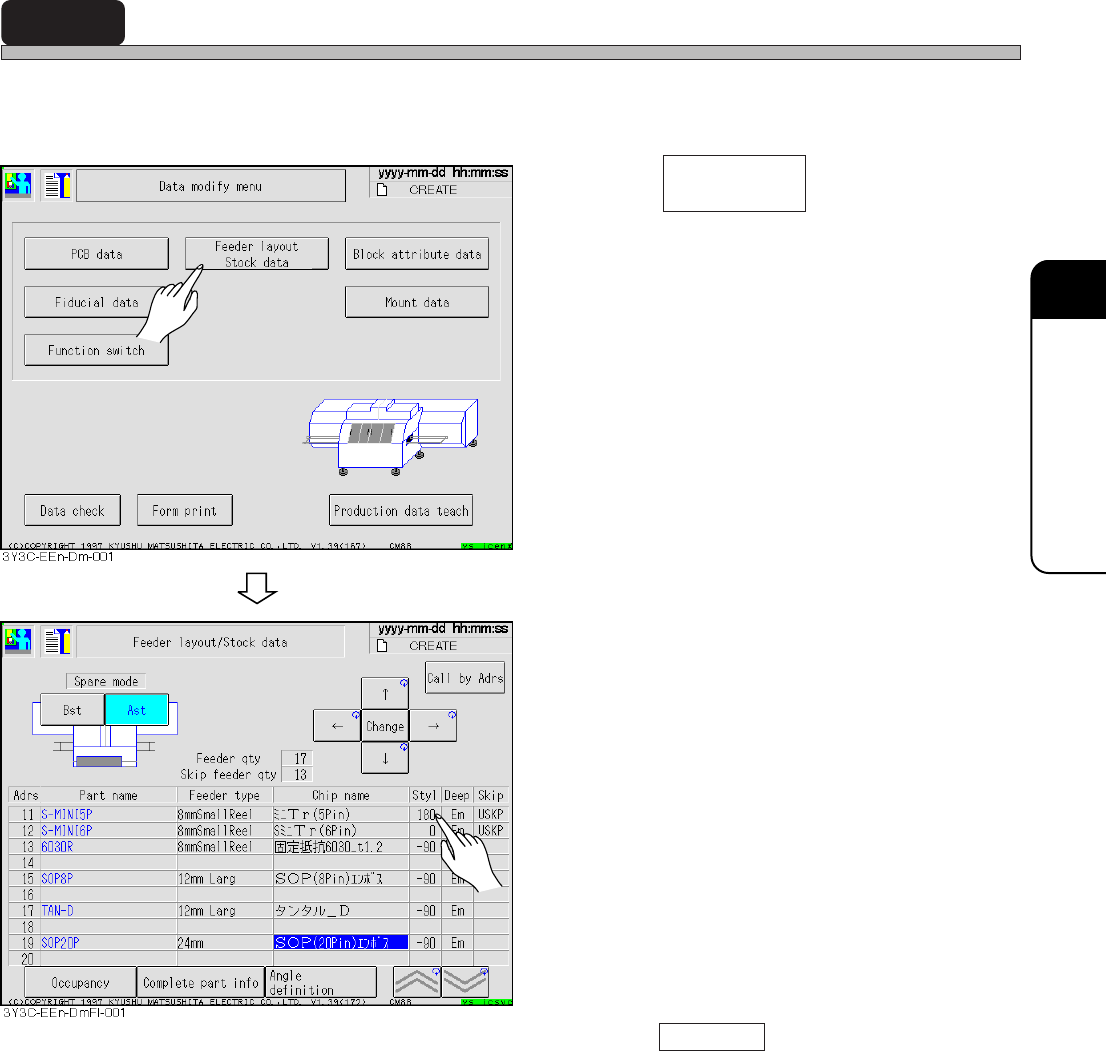
Feeder layout and stock data are indicated together, and feeder state arranged on the stage is
checked. The chip data for use is also checked and corrected.
1. Press .
• The screen for feeder layout and stock data
appears.
2. Correct data, if necessary.
• Only style, depth, and chip name can be
corrected.
∗ See “4-5 Chip Data,” for correcting chip name.
• Press Call by adr , and entering address
number moves the cursor to the set feeder
address.
• Style.......................... 0 degree and 180 degrees, and 90 degrees and -90 degrees are changed
in turn by every pressing.
• Depth ........................ Paper and the embossed are changed in turn by every pressing.
Feeder layout
Stock data
3Y3C-E-EMD04-A01-01
Page 4-8
Feeder Layout / Stock Data
4-4-1 Occupancy
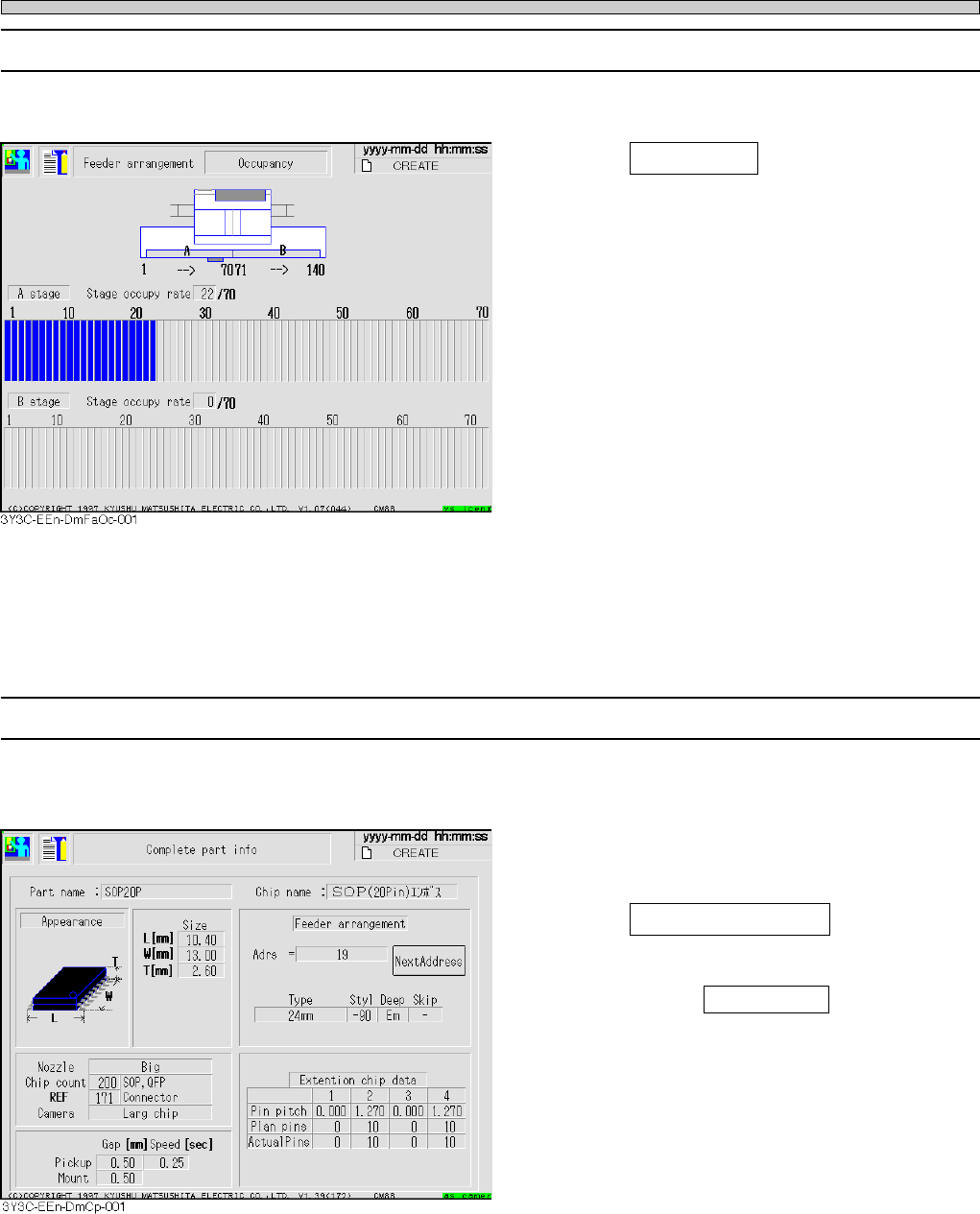
Physical occupancy on the stage can be checked.
1. Press Occupancy on the feeder lay-
out and stock data screen.
• Rate of occupied stage is displayed in image
from the rear (stage) of machine.
• Occupied stage including one occupying some
pitch in a feeder is displayed in blue. If data is
set not to set feeder, indication becomes
yellow.
∗ CM88S-M1
• 1 to 35 for A stage
• 36 to 70 for B stage
4-4-2 Complete Part Information
General parts information including chip data and extended chip data (only applicable chip) is
indicated.
1. After selecting the chip name of the
feeder layout and stock data screen,
press Complete part info .
• When the same parts more than 4 to the stock
data, pressing Next Address displays the next
Address by each 3.
3Y3C-E-EMD04-A01-03
∗ This is described with the screen of CM88S-M.