OPERATING MANAUAL(FOR ENGINEERS) - 第90页
Page 4-12 Chip Data 4-5-2 Selecting the Nozzle Nozzle name is selected. 1 . Press Nzl select on chip data screen. • Check the shape and select the nozzle name. 4-5-3 Selecting REF Object chip is selected. 1 . Press REF s…
Page 4-11
DATA MODIFICATION
4
Chip Data
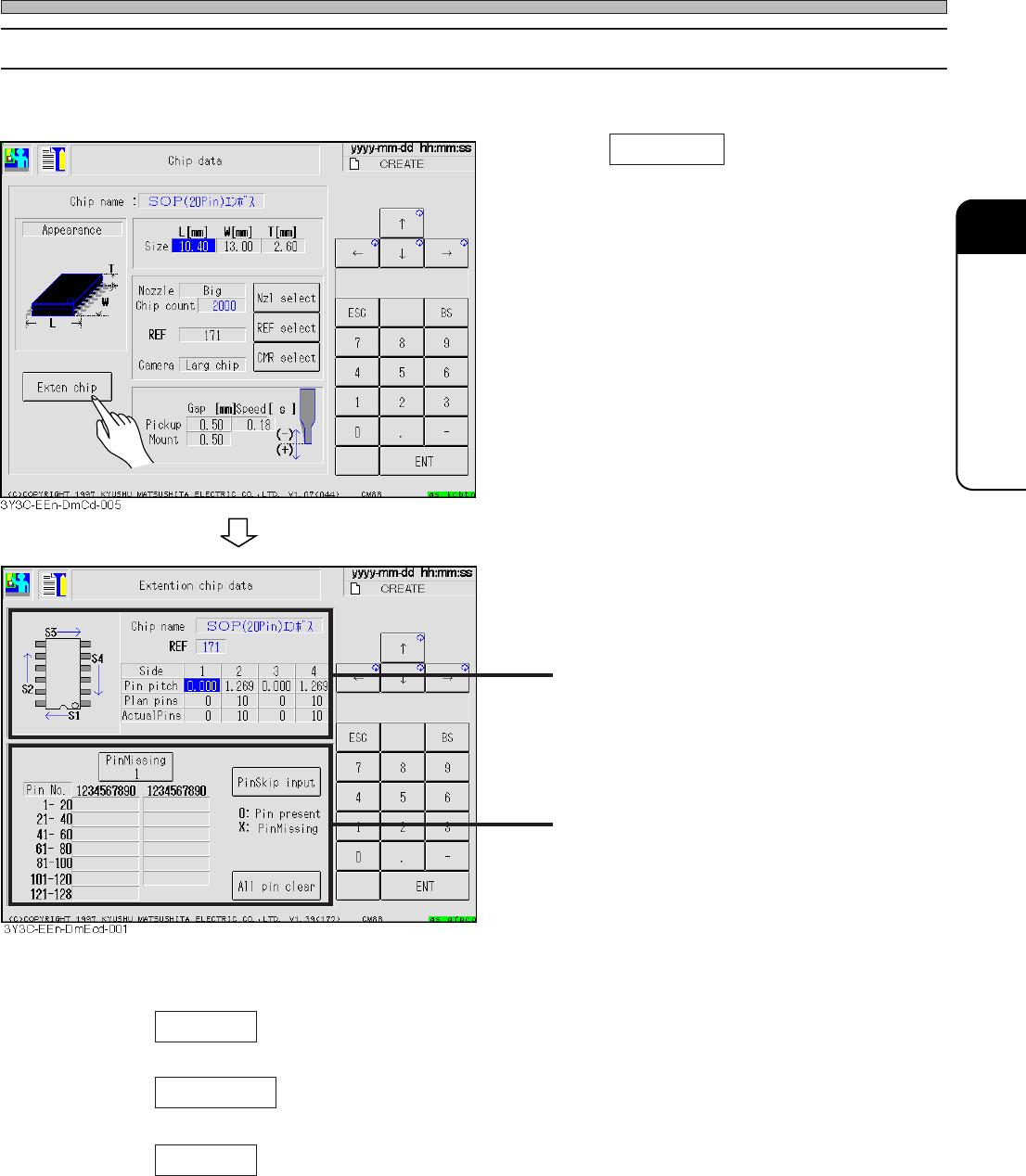
4-5-1 Extension Chip Data
Applicable pin information of chip is checked and corrected.
1. Press Exten chip .
• Pin Missing ............... Select the side to indicate missing pin data
(Every pressing this changes the side as 1 → 2 → 3 → 4 → 1.)
• Pin Skip input............ Specifying the number of pin on the indicated side sets pin present or
pin missing in turn.
• All pin clear ............... All data of missing pin on the indicated side is cleared.
3Y3C-E-EMD04-A01-01
Data of pin pitch and number for each side
including description of sides
Missing pin data for each side
Page 4-12
Chip Data
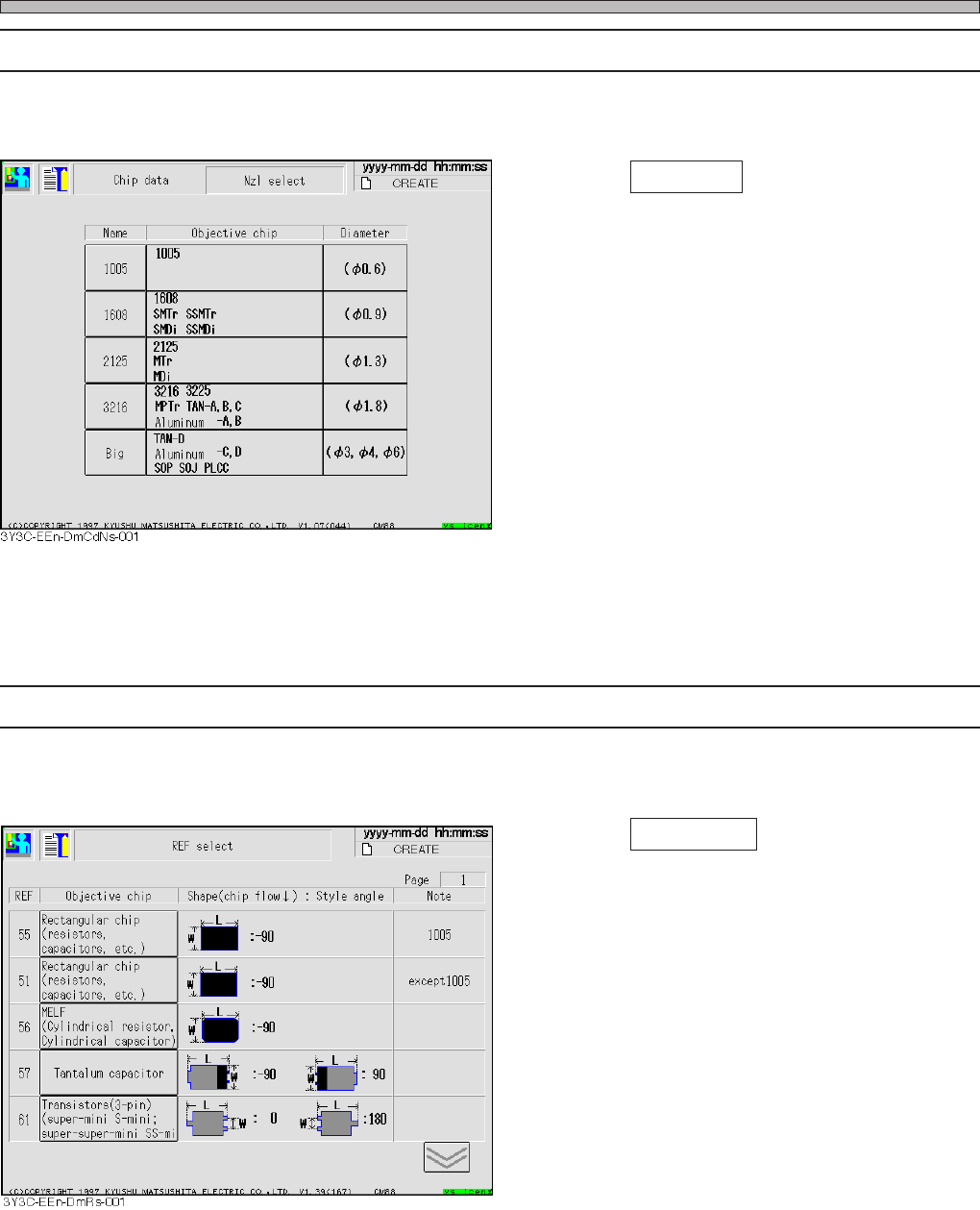
4-5-2 Selecting the Nozzle
Nozzle name is selected.
1. Press Nzl select on chip data screen.
• Check the shape and select the nozzle name.
4-5-3 Selecting REF
Object chip is selected.
1. Press REF select on the chip data
screen.
• Check the shape and select object chip.
Corresponding REF number is entered.
3Y3C-E-EMD04-A01-00
Page 4-13
DATA MODIFICATION
4
Chip Data
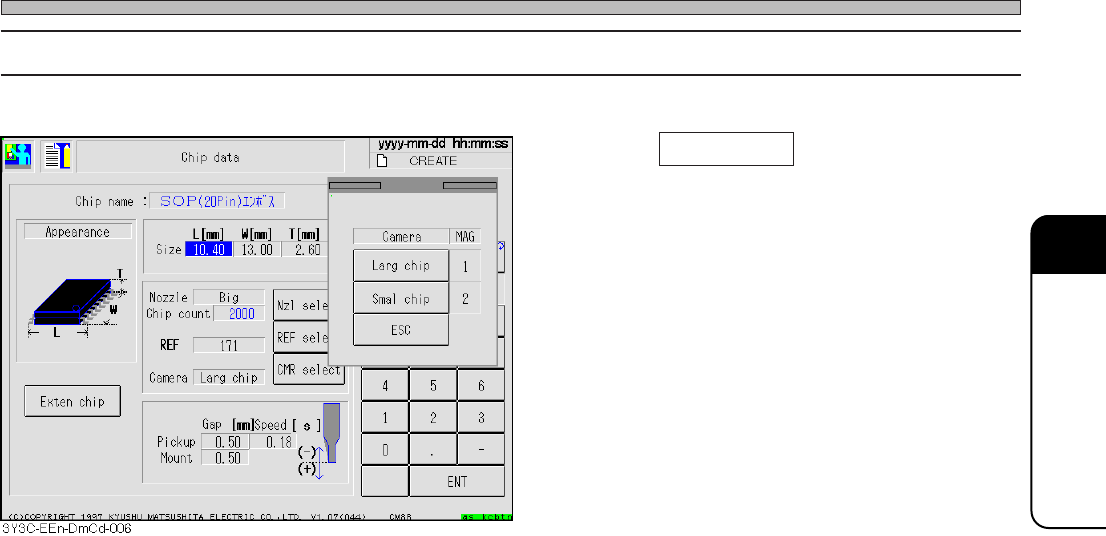
4-5-4 Selecting the Camera
1. Press CMR select on the chip data
screen .
• Check the object chip, and select the camera.
3Y3C-E-EMD04-A01-01