OPERATING MANAUAL(FOR ENGINEERS) - 第92页
Page 4-14 4-6 Block Attribute Data Block attribute data is checked and corrected. 1 . Press Block attribute data . • Block attribute data screen appears. 2 . Correct bad block mark coordinates (BAD. X, BAD. Y) if necessa…
Page 4-13
DATA MODIFICATION
4
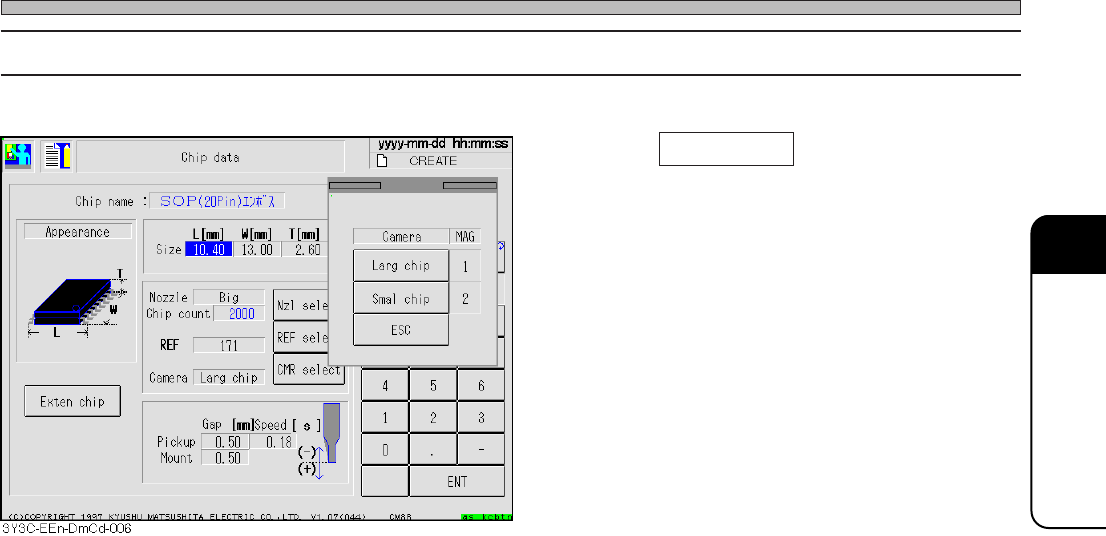
Chip Data
4-5-4 Selecting the Camera
1. Press CMR select on the chip data
screen .
• Check the object chip, and select the camera.
3Y3C-E-EMD04-A01-01
Page 4-14
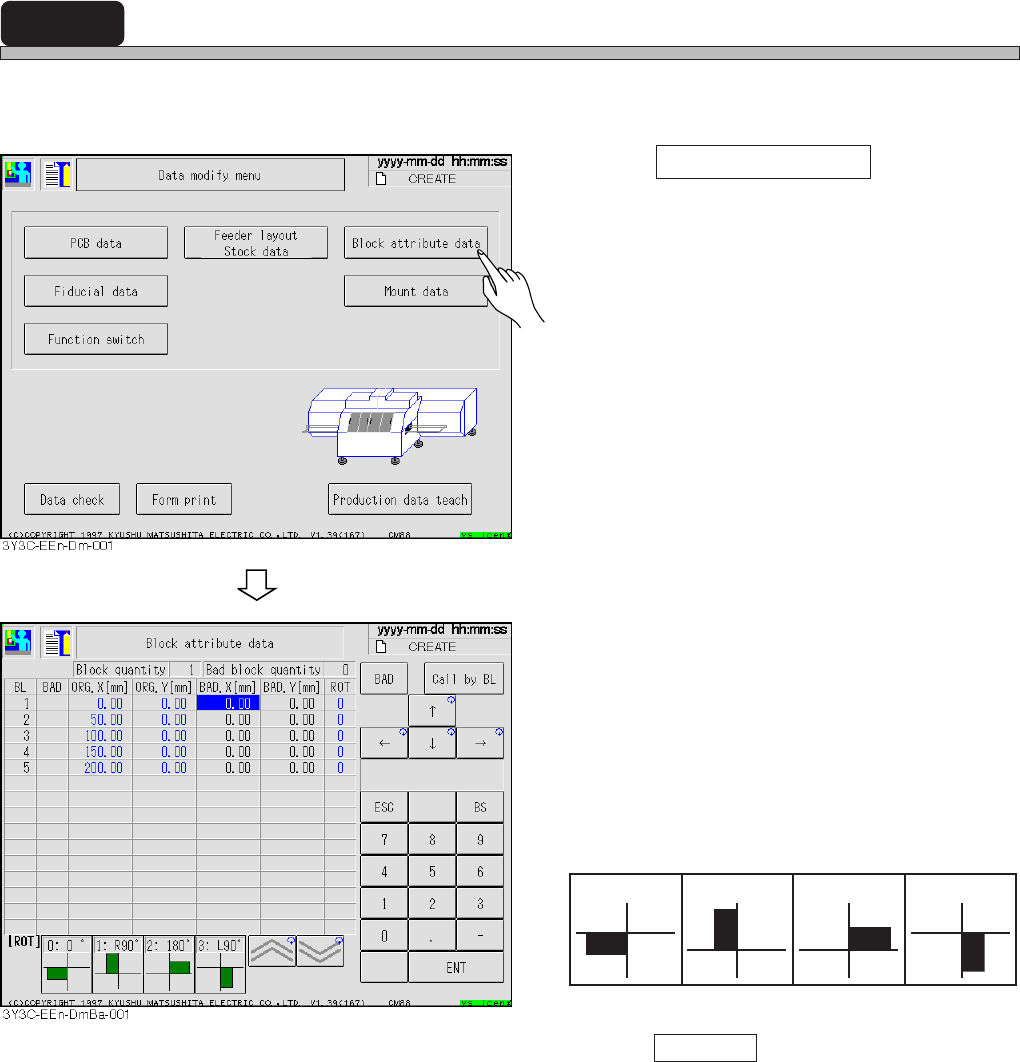
4-6 Block Attribute Data
Block attribute data is checked and corrected.
1. Press Block attribute data .
• Block attribute data screen appears.
2. Correct bad block mark coordinates
(BAD. X, BAD. Y) if necessary.
[Items]
• BL : Block No.
• BAD : Bad block
• ORG. X and Y : Block origin coordinate
• BAD. X and Y : Bad block mark coordinate
• ROT : No. of block extension angle
• Press Call by BL and enter the block No. to
move cursor to the specified block No.
3Y3C-E-EMD04-A01-00
1 : right 90° 2 : 180°
3 : left 90°
0 : 0°
Page 4-15
DATA MODIFICATION
4
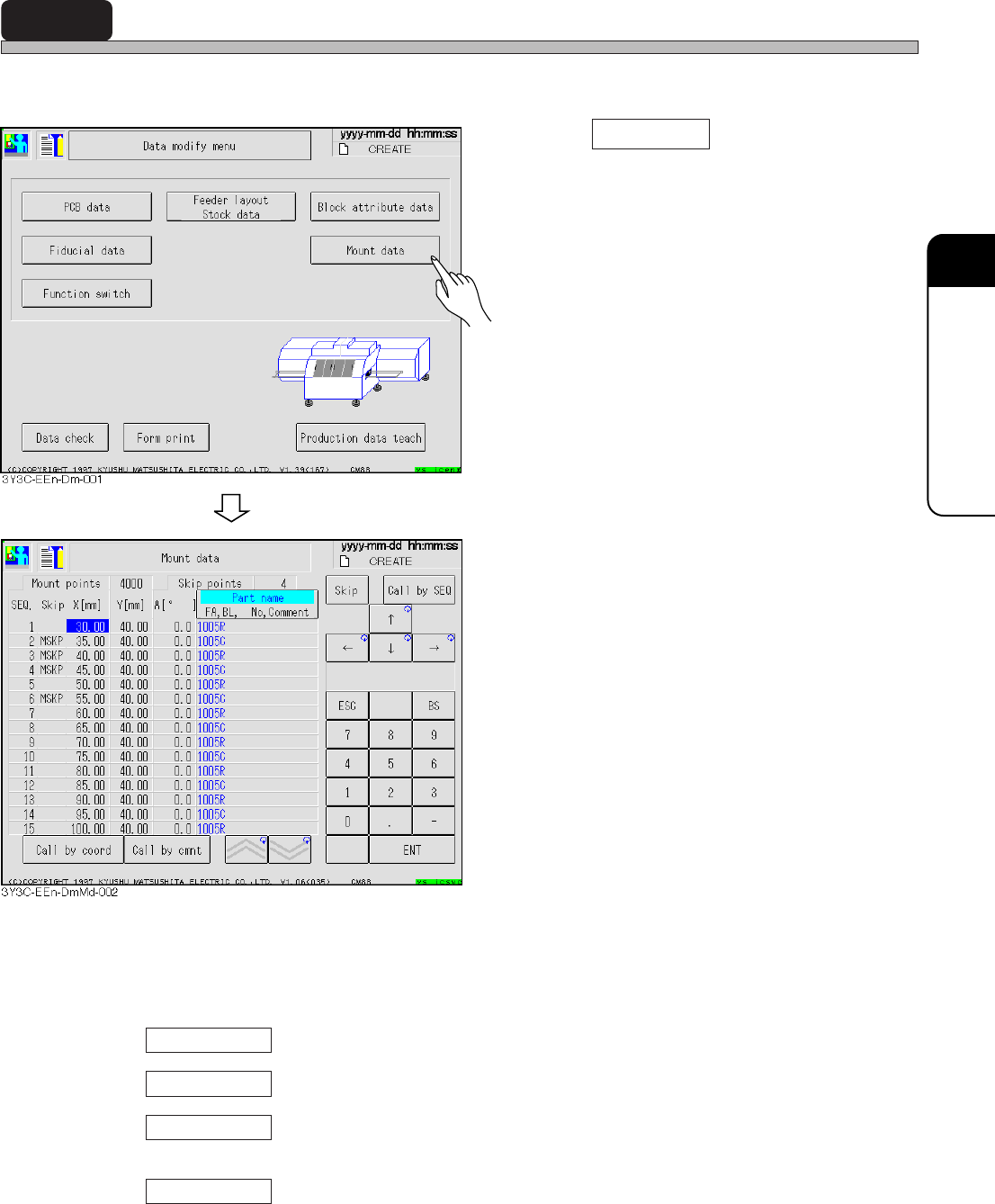
4-7 Mount Data
Mount data is checked and corrected.
1. Press Mount data .
• Mount data screen appears.
2. X and Y coordinates and mounting
angle are corrected.
• Mounting points : All points including skip
• Skip points : Points to skip mounting
• Skip
BAD : Bad block
USKP : Feeder layout skip
BSKP : Block data skip
MSKP : Mount data skip
∗ In setting the skip by some data, screen
displays data in the order of priority above.
• Skip ........ Skip (MSKP) is set.
• Call by SEQ ........ Cursor moves to the specified SEQ No.
• Call by coord ........ Cursor moves to SEQ of the set X and Y coordinates lower than the
current cursor position.
• Call by cmnt ........ Cursor moves to SEQ including the set comment lower than the current
cursor position.
3Y3C-E-EMD04-A01-01