OPERATING MANAUAL(FOR ENGINEERS) - 第94页
Page 4-16 3Y3C-E-EMD04-A01-00 4-8 Function Switch The setting of function switch to set the condition of driving is checked and corrected. 1 . Press Function switch . • The function switch screen appears. • Only the pass…
Page 4-15
DATA MODIFICATION
4
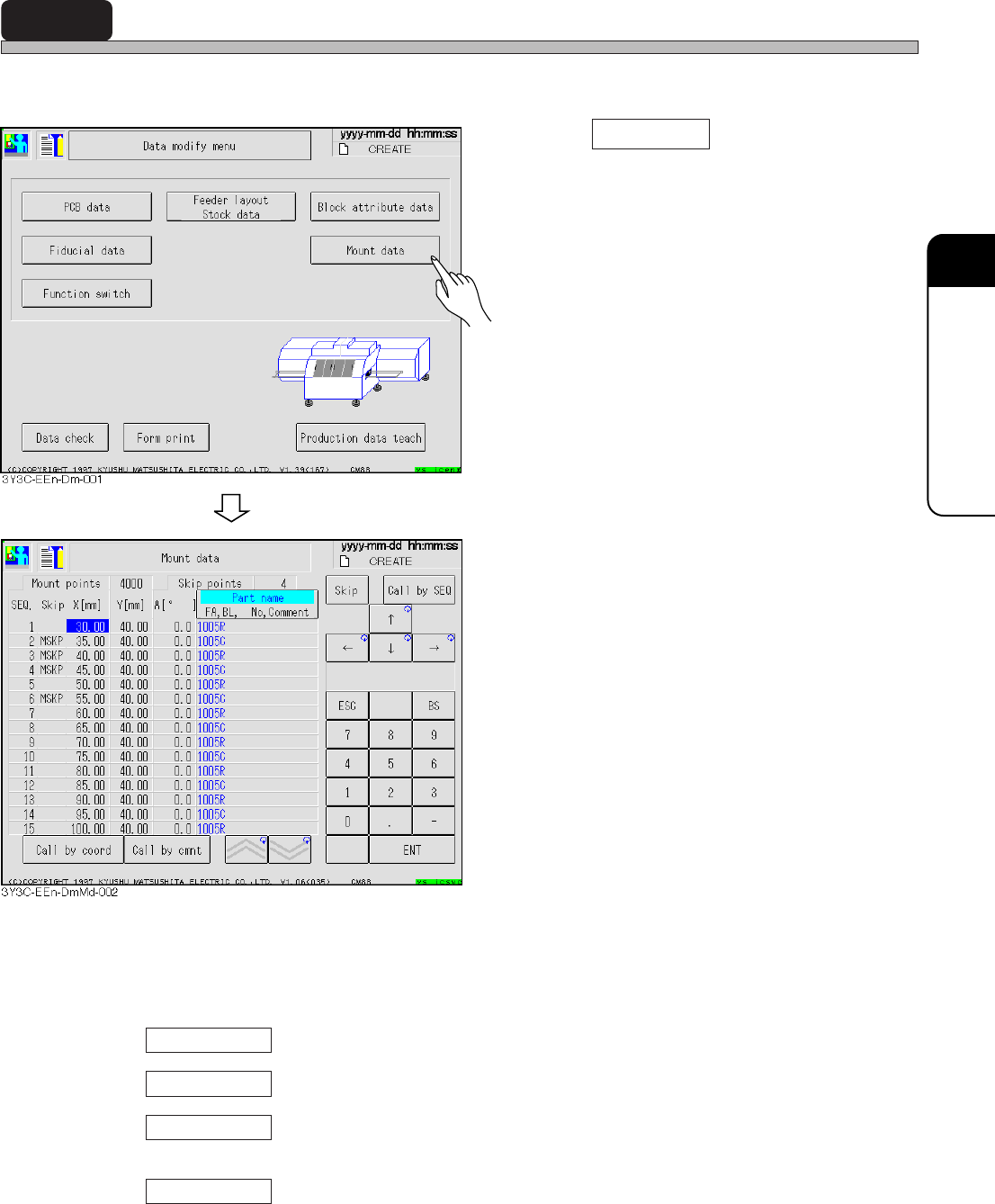
4-7 Mount Data
Mount data is checked and corrected.
1. Press Mount data .
• Mount data screen appears.
2. X and Y coordinates and mounting
angle are corrected.
• Mounting points : All points including skip
• Skip points : Points to skip mounting
• Skip
BAD : Bad block
USKP : Feeder layout skip
BSKP : Block data skip
MSKP : Mount data skip
∗ In setting the skip by some data, screen
displays data in the order of priority above.
• Skip ........ Skip (MSKP) is set.
• Call by SEQ ........ Cursor moves to the specified SEQ No.
• Call by coord ........ Cursor moves to SEQ of the set X and Y coordinates lower than the
current cursor position.
• Call by cmnt ........ Cursor moves to SEQ including the set comment lower than the current
cursor position.
3Y3C-E-EMD04-A01-01
Page 4-16
3Y3C-E-EMD04-A01-00
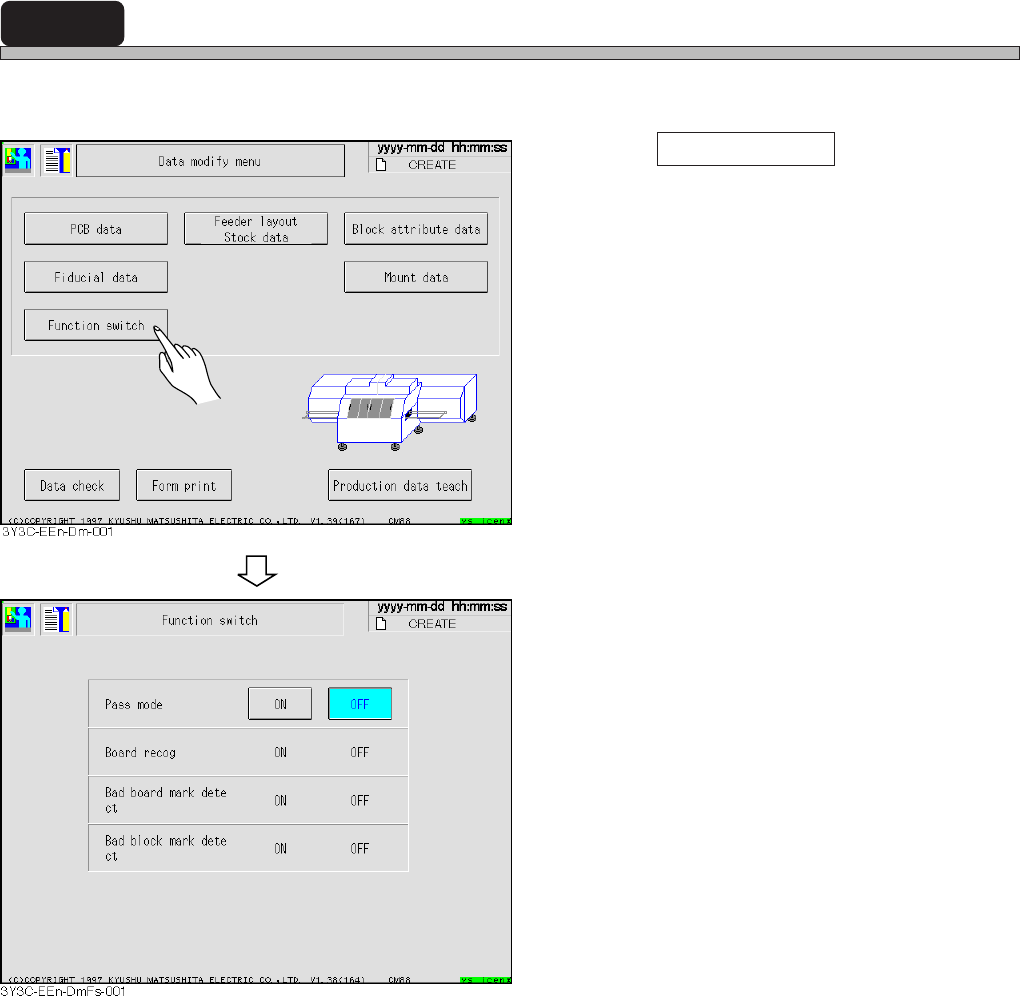
4-8 Function Switch
The setting of function switch to set the condition of driving is checked and corrected.
1. Press Function switch .
• The function switch screen appears.
• Only the pass mode, ON and OFF can be
changed.
Other conditions are only checked and set on
PT100 side.
• Pass mode..................................Board is transferred to the post-process not mounted.
• Board recognition......................Board is recognized.
• Bad board mark inspection ......Bad board mark is recognized.
• Bad block mark inspection .......Bad block mark is recognized.
Page 4-17
DATA MODIFICATION
4
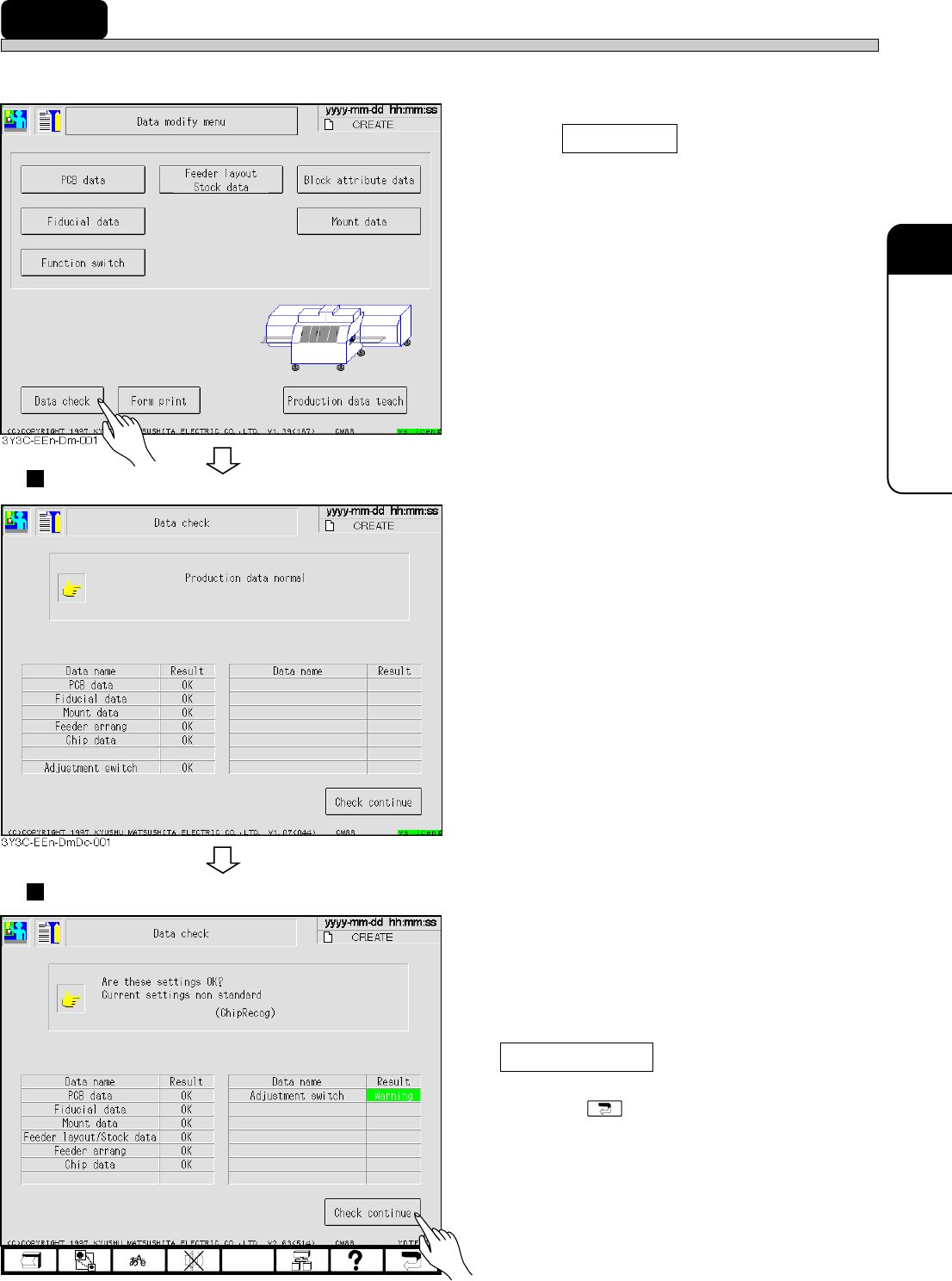
4-9 Data Check
Production data is checked.
1. Press Data check .
• Data check screen appears.
Normal data
• Some data may not be checked by function
switch (set by PT100).
• For proper data, “OK” appears
Abnormal data
• When data has an error, “Error” appears, and
when the adjustment switch does not match to
that in standard setting, “Warning” appears.
2. After checking abnormal data, press
Check continue .
• Pressing displays data modification
menu.
3Y3C-E-EMD04-A01-01
4G3C-EEn-DmDc-001