OPERATING MANAUAL(FOR ENGINEERS) - 第96页
Page 4-18 4-10 Form Print Production data is output to the printer . 1 . Press Form print . • Form print screen appears. 2 . Select the switch for information to output, and press Run . • Switch is highlighted by selecti…
Page 4-17
DATA MODIFICATION
4
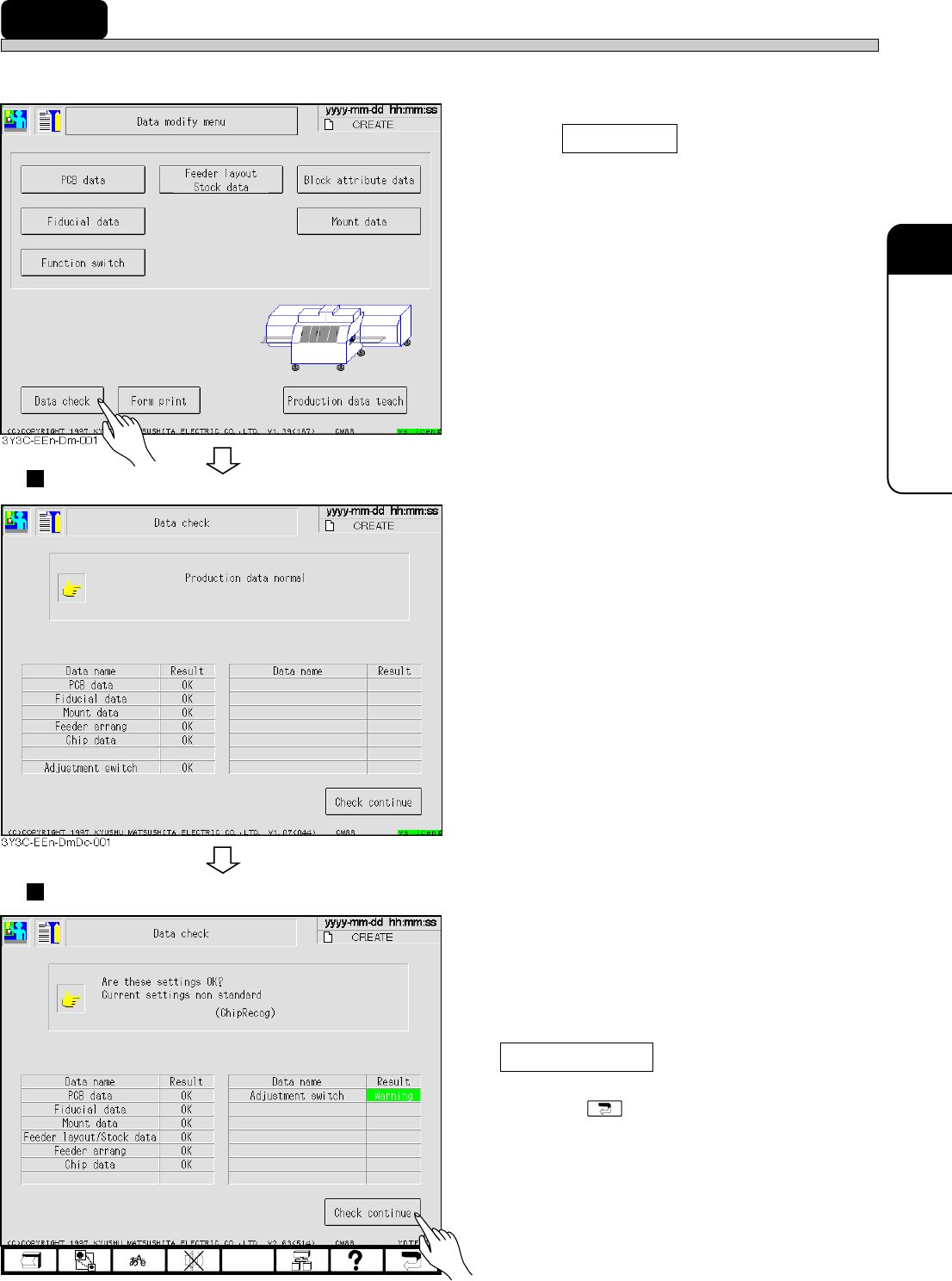
4-9 Data Check
Production data is checked.
1. Press Data check .
• Data check screen appears.
Normal data
• Some data may not be checked by function
switch (set by PT100).
• For proper data, “OK” appears
Abnormal data
• When data has an error, “Error” appears, and
when the adjustment switch does not match to
that in standard setting, “Warning” appears.
2. After checking abnormal data, press
Check continue .
• Pressing displays data modification
menu.
3Y3C-E-EMD04-A01-01
4G3C-EEn-DmDc-001
Page 4-18
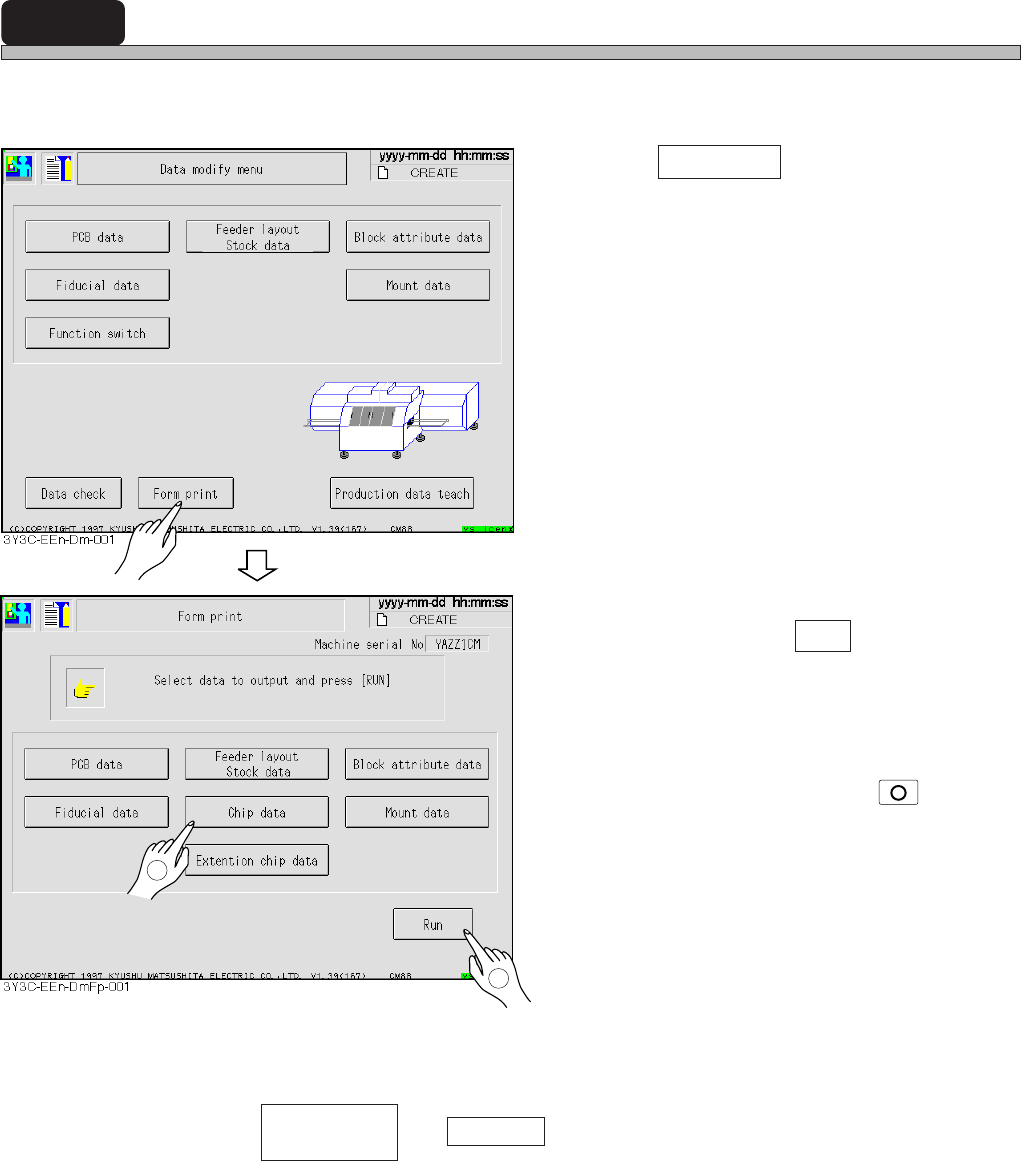
4-10 Form Print
Production data is output to the printer.
1. Press Form print .
• Form print screen appears.
2. Select the switch for information to
output, and press Run .
• Switch is highlighted by selecting information,
and canceled by pressing it again.
You can select some data at once.
∗ When quitting to output, press
STOP
on the
operation panel.
∗ Only when and Chip data are selected at the same time, parts layout and chip
data information are output.
3Y3C-E-EMD04-A01-00
1
2
Parts layout
Stock data
Page 5-1
3Y3C-E-EMD05-A01-00
Chapter 5
TEACHING
TEACHING
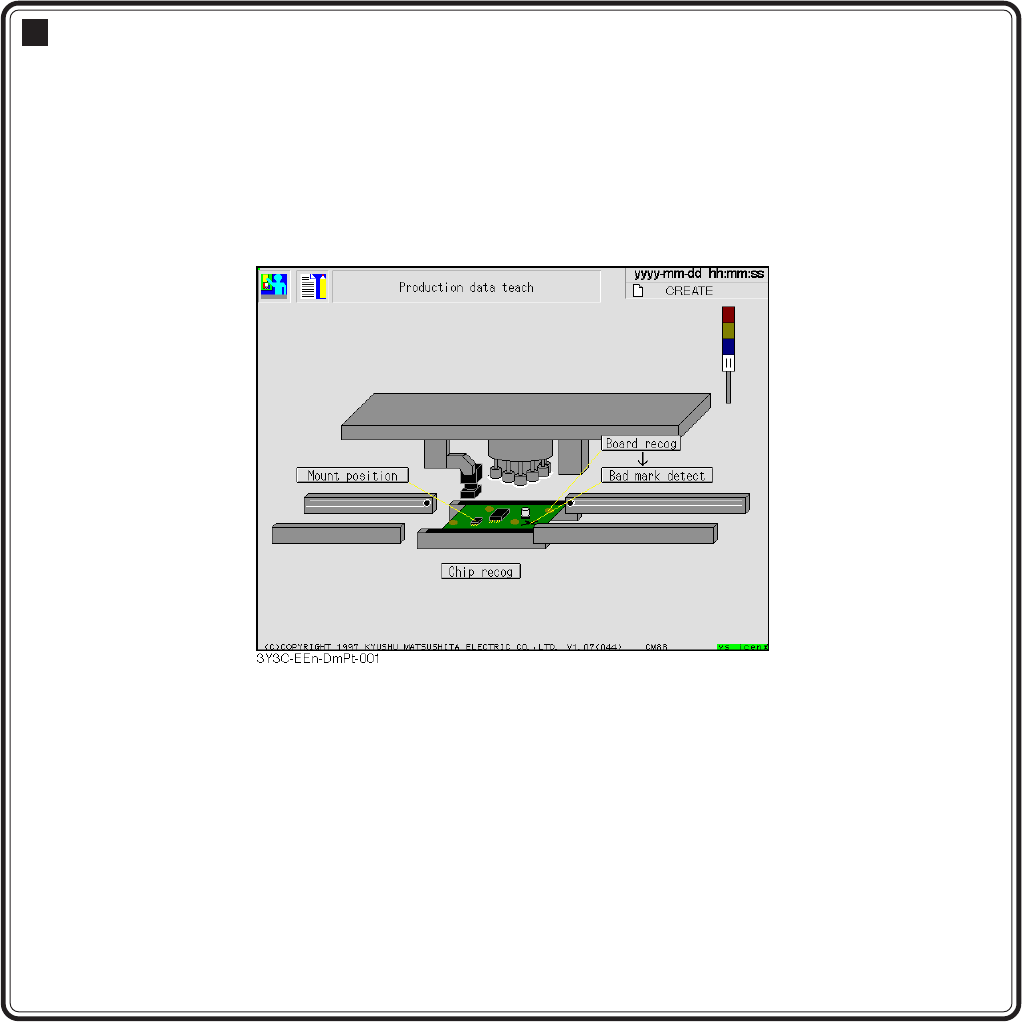
Teaching
Based on data (machine data) created by PT100, mount data is corrected by recogni-
tion device (PRU).
Teaching is for board recognition, bad mark recognition, chip recognition, and mount
coordinate.
Production data teaching menu