00194547-09_InstallationManual_60103SP4_EN_DE.pdf - 第110页
Installationsanleitung Stationssoftw are Version 601.03 SP4 Ausgabe 05/2007 Abb. 4-4: Dialog "Mul tiple Monitor Layout" → Klicken Sie auf die Schaltfläche Mirrored Monitors . → Bestätigen Sie die Auswahl mit OK…
Installationsanleitung Stationssoftware Version 601.03 SP4 Ausgabe 05/2007
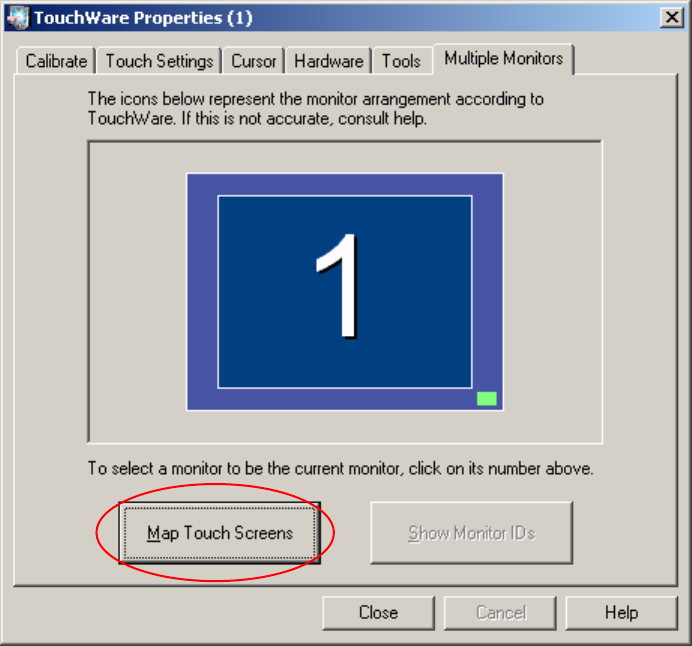
Abb. 4-3: TouchWare Properties – Registerkarte Multiple Monitors
→ Klicken Sie auf die Schaltfläche Map Touch Screens.
Der Dialog "Multiple Monitor Layout" wird angezeigt.
20 von 90
Installationsanleitung Stationssoftware Version 601.03 SP4 Ausgabe 05/2007
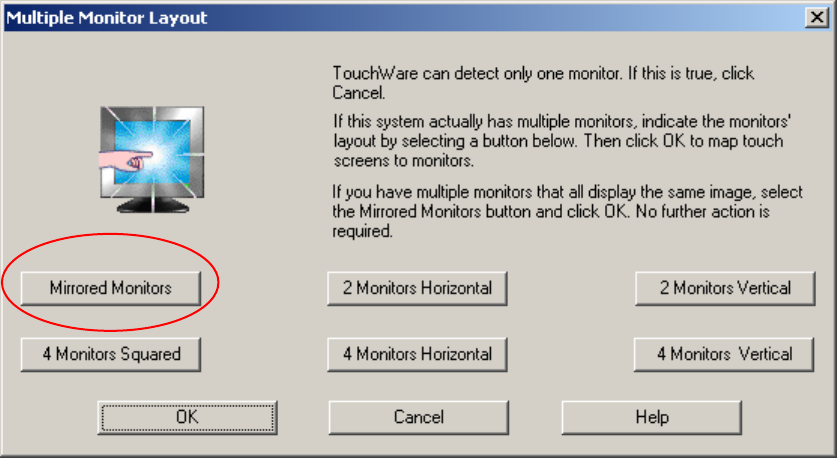
Abb. 4-4: Dialog "Multiple Monitor Layout"
→ Klicken Sie auf die Schaltfläche Mirrored Monitors.
→ Bestätigen Sie die Auswahl mit OK.
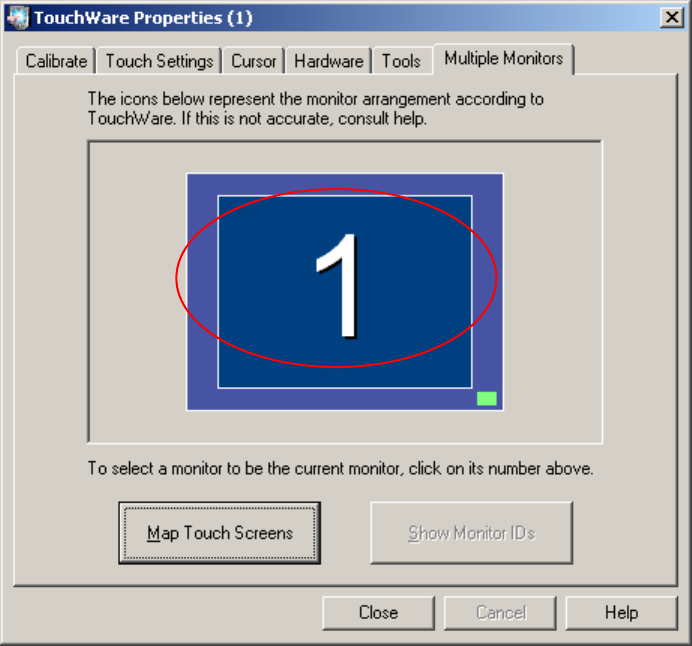
Die Touch Screens sind jetzt gemappt und die Registerkarte "Multiple Monitors" wird wieder
angezeigt.
21 von 90
Installationsanleitung Stationssoftware Version 601.03 SP4 Ausgabe 05/2007
Abb. 4-5: TouchWare Properties – Registerkarte Multiple Monitors (Beispiel für Monitor 1)
22 von 90