DECAN_S1_Operation_EN.pdf - 第12页
Chap ter 1 This chapter describes the name of each part, teac hing box and the configuration of MMI(Man-Machine Interface). Machin e Ov e rv i e w Nex t Generation, Multi- Funct ional Placer DE CAN S 1 Ope ra tio n Han d…
Chapter 1
This chapter describes the name of each part, teaching box and the
configuration of MMI(Man-Machine Interface).
Machine Overview
Next Generation, Multi-Functional Placer
DECAN S1 Operation Handbook
1-4
Configuration of MMI > The configuration of 'production' screen
Configuration of MMI
Machine Overview
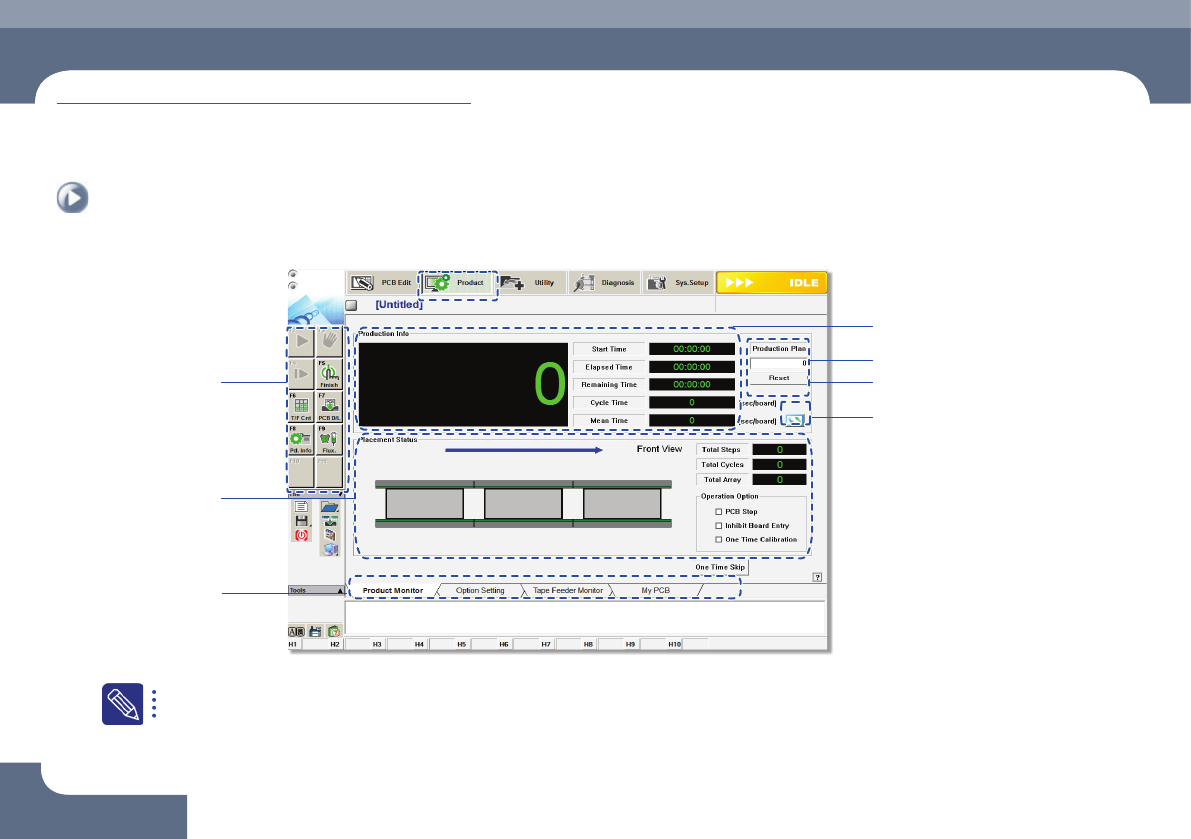
2. The configuration of 'production' screen
Input production quantity
IIndicates work progress
Production submenu
Displays PCB
Data
Tab dialog box
PCB Count Initialization (0)
Change unit system
For the detailed description about each function of the 'Product' menu, refer to'11.1 Product Main' of the 'Administrator's Guide'.
Chapter 1
This chapter describes the name of each part, teaching box and the
configuration of MMI(Man-Machine Interface).
Machine Overview
Next Generation, Multi-Functional Placer
DECAN S1 Operation Handbook
1-5
Configuration of MMI > The configuration of 'production' screen
Configuration of MMI
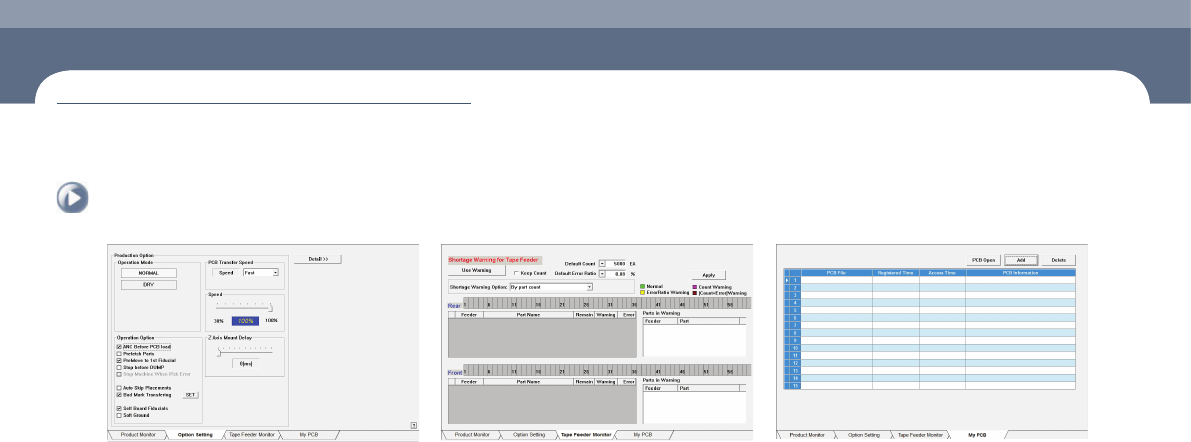
'Option Setting' dialog box 'Tape Feeder Monitor' dialog box 'My PCB' dialog box

MEMO
Next Generation, Multi-Functional Placer
Machine Overview
DECAN S1 Operation Handbook
1-6