DECAN_S1_Operation_EN.pdf - 第35页
DE CAN S 1 Ope ra tio n Han db oo k 3-1 6 Chap ter 3 This chapter describes the production procedure. Pr oduction Nex t Generation, Multi- Funct ional Placer Pr epara tion F or Oper atio n Ⅱ > Adju stin g the conv eyo…
DECAN S1 Operation Handbook
3-15
Chapter 3
This chapter describes the production procedure.
Production
Next Generation, Multi-Functional Placer
Preparation For Operation Ⅱ > Adjusting the conveyor width
Preparation For Operation Ⅱ
2. Adjusting the conveyor width
Step 1.
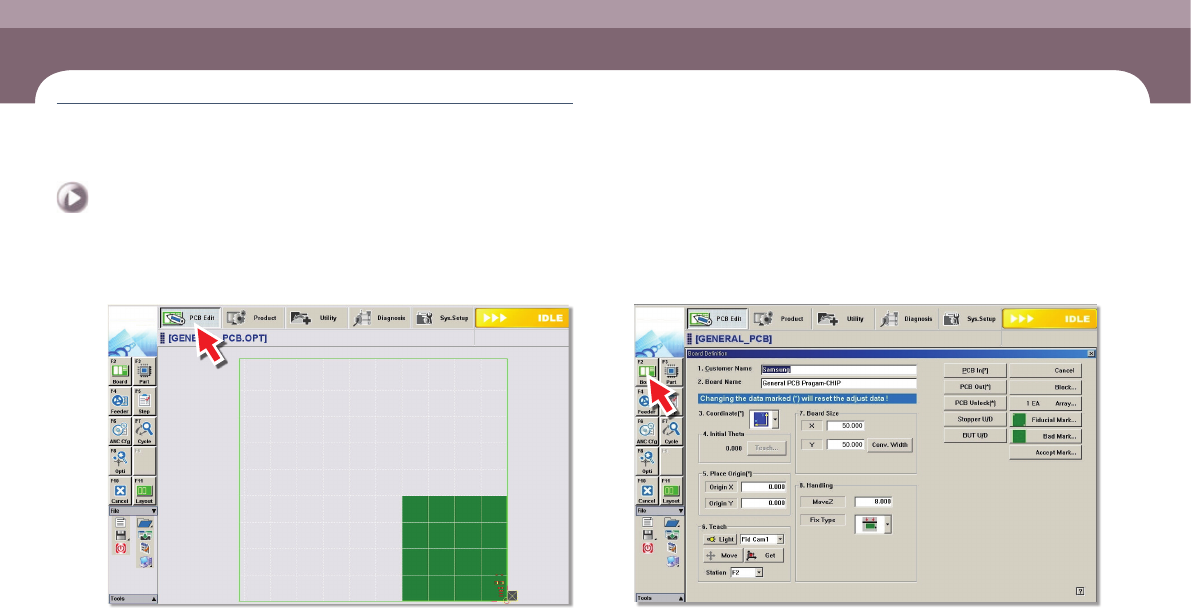
Select the 'PCB Edit' menu
Step 2.
Select the 'Board' submenu
DECAN S1 Operation Handbook
3-16
Chapter 3
This chapter describes the production procedure.
Production
Next Generation, Multi-Functional Placer
Preparation For Operation Ⅱ > Adjusting the conveyor width
Preparation For Operation Ⅱ
Production
Step 3.
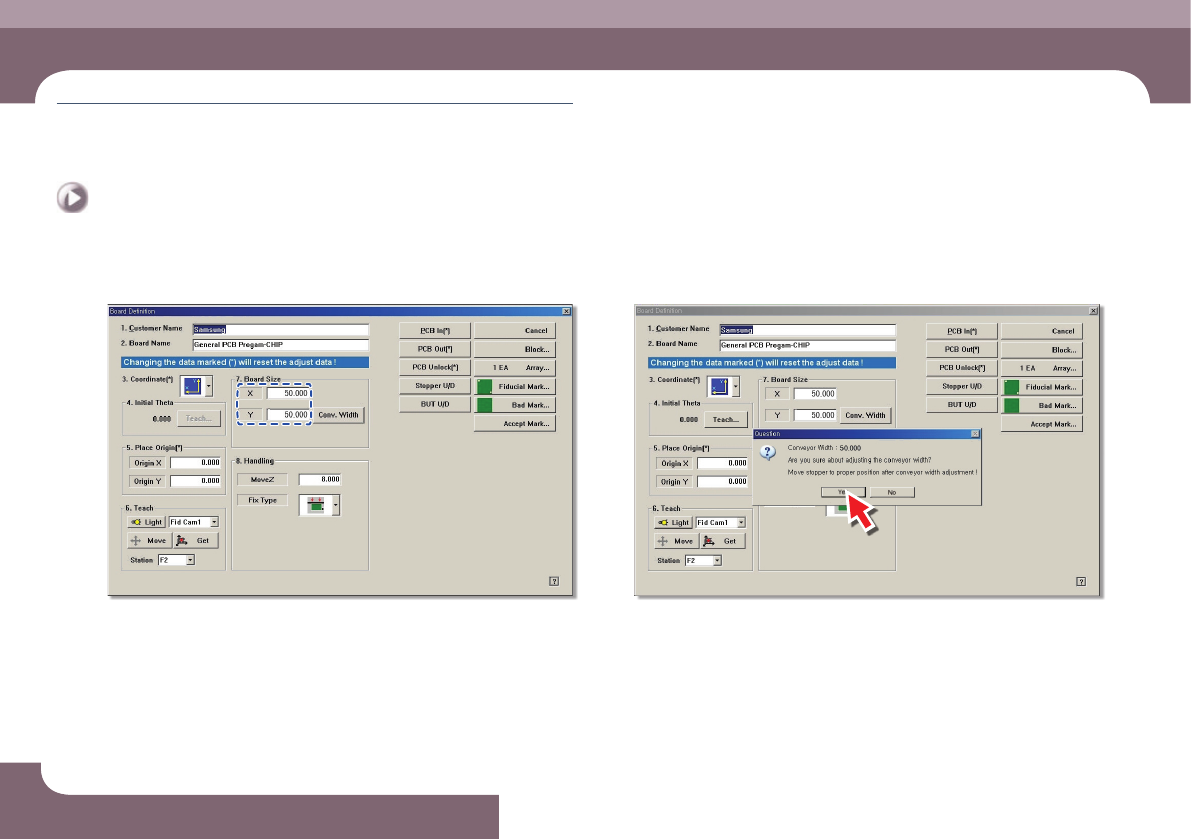
Enter Y size of PCB in the <7.Board Size> group
Step 4.
Click the <Conv. Width> button
DECAN S1 Operation Handbook
3-17
Chapter 3
This chapter describes the production procedure.
Production
Next Generation, Multi-Functional Placer
Preparation For Operation Ⅱ > Adjusting the conveyor width
Preparation For Operation Ⅱ
Step 5.
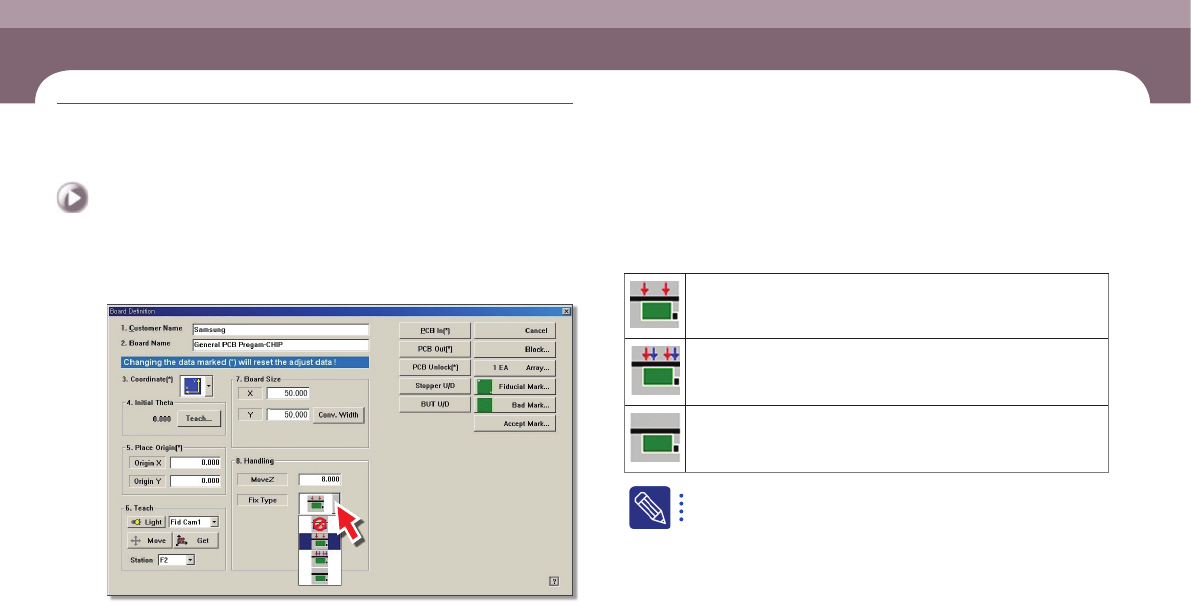
PCB fixing method setup: Select the method to align the PCBs
Edge Fixer1: A method of alignment by pushing the PCB from the side
with a device attached on the conveyor.
Edge Fixer2: It is the same as the “Edge Fixer” method, but it is a
method of pushing twice from the side.
None: It uses only the PCB clamping method for fixing a PCB.
The 'Fix Type' is selected based on the weight of the PCB. If the
weight of the PCB is more than 1kg, select the Edge Fixer 2.