DECAN_S1_Operation_EN.pdf - 第44页
DE CAN S 1 Ope ra tio n Han db oo k 3 -25 Chap ter 3 This chapter describes the production procedure. Pr oduction Nex t Generation, Multi- Funct ional Placer Pr oduc ti on > Star ti ng produc ti on (Au tomat ic produ …
DECAN S1 Operation Handbook
3-24
Chapter 3
This chapter describes the production procedure.
Production
Next Generation, Multi-Functional Placer
Production > Loading the PCB file
Production
Production
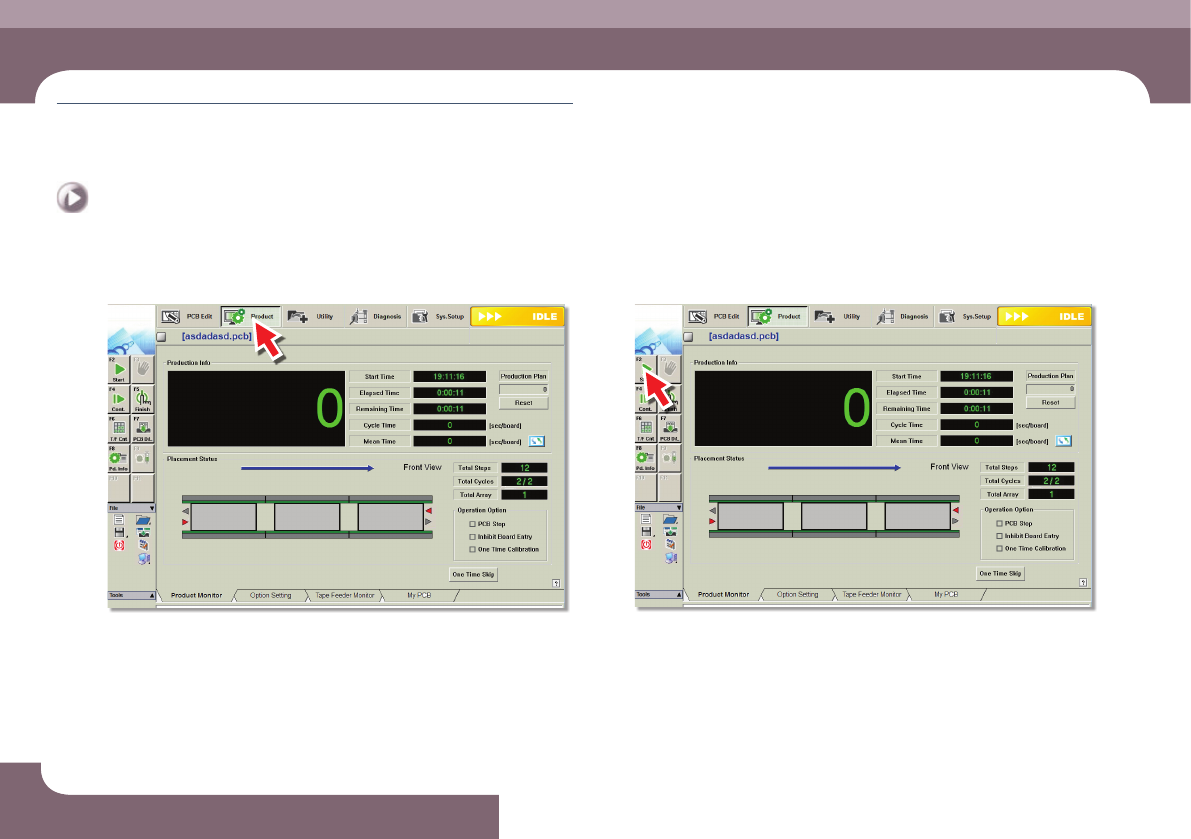
1. Loading the PCB file
Step 1.
Select the 'Product' menu
ㆍ Displays the 'Product Monitor' screen.
Step 2.
Select the 'Start' submenu (F2)
ㆍ If the 'Start' submenu is selected, the PCB program is downloaded automatically.
Production
DECAN S1 Operation Handbook
3-25
Chapter 3
This chapter describes the production procedure.
Production
Next Generation, Multi-Functional Placer
Production > Starting production (Automatic production)
Production
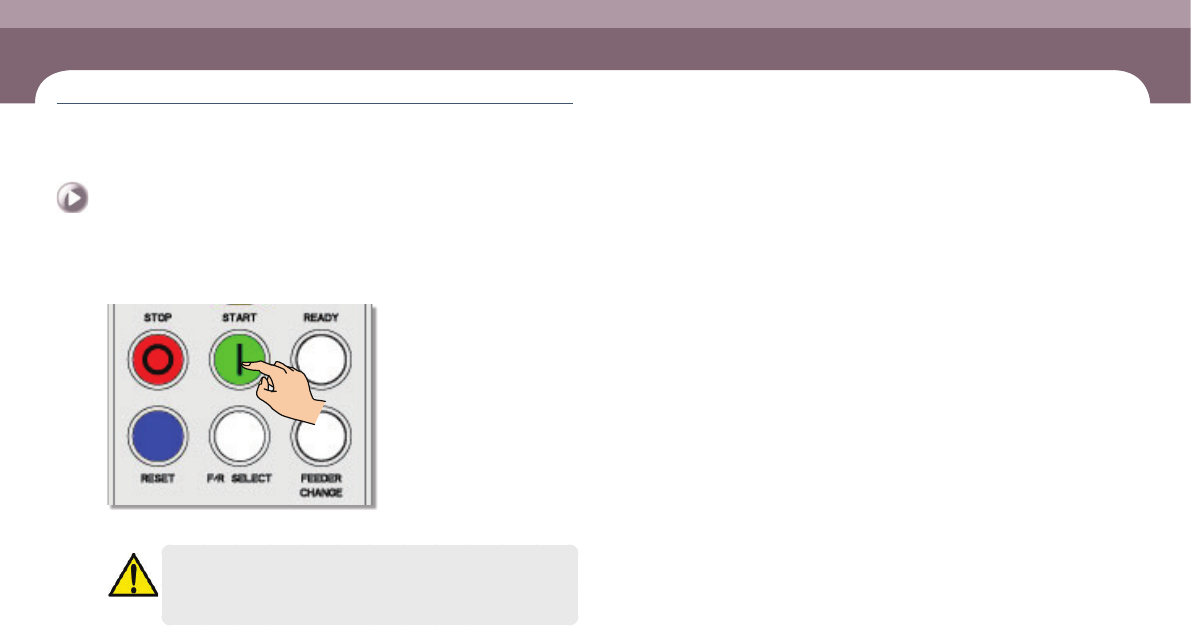
2. Starting production (Automatic production)
Step 1.
Press 'START' button in the operation pannel
ㆍ Starts production.
Warning
Check if there is a worker around the machine before starting
production.
DECAN S1 Operation Handbook
3-26
Chapter 3
This chapter describes the production procedure.
Production
Next Generation, Multi-Functional Placer
Production > Starting production (Quantity designated production)
Production
Production
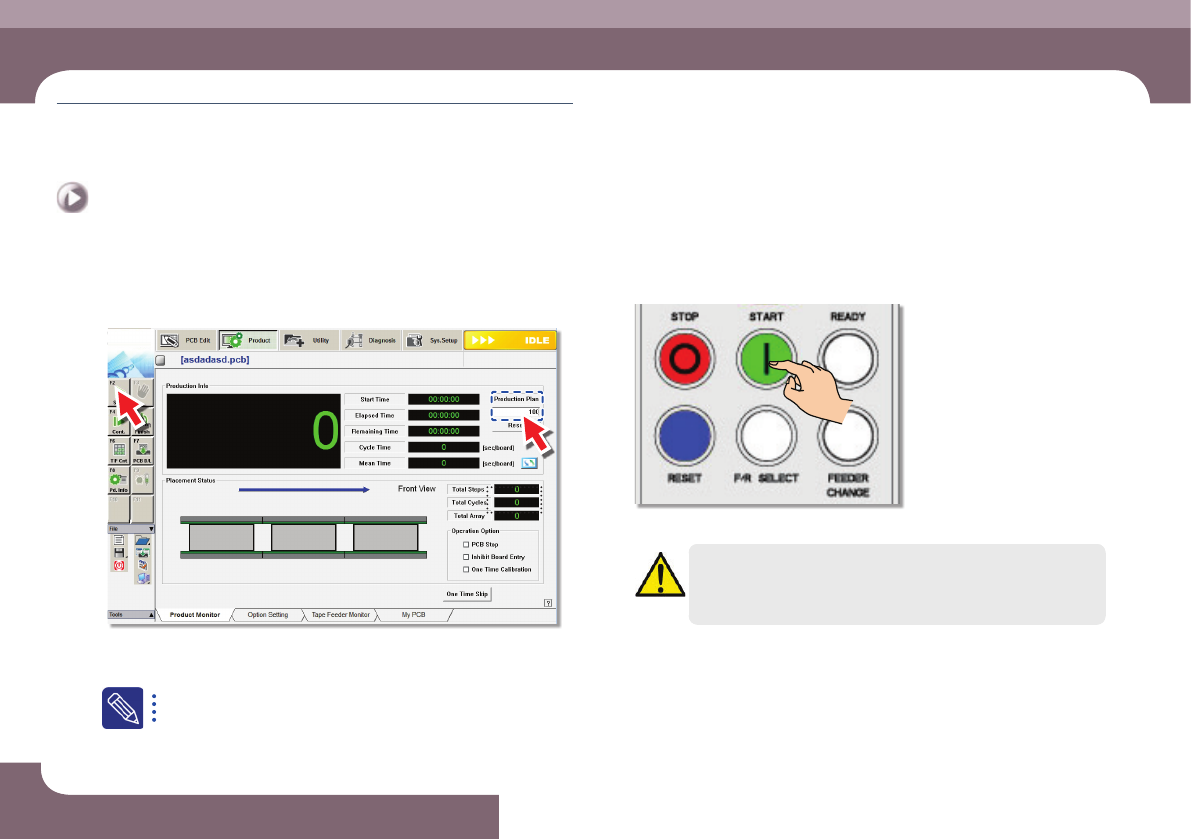
3. Starting production (Quantity designated
production)
Step 1.
Set the production quantity
ㆍ Select the 'Start' submenu after setting the total number of PCBs to be worked in
the <Production plan> edit box
Set the total number of PCBs to be worked in the <Production plan>
edit box. If the value becomes 0, the production is stopped.
Step 2.
Press 'START' button in the operation pannel
ㆍ Starts production.
Warning
Check if there is a worker around the machine before starting
production.