DECAN_S1_Operation_EN.pdf - 第61页
It ems t o b e inspe ct e d du r ing p r oduction Chap ter 4 Nex t Generation, Multi- Funct ional Placer DE CAN S 1 Ope ra tio n Han db oo k 4-1 6 This chapter describes the methods for temporary stop of the machine(Cont…
Items to be inspected during production
Chapter 4
Next Generation, Multi-Functional Placer
DECAN S1 Operation Handbook
4-15
This chapter describes the methods for temporary stop of the
machine(Continue / Start mode), emergency stop (by manual/ by
system) and the restarting the production after emergency stop when
checking errors or other items and taking measures during production.
Emergency Stop > System emergency stop: How to take measures against the emergency stop due to the judgment of the system itself
Emergency Stop
2. System emergency stop: How to take measures
against the emergency stop due to the judgment of
the system itself
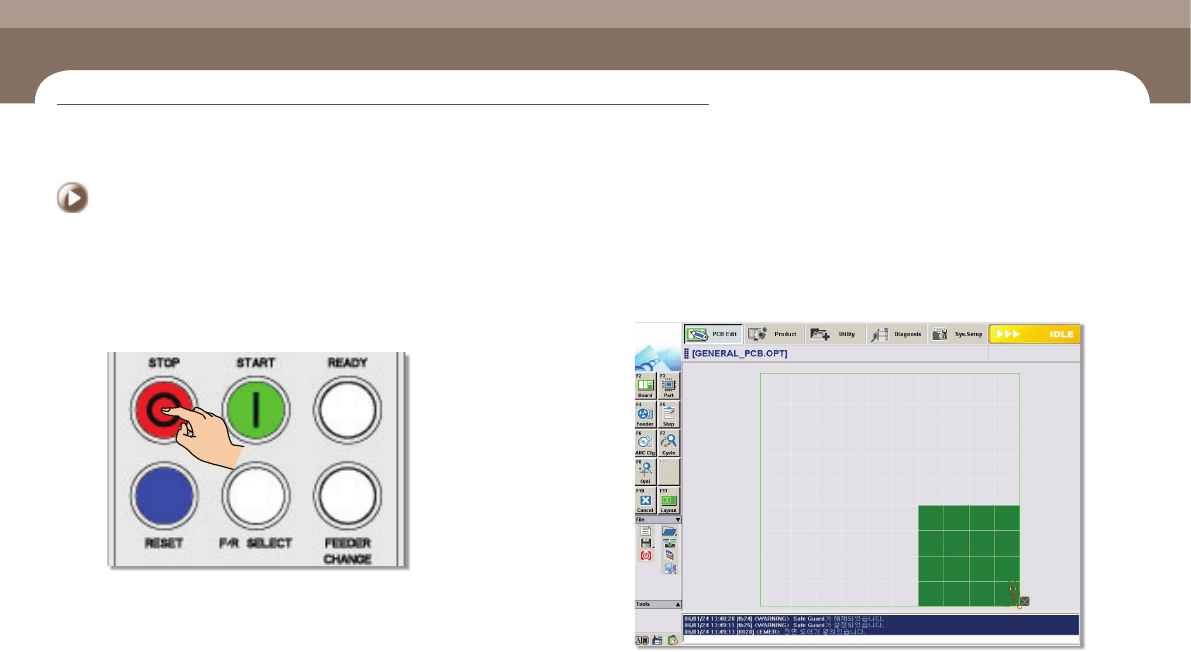
Step 1.
Press the 'STOP' button to turn off the buzzer
Step 2.
Check the error information displayed on the monitor of the
machine.
Items to be inspected during production
Chapter 4
Next Generation, Multi-Functional Placer
DECAN S1 Operation Handbook
4-16
This chapter describes the methods for temporary stop of the
machine(Continue / Start mode), emergency stop (by manual/ by
system) and the restarting the production after emergency stop when
checking errors or other items and taking measures during production.
Emergency Stop > System emergency stop: How to take measures against the emergency stop due to the judgment of the system itself
Emergency Stop
Items to be inspected during production
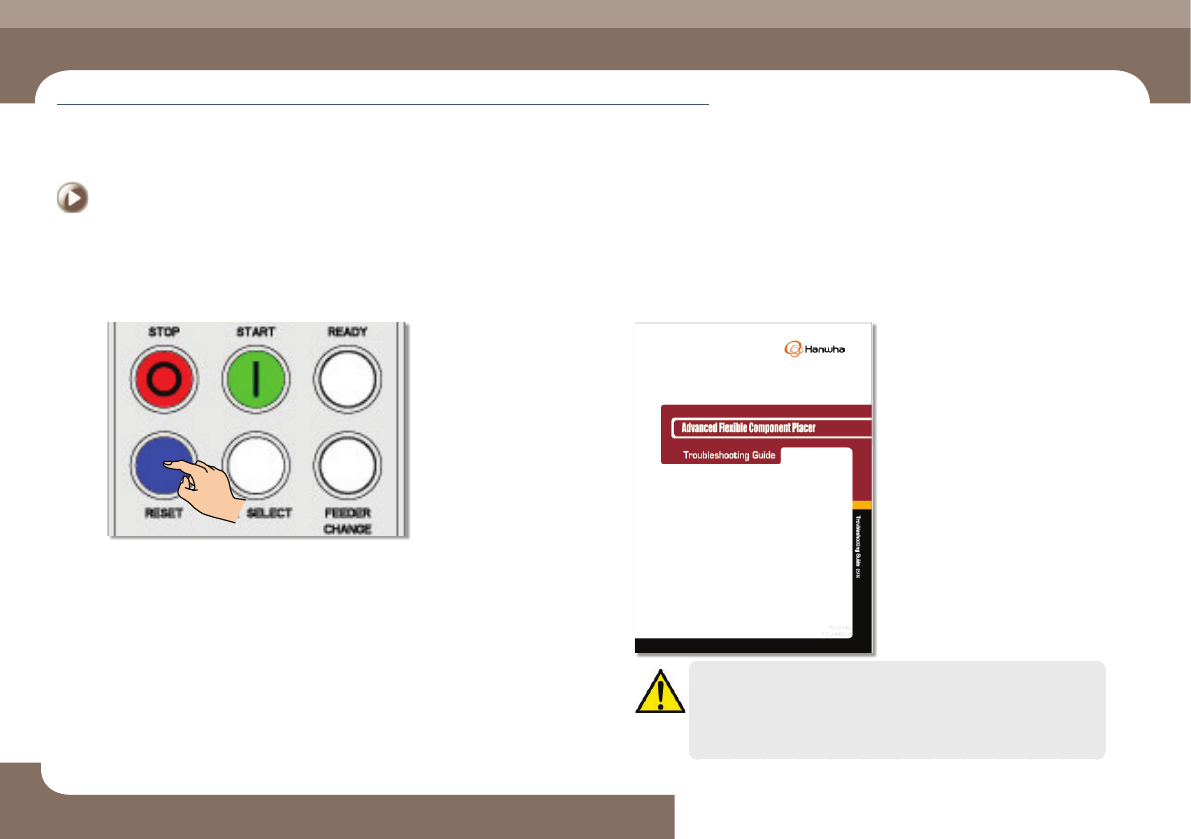
Step 3.
Press the 'RESET' button to change the machine operation
mode into the 'IDLE' mode.
Step 4.
Check the error by referring to the 'Troubleshooting Guide' and
take measures
Caution
In case that the machine stops in an emergency state and then
the production is restarted, the operator must check if there is any
component on the PCB due to emergency stop before pressing the
'READY' button. If he/she finds any, it must be removed.
Items to be inspected during production
Chapter 4
Next Generation, Multi-Functional Placer
DECAN S1 Operation Handbook
4-17
This chapter describes the methods for temporary stop of the
machine(Continue / Start mode), emergency stop (by manual/ by
system) and the restarting the production after emergency stop when
checking errors or other items and taking measures during production.
Emergency Stop > System emergency stop: How to take measures against the emergency stop due to the judgment of the system itself
Emergency Stop
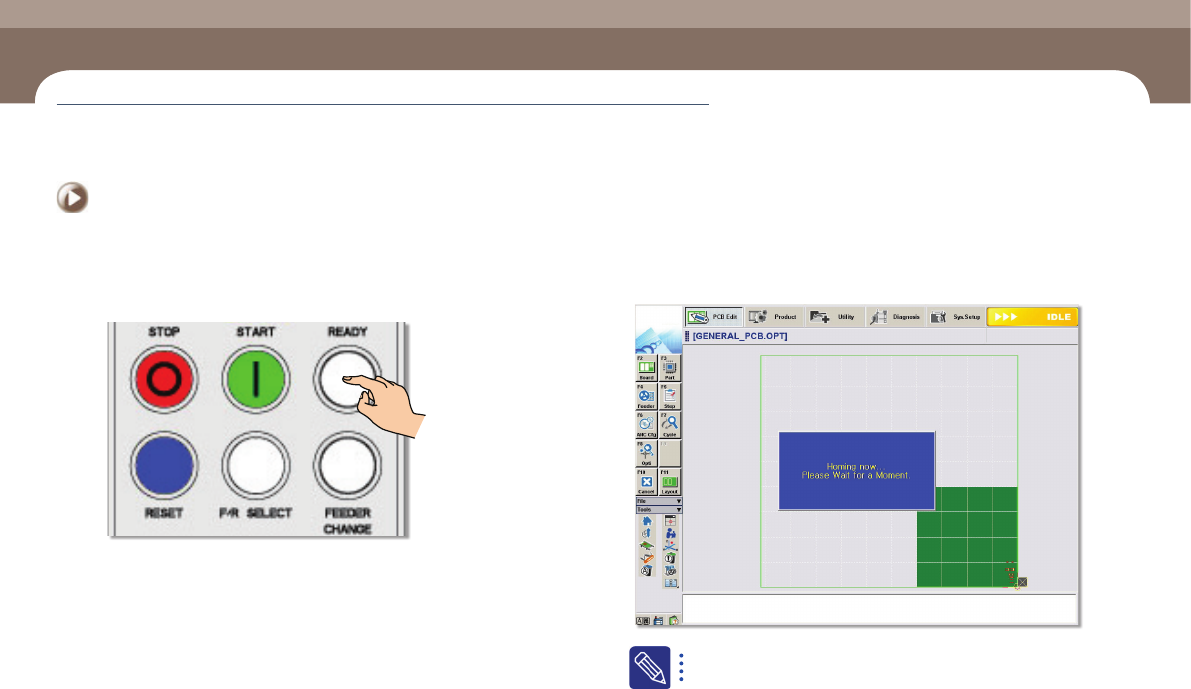
Step 5.
Press the 'READY' button to supply power to the motor of the
machine.
Step 6.
Return the machine to the origin, if necessary.
In the case of an error against which the user can not take measures,
inform the manager of it and contact our C/S or the loacl agent.
If the work is stopped due to emergency stop, take measures against
the error and start the work again from the beginning.