DECAN_S1_Operation_EN.pdf - 第67页
Fini sh p r oduction and chang e w o rk Chap ter 5 Nex t Generation, Multi- Funct ional Placer DE CAN S 1 Ope ra tio n Han db oo k 5-4 This chapter describes the method to finish production and change t he work to new wo…

Finish production and change work
Chapter 5
Next Generation, Multi-Functional Placer
DECAN S1 Operation Handbook
5-3
This chapter describes the method to finish production and change the
work to new work as well as the method to turn off the power supply
to the machine after finishing production and keeping the area around
the machine clean and tidy.
Finishing Production > Finishing the Production and shutting down the machine
Finishing Production
Step 5.
Shut down the machine
ㆍ To save the changes and exit MMI, click <Yes> button.
Step 6.
Turn off the main switch
ㆍ Turn off the main switch on the front of the machine when the power of PC is off.
Finish production and change work
Chapter 5
Next Generation, Multi-Functional Placer
DECAN S1 Operation Handbook
5-4
This chapter describes the method to finish production and change the
work to new work as well as the method to turn off the power supply
to the machine after finishing production and keeping the area around
the machine clean and tidy.
SMT In-Line Process > Finishing the Production and shutting down the machine
SMT In-Line Process
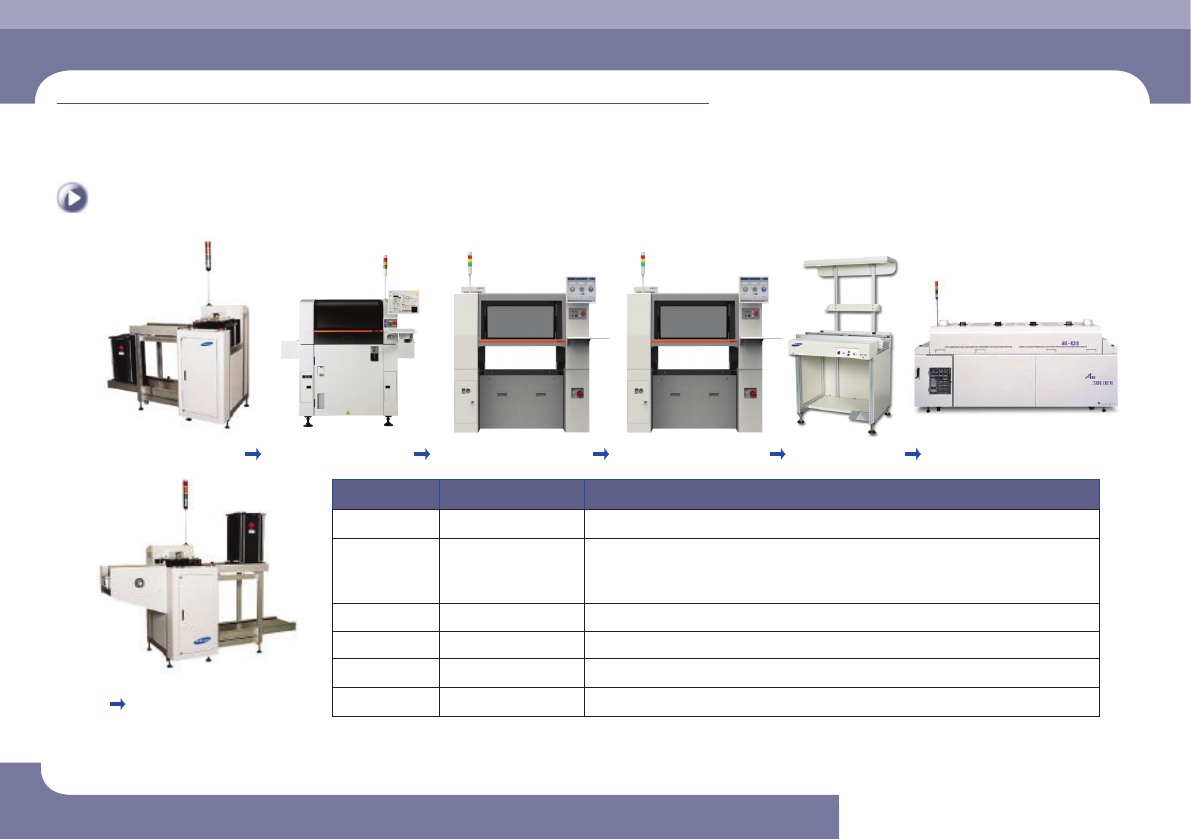
Finish production and change work
Magazine Loader
Screen Printer
Component Placer
Component Placer
Work Table
Reower
Magazine Unloader
Work Sequence In-Line System Measures
1 Magazine Loader Adjust the conveyor width according to the width of the PCB to be newly worked on
2 Screen Printer
Machine Stop → Metal Mask Removal/ Washing → Backup Pin Removal → New
Work File Loading → Backup-Pin Rearrangement → Conveyor Width Adjustment →
Metal Mask Installation → Solder Check/ Make-up
3 Component Placer For more details, refer to the section entitled Changing Jobs on the next page.
4 Work Table Adjust the conveyor width according to the width of the PCB to be newly worked on
5 Reflower Conveyor Width Adjustment → Test Production → Setups for Temperature and others
6 Magazine Unloader Adjust the conveyor width according to the width of the PCB to be newly worked on
SMT In-Line Process
Finish production and change work
Chapter 5
Next Generation, Multi-Functional Placer
DECAN S1 Operation Handbook
5-5
This chapter describes the method to finish production and change the
work to new work as well as the method to turn off the power supply
to the machine after finishing production and keeping the area around
the machine clean and tidy.
Changing Jobs > Changing the machine status into the 'IDLE' mode
Changing Jobs
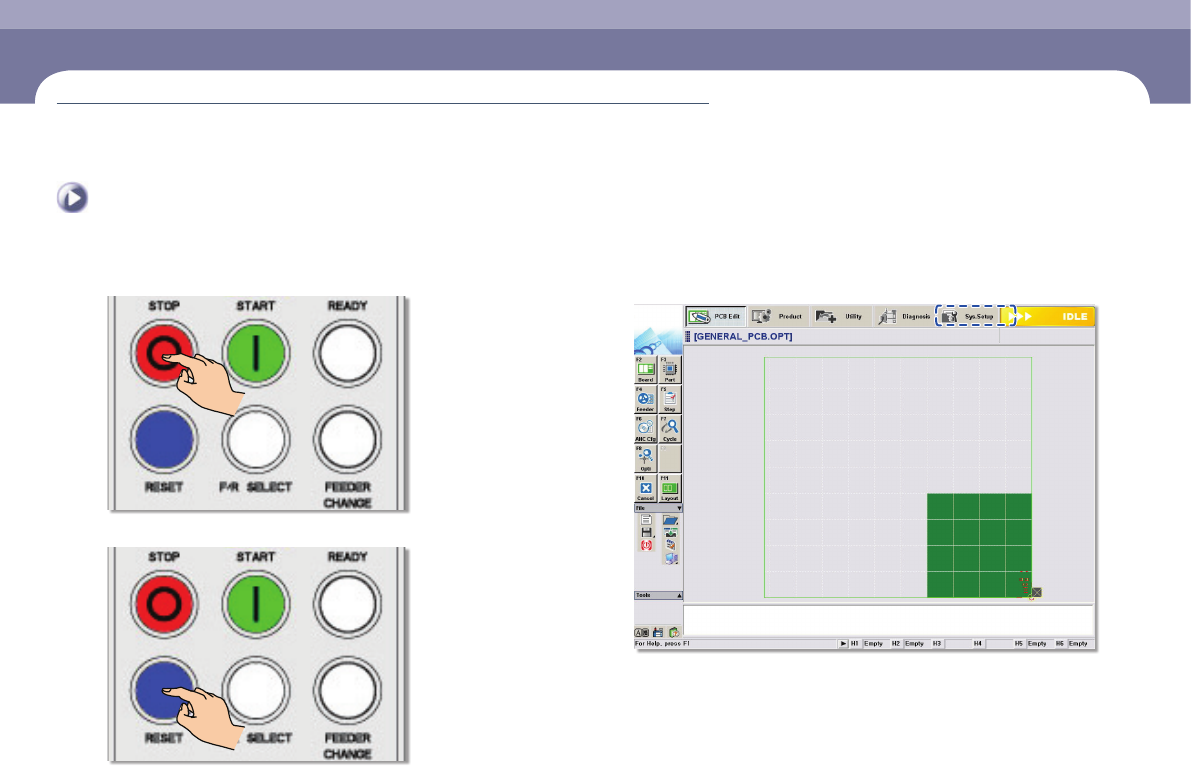
1. Changing the machine status into the 'IDLE' mode
Step 1.
Press the 'STOP' button
Step 2.
Press the 'RESET' button
Step 3.
Check if the machine is in the 'IDLE' mode
Changing Jobs