YSI_Prog_E - 第107页
2-36 2 Creating inspection pr ograms n Pitch input and copy of multiple views Use the [Pitch Deplo y] button to copy multiple views such as for creating views on a multi-board panel. 1 Select the views to be copied. Sele…
2-35
2
Creating inspection programs
n
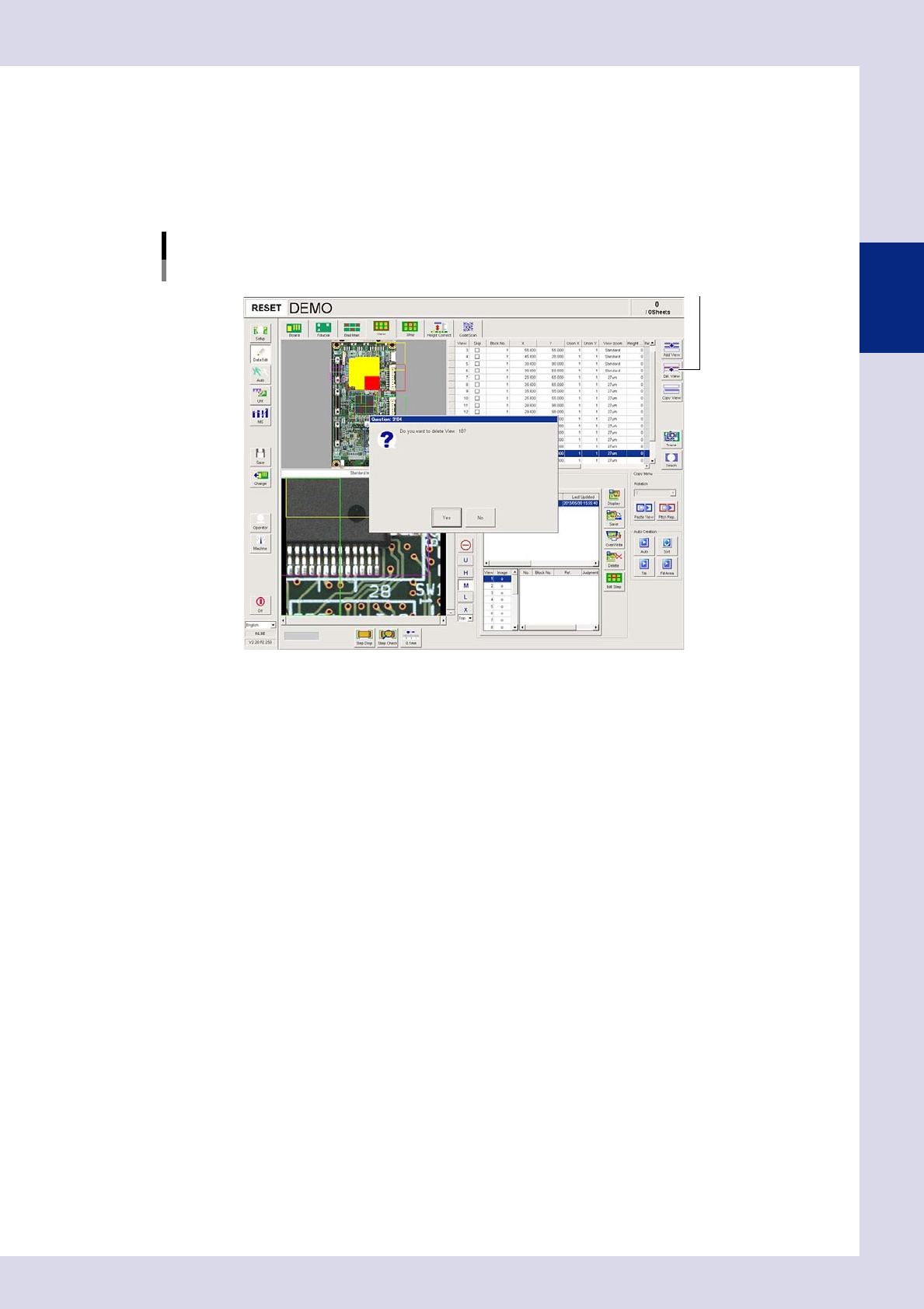
Deleting multiple views
1
Select the views to be deleted.
Select multiple views to be deleted in the view radar.
2
Press the [Delete View] button.
Press the [Yes] button at the confirmation message that appears. To cancel, press the [No] button.
[Delete View] button
[Delete View] button
24234-P6-00
2-36
2
Creating inspection programs
n
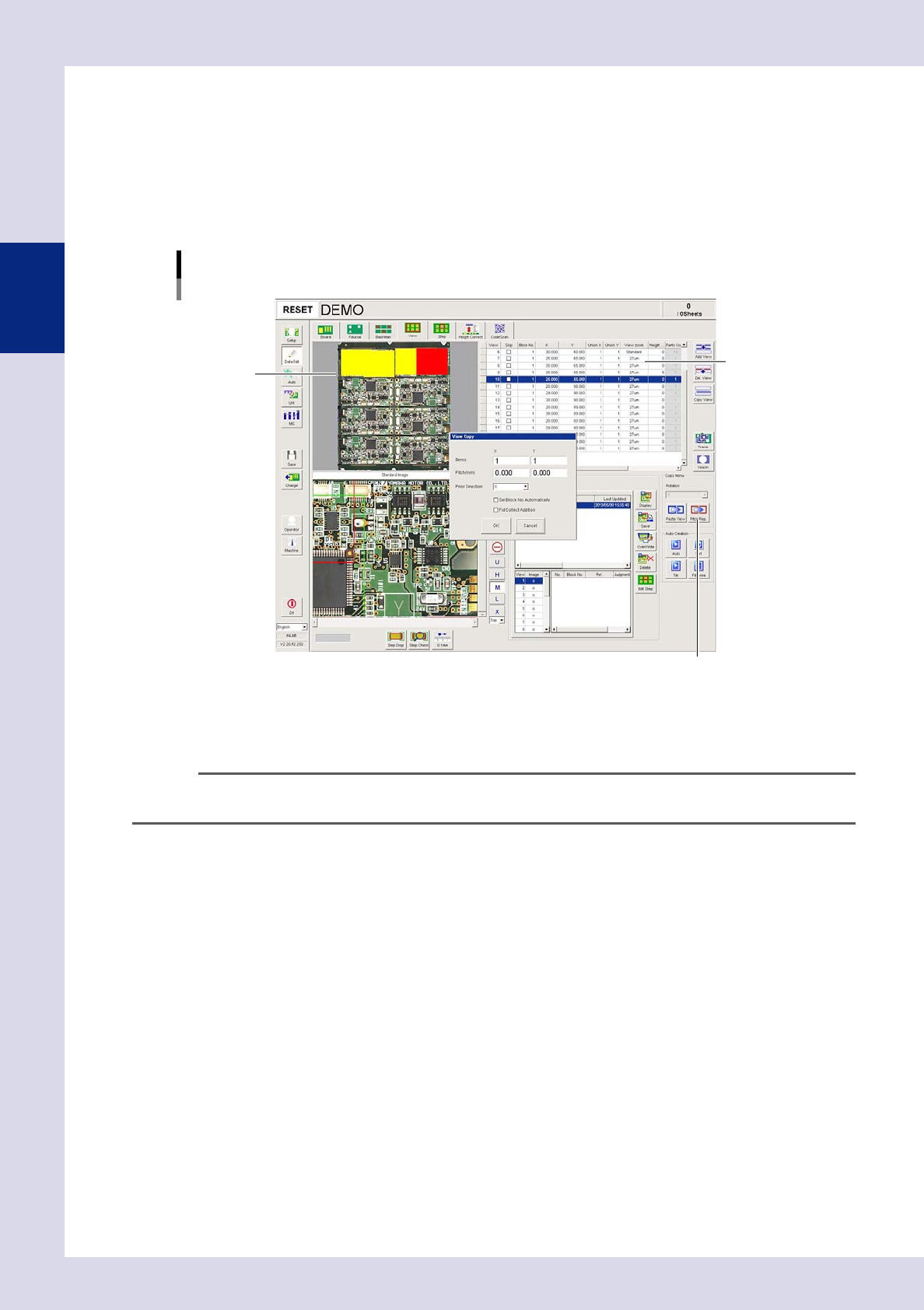
Pitch input and copy of multiple views
Use the [Pitch Deploy] button to copy multiple views such as for creating views on a multi-board panel.
1
Select the views to be copied.
Select multiple views to be copied in the view radar.
2
Press the [Pitch Deploy] button.
The "View Copy" dialog box appears.
[Pitch Deploy] button
[Pitch Deploy] button
View list
View radar
24235-P6-00
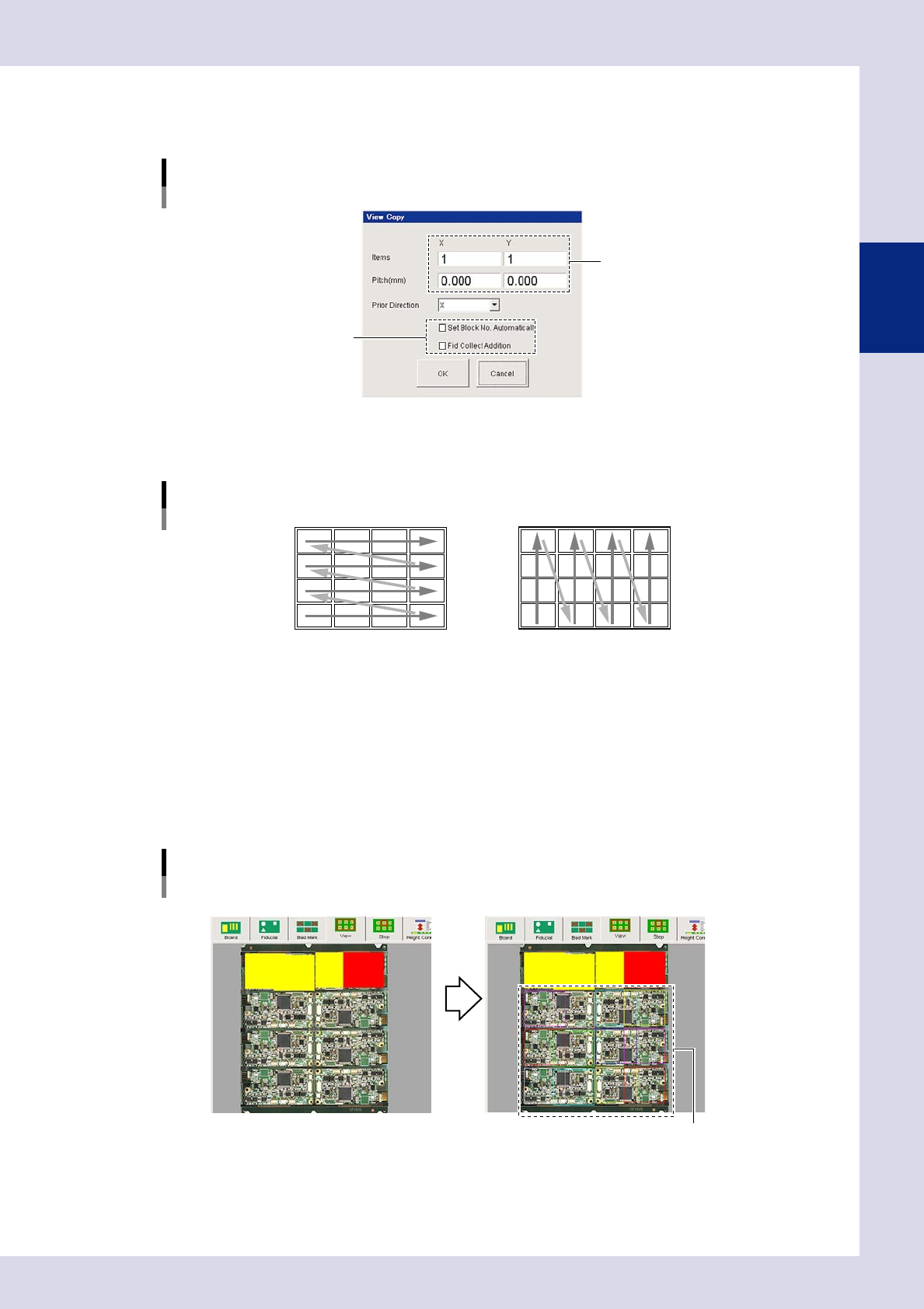
3
Enter the number of copies and the pitch.
Enter the number of copies in the "Number XY" boxes, and enter the pitch in the "Pitch XY" boxes.
n
NOTE
When setting the pitch to create multiple views on a multi-board panel, enter the view pitch data by board design.
(Units: mm)
2-37
2
Creating inspection programs
4
Set the deployment conditions.
Select the direction to be copied from the "Prior Direction" drop-down list. Select the condition check
boxes as required.
[View Copy] screen
Set the deployment conditions.
Step 3
24236-P6-00
Prior direction
Select the prior direction to be copied.
Prior direction
X direction Y direction
23216-P6-00
Set Block No. Automatically
Select this check box to add a block No. to the deployed view.
Fid Collect Addition
By selecting this check box, fiducials recognized when deploying the view are corrected.
5
Press the [OK] button to perform copy.
6
Click on the view list and view radar.
The copied views are displayed on the screen.
Screen example after pitch input and copy
Before pitch input and copy After pitch input and copy
Views are copied in
the specified positions
24237-P6-00