YSI_Prog_E - 第134页
3-11 3 Step screen 2 Selects the reduced light. Reduced light is lighting for images excluded fr om images used for inspection. (Reduced lighting does not have to be selected.) Use the following pr ocedure to select the …
3-10
3
Step screen
2. All functions
2.1 Recognition method (based on light sampling type)
There are four methods available for recognizing inspection objects in order to perform inspection. Those
methods are luminance, color, shape, and X-ray. Select the image to be used for inspection, and then set the
threshold value to show the object to be inspected in red.
2.1.1 Luminance
Samples detection objects in region of specified luminance, and uses them as the object of inspection. Open
the "LIGHT" tab and select "Luminance" for the "Light Sampling Type".
1
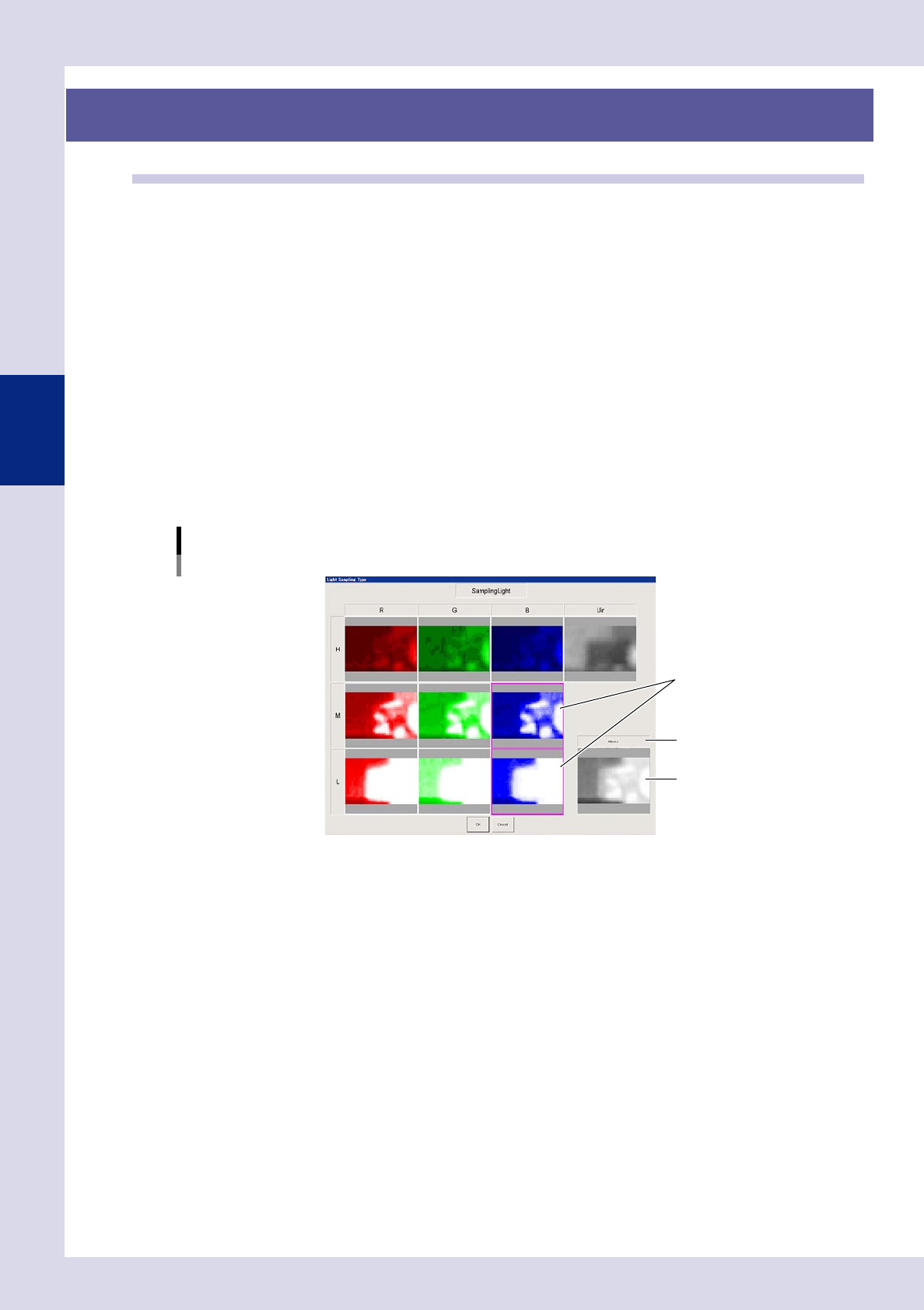
Selects the sampling light.
Sampling light is the lighting used for inspection. Use the following procedure to select the sampling
light.
1. Press the [Light Detail] button to open the "Luminance" screen.
2. Press the [Sampling Light] button to open a sampling light type screen, and select up to two images
that show the inspection object with good contrast. The name of the selected images and
composite image of the selected images appears in the lower right. This image is used for inspection.
3. Press the [OK] button to save the settings.
Light Sampling Type: Luminance
Sampling light.
Select the image(s).
Composite image
Image name
24306-P6-00
3-11
3
Step screen
2
Selects the reduced light.
Reduced light is lighting for images excluded from images used for inspection. (Reduced lighting does
not have to be selected.) Use the following procedure to select the reduced light.
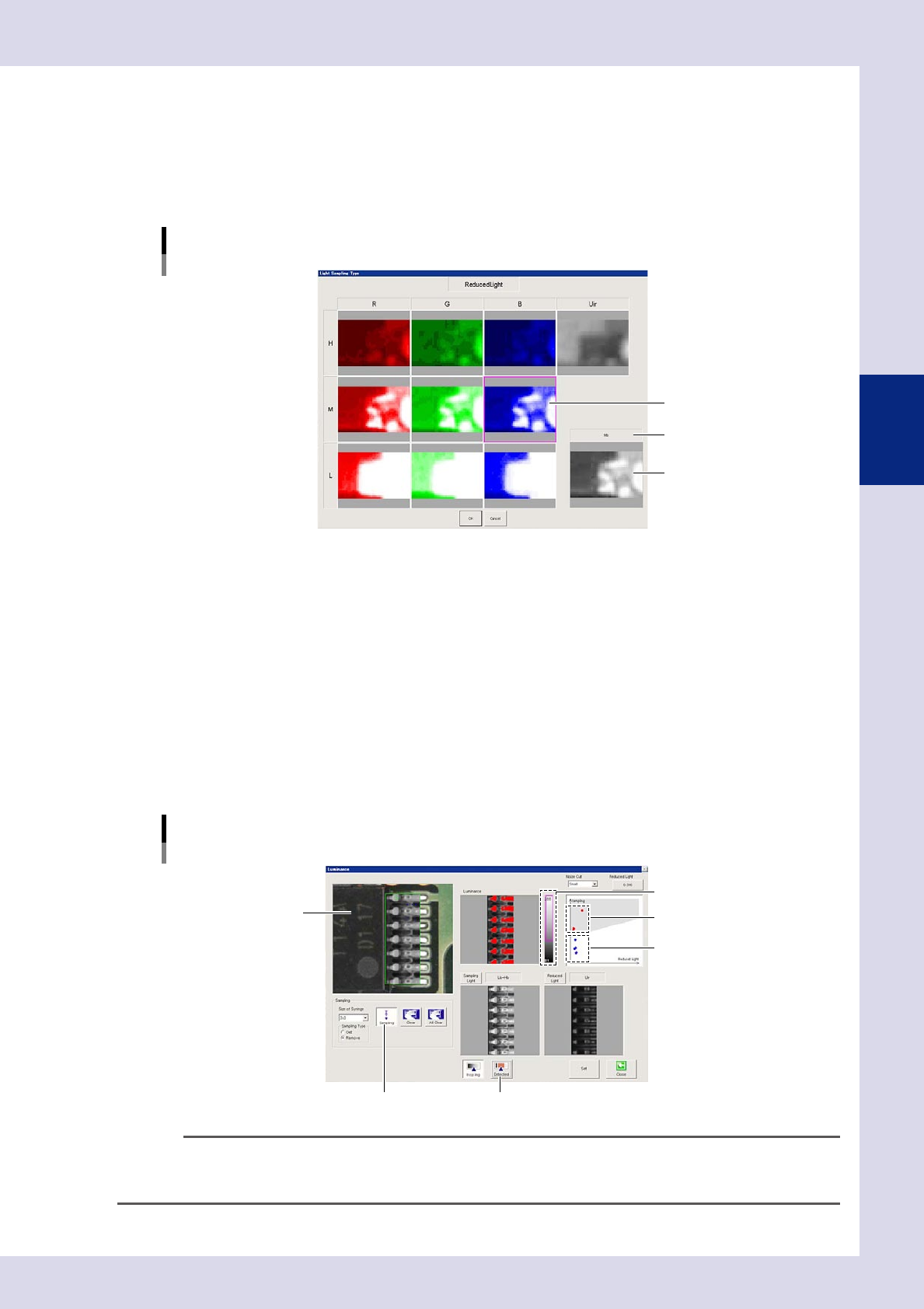
1. Press the [Reduced Light] button at the "Luminance" screen to open the light sampling type screen.
2. Select one image with good contrast other than the object to be inspected, and press the [OK]
button.
Light Sampling Type: Luminance
Reduced light
Select the image.
Selected image
Image name
24307-P6-00
3
Set the threshold value.
1. Press the [Sampling] button.
2. Click the location to be detected in the upper left image. The clicked luminance is plotted with red
dots in the upper right image.
3. Select the "Sampling Type" - [Remove] radio button, and click the location that is not to be
detected. The clicked luminance is plotted with blue dots in the upper right image.
4. Press the [Sampling] button again to end sampling.
5. Press the [Detected] button to verify the area sampled and shown in red in the upper left image. The
luminance area shown in gray in the drawing upper right is sampled and shown in red. If the
threshold slide bar is moved or reduced light is selected, adjust by dragging the gray area and
changing the angle so that only the detection object is shown in red. If the gray area is changed
and the angle changed, the reduced light magnification is also changed.
Light Sampling Type: Luminance
Threshold value
[Sampling] button [Detected] button
Click the detection location.
Detected location (red)
Threshold slide bar
Undetected location (blue)
24308-P6-00
TIP
Adjustment is also possible without performing sampling by adjusting the threshold slide bar or changing the angle of
the gray area. The reduced light magnification value can be changed by pressing the [Reduced Light] button and
entering the magnification directly.
3-12
3
Step screen
4
Press the [Set] button to save the settings.
By pressing the [Set] button, the display returns to the "Step" screen.
n
Multiple threshold value settings
If there are differences in inspection object luminance due to differences in part lots, inspection can be performed by
setting four different threshold values for a single step.
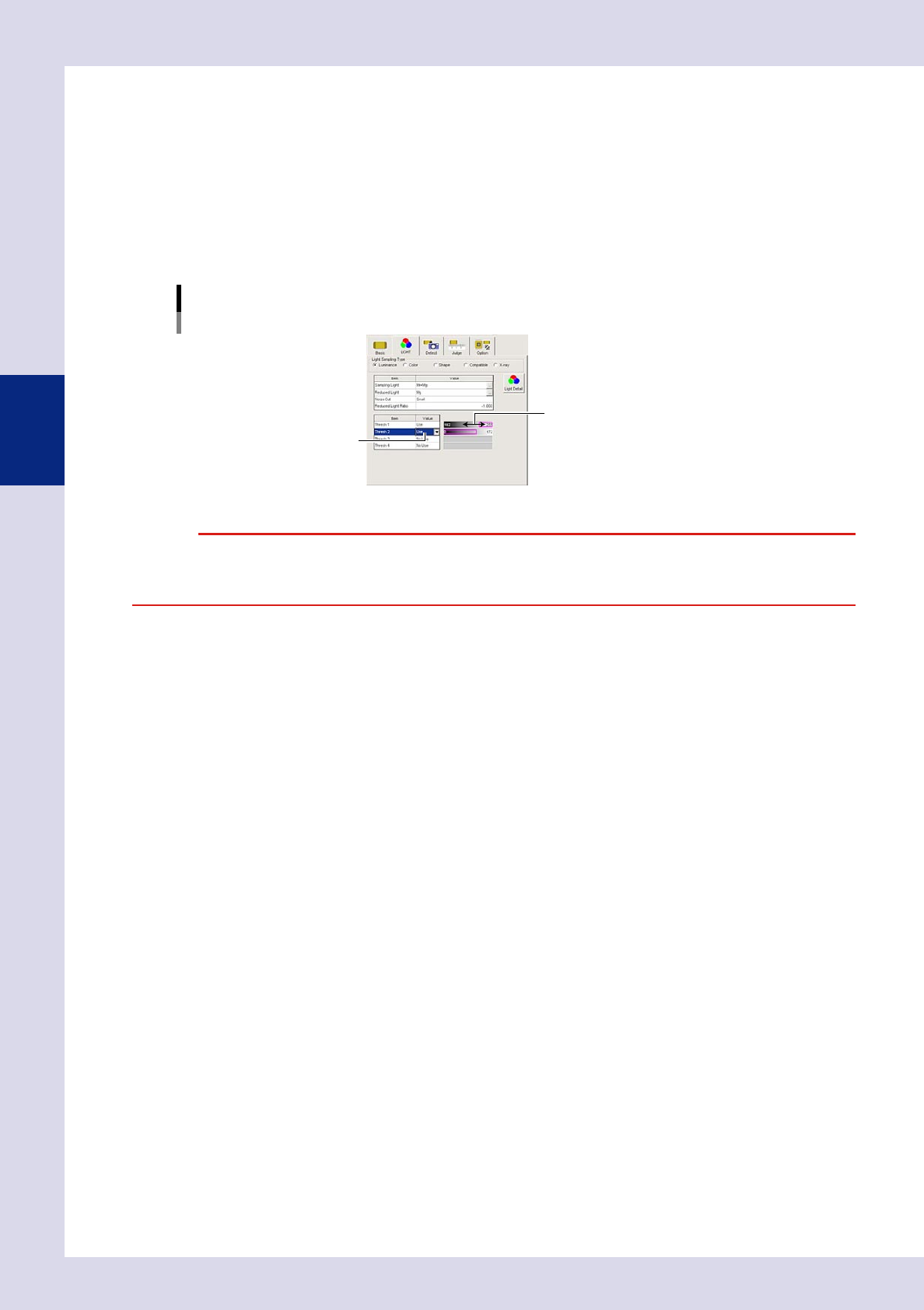
1. Press the "LIGHT" tab at the [Data Edit] - "Step" screen.
2. Set "Thresh 2", "Thresh 3", and "Thresh 4" to "Use" only for the number of set threshold values.
3. Use the threshold value setting bar to display only the inspection object in the step screen in red.
Light Sampling Type: Luminance
Multiple threshold value settings
Threshold value setting bar
Set to "Use".
24309-P6-00
c
the test is performed using only the selected threshold value.