YSI_Prog_E - 第183页
4-23 4 Inspection status 3 Set the "Judge" par ameters. Open the "Judge" tab and set the following param eters. "Judge" parameters Status: Brightness Level 24434-P6-00 Minimum Luminance Leve…
4-22
4
Inspection status
1.8 Brightness Level
Use this inspection mode to measure the brightness level in a step frame in order to check for upside-down
parts, position deviations, and the polarity.
1
Make a "step" setting.
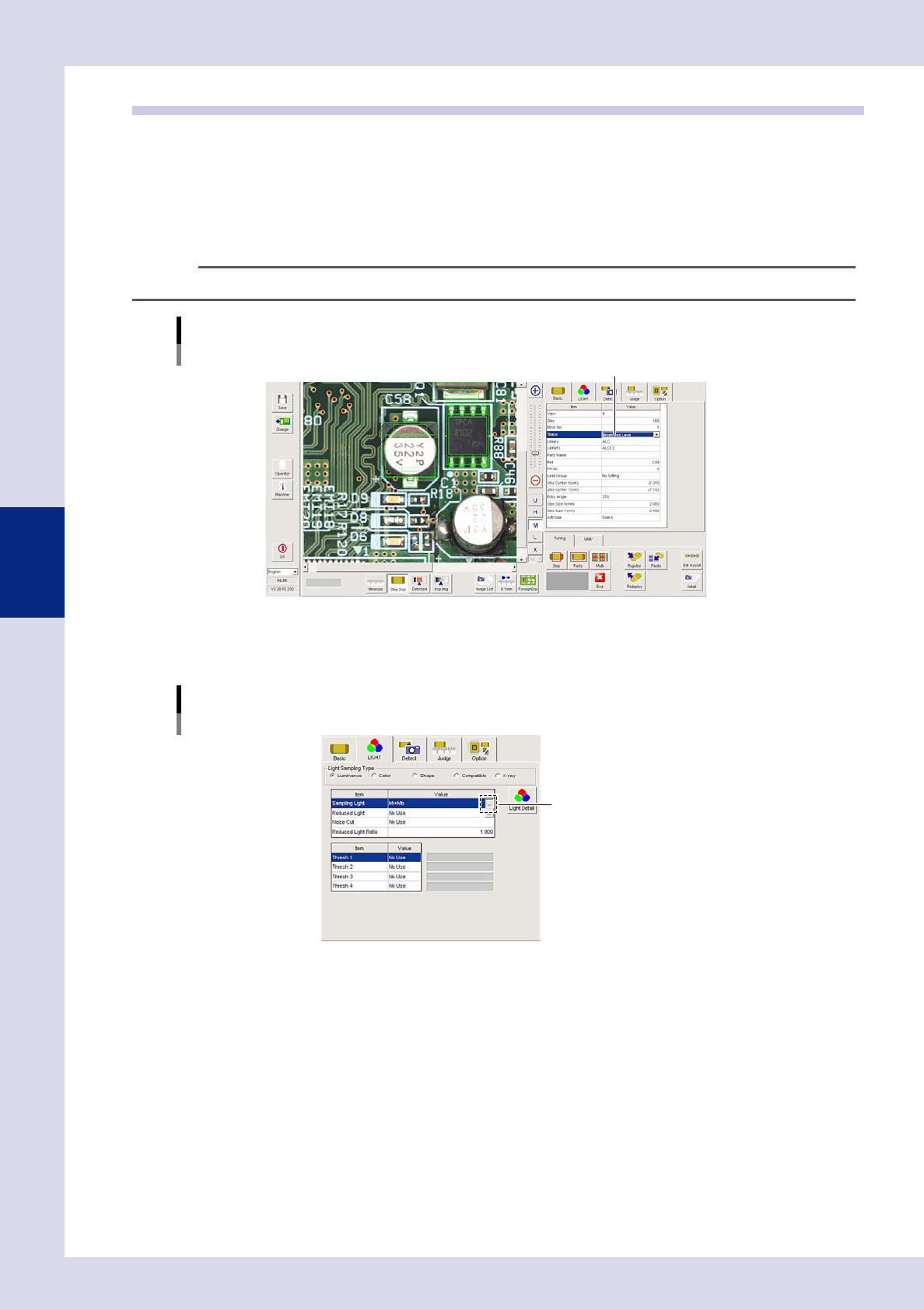
1. Create a step frame.
2. Open the "Basic" tab, and set the "Status" in the basic parameters to "Brightness Level".
n
NOTE
No threshold settings are required because the color image brightness is used as it is.
Status (inspection mode)
Brightness Level
Set to "Brightness Level".
24432-P6-00
2
Set the "LIGHT" parameters.
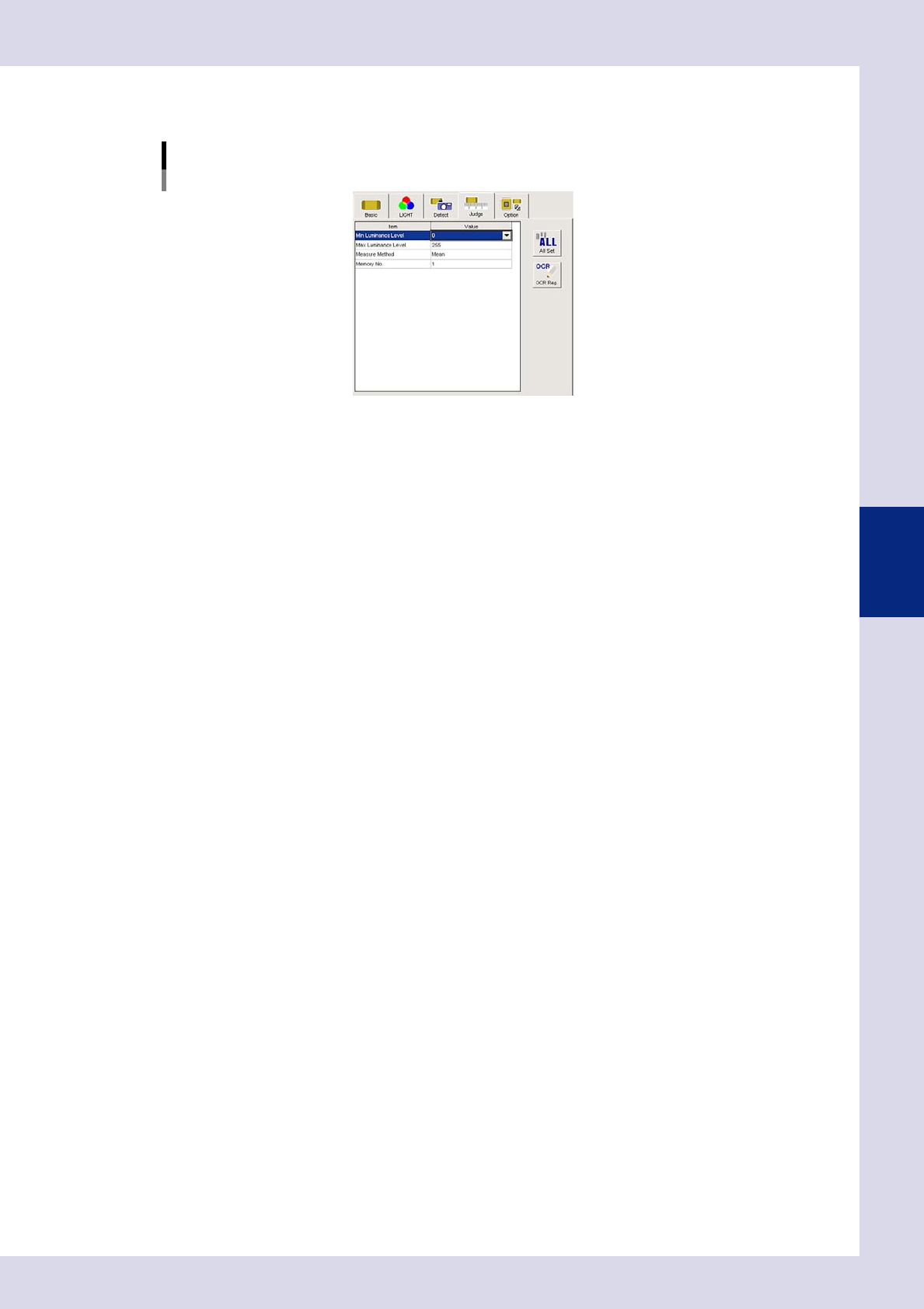
Open the "LIGHT" tab and select "Luminance" at "Light Sampling Type".
"LIGHT" parameters
Light Sampling Type : Luminance
Opens a lighting list.
24433-P6-00
Sampling light
"Mb+Lb" is normally used. Press the button to the right of the sampling light value field to open the
sampling light list, select "Mb+Lb" from the list, and then press the [OK] button.
4-23
4
Inspection status
3
Set the "Judge" parameters.
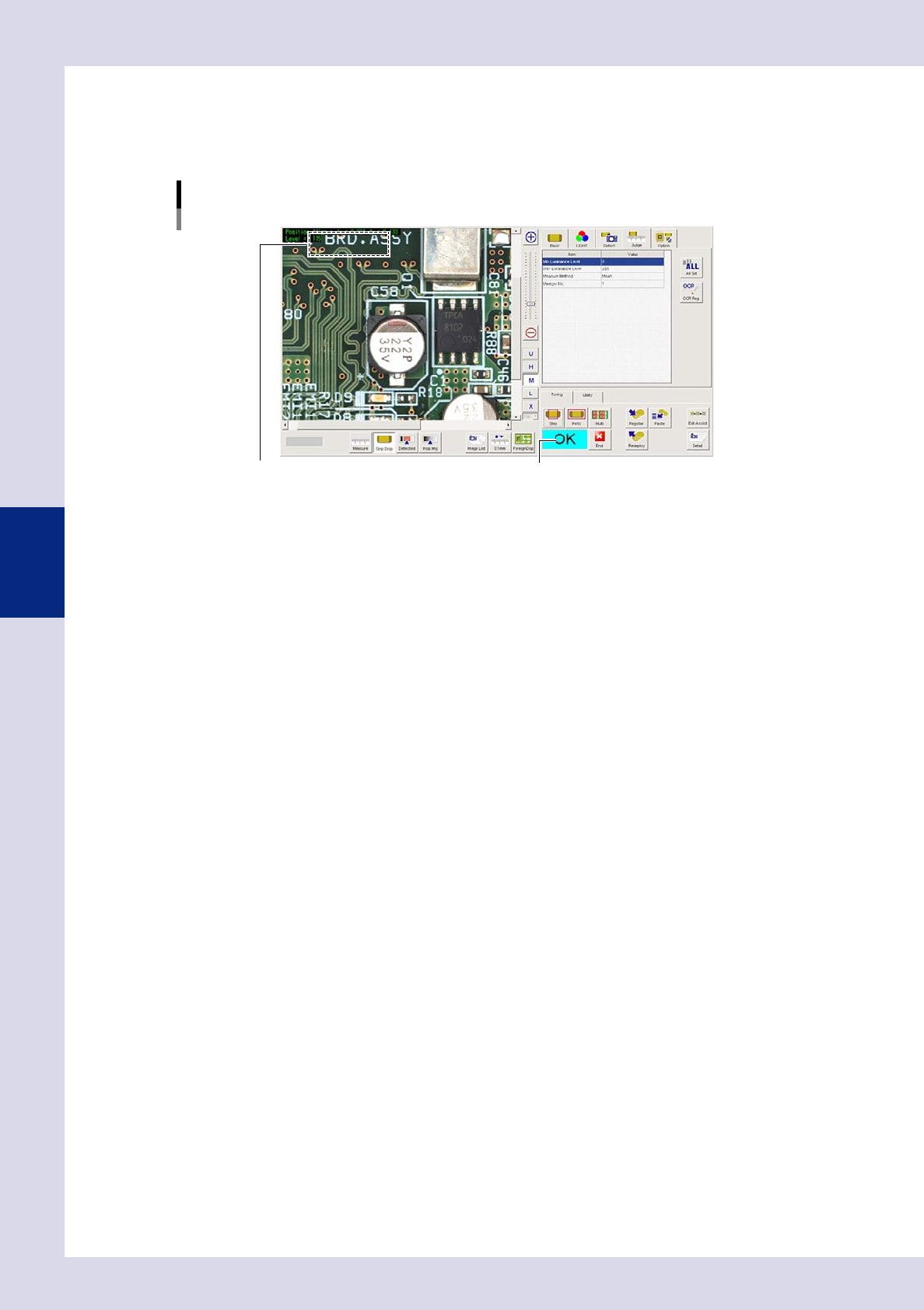
Open the "Judge" tab and set the following parameters.
"Judge" parameters
Status: Brightness Level
24434-P6-00
Minimum Luminance Level
Select a value from the drop-down list, or enter a value. If the luminance level inside the selected step
frame does not reach the value set here, an NG result is judged. Leave this setting at the default value.
(Set an appropriate value set Step 5.) If a judgment is not made at the lower limit, select "Skip".
Maximum Luminance Level
Select a value from the drop-down list, or enter a value. If the luminance level inside the step frame is
greater than the value set here, an NG result is judged. Leave this setting at the default value. (Set an
appropriate value set Step 5.)
If a judgment is not made at the upper limit, select "Skip".
Measure Method
From the drop-down list, select the measurement level suitable for the inspection location.
Mean : Judges the brightness level based on the average brightness in the step frame.
Minimum : Judges the brightness level based on the minimum brightness in the step frame.
Maximum : Judges the brightness level based on the maximum brightness in the step frame.
Deviation : Judges the brightness level based on the standard deviation of the brightness in the
step frame.
Max – Min : Judges the brightness level based on the difference between the maximum brightness
and minimum brightness in the step frame.
MinMean : Performs judgment with the average luminance in the range 25% of the step
frame focusing on locations with minimum luminance inside the step frame.
MaxMean : Performs judgment with the average luminance in the range 25% of the step
frame focusing on locations with maximum luminance inside the step frame.
Memory No.
This parameter is used in conjunction with another inspection mode "Comparison".
If not using this parameter, set it to "0".
For details on "Comparison", see section 1.9, "Comparison", in this manual.
4-24
4
Inspection status
4
Perform a step test.
1. Press the [Step] button at the "Tuning" tab to perform a test for the created step.
Test results and detection data are displayed when testing is complete. When doing so, there is no
problem if the test result is "NG".
Screen after a step test is finished
Test resultDisplays detected data.
24435-P6-00
Detected data
dx =, dy = : These are offset amounts for which position correction was performed.
Level = : This is the measured luminance level.
2. Take a note of and check the detection data, and then press the [End] button.
5
Set the "Brightness Level" in the judgment conditions parameters.
Refer to the detection data "Level" and set the "Min Luminance Level" and "Max Luminance Level".
Min Luminance Level
Select a value smaller than the detection data "Level" from the drop-down list, or enter a value directly.
Max Luminance Level
Select a value greater than the detection data "Level" from the drop-down list, or enter a value directly.
6
Perform a step test again.
1. Press the [Step] button again to perform a step test.
2. Take a note of and check the detection data, and then press the [End] button.
3. If the test result is not judged correctly, review all parameters while referring to the detection data.