YSI_Prog_E - 第197页
4-37 4 Inspection status 3 Set the "Detect" par ameters. Open the "Detect" tab and set the following para meters. "Detect" parameters Status: Boll Joint Check 24455-P6-00 Minimum Detectable …
4-36
4
Inspection status
1.13 Ball joint check (YSi-X)
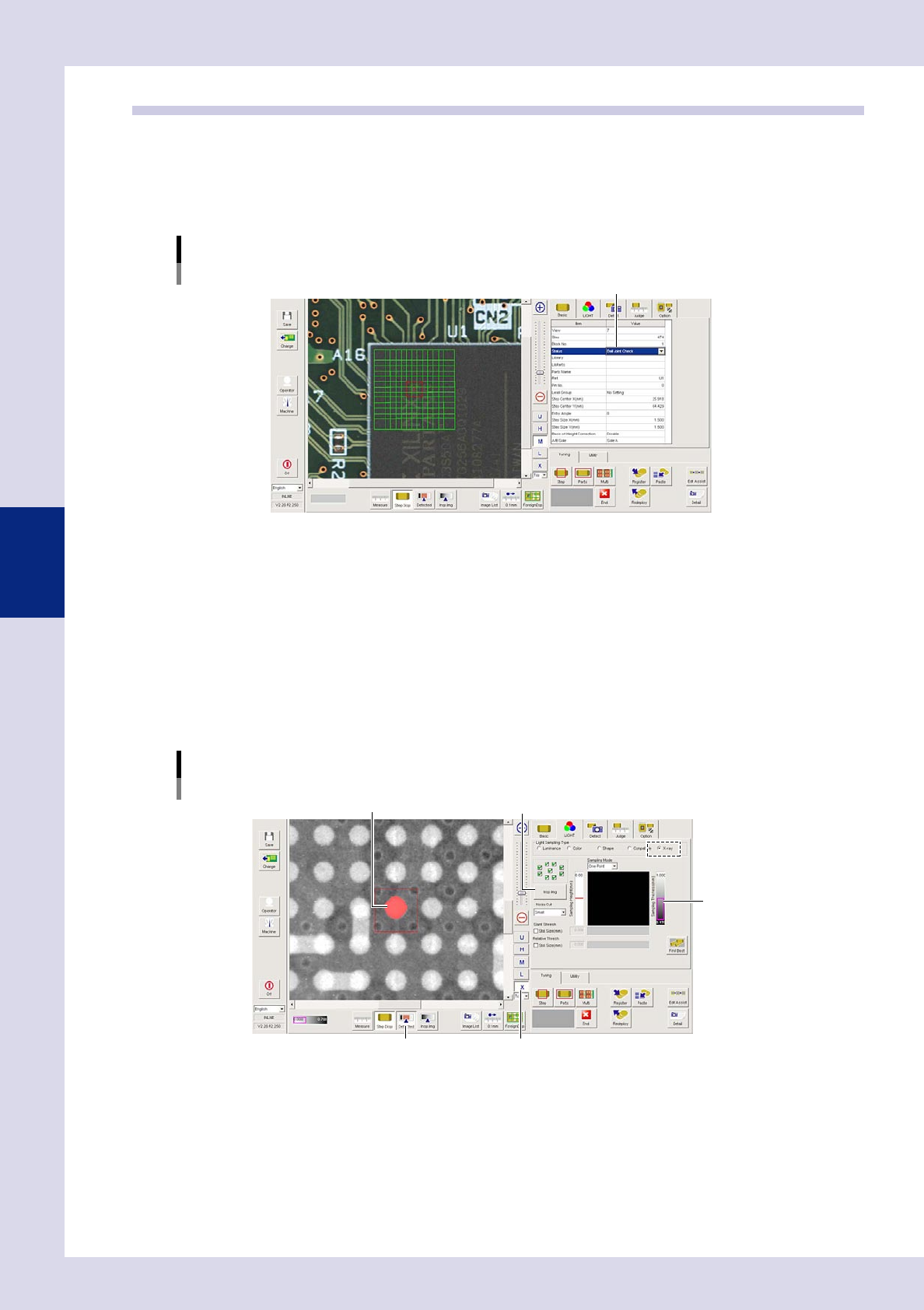
This inspection status is used to detect the solder ball joint status on parts such as BGAs and CSPs.
1
Make a "step" setting.
1. Create a step frame.
2. Open the "Basic" tab, and set the "Status" in the basic parameters to "Ball joint check".
Status (Inspection mode)
Boll Joint Check
Set to "Boll Joint Check".
24453-P6-00
2
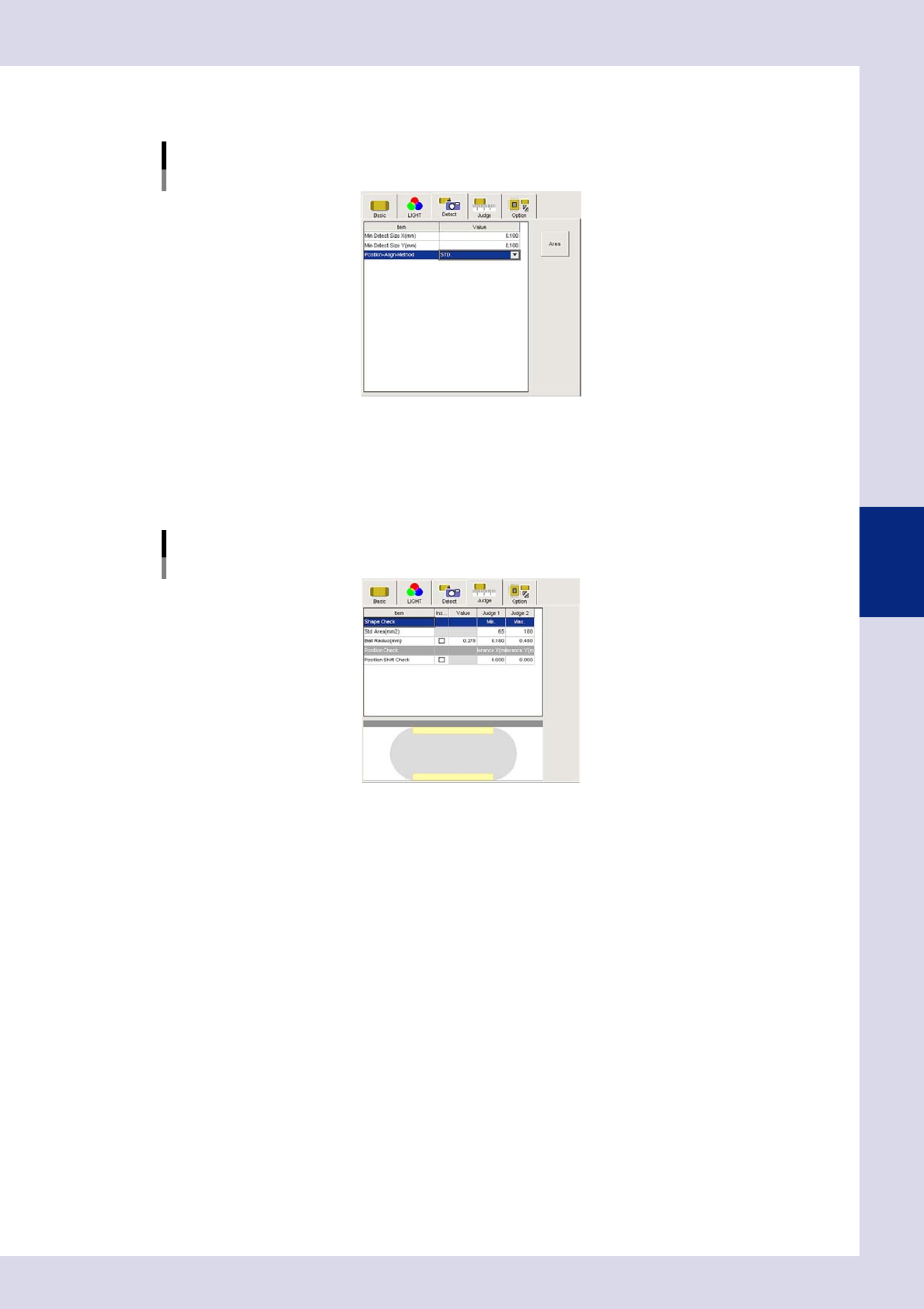
Set the "LIGHT" parameters.
Open the "LIGHT" tab and set the following items.
1. Select "X-ray" at "Light Sampling Type".
2. Press the [Insp. Img] button to open the "Insp. Img" screen, and select the "Custom CT" tab. Move the
fault plane height setting bar up and down to set the inspection height. Press the [OK] button at the
position where the solder in the CT image appears largest to end setting, and then close the "Insp.
Img" screen.
3. Press the [X] button to display the X-ray image.
4. Press the [Detected] button. Adjust the sampling thickness slide bar to show only solder balls in red.
Lighting parameter settings
Sampling thickness slide bar
[Insp. Img] buttonSolder ball
[X] button[Detected] button
24454-P6-00
4-37
4
Inspection status
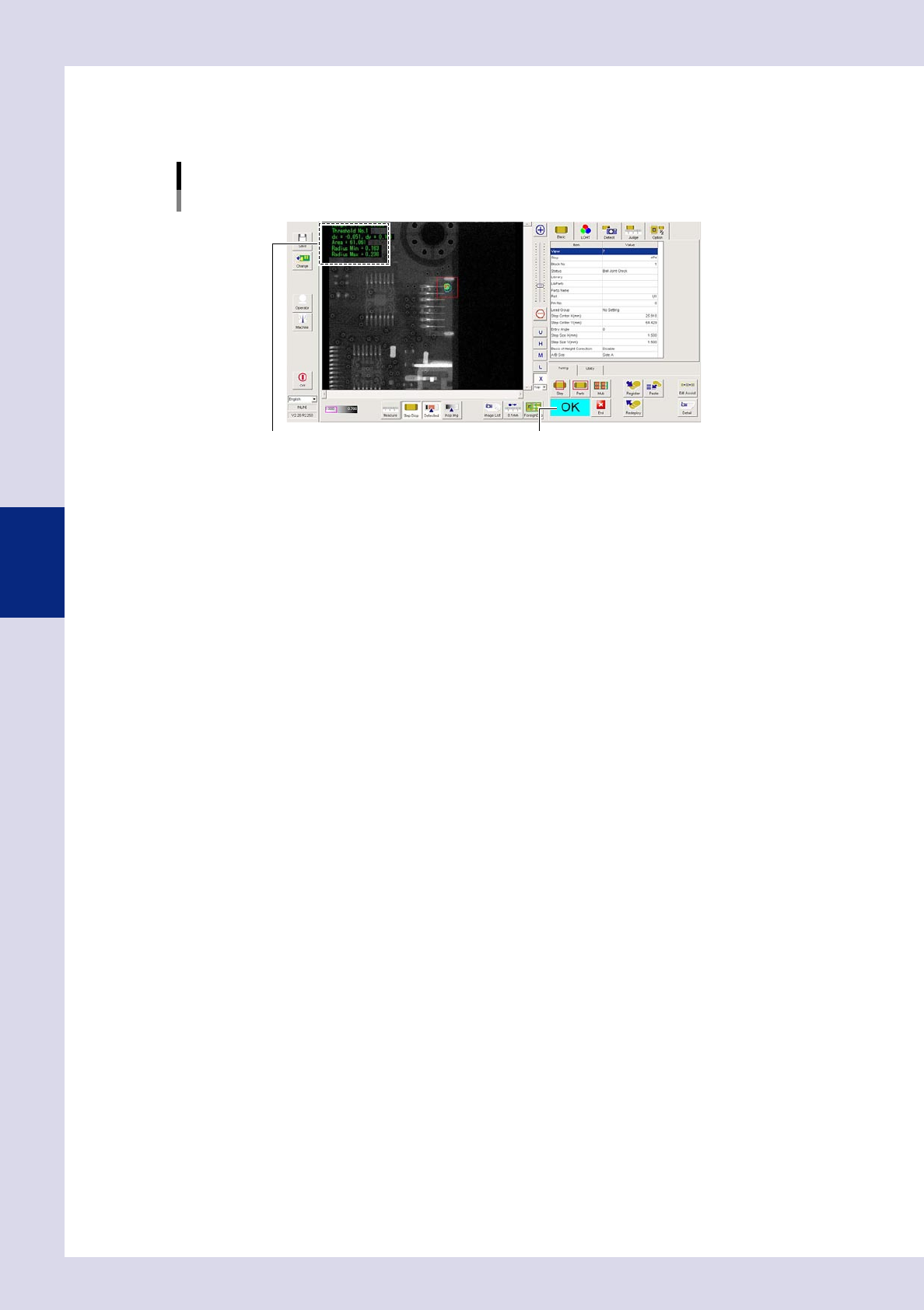
3
Set the "Detect" parameters.
Open the "Detect" tab and set the following parameters.
"Detect" parameters
Status: Boll Joint Check
24455-P6-00
Minimum Detectable Size X, Y (mm)
The area with size greater than the value inside the area shown in red is subject to inspection.
4
Set the "Judge" parameters.
Open the "Judge" tab and set the following parameters.
"Judge" parameters
Status: Boll Joint Check
24456-P6-00
Std Area (mm
2
)
An NG result is judged if the percentage (%) relative to the area calculated from the detection area
ball radius is smaller than the lower limit, or larger than the upper limit.
Ball Radius (mm)
An NG result is judged if the detection area radius is smaller than the lower limit, or larger than the
upper limit. By selecting the "Inspection" field check box, the relevant item is subject to inspection.
Position Check
An NG result is judged if the center of the detection area is displaced more than the setting value from
the step center. By selecting the "Inspection" field check box, the relevant item is subject to inspection.
4-38
4
Inspection status
4
Perform a step test.
1. Press the [Step] button to perform a test for the created step. Test results and detection data are
displayed when testing is complete.
Screen after a step test is finished
Test resultDisplays detected data.
24457-P6-00
Detection data
Height Offset= : This is the height offset value used to correct board warp.
Threshold No. : This is the threshold No. applied to inspection.
Area= : This is the percentage (%) of the recognition area with respect to the standard area.
Radius Min= : This is the detection area minimum radius.
Radius Max= : This is the detection area maximum radius.
2. Take a note of and check the detection data, and then press the [End] button.
6
Review each parameter and perform a step test again.
If the test result is judged incorrectly, review all parameters.