YSI_Prog_E - 第51页
1-16 1 asic operation 1.5.4 "Bad Mark" screen T his screen allows you to displa y the bad mark recognition results for each inspection. Recognition results can be chec ked by selecting the bad mark type from …
1-15
1
asic operation
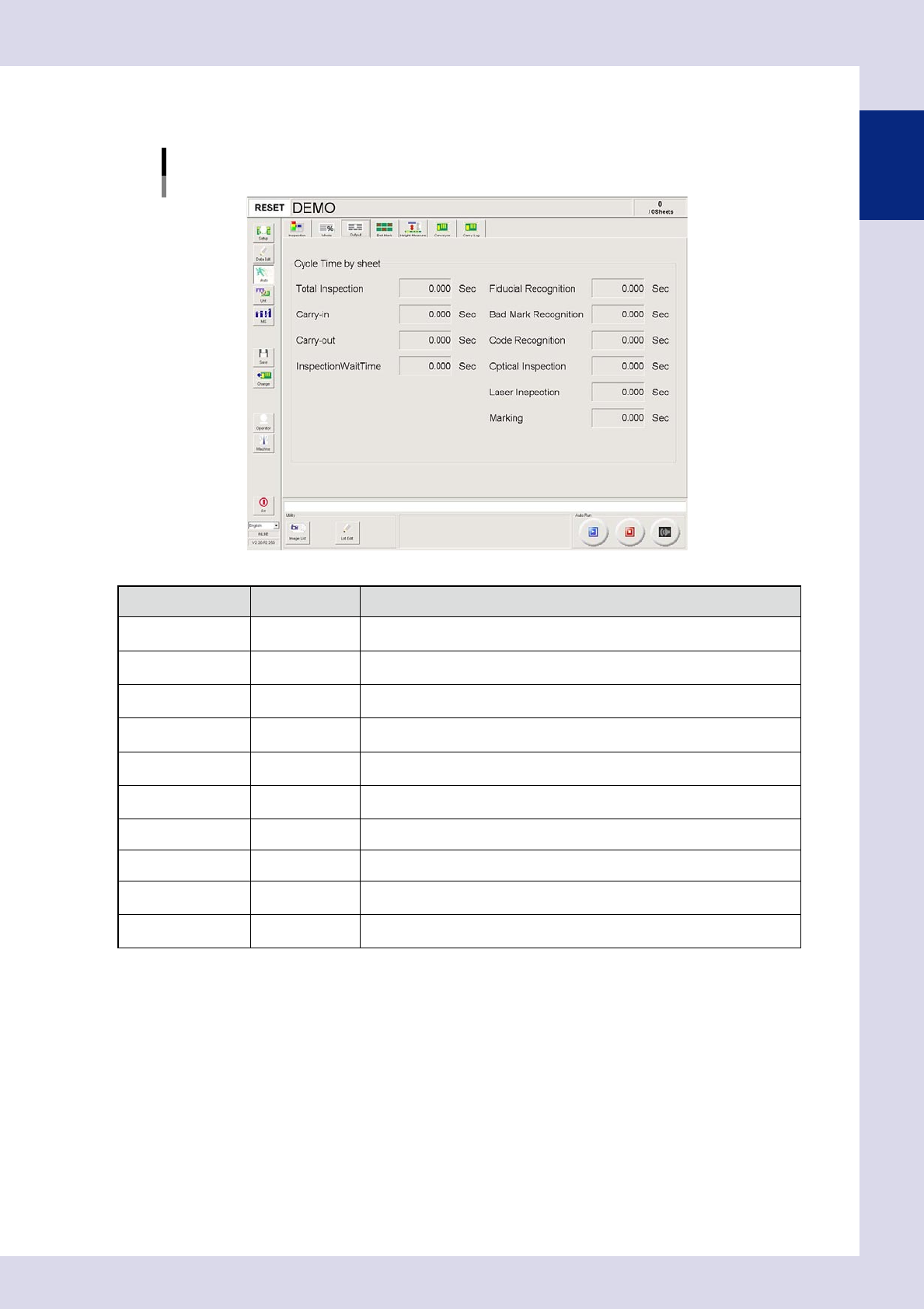
1.5.3 "Output" screen
This screen displays the cycle time for inspected boards for each inspection.
[Auto] – [Output] screen
24115-P6-00
Item/button name
Units Description
Total Inspection Sec
This is the time from the start of board inspection until the end of board
inspection.
Carry-in Sec
This is the time from the point the board is detected by the sensor at the
conveyor entrance board until board clamping is complete.
Carry-out Sec
This is the time from the point board unclamping is started until the board
passes the sensor at the conveyor exit.
InspectionWaitTime Sec
This is the length of time spent waiting for the judgment from the Repair
Judgment Station or secondary judgment.
Fiducial Recognition Sec
This is the time from the start of board fiducial recognition until the end of board
fiducial recognition. This also includes recognition retry time.
Bad Mark Recognition Sec
This is the time from the start of bad mark recognition until the end of bad mark
recognition. This also includes recognition retry time.
Code Recognition Sec This is the length of time spent performing a code scan.
Optical Inspection Sec This is the board optical inspection time.
Laser Inspection Sec
This is displayed if the machine is equipped with a laser unit.
This is the length of time spent performing laser inspection.
Marking Sec
This is displayed if the machine is equipped with a marking unit.
This is the length of time spent performing marking.
1-16
1
asic operation
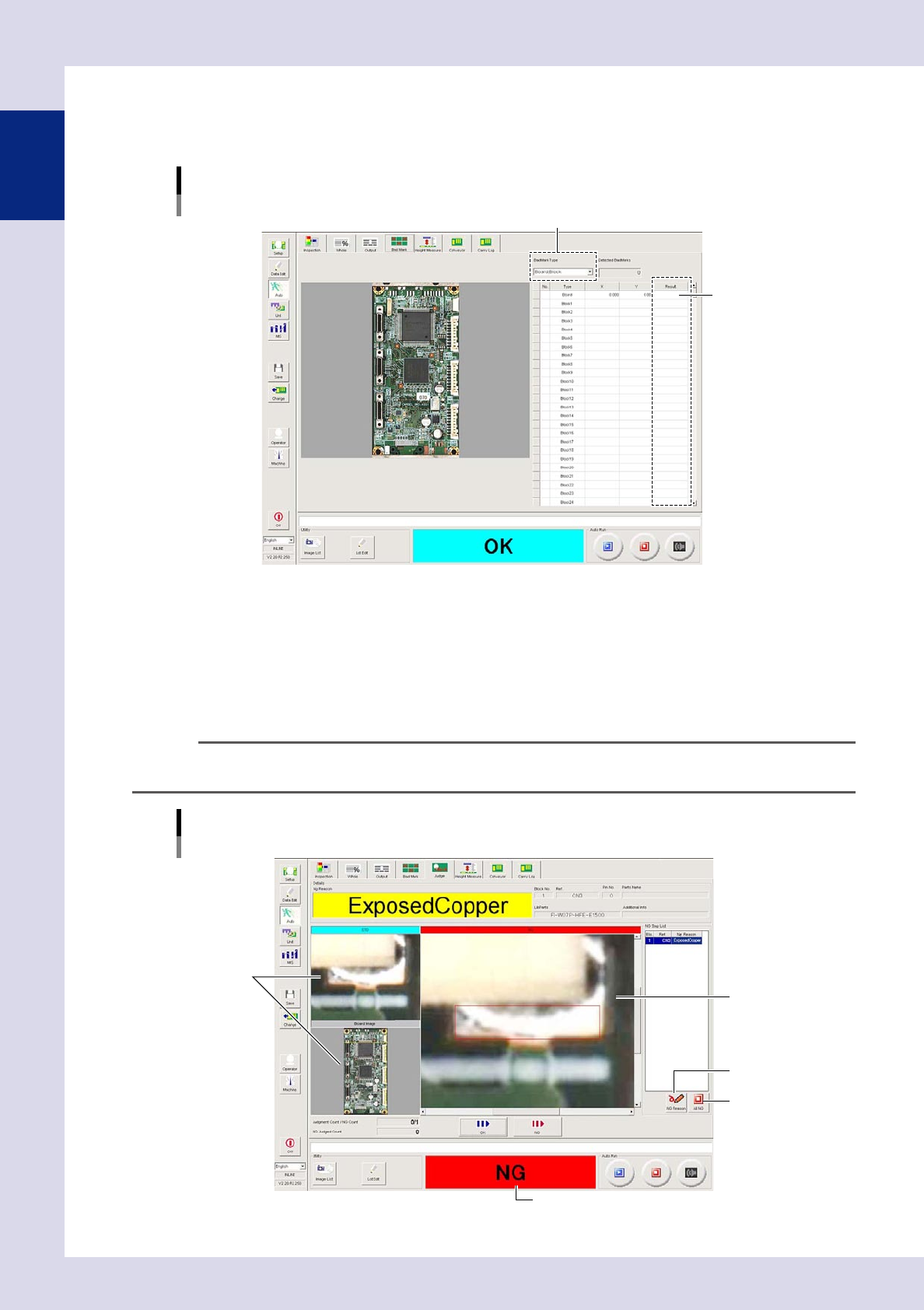
1.5.4 "Bad Mark" screen
This screen allows you to display the bad mark recognition results for each inspection. Recognition results can
be checked by selecting the bad mark type from a drop-down list.
[Auto] – [Bad Mark] screen
Bad mark type
Recognition results
24116-P6-00
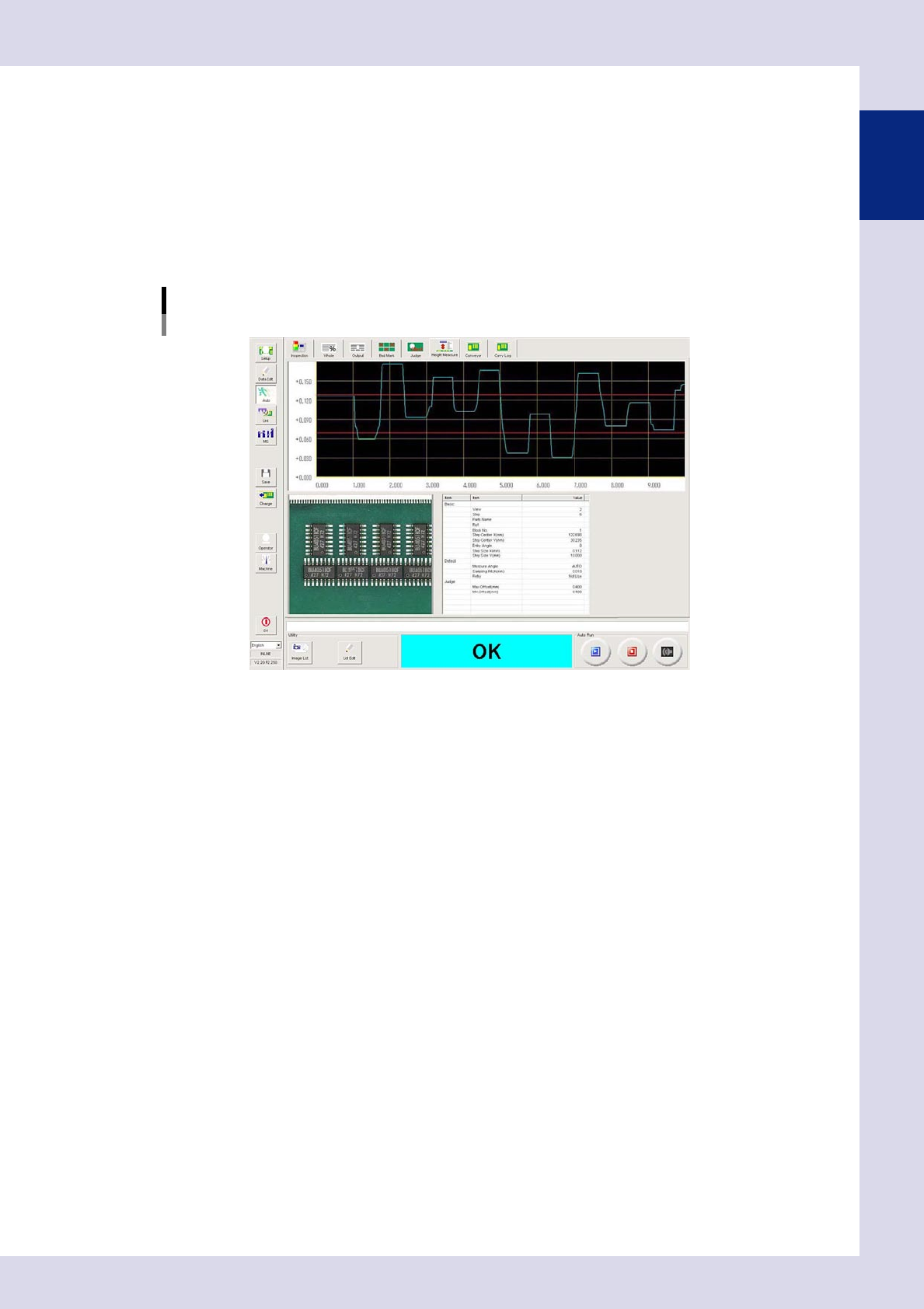
1.5.5 "Judge" screen
By enabling the "Second Judge" function in the machine settings, the (Judge) tab is added. This screen displays
board NG results the moment inspection is complete, or after board unloading. Select OK or NG for NG results
displayed in the NG judgment list. Inspection of the next board is performed while performing OK/NG judg-
ment, and therefore inspection of the next board will not be complete until judgment of all NG items is
complete.
TIP
The timing at which results are displayed in the "Judge" screen can be set in "Second Judge Setting"
→
"Judgment
timing" in the machine settings.
[Auto] – [Judge] screen
Displays the inspection result.
Inspection image
OK image
1
2
24117-P6-00
1-17
1
asic operation
1. [NG Reason] button
Changes the NG reason for NG steps.
2. [All NG] button
Judges NG for all steps judged to be NG by the inspection machine.
1.5.6 "Height Measure" screen
This screen exists when the machine is equipped with a laser height sensor. Displays the measurement result if
performing height measurement inspection.
[Auto] – [Height Measure] screen
24118-P6-00