YSI_Prog_E - 第58页
1-23 1 asic operation n YSi-12 [Unit] – [I/O] screen YSi-12 1 2 24123-P6-00 Item Function 1 Output Port No. Clicking check boxes turns the output signal for the selected location ON and OFF . 2 Input Status Displays th…
1-22
1
asic operation
1.6.2 "I/O" screen
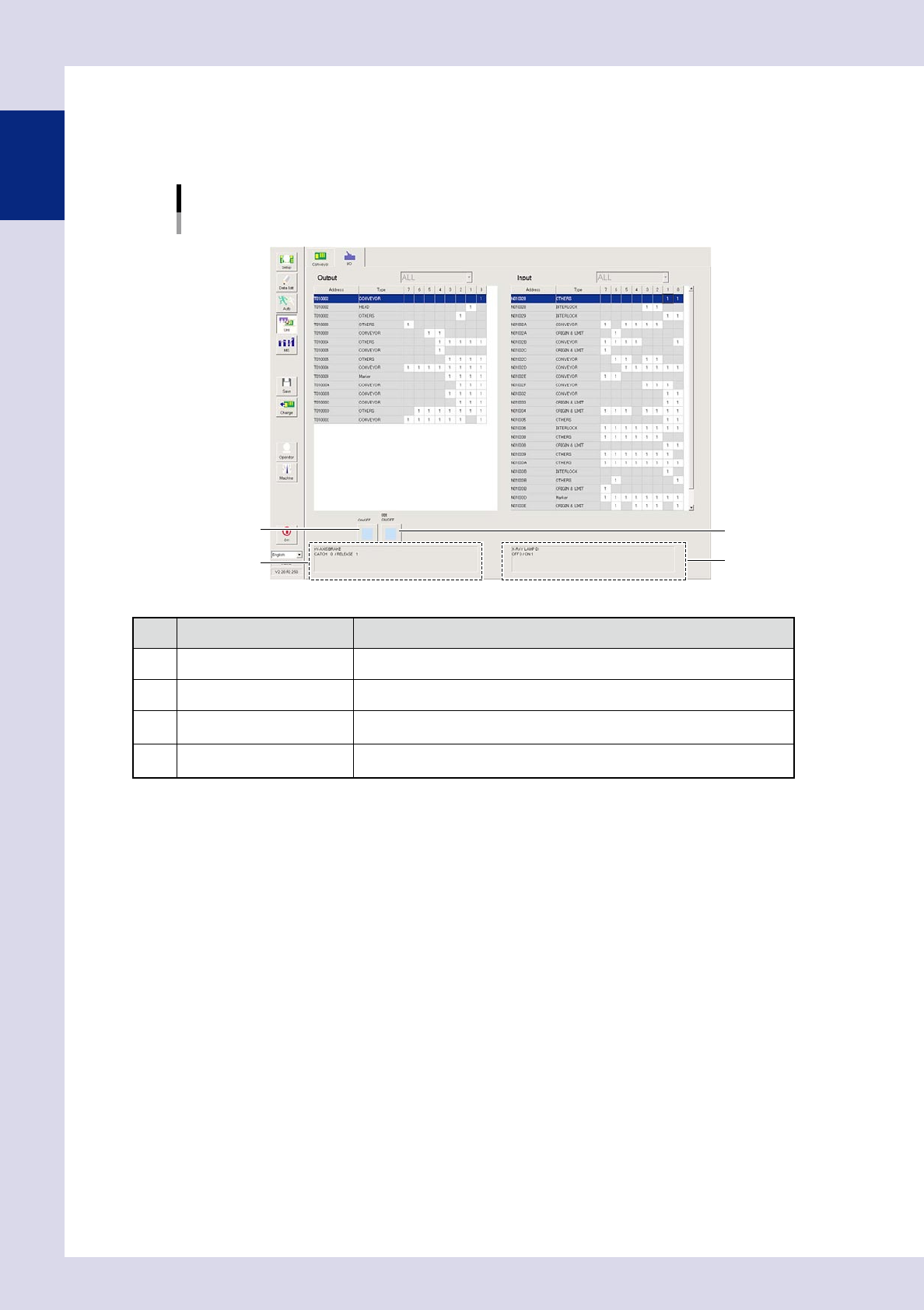
This screen allows you to perform I/O signal status checks and turn outputs ON and OFF.
n
YSi-S, YSi-X
[Unit] – [I/O] screen
YSi-S, YSi-X
1
3
2
4
24122-P6-00
Item/button name Description
1 ON/OFF switch (individual) Turns the output signal for the location selected with the cursor ON and OFF.
2 ON/OFF switch (line) Turns the output signals for the line selected with the cursor ON and OFF.
3 Output signal description
Displays the output signal name selected with the cursor, and the meaning of "0"
and "1".
4 Input signal description
Displays the input signal name selected with the cursor, and the meaning of "0"
and "1".
1-23
1
asic operation
n
YSi-12
[Unit] – [I/O] screen
YSi-12
1 2
24123-P6-00
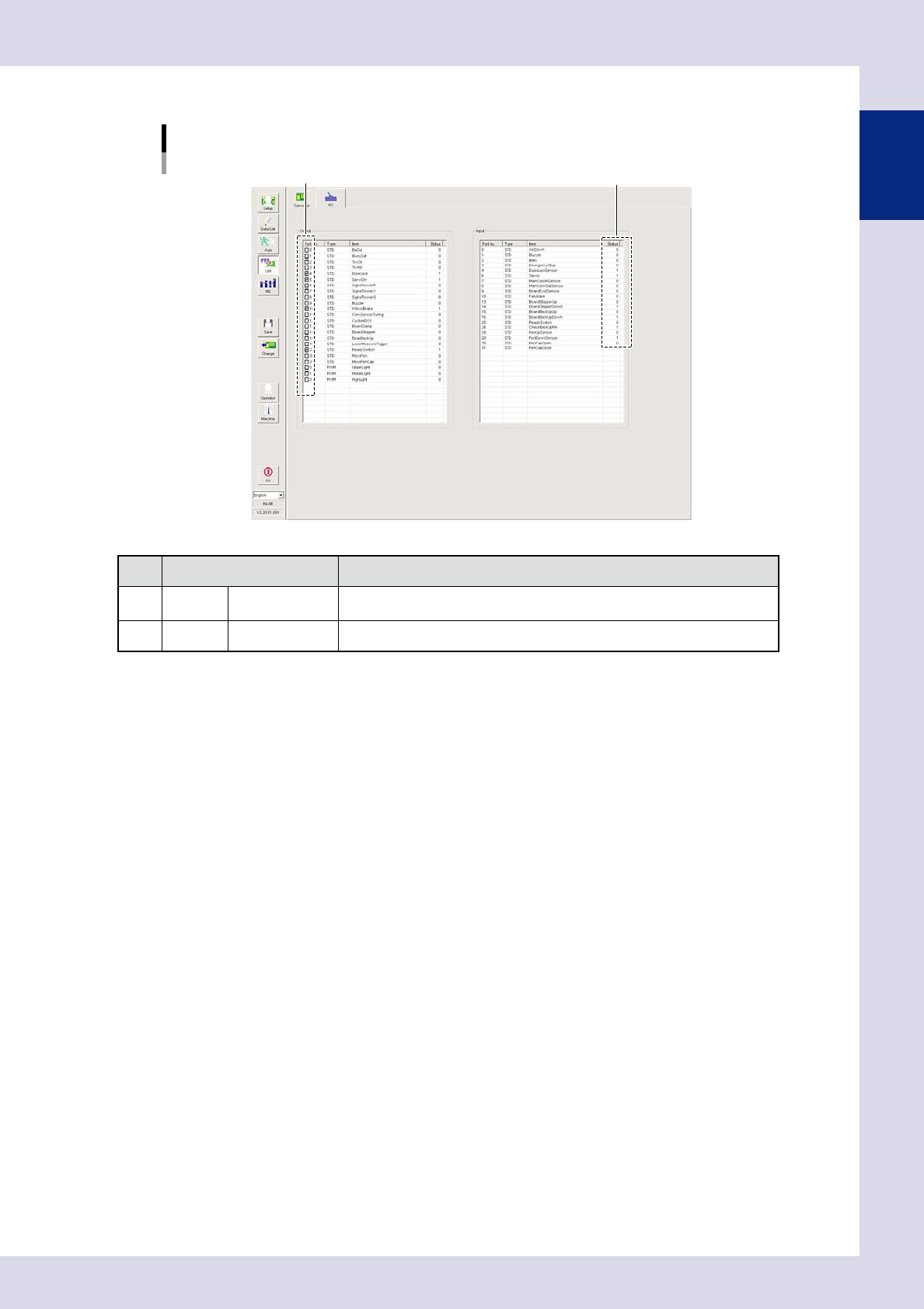
Item Function
1 Output Port No.
Clicking check boxes turns the output signal for the selected location ON and
OFF.
2 Input Status Displays the item ON and OFF status.
1-24
1
asic operation
1.7 History
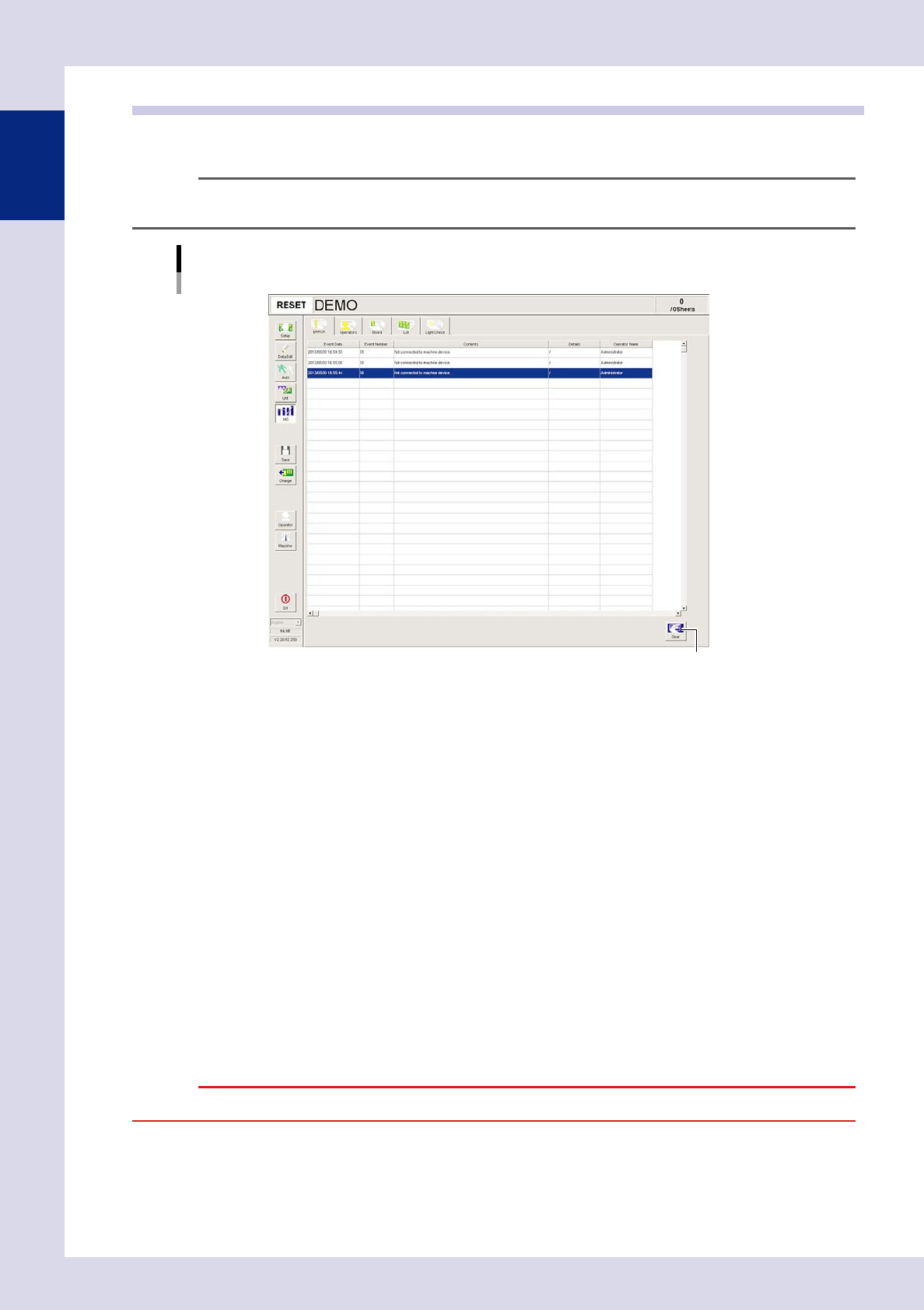
The inspection machine operating history can be displayed. Error, operator, board, lot, and light check history
can be displayed.
TIP
History for each item is displayed in up to 1,000 lines in order of date, and is deleted starting with oldest line first.
Basic operation
History
[Error] tab example
[Clear] button
24124-P6-00
Error
Displays errors that occurred at the machine or the task involved. Each error or task is displayed in a single line of data.
Operator
Displays the operator operation history. Each operation is displayed in a single line of data.
Board
Displays the inspection history. History for each board is displayed in a single line of data.
Program Log
Displays production results per lot, with one lot treaded as the interval from the loading of a program (board data) until
switching over to the next program.
One data row is used to record one lot. Up to 1000 rows can be displayed.
Light Check
The standard value is displayed in the first line, and the results when the lighting intensity check was performed are
displayed in the second line onward. Each lighting intensity check is displayed in a single line of data.
[Clear] button
Use this button to delete all log data currently displayed on the screen. Data cannot be deleted in rows.
When a confirmation dialog box appears, press the [Yes] button to delete the log data.
c