YSI_Prog_E - 第66页
1-31 1 asic operation 4 L oad the program for the lo wer surface. Open the "Setup" screen, and then load the lower sur face program from the inspection program list. 5 Open the [Data Edit] - [Board] screen. S…
1-30
1
asic operation
2.2.3 Upside down automatic inspection settings
This section describes the settings required for upside down automatic inspection.
In this description, the board surface inspected first is the upper surface (Side A), and the subsequently inspect-
ed surface is the lower surface (Side B).
n
NOTE
• Ifperformingupsidedownautomaticinspection,select"Yes"for"InstallationSetting"
→
"Upside down inspection" in
the machine settings.
• Administratorprivilegesarerequiredtochangemachinesettings.
1
Load the program for the upper surface.
Open the "Setup" screen, and then load the upper surface program from the inspection program list.
2
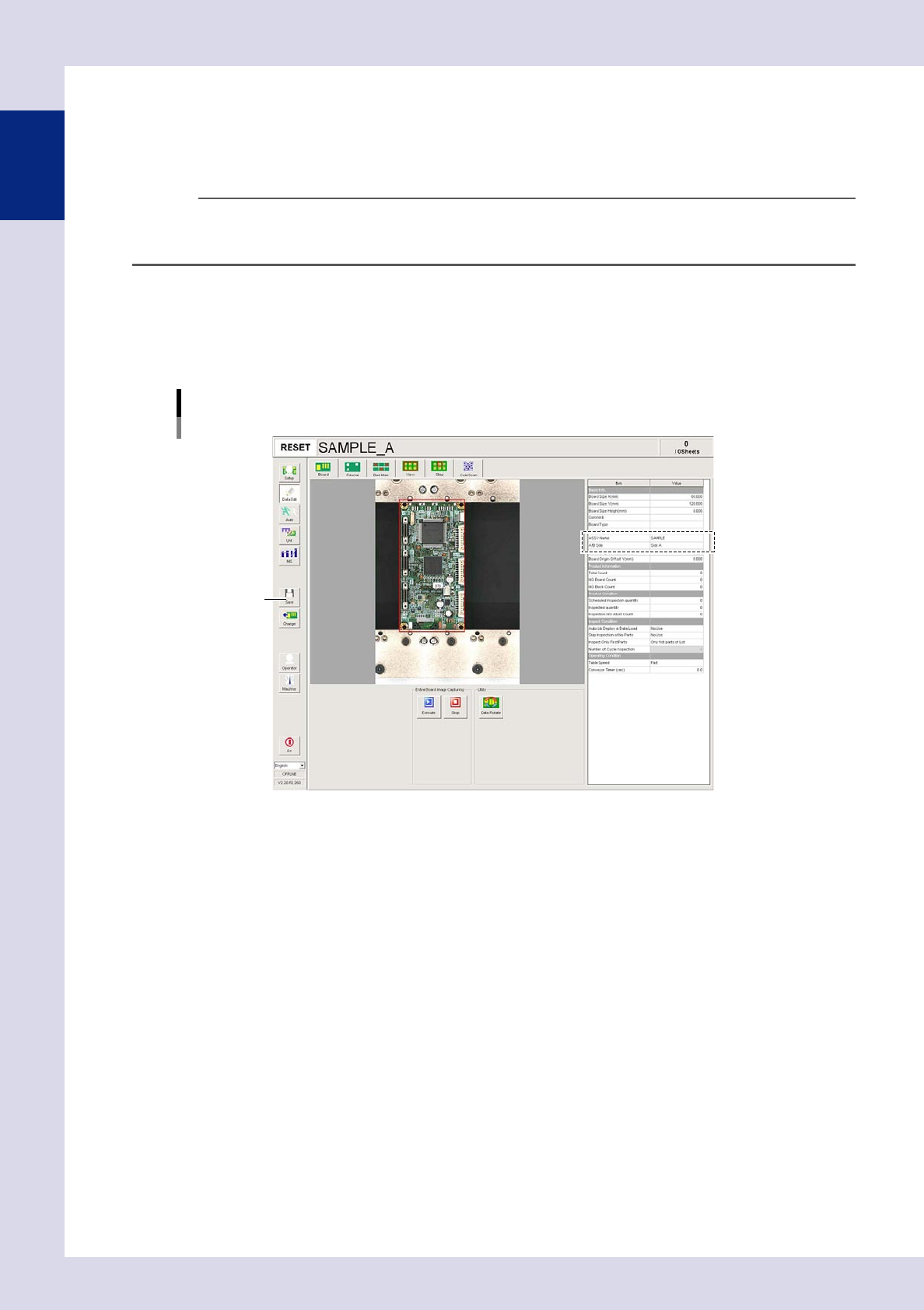
Open the [Data Edit] - [Board] screen.
Set the following parameters.
Board parameter settings
Upper surface (Side A)
[Save] button
24130-P6-00
ASSY Name
Enter an arbitrary name.
A/B Side
Select "Side A".
3
Press the [Save] button to save the settings.
1-31
1
asic operation
4
Load the program for the lower surface.
Open the "Setup" screen, and then load the lower surface program from the inspection program list.
5
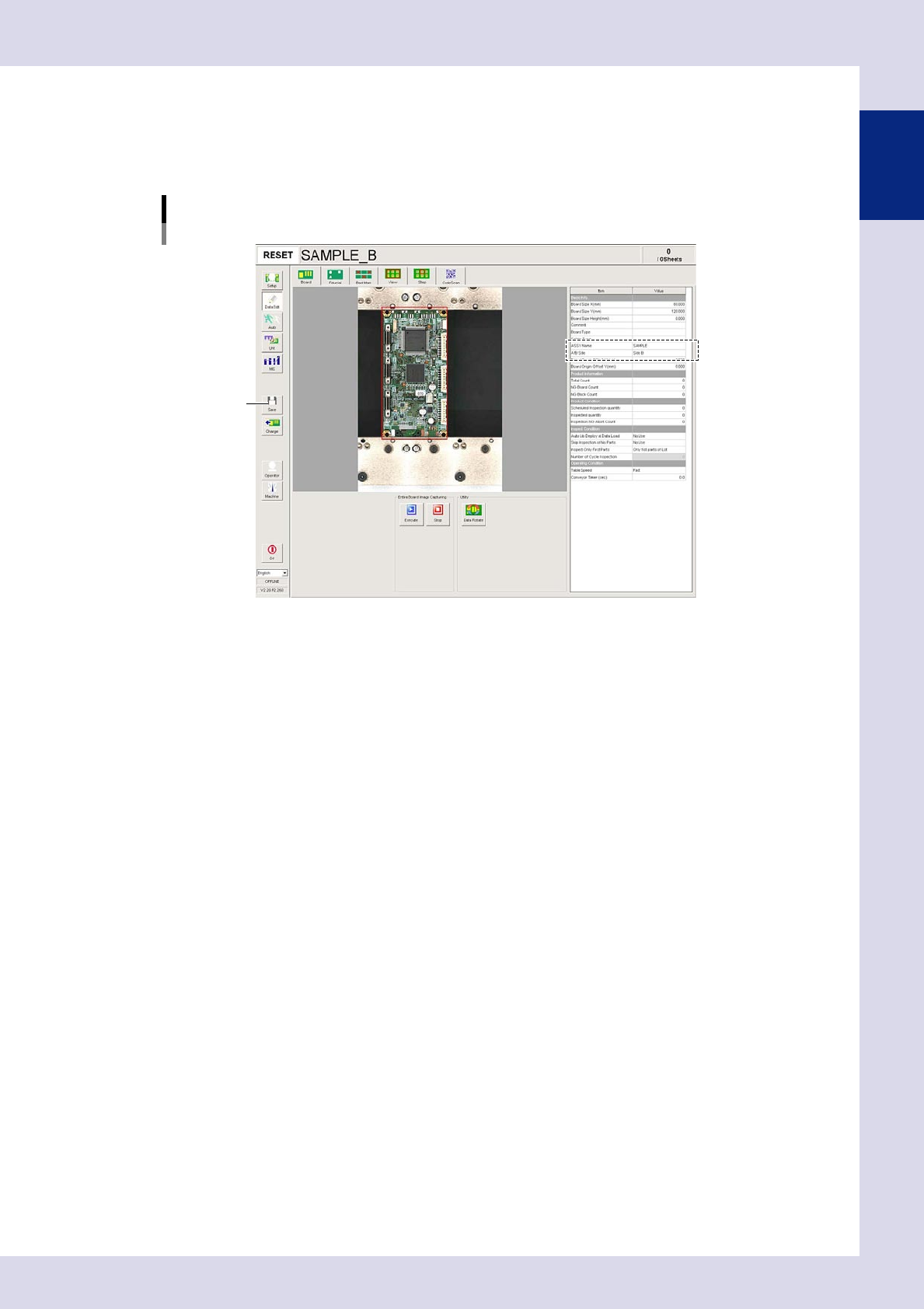
Open the [Data Edit] - [Board] screen.
Set the following parameters.
Board parameter settings
Lower surface (Side B)
[Save] button
24131-P6-00
ASSY Name
Enter the same ASSY Name as that entered for the upper surface.
A/B Side
Select "Side B".
6
Press the [Save] button to save the settings.
1-32
1
asic operation
2.3 When NG detection occurs
2.3.1 NG monitor
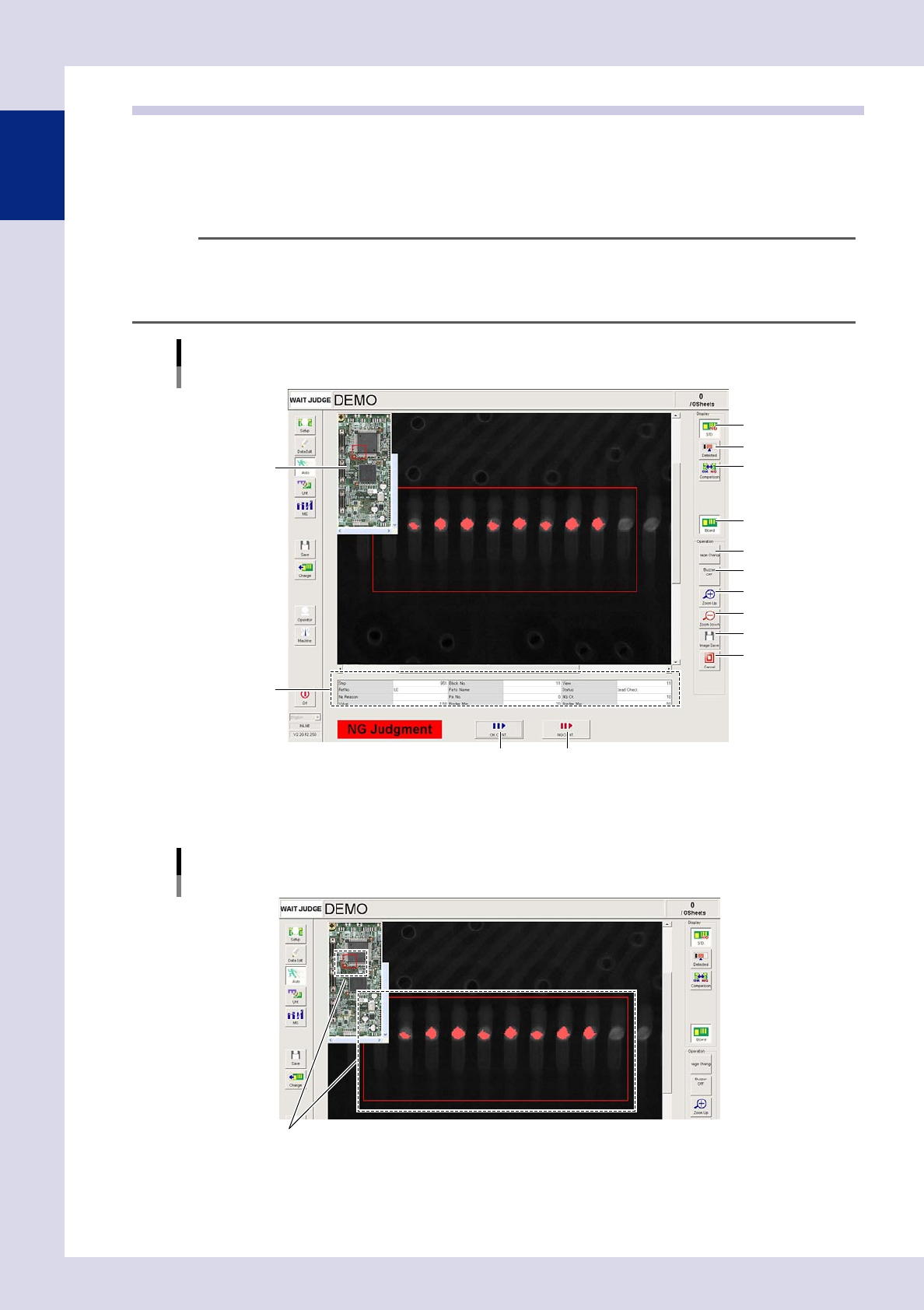
The NG image appears when an NG is detected during semi-automatic inspection. Look at the displayed image
and judge whether it is OK or NG. If OK, press the [OK CONT.] button, and if NG, press the [NG CONT.]
button. This screen describes all buttons that appear on this screen.
TIP
Semi-automatic and automatic inspection modes are set in "Machine Information"
→
"Installation Setting"
→
"Inspection Mode Setting" in the machine settings. For details on "Inspection Mode Setting", see Chapter 5, "2.1
Installation Setting", in this manual.
Basic operation
Optical inspection NG screen
Entire image
1
2
3
4
6
7
8
9
12 13
10
11
5
24132-P6-00
1. [STD.] button
Displays the inspection image.
NG monitor
Displays the screen when an NG is detected.
Step judged to be NG
24133-P6-00
2. [Detected] button
Displays the detected area in red.