YSI_Prog_E - 第75页
2-4 2 Inspection data creation and tuning 1.2.2 X-ray inspection X-ra y inspection is used to inspect solder joints on lower surface electrode parts and the back fillet of leaded parts, and solder on parts mounted on the…
2-3
2
Inspection data creation and tuning
n
Detection conditions: lighting selection
Select the lighting best able to judge the inspection object clearly, and specify settings for performing inspection with
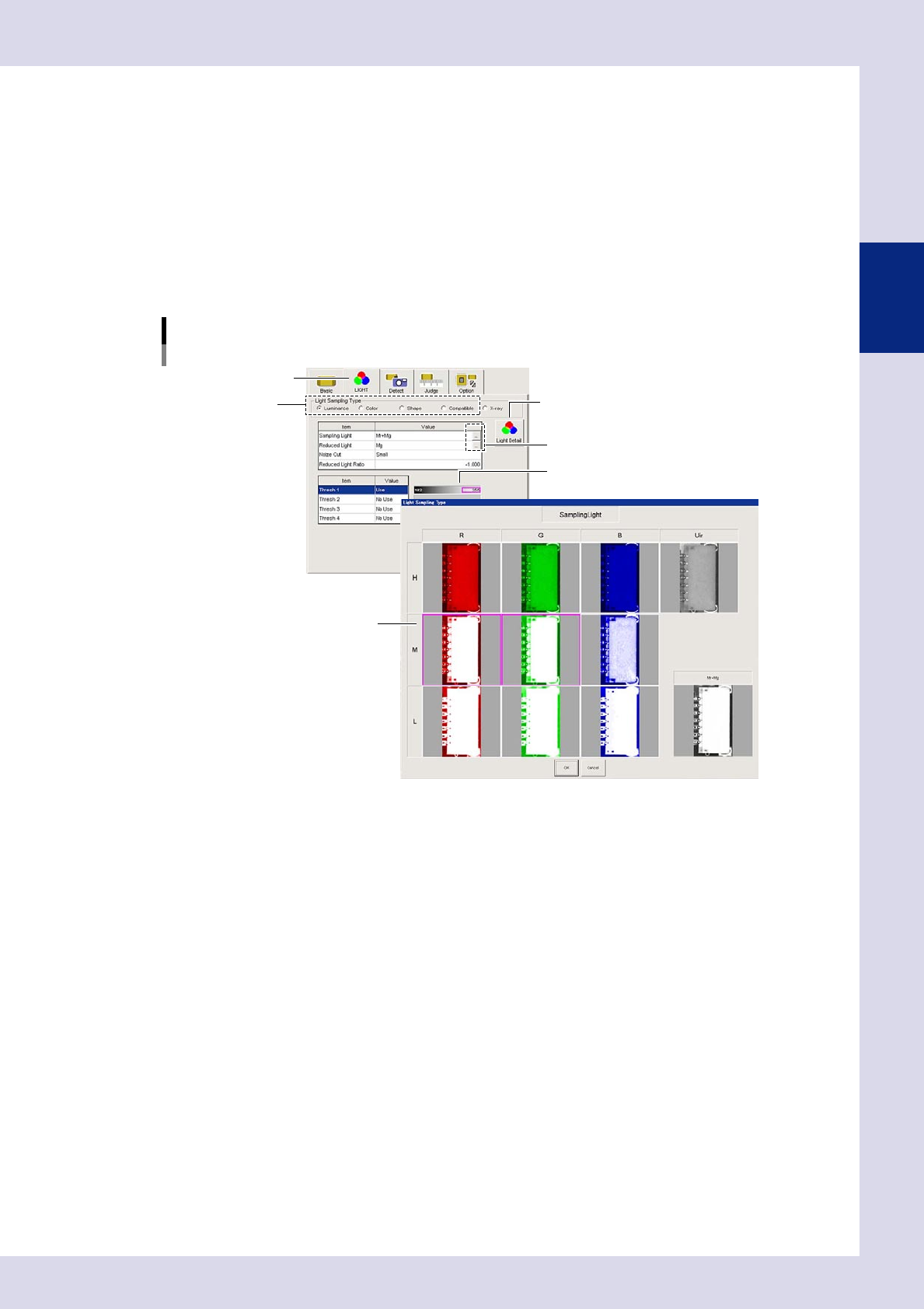
only the inspection object shown in red. For each step, open the "LIGHT" tab at the [Inspection Program] - "Step" screen,
and select the lighting detection type from "Luminance", "Color", or "Shape".
This section describes the lighting selection if "Luminance" is selected.
1. Click the image list buttons to the right of the sampling light and reduced light values fields to display a list of sampling
light images.
2. Select a lighting that offers good contrast between the area being inspected and the surrounding area (lighting with
which difference in brightness is clearly visible) from the list of sampling light images, and then press the [OK] button.
3. Adjust "Thresh 1” with the threshold slide bar to set the threshold value that shows the inspection area in red.
4. Set the conditions for the inspection object from the area shown in red in the detection conditions parameters.
Image list
Sampling light example
[Light Detail] button
"LIGHT" tab
Sampling light type
Image list buttons
Threshold slide bar
Sampling light type image list
24201-P6-00
n
Judgment conditions
Set the reference for judging OK or NG for the inspection object detected in red with the detection conditions. The
parameters to be set differ depending on the inspection status. For details on the inspection status, see Chapter 4,
"Inspection status", in this manual.
2-4
2
Inspection data creation and tuning
1.2.2 X-ray inspection
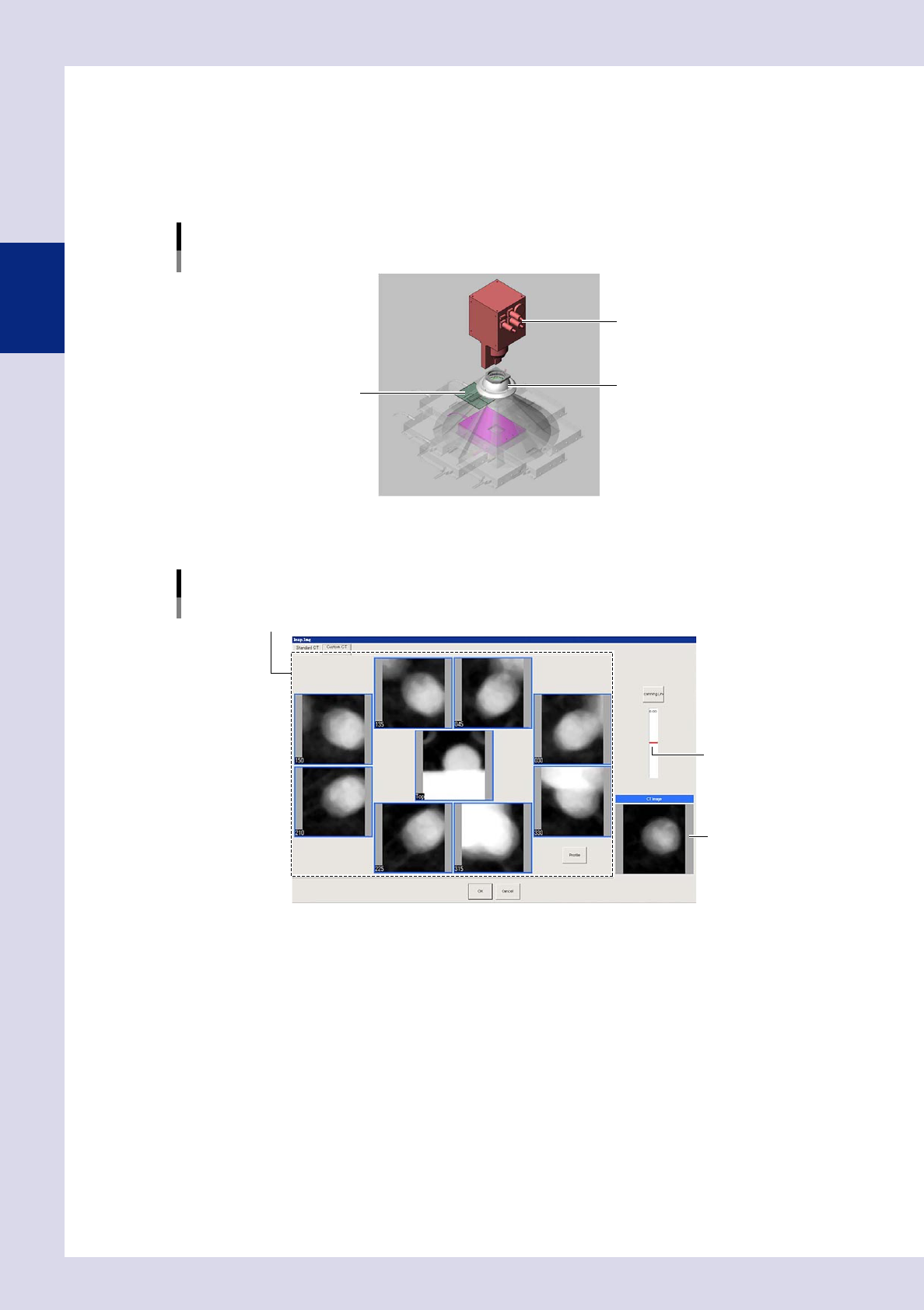
X-ray inspection is used to inspect solder joints on lower surface electrode parts and the back fillet of leaded
parts, and solder on parts mounted on the lower surface. Tomographic imaging is possible with digital
laminography, and so height inspection can be performed with height set. Inspection is performed by
compensating for board warp, and therefore laser unit height measurement is used. The resolution can be
changed to 12, 19, 27, and 54 μm for each field-of-view based on the size of the inspection object.
Inspection image selection image
X-ray source
Dome lighting
Board
23204-P6-00
X-ray inspection involves setting the inspection height and creating X-ray horizontal tomographic images based
on an aerial X-ray image and X-ray images from up to eight different directions.
X-ray inspection image
Inspection image
Set the insection height.
Aerial (center) image, images from eight directions
24202-P6-00
2-5
2
Inspection data creation and tuning
1.3 Main inspection items
This section describes the inspection status and judgment method required to perform inspection by main items
that YSi Series machines are capable of inspecting. For details on the inspection status, see Chapter 4,
"Inspection status", in this manual.
1.3.1 Inspection with optical camera
n
Missing part
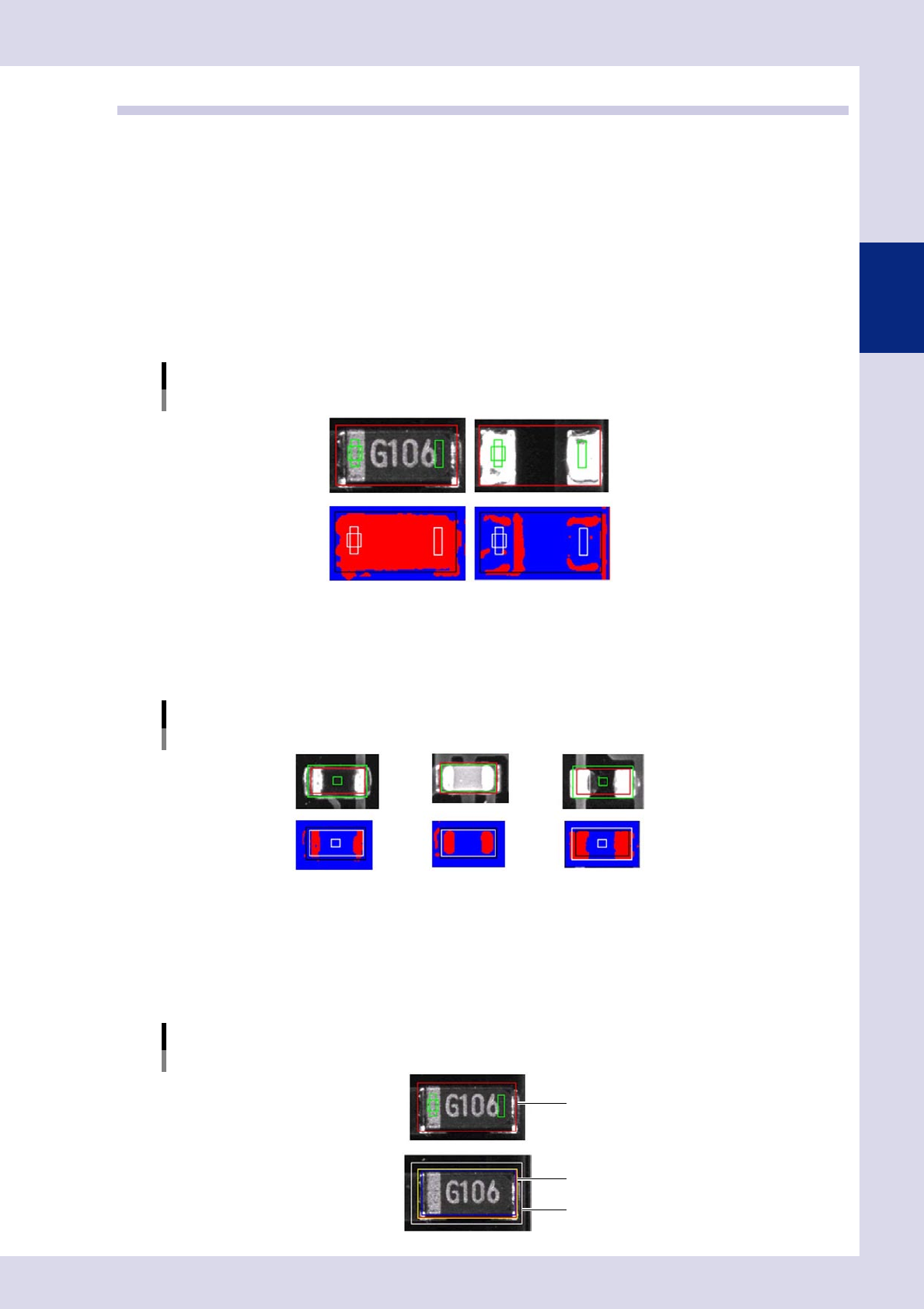
One of two inspections methods (inspection status) is used depending on the part type.
•
Parts check
This inspection mode detects the outer shape and body of a part, and determines whether the part is present or not
based on the detected area and size of the part.
Parts check
OK part Missing part
23205-P6-00
•
Electrode check
The inspection mode detects the electrodes of a chip part, and determines whether the part is present or not based
on the electrode pitch. Used primarily for chip resistors and chip capacitors.
Electrode check
Resistor Capacitor Missing part
23206-P6-00
n
Position deviation
•
Shift tolerance
An NG is judged if the detection area exceeds the allowable position displacement amount from the inspection frame
(step frame).
Shift tolerance
Inspection frame (step frame)
Inspection frame (step frame)
Permissible position deviation range
(Shift Tolerance)
23207-P6-00